




Commandify v1.0.5 Is Here: Fluent Forms Integration, Faster Search with Fuzzy Logic, Smoother Workflows

As WordPress sites grow, admin workflows tend to break down first. Forms live in one place. Entries in another. Transactions somewhere else.
Searching works, but acting still takes too many clicks and too much context switching.
With Commandify v1.0.5, the focus is simple: do more directly from the command palette, without jumping between admin screens.
This release brings deeper form workflows, a major search upgrade, and a set of performance and UX improvements that make Commandify feel faster and more dependable in daily use.
Let’s walk through what’s new.
Fluent Forms Integration (Pro)
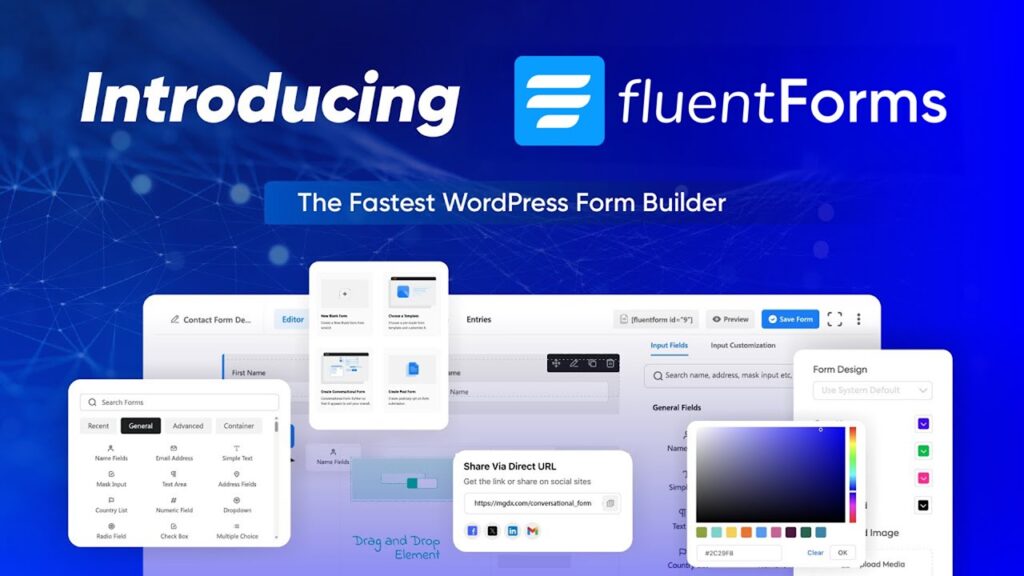
Form-heavy sites are where WordPress admin friction shows up the most. Commandify v1.0.5 takes a big step toward fixing that.
You can now manage Fluent Forms directly from the command palette, without opening Fluent Forms admin pages or switching tabs.
So, what exactly Fluent Forms is?
Fluent Forms is a fast, user-friendly, drag-and-drop WordPress plugin to create any type of forms like contact, payment, quiz, survey) without coding. It offers all necessary features you need in a WordPress form plugin and all required integrations.
Already has over 600k users worldwide!
With this integration, you can:
- Search Fluent Forms, form entries, and transactions
- Find posts and pages that contain Fluent Forms shortcodes
- Use smart patterns like
ffentry:IDor an email address to jump straight to an entry - Perform full actions on forms, entries, and transactions from anywhere
For agencies, support teams, and sites handling large volumes of form data, this turns Commandify into a practical control layer instead of just a navigation tool.
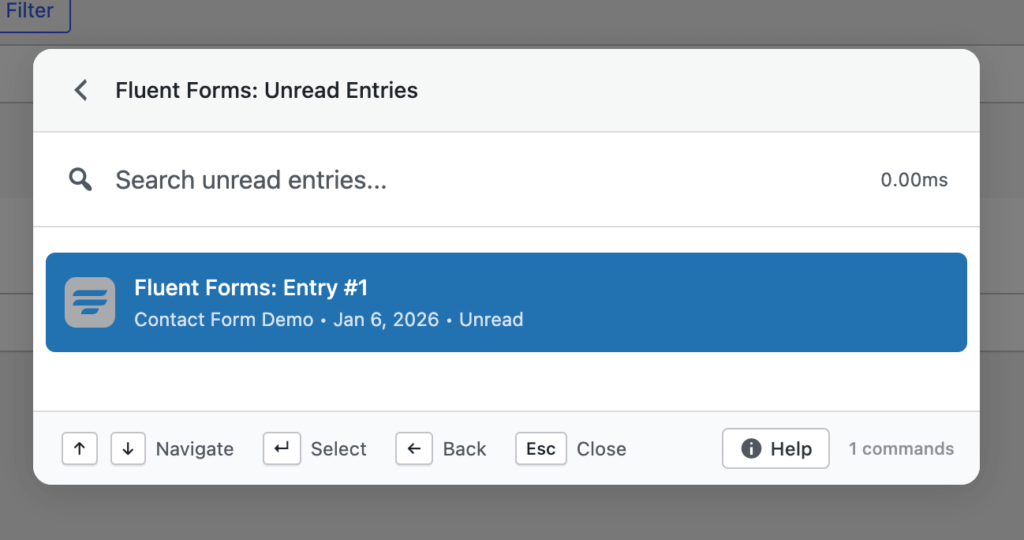
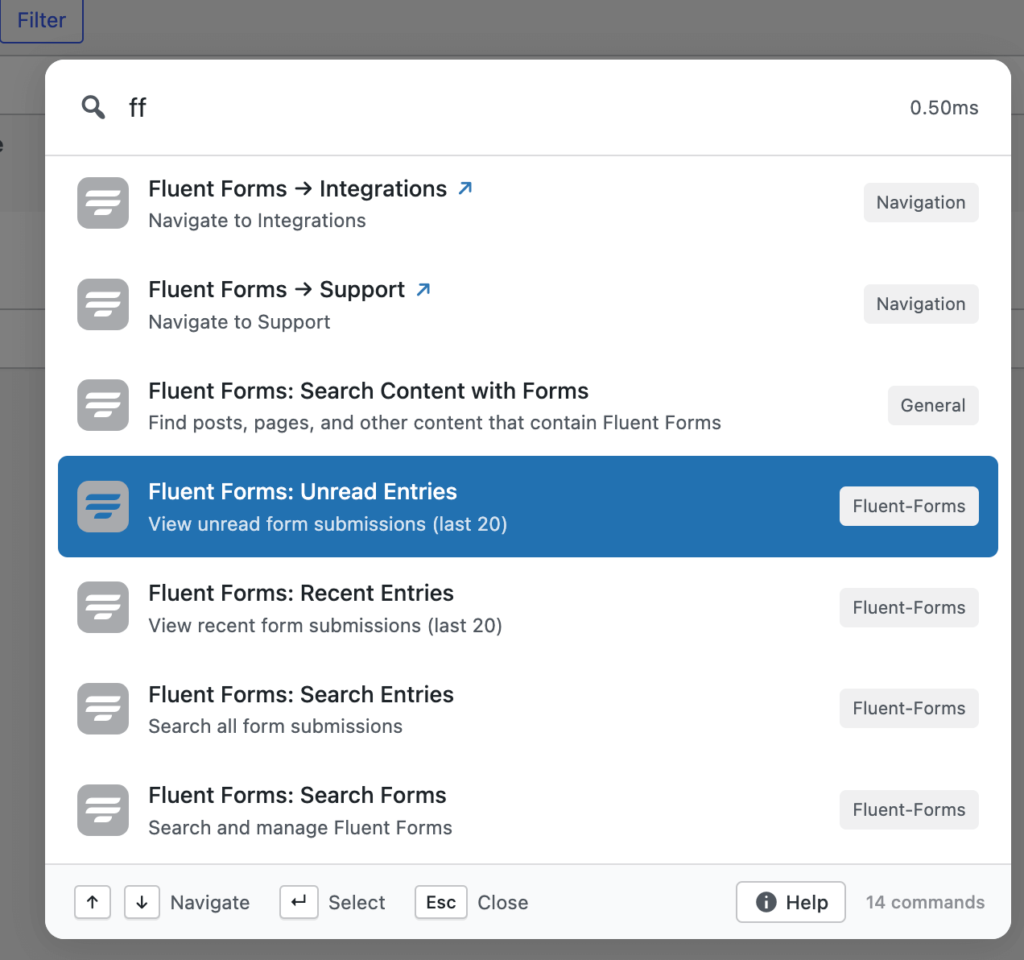
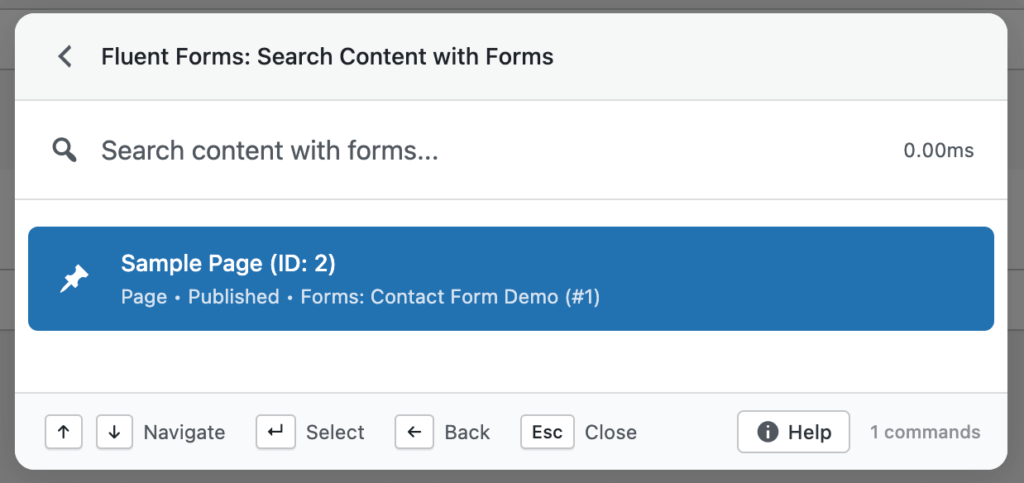
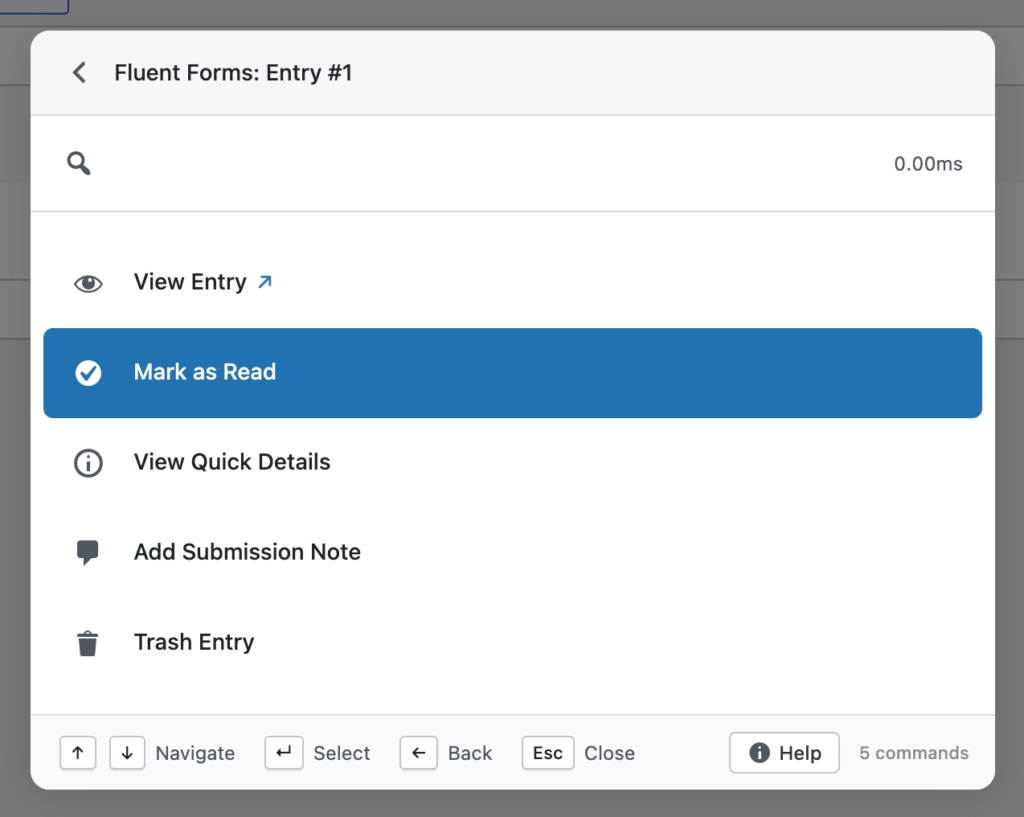
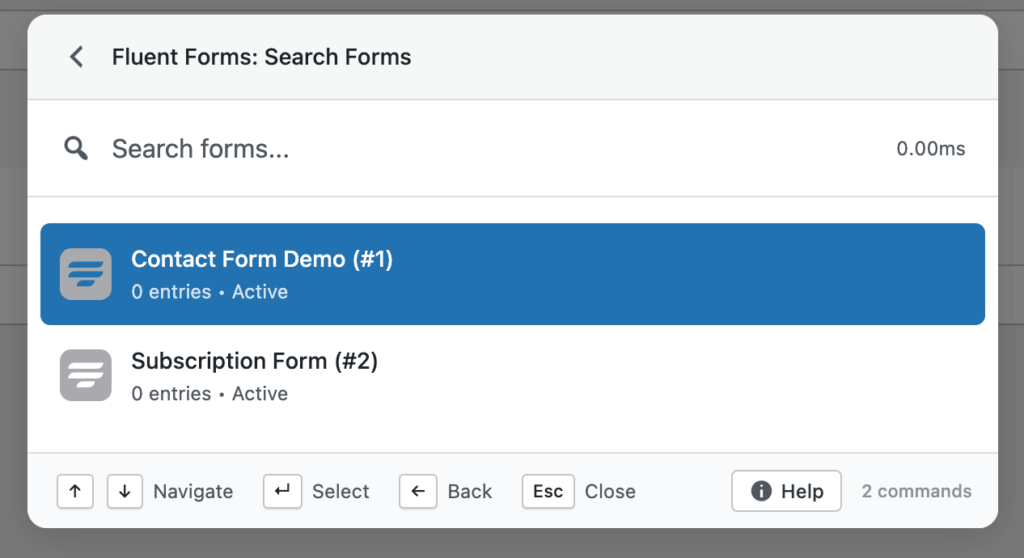
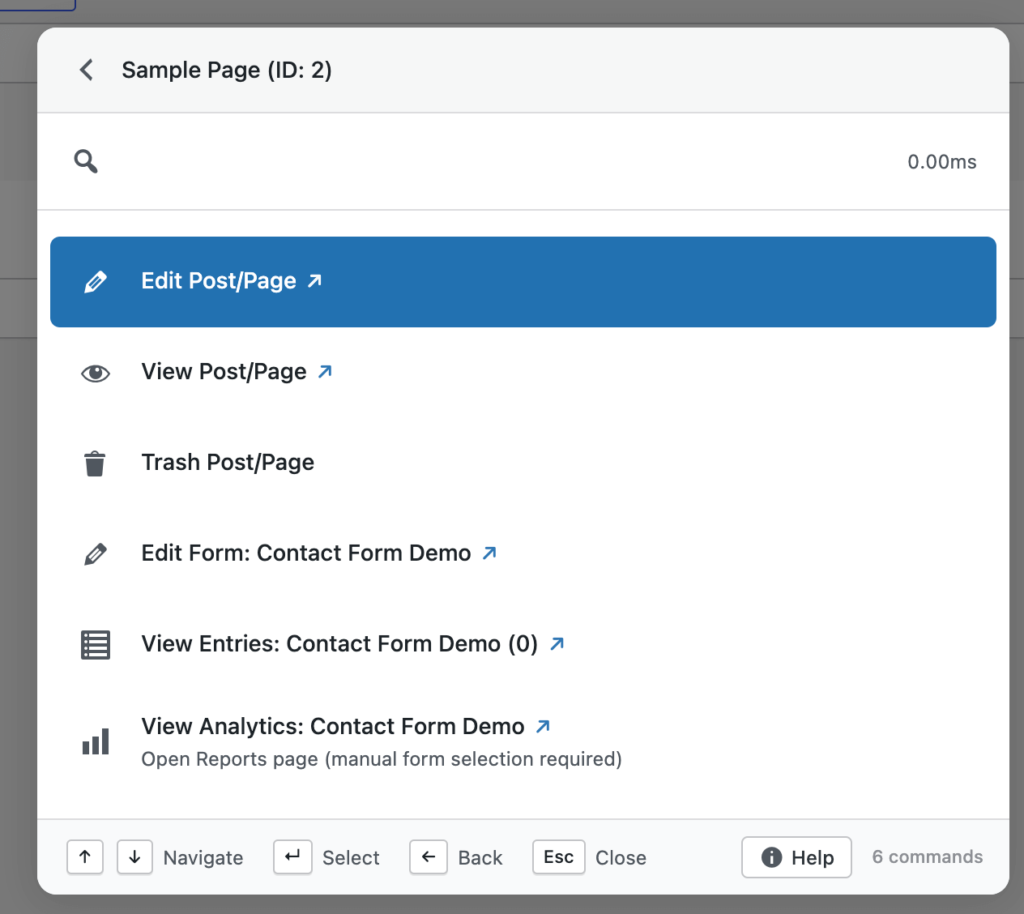
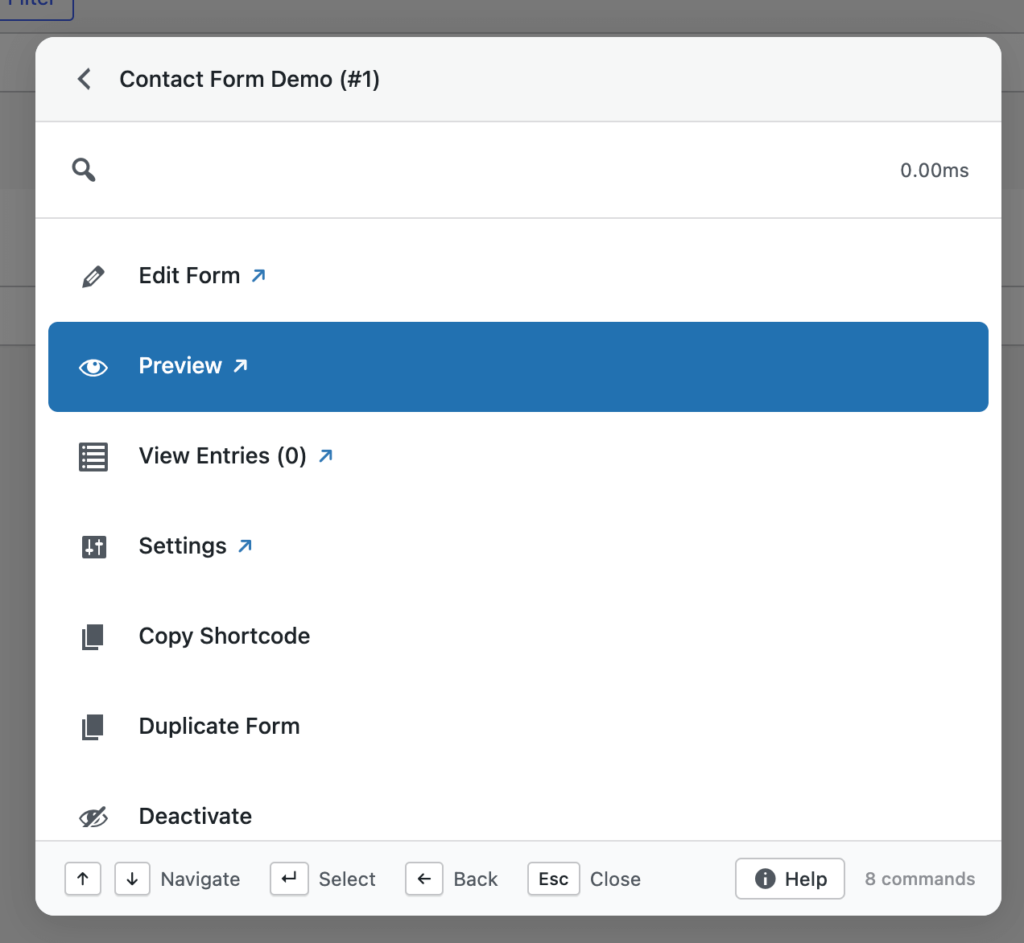
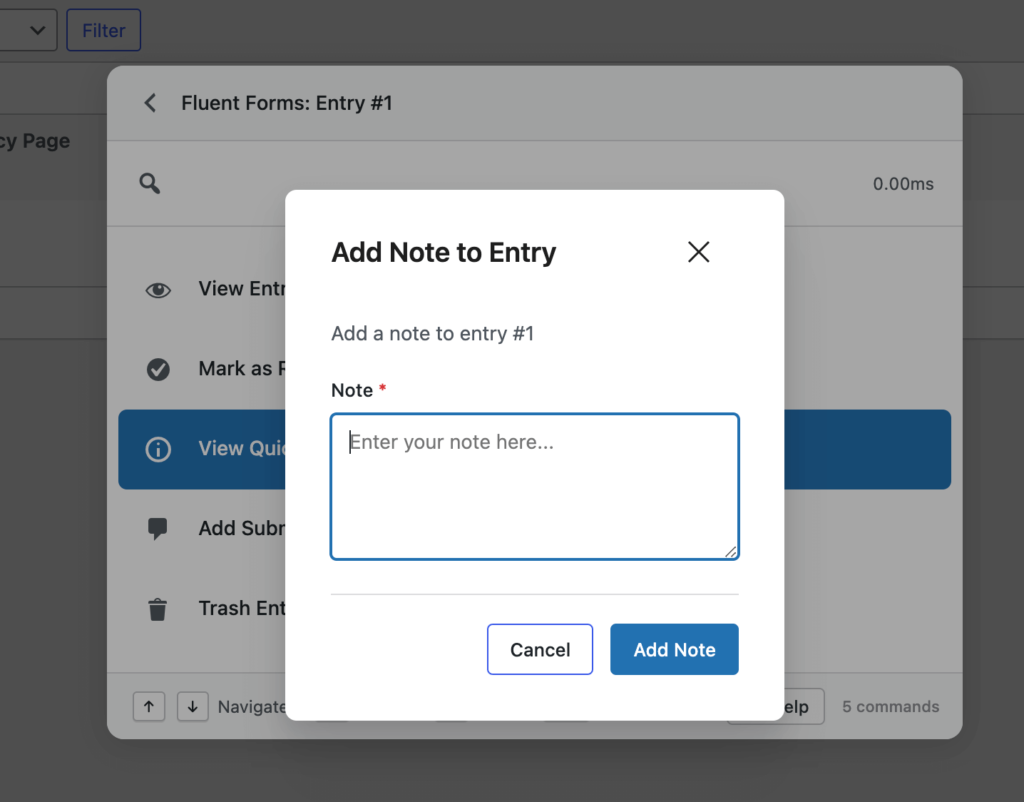
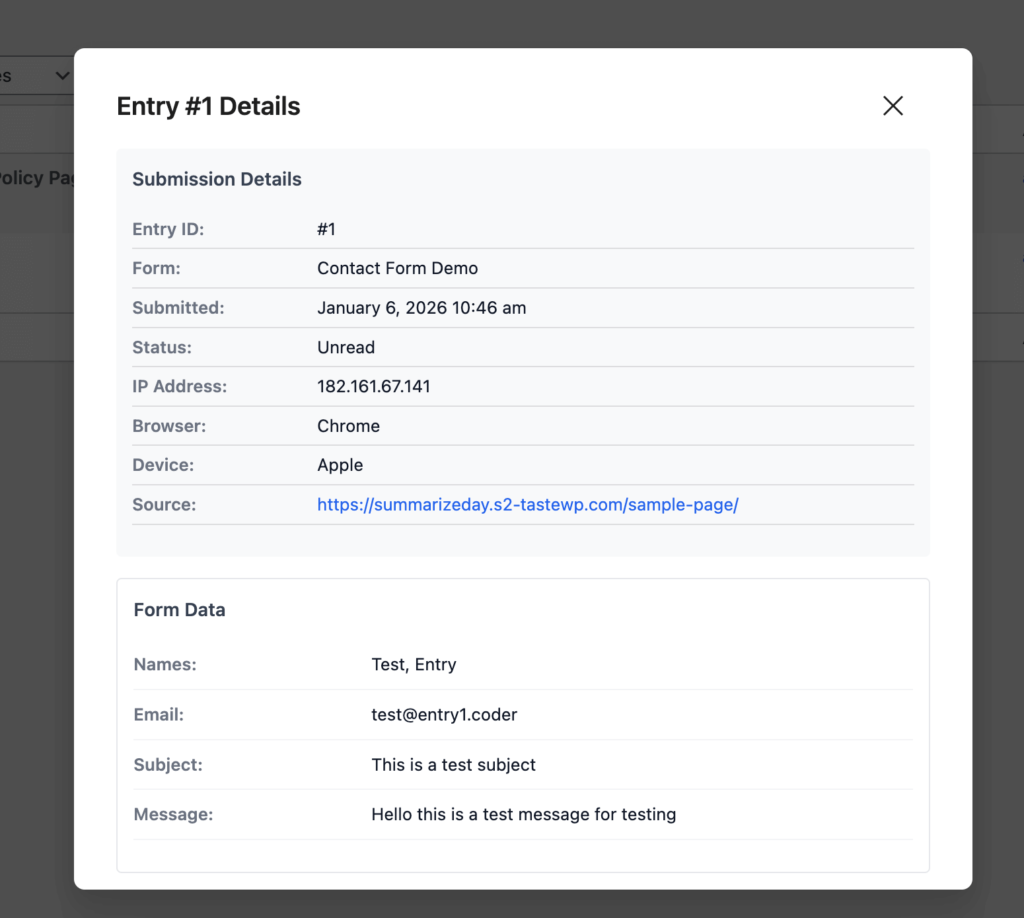
Check all action commands on Fluent Forms with screenshots.
Smarter Fuzzy Search (Major Upgrade)
Search has always been central to Commandify, but v1.0.5 significantly upgrades how results are matched and ranked.

The new fuzzy search engine introduces:
- Context-aware scoring
- Synonym matching
- More intelligent result ranking
- Faster responses across large and complex sites
This means you don’t need to remember exact titles, IDs, or command names.
Commandify now prioritizes what you’re likely trying to do, not just what you typed.
In practice, search feels more forgiving, more accurate, and more consistent as sites scale.
Check all action commands and functionality on Fuzzy Search.
Built-In Help Panel
As Commandify grows more powerful, discoverability matters.
v1.0.5 introduces a built-in help panel, accessible directly from the command palette footer.
It includes:
- Keyboard shortcut references
- Command usage guides
- Feature documentation
The goal is simple: help should be available inside the workflow, not hidden behind docs pages or external links.
Keyboard & Navigation Enhancements
Several small changes in this release add up to a more natural keyboard-first experience.
- New tab navigation indicator
When Cmd (Mac) or Ctrl (Windows) is pressed, a visual ↗ indicator shows that a command will open in a new tab. - Double-Shift shortcut
You can now open the command palette by pressing Shift twice, useful when Cmd/Ctrl conflicts with other tools.
These changes add flexibility without forcing users into a single workflow style.
Performance, Stability, and UI Improvements
v1.0.5 also includes a long list of under-the-hood improvements that directly affect daily use.
Highlights include:
- Skeleton loading state to prevent “No commands found” flashes on refresh
- Faster command loading through smarter caching and readiness checks
- Improved error handling to avoid crashes on network issues
- Cleaner CSS architecture for better theme compatibility
- Polished modal spacing, select fields, and command selection states
Several fixes also address favorites loading, smart default view behavior, and contextual commands on post list screens.
The result is a command palette that feels steadier, quicker, and more predictable under real workloads.
What’s Coming Next
This release is part of a broader push to expand Commandify’s action coverage across WordPress.
Actively in progress:
- More form integrations, including Gravity Forms and WPForms
- LMS support such as LearnDash and Tutor LMS
- Membership plugins like MemberPress and Paid Memberships Pro
- Even deeper, more granular action workflows across WordPress and WooCommerce
Each new integration follows the same principle: searchable, actionable, and context-aware from the command palette.
Why Commandify Is Different From Other Command Palette Tools
Most WordPress command palette plugins focus on one thing: search and navigation.
They help you jump to a page, open a setting, or locate content.
After that, you’re back to clicking through admin screens, modals, and tabs.
Commandify takes a different approach.
It is built around actions, not destinations.
Instead of asking where you want to go, Commandify is designed around what you want to do– instantly, from anywhere, using a single shortcut.
That difference shows up clearly in how integrations work and how commands are structured.
7 Action-Driven Command Types in Commandify that No Other Tools Offer
Commandify supports multiple command types that work together as real workflows, not shortcuts.
1. Navigation Commands
Jump directly to dashboards, tools, settings pages, or custom admin screens.
2. Search Commands
Search across posts, pages, users, media, products, forms, entries, and more — from one interface.
3. Action Commands
Perform real tasks directly, such as:
- Publishing or trashing content
- Updating WooCommerce orders
- Editing items without opening full editors
4. Sub-Action Commands
Trigger nested actions like:
- Emptying trash
- Managing templates
- Executing secondary workflows without extra clicks
5. Dynamic Pattern Commands
Paste structured input like:
#postID@usernameffentry:ID- Email addresses
- Order numbers
Commandify recognizes the pattern and surfaces relevant actions instantly.
6. Toggle Commands
Enable or disable states such as maintenance mode or plugin settings with immediate feedback.
7. Context-Aware Commands
Available actions adapt based on where you are:
- Editor
- Post list table
- Frontend view
- WooCommerce screens
- Page builders
The same shortcut behaves differently because the context changes.
Why This Makes Commandify Ideal For
This action-first model is especially effective for:
- Agencies managing multiple WordPress sites
- WooCommerce store owners handling daily operations
- Support teams working with form entries and user data
- Developers and power users who prefer keyboard-driven workflows
Commandify reduces context switching, shortens task chains, and replaces repetitive admin navigation with direct execution.
It’s not just faster navigation.
It’s a command-driven productivity layer for WordPress.
Integrations by Commandify Command Palette (Commandify v1.0.5)
Before looking at how Commandify works, it helps to understand how much of WordPress it already controls.
Commandify includes deep, action-driven integrations with:
WordPress Core
- Posts, pages, custom post types
- Users and roles
- Media library
- Admin tools and settings
WooCommerce
- Orders and order statuses
- Products and variations
- Customers and addresses
- Coupons and transactional workflows
Page Builders (Elementor and Bricks Builder)
- Elementor: template search, edit, duplicate, export, cache actions, frontend editing
- Bricks Builder: template management, edit with Bricks, CSS regeneration, cache handling
Forms & Submissions (Contact Forms 7 with Flamingo and Fluent Forms)
- Fluent Forms: forms, entries, transactions, pattern-based entry lookup
- Contact Form 7: form search, shortcode detection, form actions
- Flamingo: submission search, spam handling, restore, delete
Utilities (User Switching)
- User Switching: secure role switching for testing and support workflows
These integrations are not read-only.
They are designed so commands return actions, not just links.
The Action-First Architecture of Commandify Command Plugin

This is where Commandify separates itself from typical command palette tools.
Most palettes stop at:
- “Open this page”
- “Go to that screen”
Commandify treats actions as first-class features.
You don’t just find things.
You act on them immediately, without loading full admin pages or breaking focus.
Frequently Asked Questions on Commandify v1.0.5
Is Commandify just a search tool?
No. Search is only one part of Commandify. The core focus is on performing real actions directly from the command palette, not just navigating to pages.
Does Commandify work with large or complex sites?
Yes. Features like advanced fuzzy search, dynamic pattern recognition, and optimized command loading are designed specifically for large sites with lots of content and data.
Which features require Commandify Pro?
Pro unlocks advanced integrations such as Fluent Forms, WooCommerce workflows, contextual command packs, and deeper action handling. Core navigation and search are available in the free version.
Can Commandify replace multiple admin plugins?
In many cases, yes. By centralizing actions, search, and workflows into one interface, Commandify reduces the need for separate navigation, utility, and productivity plugins.
Does Commandify slow down WordPress admin?
No. Commandify v1.0.5 includes performance optimizations like smarter caching, readiness checks, and improved error handling to keep the command palette fast and stable.