



How to Switch WordPress Users Safely and Handle User Issues Faster

The Real Problem: Most WordPress Issues Only Happen for Certain Users
If you’ve ever handled WordPress support, you already know this pattern.
An admin says everything looks fine.
An editor says a button is missing.
A customer says checkout is broken.
A member says they can’t access content they paid for.
These issues are rarely global. They are almost always role-specific.
That’s why so many people search how to switch WordPress users safely instead of “how to fix WordPress bugs.” You can’t fix what you can’t see, and screenshots rarely show the full picture. Menus, permissions, UI elements, and access rules all change based on user roles.
For support teams, agencies, and site owners, this creates a constant bottleneck. Every user issue turns into back-and-forth messages, guesswork, or risky access requests.
Commandify Command Palette plugin builds deep integration with User Switching plugin to make user issue management super easy on WordPress.
Why Traditional WordPress Support Workflows Are Slow and Risky
Before user switching tools became common, teams relied on workarounds that don’t scale well.
The usual process looks like this:
- Ask users for screenshots
- Ask users to record videos
- Request temporary passwords
- Create duplicate test accounts
- Log out and log back in repeatedly
All of this wastes time. Worse, it introduces security risks. Password sharing should never be part of a support workflow, yet it still happens because teams need a way to see what users see.
This is where the need for WordPress user switching best practices becomes obvious. Teams want faster debugging without compromising security or user trust.
What the User Switching Plugin Solves (And Why It Exists)
User Switching was built to solve this exact problem.
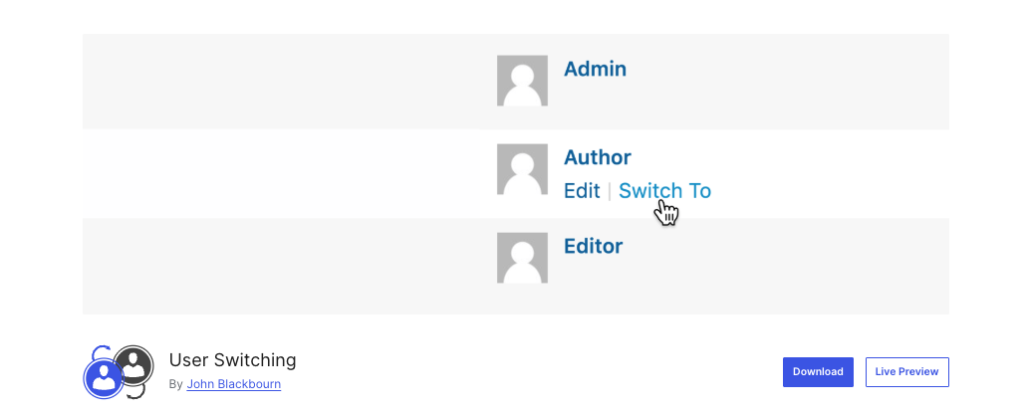
It allows administrators to switch between WordPress user accounts instantly without logging out or knowing passwords. You can view the site exactly as another user would, then switch back to your admin account just as easily.
This changes support workflows completely:
- No password sharing
- No temporary access hacks
- No manual test account creation
For anyone asking how to switch WordPress users safely, User Switching provides a clean, secure foundation.
Why User Switching Alone Still Feels Slow for Support Teams
While User Switching solves access, it doesn’t solve speed at scale.
On small sites with a handful of users, navigating to Users → All Users works fine. On real production sites, it quickly becomes frustrating.
Support teams and agencies deal with:
- Hundreds or thousands of users
- WooCommerce customers
- Membership subscribers
- Editors, authors, contributors
- Client-specific roles
Finding the right user inside the WordPress admin still requires manual searching, scrolling, and context switching. When you’re handling dozens of tickets per day, this friction adds up fast.
This is why teams start looking for WordPress support workflow improvements rather than just access tools.
The Hidden Cost of Slow User Switching Workflows
Every extra step in a support workflow has a cost.
When it takes too long to switch users:
- Support tickets stay open longer
- Customers wait for answers
- Agencies burn billable time
- Issues get misdiagnosed
Even when User Switching is installed, slow navigation through the admin can still delay resolution. This is the gap most teams don’t realize exists until their workload increases.
The difference between switching users in 30 seconds versus 5 seconds might seem small. At scale, it’s the difference between smooth operations and constant friction.
How Commandify Turns User Switching Into an Instant Support Action
This is where Commandify changes how user switching feels in real workflows.
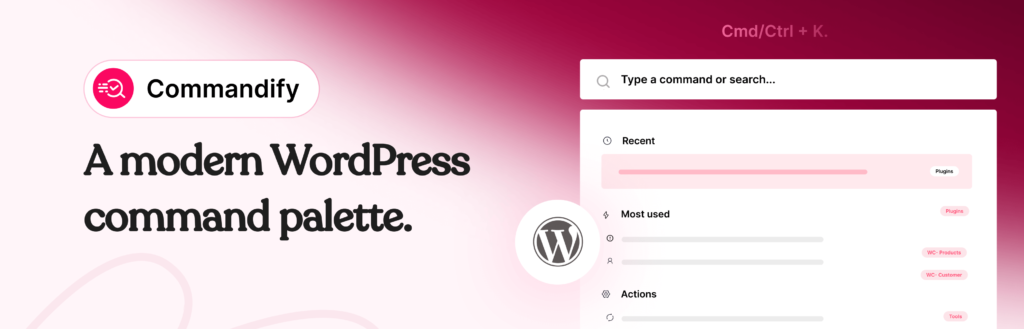
Instead of opening the Users screen, filtering lists, and clicking profile actions, Commandify lets you search users directly from the command palette and switch instantly. The difference is subtle at first, but dramatic at scale.
For support teams, this means:
- No menu navigation
- No scrolling user tables
- No breaking focus during active debugging
User switching becomes an action, not a process. This is the missing piece in most WordPress user switching best practices discussions.
Handling WordPress User Issues Faster With Role-Based Context
Most WordPress issues are not bugs. They’re mismatches between expectation and permission.
Editors don’t see menus.
Subscribers can’t access content.
Customers encounter checkout issues.
Without role-based context, these issues are hard to diagnose. Switching users instantly gives support teams clarity instead of assumptions.
By combining User Switching with Commandify, teams can jump into the affected role immediately, confirm the issue, and resolve it without guessing. This directly supports the goal of handle WordPress user issues faster, especially in high-volume environments.
Why This Workflow Is Safer Than Password Sharing
One of the most important benefits of user switching is security.
Asking users for passwords introduces risk. Creating temporary credentials increases attack surface. Both practices are still common because teams feel pressured to resolve issues quickly.
User Switching eliminates the need for either. Commandify enhances this by reducing the time users stay impersonated, since switching back is just as fast.
This aligns perfectly with how to switch WordPress users safely without compromising trust or security.
Where This Setup Makes the Biggest Difference
This workflow becomes essential when:
- Sites have hundreds or thousands of users
- WooCommerce customers report account-specific issues
- Membership access rules vary by role
- Agencies manage multiple client sites
- Support teams handle tickets daily
In these environments, slow user switching becomes a hidden operational cost. Faster workflows don’t just save time. They improve response quality and customer satisfaction.
This is why Commandify is increasingly seen as one of the most practical WordPress admin productivity tools for professional teams.
Why Agencies and Support Teams Rely on This Approach
Agencies and internal support teams care about one thing: resolution speed without risk.
They don’t want new dashboards.
They don’t want complex setups.
They want faster visibility into user-specific problems.
Commandify fits naturally into existing workflows. It doesn’t replace User Switching. It amplifies it by removing the admin friction that slows teams down.
For agencies, this means:
- Faster ticket resolution
- Less back-and-forth with clients
- Better use of billable time
User Switching and Commandify FAQ
Is WordPress user switching safe?
Yes. User Switching does not expose passwords or store credentials. Admins can switch users temporarily and return instantly.
How does Commandify improve user switching?
Commandify removes the need to navigate the Users screen. You search users directly and switch instantly, which improves speed and focus.
Can this handle WooCommerce customers and members?
Yes. User Switching works with all user roles, including customers and subscribers.
Is this useful for agencies managing multiple sites?
Absolutely. This setup is especially valuable for agencies handling frequent, role-based support requests.
Does Commandify replace User Switching?
No. Commandify integrates with User Switching to make it faster and easier to use in daily workflows.
Final Takeaway on How to Switch WordPress Users with Commandify and User Switching Plugin
If your goal is to switch WordPress users safely and handle WordPress user issues faster, access alone is not enough. Speed and context are what turn support workflows into something scalable.
User Switching provides secure access.
Commandify turns that access into an instant action.
Together, they create one of the most efficient WordPress support workflows available today.