




What Is Fuzzy Search in Commandify and Why It Changes How You Use WordPress

WordPress Search Has a Fundamental Problem
WordPress admin search was never designed for speed or intent.
It expects exact matches. Exact titles. Exact menu names. Exact labels. That works on small sites. It breaks down completely once a site grows beyond a few dozen posts, plugins, users, or integrations.
Real WordPress users don’t search like machines. They:
- Type partial words
- Misspell names
- Remember intent, not titles
- Jump between content, actions, settings, and data
This mismatch is why even experienced users still waste time clicking through menus. The admin UI becomes a memory test instead of a productivity tool.
This is the gap fuzzy search exists to fix. Let’s start with what is fuzzy search and how it works to make your life easier with powerful logic.
What Is Fuzzy Search Actually (Beyond the Buzzword)

Fuzzy search is not “faster search.” It’s forgiving search.
Instead of matching text exactly, fuzzy search evaluates similarity and intent. It asks:
- How close is this input to known commands or objects?
- Which result is the user most likely trying to reach?
- What should rank first based on context?
In practical terms, fuzzy search:
- Matches partial words
- Handles misspellings
- Understands abbreviations
- Scores results instead of filtering strictly
This is why fuzzy search is used in:
- Code editors
- System launchers
- Productivity tools
- Command palettes
And it’s why strict search feels outdated once you experience fuzzy logic done right.
Why Fuzzy Search Matters More in WordPress Than Anywhere Else
WordPress admin is not one dataset. It’s many.
You’re searching across:
- Posts, pages, and custom post types
- WooCommerce orders, products, customers
- Users and roles
- Forms, entries, transactions
- Templates, builders, settings
- Plugins, tools, and actions
Expecting users to remember exact labels across all of this is unrealistic.
As sites grow, navigation becomes the bottleneck, not lack of features. That’s why WordPress itself introduced a basic command palette — it’s an acknowledgment that menu-based navigation doesn’t scale.
But basic search is still basic.
Why Commandify Introduced Advanced Fuzzy Search
Commandify is not built as a shortcut tool. It’s built as a command-driven productivity layer.
That means search is not just for finding things — it’s for triggering actions.

According to Commandify’s official fuzzy search documentation, the fuzzy engine was redesigned to support:
- Context-aware scoring
- Synonym matching
- Intelligent ranking
- Partial and pattern-based inputs
- Action-first results instead of static lists
This matters because Commandify search is not limited to content. It searches what you can do, not just what exists.
How Commandify’s Fuzzy Search Actually Works
Commandify’s fuzzy search is not a single filter. It’s a multi-layered scoring system.
Here’s how it works conceptually.
1. Token-Based Matching (Not Full String Matching)
Instead of comparing full strings, Commandify breaks both:
- Your input
- Available commands
into smaller tokens.
This allows it to match:
- Partial words
- Out-of-order fragments
- Abbreviations
Typing a few characters is often enough to surface the correct result.
2. Context-Aware Scoring
Commandify does not rank results globally. It ranks them based on where you are.
For example:
- In the editor, content-related commands score higher
- On WooCommerce screens, order and product actions score higher
- In admin dashboards, settings and tools take priority
This is critical.
Without context-aware scoring, fuzzy search becomes noisy. With it, results feel “smart” instead of overwhelming.
3. Synonym Matching
Commandify understands that users don’t always use the same words as WordPress.
For example:
- “Orders” vs “Purchases”
- “Users” vs “Accounts”
- “Templates” vs “Layouts”
- “Entries” vs “Submissions”
The fuzzy engine maps these relationships so results still surface even when wording differs. This is one of the reasons Commandify feels more forgiving than traditional admin search.
4. Intelligent Ranking Instead of Filtering
Most searches filter results out.
Commandify ranks them.
This means:
- You still see multiple relevant results
- The most likely match appears first
- Less relevant results don’t disappear completely
This ranking model is what allows fuzzy search to work reliably across large datasets without feeling random.
5. Pattern-Aware Inputs
Commandify’s fuzzy search also works alongside pattern recognition.
This allows inputs like:
- IDs
- Emails
- Shortcodes
- Structured references
to trigger relevant commands directly instead of requiring navigation first.
This combination of fuzzy logic + patterns is what enables fast, technical workflows for power users.
How This Changes Day-to-Day WordPress Work
Once fuzzy search is reliable, behavior changes.
Users stop:
- Remembering exact menu names
- Clicking through admin screens
- Navigating hierarchies manually
And start:
- Typing what they remember
- Acting immediately
- Staying in flow
This matters most for:
- Developers
- Agencies
- Store owners
- Support teams
- Anyone managing complex sites
Instead of adapting to WordPress, WordPress adapts to how they think.
Using Fuzzy Search Effectively in Commandify
To get the most value from Commandify’s fuzzy search:
- Don’t overthink input
Type fragments. Misspellings are fine. Partial words work. - Think in intent, not labels
Search what you want to do, not where it lives. - Trust ranking
The first few results are usually the correct ones due to scoring. - Use it for actions, not just navigation
Commandify search is designed to trigger workflows, not just open screens.
Once users adapt to this mindset, admin navigation feels outdated.
Why Fuzzy Search Is Foundational to Commandify’s Power
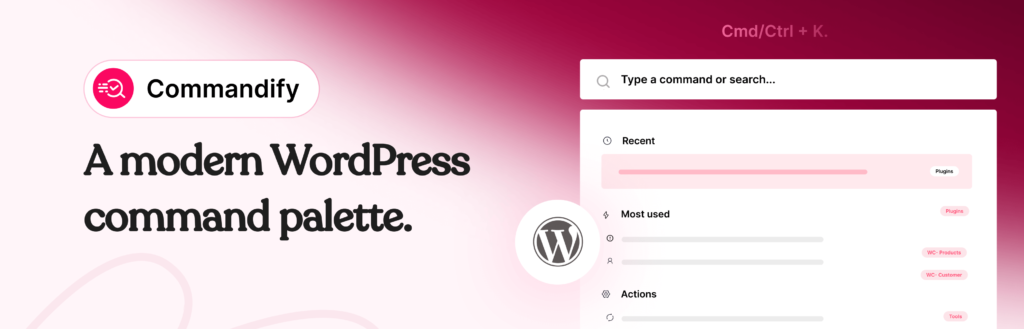
Fuzzy search is not an isolated feature in Commandify. It’s the foundation for:
- Action-driven commands
- Context-aware workflows
- Deep plugin integrations
- Pattern-based lookups
- Admin productivity at scale
Without fuzzy search, command palettes feel brittle. With it, they feel natural.
That’s why Commandify invested in a purpose-built fuzzy engine instead of relying on basic search logic.
Final Takeaway on What is Fuzzy Search and How it Works in Commandify
Fuzzy search is not about being clever. It’s about reducing friction between intent and action.
WordPress has become too powerful for exact-match navigation. Commandify’s fuzzy search bridges that gap by understanding how real users think, type, and work.
For WordPress power users, this isn’t a convenience feature. It’s what makes large, complex sites manageable every day.
Once you experience fuzzy search done right, going back to traditional admin navigation feels unnecessarily slow.