



5 Best WordPress Command Palette Plugins Compared (2026)

The WordPress admin was not designed for speed. It was designed for accessibility. Menus for everything, pages for everything, clicks for everything.
That works fine when you’re occasionally updating a site. It doesn’t work when WordPress is where you spend four to eight hours a day.
Command palette plugins fix this. Press one keyboard shortcut, type what you want to do, and you’re there. No menus, no page loads, no hunting. The concept comes from developer tools (VS Code, Raycast, Alfred) and it’s now a mature category in WordPress.
This comparison covers every serious option in 2026: the WordPress core command palette, Commandify, CommandUI, Turbo Admin, and the free lightweight alternatives. Each one is different in meaningful ways.
The right choice depends on what you actually do in WordPress every day.
What to Look For in a WordPress Command Palette Plugin
Before the comparison, here’s the framework that matters. Not all command palettes are built the same, and the differences go beyond feature lists.
Navigation vs actions:
Some tools let you find things fast. Others let you do things fast. The best ones do both. If you need to deactivate a plugin, looking up where the plugin page is doesn’t help, you need the action to happen from the palette itself.
Search quality:
Fuzzy search, typo tolerance, and contextual ranking matter enormously when you’re typing quickly under pressure. A palette that only matches exact strings will slow you down when it matters most.
Integration depth:
WooCommerce, Elementor, Bricks, contact forms- if you use any of these daily, a command palette that can’t reach them is only half useful.
Deployment model:
Plugin vs browser extension changes the security profile, the per-site vs per-browser setup experience, and whether client sites are affected.
The 5 Best WordPress Command Palette Options in 2026
1. Commandify: Best for WooCommerce Sites and Agencies
Free version available on WordPress.org. Pro from $47/year.
Commandify is the most action-focused command palette plugin in this list. Where most tools excel at navigation (getting you to the right screen) Commandify is built to let you do things without ever visiting that screen at all.
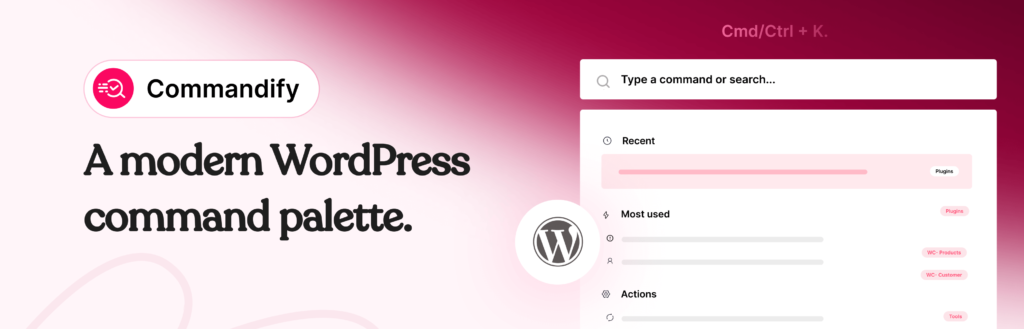
The free version covers the core use case well: full admin navigation via Cmd/Ctrl + K, plugin and theme management from the palette, post and page search with quick edit and view actions, user lookup by name, email or role, and built-in bulk cleanup tools. It works across the entire wp-admin, not just the editor.
What sets Commandify apart is its Pro tier. The WooCommerce command suite is the most complete of any palette plugin: search orders by number, email, or status, access products and product variations directly, look up customers, navigate to coupons and reports- all without opening the WooCommerce menu.
For store managers who field support queries while managing inventory, this alone removes dozens of clicks per hour.
Pro also adds full Elementor and Bricks Builder template management, Contact Form 7 with Flamingo integration, Fluent Forms, contextual commands (the palette adapts based on which admin screen you’re on), per-user settings, dark mode, and pattern-aware search that recognises order numbers (#4152), user handles (@sarah), and product SKUs without needing special syntax.
The fuzzy search engine handles typos and partial input reliably. Type “woo ord” and it finds WooCommerce Orders. Type “deac jetpack” and it offers the deactivate action for Jetpack. This is the kind of search quality that makes a command palette feel instant rather than effortful.
Who it’s for: WooCommerce store owners, agencies managing multiple client sites, power users who want actions not just navigation, anyone running Elementor or Bricks Builder.
Pricing: Free on WordPress.org. Pro: Basic $47/yr (5 sites) or $135 LTD, Professional $79/yr (30 sites) or $215 LTD, Enterprise $159/yr (100 sites) or $399 LTD. 14-day money-back guarantee.
What it doesn’t do: No browser extension- it’s a plugin, so it requires installation per site. Frontend command palette is on the roadmap but not yet released.
2. WordPress Core Command Palette: Best if You Need Zero Plugins
Built into WordPress 6.3+. Free.
Since WordPress 6.3, the block editor has included a built-in command palette accessible via Cmd/Ctrl + K. WordPress 6.9 expanded it significantly- the palette now works across the entire wp-admin, not just the Site Editor, and gained a public API that third-party plugins can use to register their own commands.
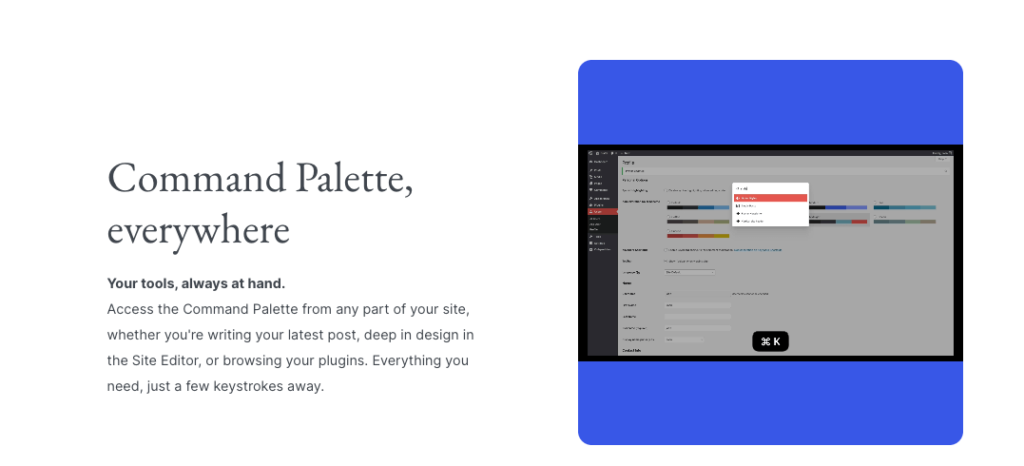
For the right user, this is all you need. If you run a simple content site, work primarily in the block editor, and your main need is fast navigation to posts, pages, and basic settings, the core palette covers it cleanly. No plugin overhead, nothing to update, nothing to break.
The honest limitation is that it was designed for site editing workflows, not store management or agency workflows. You can’t search WooCommerce orders. You can’t deactivate a plugin. You can’t look up a user. The scope is intentionally narrow, which is fine until you run up against it.
WordPress 6.9 made meaningful progress on the command palette, it’s worth reading if you want to understand exactly where the core palette stands today and what’s still missing.
Who it’s for: Bloggers, content creators, and simple site owners who work primarily in the block editor and don’t need WooCommerce or plugin management from the palette.
Pricing: Free, built-in.
What it doesn’t do: No WooCommerce integration. No plugin management actions. No user lookup. Not suitable for store management or agency workflows.
3. CommandUI: Best for Pure Navigation Speed
Premium only. From $49/year (5 sites).
CommandUI is a well-established command palette plugin built by Calvin Alkan. It has a strong reputation among WordPress power users and developers for raw navigation speed. The search is extremely fast (handling 100,000+ records with typo tolerance) and the interface is clean and refined.
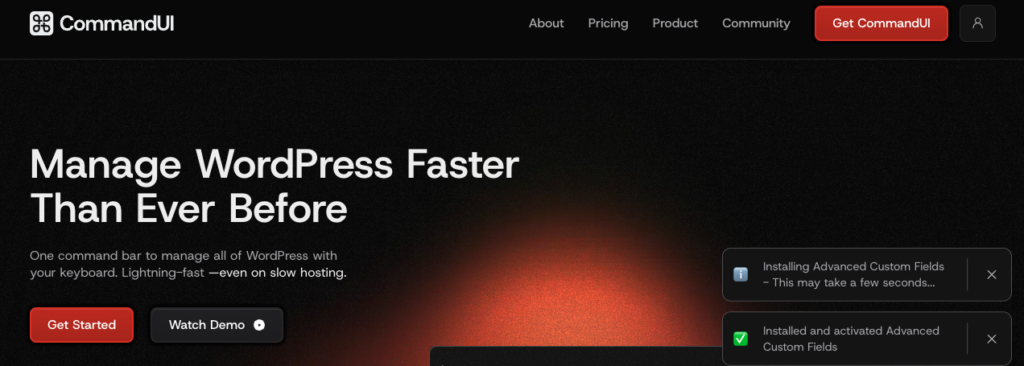
It covers the core navigation use cases confidently: jump to any admin screen, search posts, pages, users, plugins and media, create new content from the palette, and manage plugins including installing directly from the WordPress.org repository. It also supports Elementor and Bricks Builder for template access, and has WooCommerce order and customer search on its Pro plans.
CommandUI’s key strength is the depth and polish of its navigation layer. If your primary use case is “get me to the right screen fast,” it’s excellent. The shortcut system and search modes are well-thought-out for developers who work across complex site structures.
Who it’s for: Developers and power users who prioritise navigation speed and interface polish over action depth.
Pricing: No free version. $49/yr (5 sites), $99/yr (50 sites), $199/yr (150 sites). Lifetime deals also available. 14-day refund window.
What it doesn’t do: No free version to try before buying. Custom shortcuts from the interface are on the roadmap but not yet available. WooCommerce integration is present but not as deep as Commandify Pro.
4. Turbo Admin: Best for Developers Who Manage Many Sites
Free plugin on WordPress.org. Browser extension: one-time $35 fee, unlimited sites.
Turbo Admin takes a different approach to the whole category. Instead of a plugin you install per site, it’s primarily a browser extension that detects any WordPress installation you’re logged into and injects a command palette automatically. No plugin to install, no client site to configure, no risk of breaking a production environment.
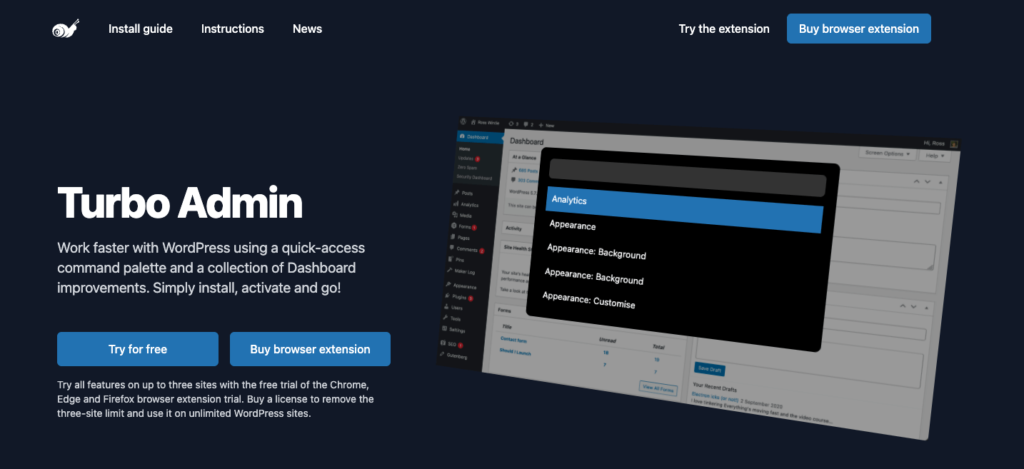
Built by Ross Wintle, a WordPress developer since 2008, it was the first serious command palette solution in the WordPress ecosystem before the core palette existed. The free plugin version is fully usable. The browser extension adds unlimited sites, admin notice hiding, the Barkeeper (which tidies the admin bar), and list table keyboard shortcuts.
For a developer who logs into 20 different client WordPress installs every week, the value proposition is clear: one purchase, one browser setup, every site covered. It also includes basic WooCommerce order and customer search.
The limitation is that Turbo Admin is primarily a navigation tool. You can find things fast, but the action depth for WooCommerce, page builders, and form plugins doesn’t match Commandify Pro or CommandUI. It also doesn’t work on Safari.
Who it’s for: Freelancers and agencies who manage many client sites and want one tool that works everywhere without per-site installation. Developers who prefer a browser-extension model.
Pricing: Free plugin on WordPress.org. Browser extension: $35 one-time, unlimited sites. No subscription.
What it doesn’t do: No Safari support. Shallower action depth compared to Commandify Pro. Frontend palette not available.
5. Jarvis / Admin Search: A Free Lightweight Option
Free on WordPress.org.
For users who want a basic command-bar experience without committing to a paid plugin, Jarvis and Admin Search are the most used free options on WordPress.org. They provide quick admin menu navigation and basic post search via keyboard shortcut, with no configuration needed.
They’re best understood as stepping stones. If you’ve never used a command palette in WordPress and want to feel what the workflow is like before investing in a more capable tool, these work. But they don’t support actions, integrations, or the kind of search quality you get from Commandify or CommandUI.
Who it’s for: Users new to the command palette concept who want to try it risk-free before committing to a paid option.
Pricing: Free.
What it doesn’t do: Very limited feature set. No WooCommerce, no plugin management, no action commands. Not suitable for professional workflows.
Side-by-Side Comparison
| Feature | Commandify | CommandUI | Turbo Admin | WP Core |
|---|---|---|---|---|
| Free version | Yes (WordPress.org) | No | Yes (plugin) | Built-in |
| Admin navigation | Full | Full | Full | Partial |
| Plugin management | Yes | Yes | No | No |
| WooCommerce orders/products | Pro, deep suite | Pro, basic | Basic search | No |
| Elementor / Bricks | Pro | Yes | No | No |
| Contact forms | Pro (CF7, Fluent) | No | No | No |
| Fuzzy / typo-tolerant search | Yes | Yes | Basic | Basic |
| Contextual commands | Pro | Yes | No | Limited |
| Per-user settings | Pro | Yes | Yes (extension) | No |
| Browser extension | No | No | Yes ($35 one-time) | No |
| No plugin install needed | No | No | Yes (extension) | Built-in |
| Multi-site pricing | Up to 100 sites | Up to 150 sites | Unlimited (extension) | Unlimited |
Which One Should You Choose?
The answer depends entirely on what your WordPress day looks like.
If you run a WooCommerce store
Commandify Pro is the clear choice. No other plugin comes close on order lookup, product search, and customer management from the command palette. The time you’ll save on daily store operations justifies the cost in the first week.
If you’re an agency or freelancer managing multiple client sites
Turbo Admin’s browser extension model is compelling- one purchase, unlimited sites, no client-side plugin to manage. If you need deeper WooCommerce or page builder actions on those sites, combine it with Commandify or switch to Commandify for client sites that need it.
If you’re a developer who prioritises navigation speed and interface polish
CommandUI is worth the premium. The search is fast, the UX is refined, and if your work is primarily navigating complex WordPress admin structures rather than managing WooCommerce, it covers what you need.
If you run a simple content site
Start with the WordPress core palette. It’s free, it’s there, and it’s gotten genuinely useful since 6.9. If you hit its limits, upgrade to Commandify free, which is also on WordPress.org and costs nothing.
If you’ve never used a command palette before
Install Commandify free from WordPress.org and spend 20 minutes with it. It’s the fastest way to understand whether this category of tool changes how you work and for most people who use WordPress daily, it does.
Install Commandify free from WordPress.org– no setup, press Cmd/Ctrl + K and start using it immediately.
When you’re ready for WooCommerce, Elementor, and deeper integrations, Commandify Pro starts at $47/year with a 14-day money-back guarantee.
WordPress Command Palette Plugins: Frequently Asked Questions
Is there a free WordPress command palette plugin?
Yes. Commandify has a fully functional free version on WordPress.org that covers admin navigation, plugin and theme management, post and user search, and bulk cleanup actions. WordPress also includes a built-in command palette since version 6.3, though its scope is narrower. Turbo Admin has a free plugin version as well, though its main value is the paid browser extension. Jarvis and Admin Search are also free but quite limited.
What is the difference between Commandify and CommandUI?
Both are action-capable command palette plugins, but they differ in focus and pricing. CommandUI has no free version and starts at $49/year. Commandify has a free tier and its Pro version offers deeper WooCommerce integration (orders, products, variations, customers) plus Contact Form 7, Fluent Forms, and frontend palette support. CommandUI is strong on navigation speed and interface polish. Commandify is stronger on action depth, especially for WooCommerce and page builder users. See the full Commandify vs CommandUI comparison for a detailed breakdown.
Does Turbo Admin work on all WordPress sites?
The Turbo Admin browser extension works on any WordPress site you’re logged into, with no plugin installation required on the site itself. This makes it uniquely suited for agencies and freelancers managing dozens of client sites. The free plugin version works on sites where you can install plugins. Note that the browser extension does not support Safari- it works on Chrome, Edge, Firefox, and other Chromium-based browsers.
Does WordPress have a built-in command palette?
Yes, since WordPress 6.3. It’s accessible via Cmd/Ctrl + K from the block editor and, since WordPress 6.9, from anywhere across wp-admin. It handles navigation and basic actions well for content workflows but doesn’t extend to WooCommerce management, plugin actions, user operations, or page builder integrations. For those workflows, a dedicated plugin like Commandify fills the gap.
Can I use a command palette plugin for WooCommerce order management?
Commandify Pro has the most complete WooCommerce integration available. You can search orders by order number, customer email, or status, access products and variations, look up customers, and navigate to coupons and reports- all from the command palette without visiting the WooCommerce admin screens.
CommandUI and Turbo Admin offer basic WooCommerce order search, but neither matches Commandify’s action depth for store management workflows.