



Commandify v1.0.4 Now live! Frontend Commands, WordPress 6.9 Compatibility & Deeper WooCommerce Control

We’re back with another weekly update and this one brings some of the most requested improvements to Commandify just before the holiday season.
Over the past week, the team focused on making Commandify more flexible, more future-proof, and more powerful for real-world workflows, especially for WooCommerce stores, page builder users, and keyboard-first WordPress professionals.
With Commandify v1.0.4, we focused on:
- Making Commandify usable beyond wp-admin with frontend support
- Ensuring full compatibility with WordPress 6.9
- Expanding WooCommerce, Elementor and Bricks Builder workflows with deeper, safer actions
This release is less about adding surface-level features and more about strengthening Commandify as a reliable, long-term productivity layer for WordPress professionals.
Let’s walk through what’s new.
Frontend Command Palette (Opt-In)
Commandify can now be used on the frontend of your site when you are logged in as an administrator or editor.
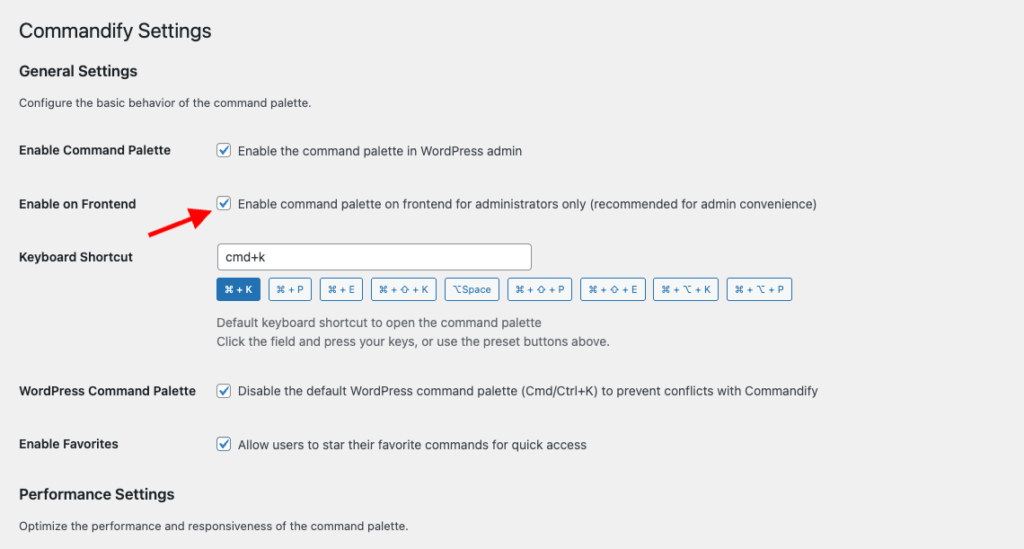
Once enabled from the settings page, the command palette becomes available while viewing posts, pages, and custom post types on the frontend. This allows you to:
- Open content directly in the editor
- Trigger contextual actions without switching to wp-admin
- Move between editing and reviewing content without breaking flow
The frontend palette uses theme-independent styling, ensuring a consistent look and behavior regardless of the active theme. This avoids layout conflicts and keeps the palette readable across different designs.
Frontend support is intentionally opt-in, giving site owners full control. This ensures security-sensitive environments can decide when and where frontend commands should be available.
WordPress 6.9 Compatibility (No Shortcut Conflicts)
WordPress 6.9 introduces its own native command palette, which also uses Cmd/Ctrl+K.
In v1.0.4, Commandify adds a dedicated setting that allows you to disable the default WordPress command palette when needed. This prevents shortcut conflicts and ensures a predictable experience.
This update was important for two reasons:
- It avoids overlapping keyboard shortcuts
- It ensures Commandify remains stable across future WordPress releases

Rather than competing with core features, Commandify integrates cleanly into the evolving WordPress ecosystem.
WooCommerce: Customer Actions Get Smarter
This release significantly improves WooCommerce customer workflows, especially for store owners and support teams.
You can now:
- View customer billing and shipping addresses in a clean, read-only modal
- Update billing or shipping addresses directly from the command palette
- Use searchable country and state dropdowns that follow WooCommerce’s field order
These actions are designed for accuracy and speed. Instead of opening customer profiles, scrolling through tabs, and saving forms manually, everything happens inside a focused modal.
Dynamic country and state selection ensures fewer errors when updating addresses, which is especially helpful for stores handling international customers.
Under the hood, customer actions are now generated using a centralized action system, making them consistent across different contexts.
Page Builder Improvements (Elementor & Bricks)

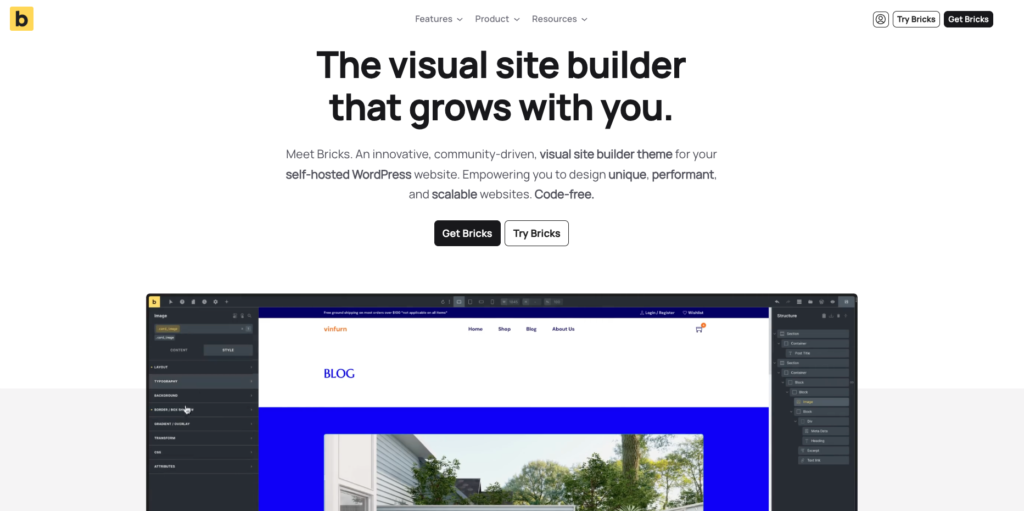
Commandify v1.0.4 improves how page builder actions behave across both backend and frontend contexts.
Elementor Enhancements
- “Edit with Elementor” now appears consistently on the frontend for all Elementor-supported post types
- Keyboard shortcuts work reliably inside Elementor’s iframe
- Contextual commands behave the same whether you’re editing or viewing content
This makes it easier to move between reviewing a page and jumping straight into visual editing.
Bricks Improvements
- Bricks actions now use the same centralized post action system as other integrations
- Commands respect Bricks’ post type settings automatically
- Behavior is consistent across list views, editors, and frontend pages
These changes reduce edge cases and make builder actions feel predictable and integrated, rather than bolted on.
Contact Form 7 & Flamingo Fixes
This release also includes several important fixes for Contact Form 7 and Flamingo users.
Issues around deleting forms, copying shortcodes, and incomplete search results have been resolved. All form searches now include all post statuses, and copied shortcodes no longer include escaped characters.
These fixes improve reliability for teams that manage large numbers of forms and submissions.
UX, Stability & Performance Improvements
Alongside new features, v1.0.4 includes multiple refinements that improve daily usability:
- Better icon alignment inside the palette
- Improved modal sizing for complex forms
- Keyboard scrolling support inside scrollable modals
- More consistent post actions across search and dynamic lookups
Several edge-case bugs were also fixed, including duplicate post creation and undefined variable errors in frontend commands.
These changes don’t add new buttons — but they make existing workflows smoother and more trustworthy.
Why This Release Matters
Commandify is increasingly used as a primary interface, not a secondary shortcut tool.
With frontend support, WordPress 6.9 compatibility, deeper WooCommerce actions, and consistent page builder behavior, v1.0.4 reinforces a clear direction:
Commandify is built for doing work, not just navigating menus.
Many command palettes focus on search and redirection. Commandify continues to focus on actions, context, and workflows — especially where WordPress becomes complex.
Why Commandify Is Now the Most Powerful WordPress Command Tool
At this point, Commandify goes far beyond what traditional command palettes offer.
Unlike search-only tools, Commandify is built around actions and workflows, including:
- Context-aware commands that change based on where you’re working
- Deep WooCommerce control (orders, products, customers)
- Form management with Contact Form 7 + Flamingo
- Page builder template management (Elementor & Bricks)
- User role switching for testing and support
- One-click maintenance actions
- Pattern recognition for IDs, emails, and users
These are capabilities that simply don’t exist together in other command palette tools — especially not with this level of depth.
wpRigel: Building Focused Tools, Not Feature Noise
At wpRigel, every release follows a simple principle: improve real workflows before adding new surface features.
Commandify v1.0.4 reflects that mindset. Instead of chasing shortcuts or UI trends, this release strengthens areas that users rely on daily — editing, reviewing, managing customers, and maintaining sites.
Alongside Commandify, wpRigel continues to develop Pollify, a fully Gutenberg-native polling and engagement plugin designed for modern WordPress sites. Pollify follows the same philosophy: native tools, clean UX, and no unnecessary abstractions.
wpRigel is a small team, but highly focused. Each update is shaped by real usage, user feedback, and long-term maintainability. Rather than shipping everything at once, features are released once they’re stable, secure, and consistent.
This approach allows wpRigel products to scale with users — from individual site owners to agencies managing dozens of WordPress installs.
What’s Coming Next on Commandify
Work is already underway on:
- More form integrations (Fluent Forms, Gravity Forms, WPForms)
- LMS integrations (LearnDash, Tutor LMS)
- Membership tools (MemberPress, Paid Memberships Pro)
- Expanded frontend workflows and contextual actions
As always, new features will roll out gradually, with stability and usability as the top priority.