



How to Manage Contact Form 7 Submissions Faster Without Digging Through Flamingo

The Real Frustration: Contact Form 7 Submissions Are Hard to Handle at Scale
Contact Form 7 works perfectly. That’s why millions of WordPress sites use it. But once a site starts receiving regular submissions, managing those entries becomes frustrating very quickly.
Messages come in through multiple forms. Support requests, sales inquiries, partnership emails — all mixed together. Someone on your team asks for a past submission. A customer follows up using the same email. You know the message exists, but finding it takes longer than it should.
This is why people keep searching things like how to manage Contact Form 7 submissions, Contact Form 7 entry management, and manage Flamingo submissions efficiently. The issue is not form creation. It’s what happens after the form is live.
Once submissions become part of daily operations, the default admin workflow starts slowing teams down.
What Contact Form 7 and Flamingo Actually Do?
Contact Form 7 is a lightweight and flexible form plugin. By default, it does not store submissions in the database. That design choice keeps it simple, but it also means you need an additional layer to manage entries.
That’s where Flamingo comes in. Flamingo stores Contact Form 7 submissions inside WordPress so you can view messages later.
This setup works, but as submissions increase, managing CF7 entries through Flamingo becomes admin-heavy and slow, especially for support teams and agencies.
In this article, we’ll focus on solving that exact problem using Commandify– without changing how your forms work.
Why Managing Contact Form 7 Submissions Feels Clunky
The first issue most users notice is fragmentation.
Forms live in one place. Submissions live somewhere else. Spam is mixed with real messages. Searching across multiple forms requires jumping between screens. Even simple tasks like finding a message by email take more time than expected.
The Flamingo interface is functional, but it’s not optimized for speed. Each interaction requires:
- Navigating to the Flamingo inbox
- Selecting the correct form
- Scanning through entries
- Opening messages one by one
For low-volume sites, this is manageable. For sites handling daily inquiries, it becomes a bottleneck. That’s why queries like handle Contact Form 7 entries faster appear so often- users are reacting to admin friction, not missing features.
The Email Lookup Problem Support Teams Face Daily
Support teams rarely receive perfect information.
A customer usually follows up with something like:
“I sent a message yesterday from john@example.com”
Now the task becomes finding that submission.
With default Flamingo workflows, this means:
- Opening the Flamingo inbox
- Filtering or searching manually
- Waiting for results
- Opening multiple entries to confirm the match
This is slow, especially when support tickets stack up. Searching by email should be instant, but Flamingo treats it like a secondary filter instead of a primary workflow.
This is why Contact Form 7 entry management becomes painful as soon as support volume increases. The admin interface simply wasn’t designed for rapid, repeated lookups.
Managing Multiple Contact Forms Makes the Problem Worse
Most real-world sites don’t use just one form.
They have:
- A contact form
- A support form
- A quote request form
- A careers form
- Maybe language-specific forms
Flamingo stores all of these submissions, but switching between forms is slow and disorienting. Teams often forget which form a message came from, forcing them to search across everything.
This is where people start asking how to manage Contact Form 7 submissions more efficiently. The issue isn’t storage- it’s access.
When you have to jump between forms and inboxes just to find one message, productivity drops fast.
Spam Handling Becomes a Time Sink
Spam is unavoidable with public forms.
Even with filters and honeypots, some spam gets through. Flamingo collects it alongside real submissions, which means support teams still need to review and clean up entries manually.
Typical workflows involve:
- Scanning messages
- Identifying spam
- Deleting or trashing entries
- Repeating the same actions again and again
This process is tolerable at low volume. At scale, it becomes tedious and time-consuming. It also increases the chance of accidentally deleting a legitimate message.
This is another reason people search manage Flamingo submissions efficiently— not because Flamingo is broken, but because cleaning up submissions shouldn’t take this much effort.
Why Traditional Contact Form 7 Tips Don’t Fix the Core Problem
Most advice around Contact Form 7 focuses on:
- Improving form validation
- Reducing spam
- Customizing form markup
While these are useful, they don’t address the biggest admin pain: handling submissions after they arrive.
Even with perfect forms, teams still struggle with:
- Finding specific entries
- Switching between forms
- Handling follow-ups quickly
- Managing inbox cleanup
The problem is not form configuration.
The problem is how submissions are accessed and acted on inside WordPress admin.
This is exactly where workflow improvements matter more than plugin settings.
Where Contact Form 7 Management Starts Hurting Agencies
Agencies feel this pain more than anyone else.
They manage multiple client sites, each with:
- Different forms
- Different inbox volumes
- Different support processes
Switching between Flamingo inboxes across sites quickly becomes exhausting. Small inefficiencies multiply when repeated across clients.
This is why agencies actively look for better WordPress support workflows rather than new form features. They need faster access to data, not more customization options.
How Commandify Fixes Contact Form 7 Submission Management at the Workflow Level

At this stage, the core problem with Contact Form 7 submission handling should be clear.
Contact Form 7 does its job well.
Flamingo stores submissions reliably.
What breaks down is not data collection or storage.
What breaks down is how much effort it takes to find, review, and act on submissions once they start piling up.
This is exactly where Commandify fits into the workflow.
Commandify does not replace Contact Form 7 or Flamingo. It does not change how submissions are saved or displayed. Instead, it removes the biggest bottleneck in CF7 workflows: slow access to submissions inside the WordPress admin.
Managing Contact Form 7 Submissions Faster Starts With Direct Search
The most time-consuming part of Contact Form 7 entry management is locating the right submission.
In real workflows, you rarely start with the form name. You start with:
- An email address
- A follow-up message
- A support ticket reference
Default Flamingo workflows require you to navigate through inboxes and forms before you can even begin searching. This is why so many users ask how to manage Contact Form 7 submissions more efficiently- they’re reacting to access friction.
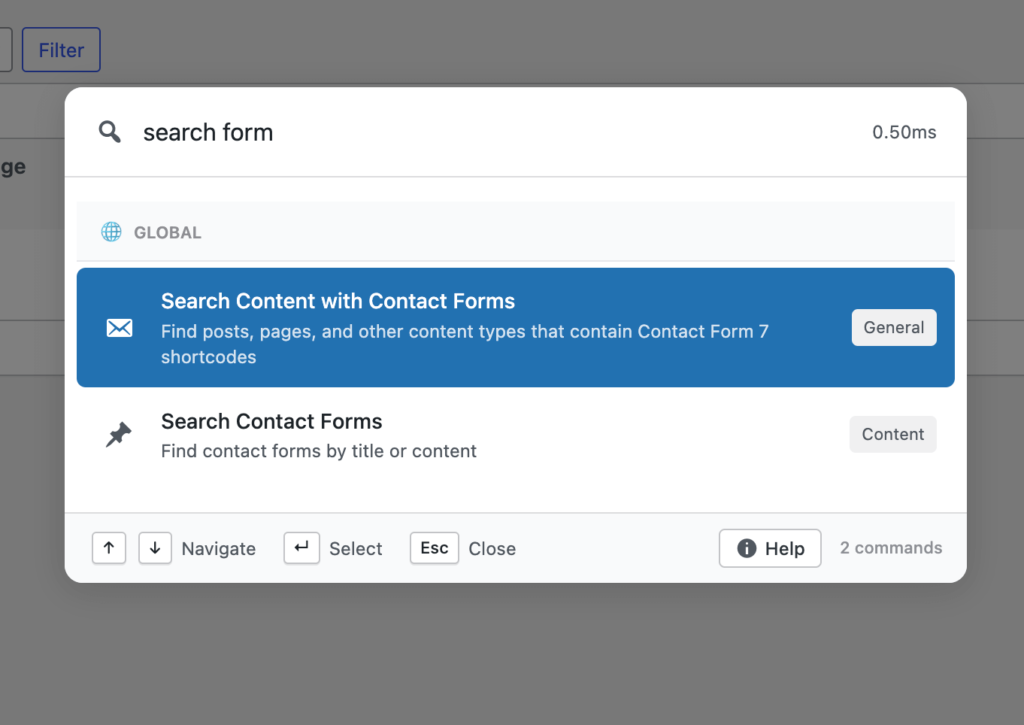
Commandify changes this by making submissions directly searchable. You begin with intent, not navigation. Instead of opening Flamingo first, you search for the submission you need and act immediately.
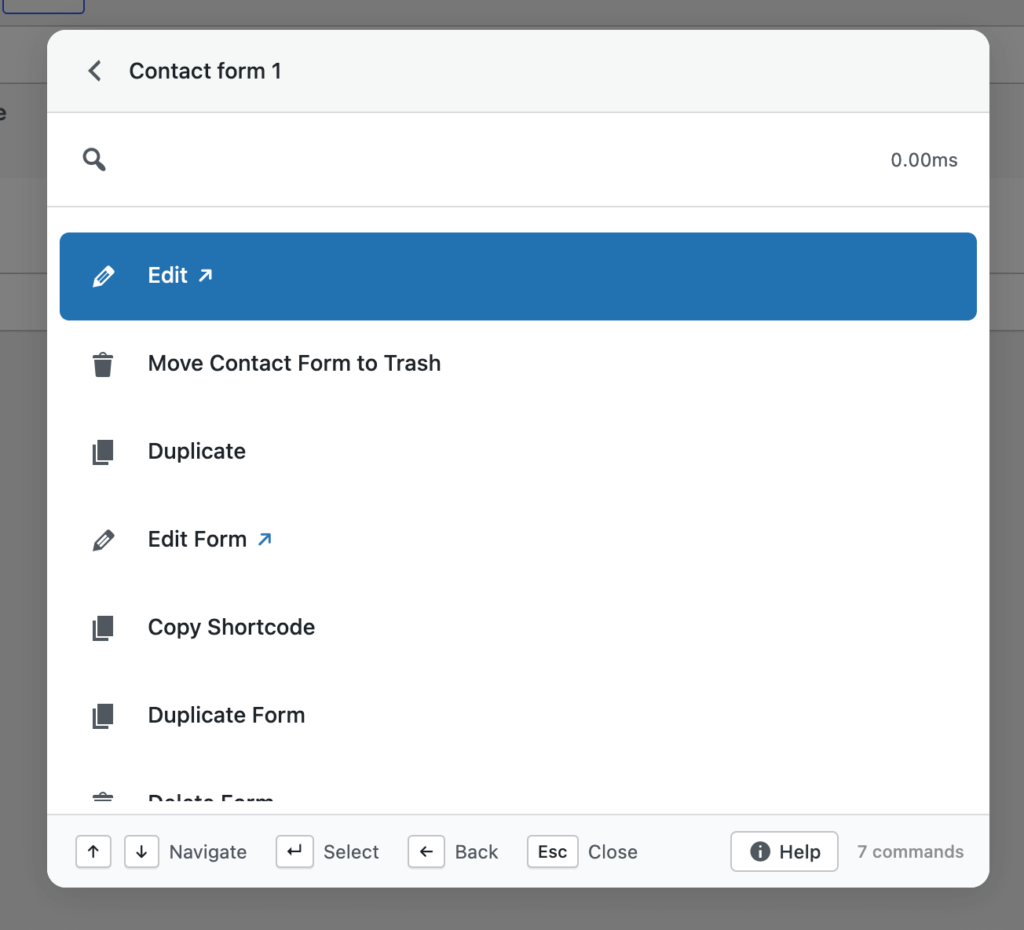
This single change has a major impact on Contact Form 7 entry management, especially for support-heavy sites.
Handling Flamingo Submissions Without Living Inside the Inbox
Flamingo was designed as a storage layer, not a high-speed inbox. Its interface works, but it assumes that admins will browse messages manually and infrequently.
As submission volume grows, this assumption no longer holds.
Support teams and agencies need to:
- Locate messages quickly
- Confirm details without opening multiple entries
- Move between submissions without losing context
Commandify reduces dependency on the Flamingo inbox by surfacing submissions through search and actions. Instead of spending time navigating inbox screens, teams interact with submissions directly.
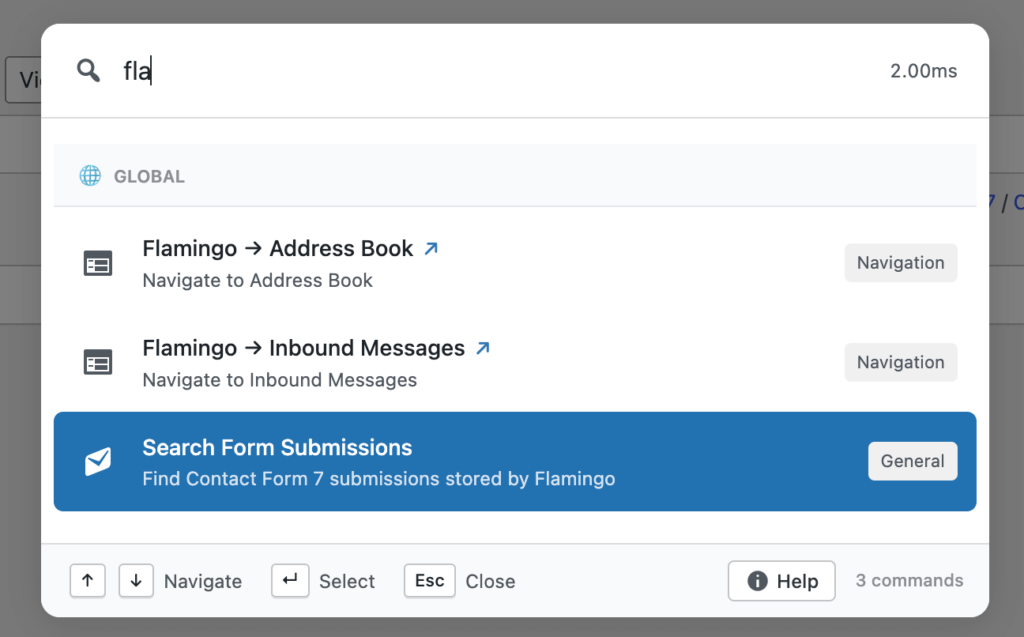
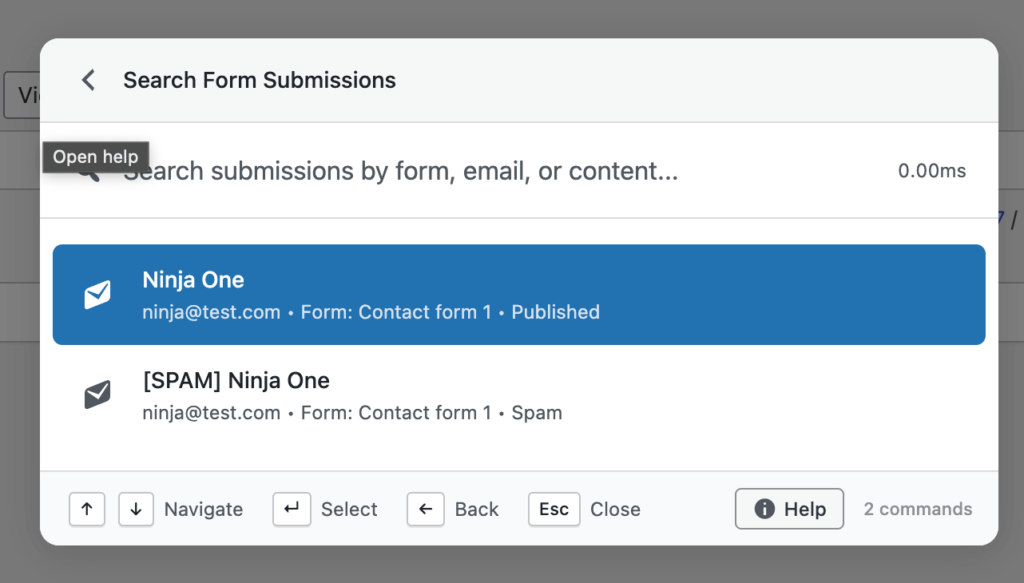
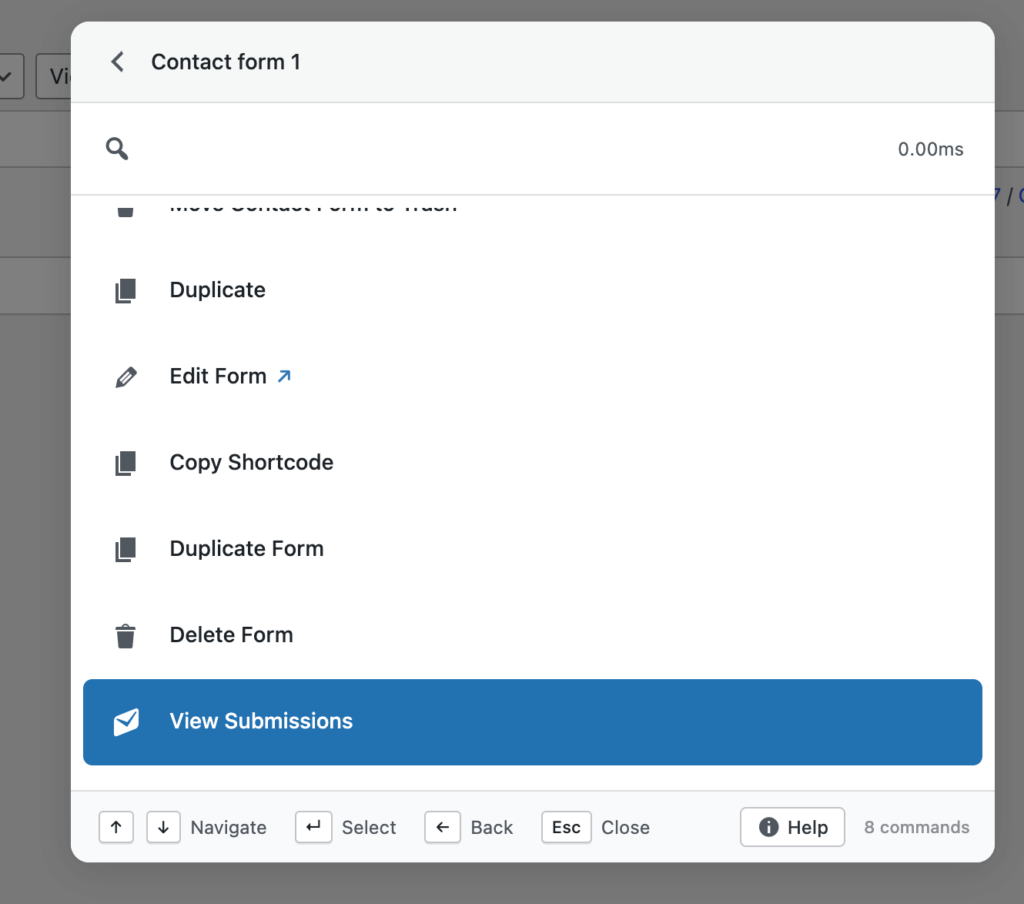
This makes managing Flamingo submissions efficiently realistic even as volume increases.
Faster CF7 Entry Management Across Multiple Forms
Multiple forms are the norm on professional sites, not the exception.
When submissions are split across contact, support, sales, and application forms, default workflows slow down. Teams waste time remembering which form to check, then repeat the same navigation steps across inboxes.
Commandify removes that mental overhead. You don’t need to know where a submission lives before you find it. You search once and reach the relevant entry directly.
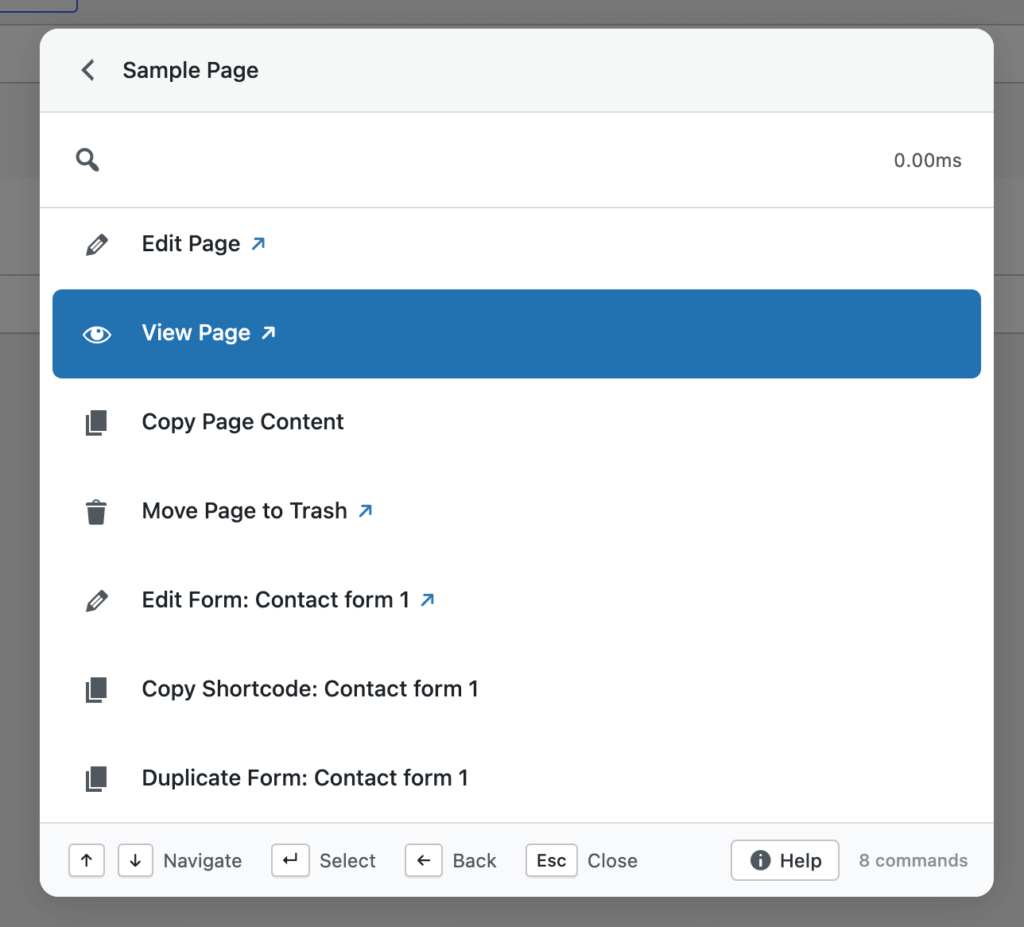
This is a key reason why teams using Commandify consistently handle Contact Form 7 entries faster than with default admin workflows.
Reducing Time Spent on Spam and Inbox Cleanup
Spam management is unavoidable, but it doesn’t need to be time-consuming.
In standard Flamingo workflows, spam cleanup involves opening entries, confirming content, deleting messages, and repeating this process again and again. Over time, this becomes one of the most tedious parts of managing Contact Form 7 submissions.
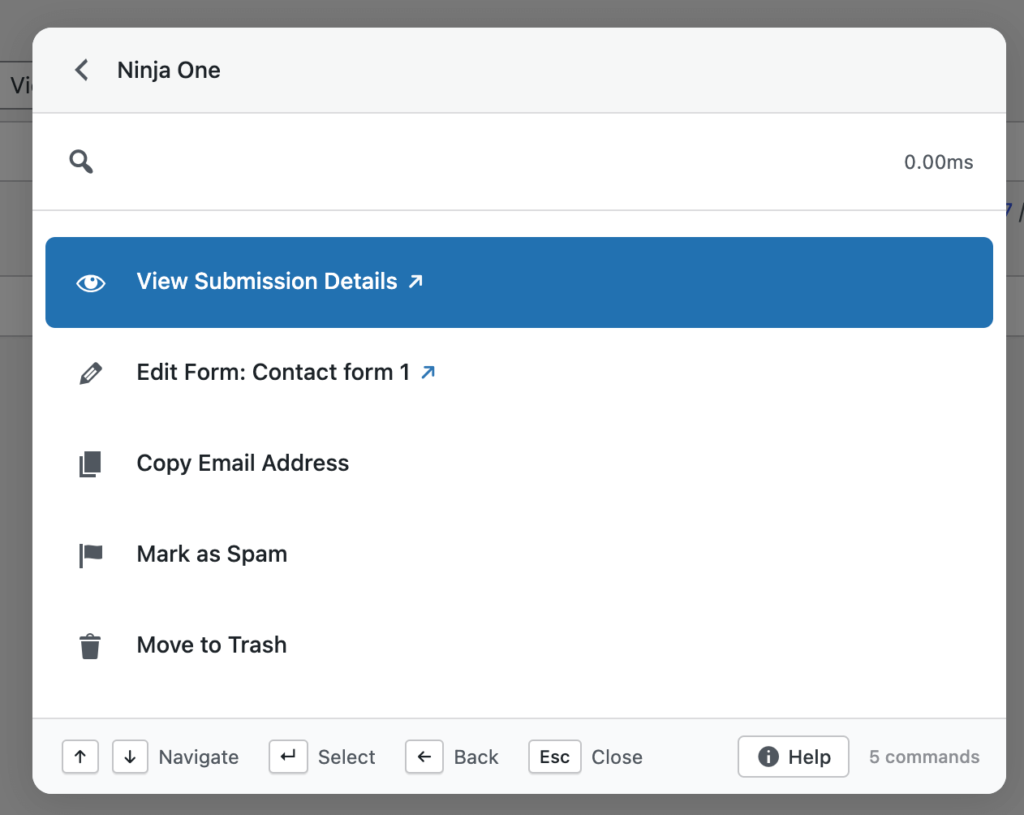
Commandify shortens this process by making submission actions easier to reach. When cleanup actions are closer to search and context, admins spend less time reviewing and more time resolving real messages. This improves inbox hygiene without adding more tools or automation layers.
Why This Approach Works Better Than Traditional CF7 Optimizations
Most Contact Form 7 advice focuses on:
- Form setup
- Validation rules
- Spam prevention
These are important, but they don’t address the biggest admin problem: handling submissions after they arrive.
Commandify works because it targets the actual pain point- access speed. Instead of adding new features to CF7 or Flamingo, it improves how you interact with what already exists.
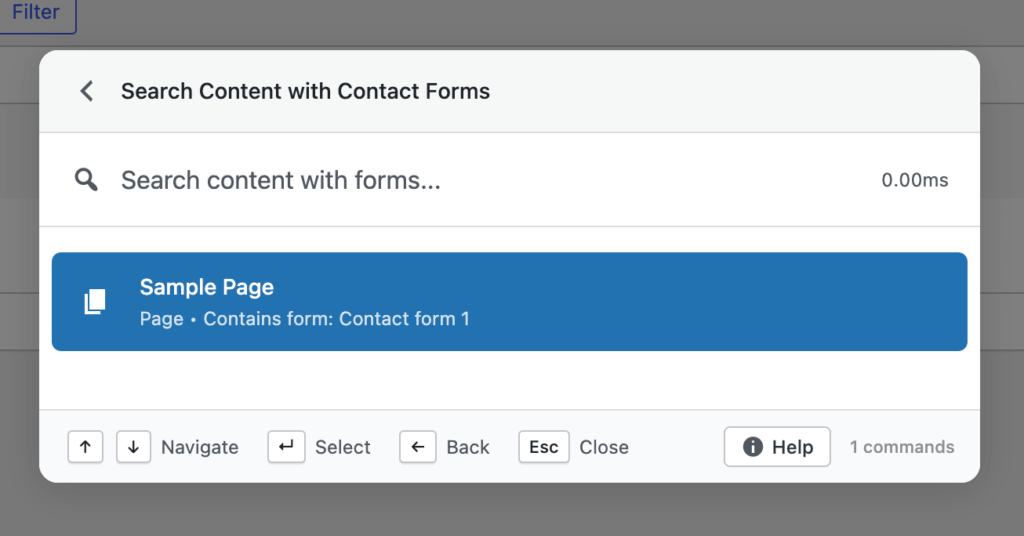
This makes Contact Form 7 viable not just for simple sites, but for professional support and sales workflows.
When Commandify Makes the Biggest Difference for Contact Form 7 Users
Commandify provides the most value when:
- Submissions arrive daily, not occasionally
- Multiple forms are active on the site
- Support or sales teams rely on form entries
- Agencies manage CF7 across multiple client sites
- Admins need to find submissions by email quickly
If managing Contact Form 7 submissions feels slower as your site grows, this is exactly the stage where workflow improvements matter most.
Finding Contact Form 7 Submissions Faster When You Only Have an Email
One of the most common and frustrating tasks in Contact Form 7 management is locating a specific submission when the only information available is an email address. This happens constantly in real support workflows. A customer follows up days later, a sales lead replies to an earlier message, or a client asks whether someone contacted them from a specific email.
By default, managing Contact Form 7 submissions through Flamingo means opening the inbox, selecting the correct form, applying filters, and manually scanning entries. Even when search is available, it’s not optimized for quick, repeated lookups. This is why so many users ask how to manage Contact Form 7 submissions more efficiently. The pain comes from lookup speed, not from form setup.
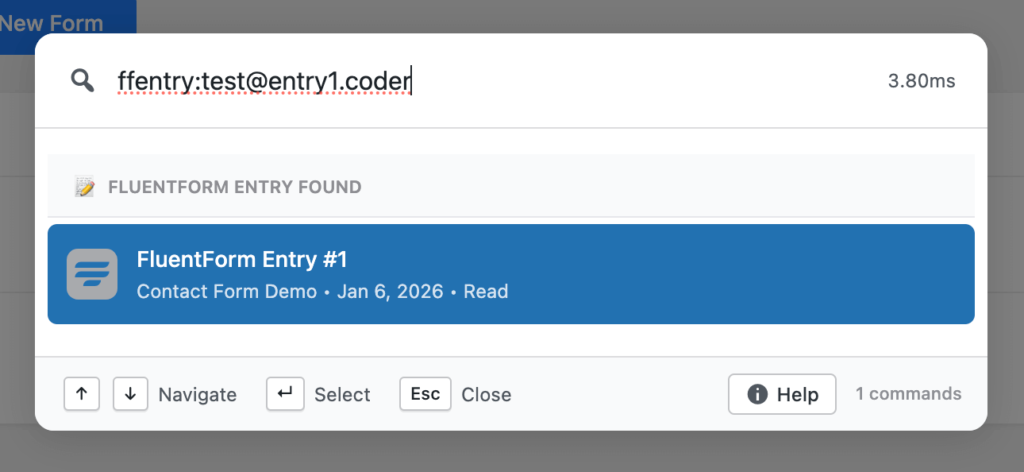
With Commandify, searching submissions by email becomes a direct action instead of a multi-step process. You don’t need to remember which form the message came from or manually browse inboxes. This dramatically improves Contact Form 7 entry management, especially for teams handling daily inquiries.
Managing Flamingo Submissions Without Navigating Multiple Screens
Flamingo stores submissions reliably, but it assumes that admins will browse entries manually. This works when volume is low, but breaks down quickly as soon as multiple forms and frequent messages are involved.
Real-world workflows often involve:
- Switching between multiple form inboxes
- Opening submissions just to confirm basic details
- Jumping back to the inbox repeatedly
Each screen change introduces friction. Over time, this makes managing Flamingo submissions efficiently feel harder than it should be.
Commandify removes much of this friction by allowing you to search and access Flamingo submissions directly. Instead of navigating to Flamingo first and then deciding what to do, you start with the intent — finding a submission — and act immediately. This approach reduces admin overhead and helps support teams stay focused on resolution rather than navigation.
Handling Contact Form 7 Submissions Across Multiple Forms
Most professional WordPress sites use more than one form. A contact form alone is rarely enough. Support requests, sales inquiries, job applications, and feedback forms are often separated for clarity. While this makes sense structurally, it complicates submission management.
When messages are split across forms, support teams often struggle to remember where to look. They search one inbox, then another, repeating the same steps. This leads directly to queries like handle Contact Form 7 entries faster and Contact Form 7 entry management tips.
Commandify improves this experience by treating submissions as searchable data rather than isolated inboxes. You don’t need to think about form structure first. You search for the message you need and access it directly, regardless of which form it came from. This significantly reduces time spent switching between forms and improves overall workflow efficiency.
Cleaning Up Spam Without Wasting Time
Spam management is a necessary but thankless part of running public forms. Even with good spam prevention, some unwanted messages always slip through. Flamingo stores these alongside real submissions, which means admins still need to review and clean up entries manually.
The problem isn’t deleting spam- it’s how repetitive the process becomes. Opening entries, confirming they’re spam, deleting them, and repeating this dozens of times per day drains time and attention.
For users searching manage Flamingo submissions efficiently, spam cleanup is often part of the frustration. Commandify streamlines this by making submission actions easier to reach. When actions are closer to search and context, cleanup becomes faster and less mentally taxing, reducing the chance of mistakes while saving time.
Supporting Sales and Support Teams More Effectively
Contact Form 7 is often the first touchpoint between a business and its customers. Sales teams rely on form submissions to follow up on leads. Support teams rely on them to resolve issues. In both cases, speed matters.
Slow access to submissions leads to delayed responses, missed opportunities, and frustrated users. This is why improving how to manage Contact Form 7 submissions directly impacts customer experience.
Commandify helps teams respond faster by removing unnecessary admin steps. Instead of spending time locating messages, teams can focus on responding and resolving issues. Over time, this improves not just productivity, but also service quality.
Why Faster CF7 Entry Management Matters More as Volume Grows
On low-traffic sites, Flamingo’s default workflows are acceptable. As submission volume increases, those same workflows become a bottleneck. What once felt manageable starts to feel slow and disorganized.
This is the point where store owners, service providers, and agencies start looking for better ways to handle Contact Form 7 entries faster. They’re not looking to replace CF7. They’re looking to manage it better.
Commandify addresses this exact stage of growth. It doesn’t add complexity or change how forms work. It simply improves how submissions are accessed and managed, which is what growing teams actually need.
FAQs on Contact Form 7 with Flamingo and Commandify
Does Commandify replace Contact Form 7 or Flamingo?
No. Contact Form 7 continues to handle form creation, and Flamingo continues to store submissions. Commandify only improves how you access and manage those submissions in the admin.
Can Commandify help manage Contact Form 7 submissions faster?
Yes. By reducing admin navigation and making submissions searchable directly, Commandify significantly improves how fast teams can manage Contact Form 7 submissions.
Does this change how Flamingo stores data?
No. All submissions remain stored by Flamingo exactly as before. Commandify does not modify or duplicate submission data.
Is Commandify useful for small sites using CF7?
It becomes more valuable as submission volume increases. On sites with regular inquiries or support requests, the time savings are noticeable.
Is this safe for client and agency workflows?
Yes. Commandify respects existing permissions and does not expose or alter submission data beyond what admins already have access to.
Final Takeaway on How to Manage Contact Form 7 Submissions
Contact Form 7 remains one of the most reliable form plugins in WordPress.
Flamingo reliably stores submissions.
What slows teams down is not the tools themselves, but how much effort it takes to work with submissions once volume increases.
If your goal is to manage Contact Form 7 submissions faster, handle Flamingo entries efficiently, and reduce admin friction for support and sales teams, improving your workflow is the most effective step.
Commandify does not add complexity. It removes friction from Contact Form 7 management where it matters most.