


How to Manage Elementor Templates Faster Without Opening the Builder Every Time

The Real Struggle: Elementor Templates Are Easy to Build, Hard to Manage
If you use Elementor regularly, you already know this problem.
Designing pages feels fast. Building layouts feels smooth. But the moment you step away from the canvas and into the WordPress admin, everything slows down. Templates pile up. Naming becomes inconsistent. Finding the right template takes longer than expected. Simple actions suddenly require loading the full builder.
For agencies and teams, this becomes painful very quickly. One client site has dozens of templates. Another has hundreds. Headers, footers, popups, single templates, archive layouts- all stored separately, all managed through different admin screens.
This is why so many users search how to manage Elementor templates faster rather than “how to design with Elementor.” The problem isn’t building. It’s managing what you’ve already built.
Before we go deeper, let’s set a quick baseline.
What Elementor Is?
Elementor is one of the most widely used WordPress page builders. It allows you to design pages, templates, and dynamic layouts visually, without writing code.
Elementor works exceptionally well inside the editor. But once your site grows, Elementor template management inside WordPress admin becomes slow and fragmented.
In this article, we’ll focus specifically on how to manage Elementor templates faster, and how Commandify removes the admin friction that Elementor users deal with every day.
Why Elementor Template Management Becomes a Bottleneck
Template sprawl happens quietly.
At first, you create a few templates. Then more pages need variations. Marketing asks for landing pages. Clients want changes. Before long, you’re dealing with:
- Multiple header and footer templates
- Reusable sections saved as templates
- Popups for different campaigns
- Dynamic templates for posts, products, or archives
Elementor stores these well, but finding and managing them is where time gets lost.

Most users don’t struggle because Elementor lacks features. They struggle because managing templates requires too many steps for simple actions.
This is exactly why queries like how to manage Elementor templates faster and Elementor template management best practices keep showing up.
Finding the Right Elementor Template Takes Longer Than It Should
This is the most common frustration.
You know the template exists. You roughly remember its name. But you still have to:
- Navigate to Templates
- Filter by type
- Scroll through a long list
- Open the builder just to confirm it’s the right one
Each step adds delay. Each delay breaks focus.
For agencies managing multiple sites, this happens dozens of times per day. For teams, it creates friction between designers and editors who just want to make quick adjustments.
If you’re asking how to manage Elementor templates faster, this is the first bottleneck to solve: template discovery.
Why Simple Template Actions Feel Heavier Than They Should
Now consider common admin tasks:
- Duplicate a template
- Rename a template
- Export a template
- Create a new template type
None of these require design work. Yet Elementor often forces you to load the builder interface anyway.
This creates a mismatch:
- The task is small
- The action required is heavy
Over time, this discourages good template hygiene. Teams avoid renaming templates. Duplicates pile up. Template libraries become messy.
This is why Elementor productivity problems don’t show up during design– they show up during maintenance and scale.
Admin Context Switching Is the Real Time Killer
Elementor users rarely work in isolation.
A real workflow looks like this:
- Open a page
- Realize the issue is in a template
- Navigate to templates
- Load the builder
- Make a small change
- Go back to the original context
This constant back-and-forth is exhausting, especially when the fix itself takes only seconds.
That’s why “speed up Elementor workflow” is such a common search. People don’t want new features. They want fewer interruptions.
And this is also where traditional advice falls short.
Why Filters and Naming Conventions Don’t Fully Solve the Problem
You’ll often hear advice like:
- Name your templates better
- Use folders or prefixes
- Clean up unused templates
These help, but they don’t address the real issue.
Even with perfect naming, you still need to:
- Navigate to the templates screen
- Load full admin pages
- Open the builder for non-design tasks
The problem isn’t organization alone. The problem is how much effort it takes to perform basic template management actions.
If you’re serious about learning how to manage Elementor templates faster, the solution has to reduce steps- not just organize them.
How Commandify Solves Real Elementor Template Management Problems
At this point, the core issue with Elementor template management should be obvious.
Elementor itself is not slow. Designing inside the builder is smooth and efficient.
The slowdown happens outside the canvas, where everyday administrative tasks take more time than the actual design work. Finding templates, duplicating them, renaming them, exporting them, or creating new ones all require navigating WordPress admin screens and loading the builder even when no visual editing is needed.
This is exactly where Commandify fits into Elementor workflows.
Commandify does not replace Elementor or change how templates work. Instead, it gives you a faster way to interact with Elementor templates from the WordPress admin, so you can manage them efficiently without opening the builder every time.
Managing Elementor Templates Faster Starts With Direct Access
One of the biggest reasons Elementor admin workflows feel slow is that templates are treated like destinations instead of objects you can act on directly.
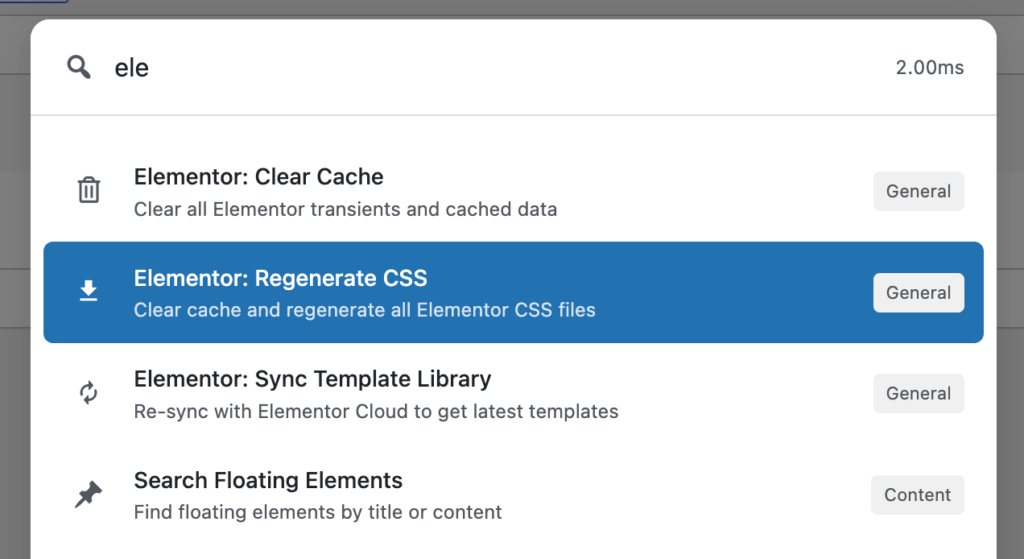
By default, you must:
- Navigate to the Templates screen
- Filter by template type
- Scroll or search manually
- Open the builder to confirm it’s the right one
This process breaks focus and wastes time, especially when you already know what you’re looking for.
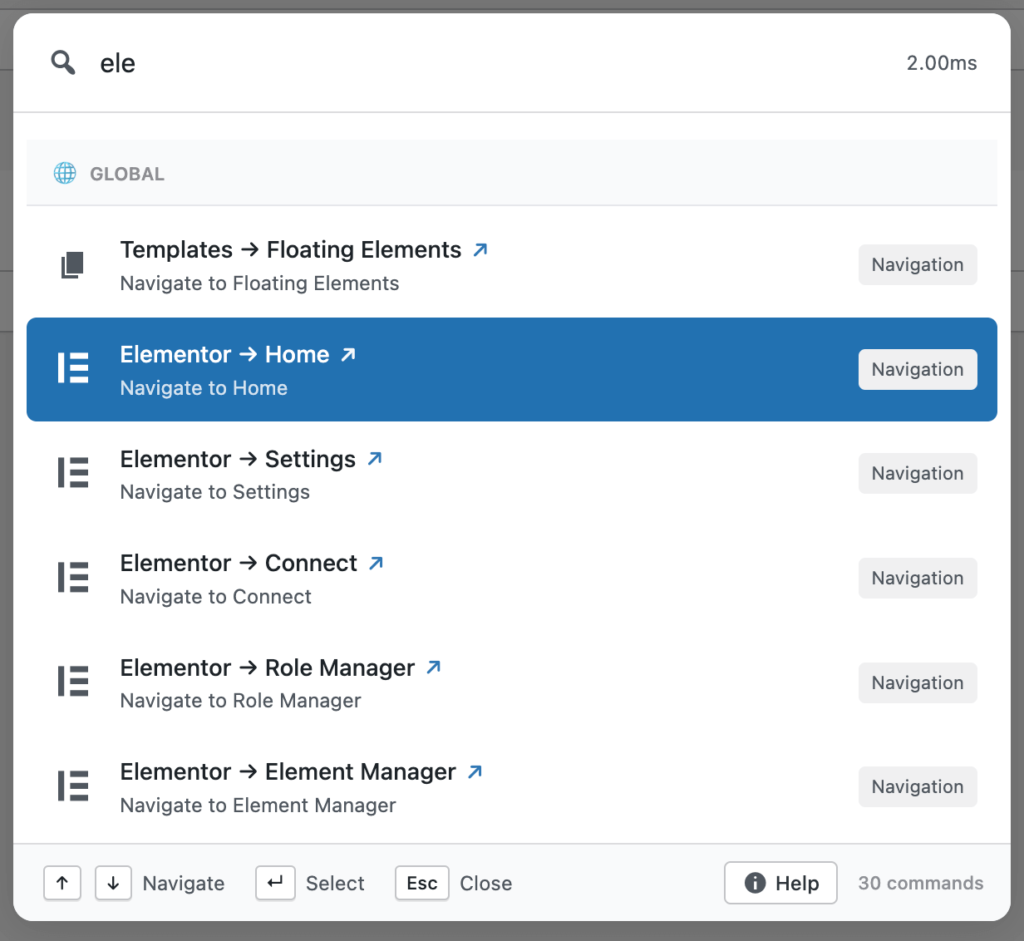
Commandify changes this by allowing you to search Elementor templates directly and access them immediately. You no longer need to “go find” templates first. You act on them from a single interface.
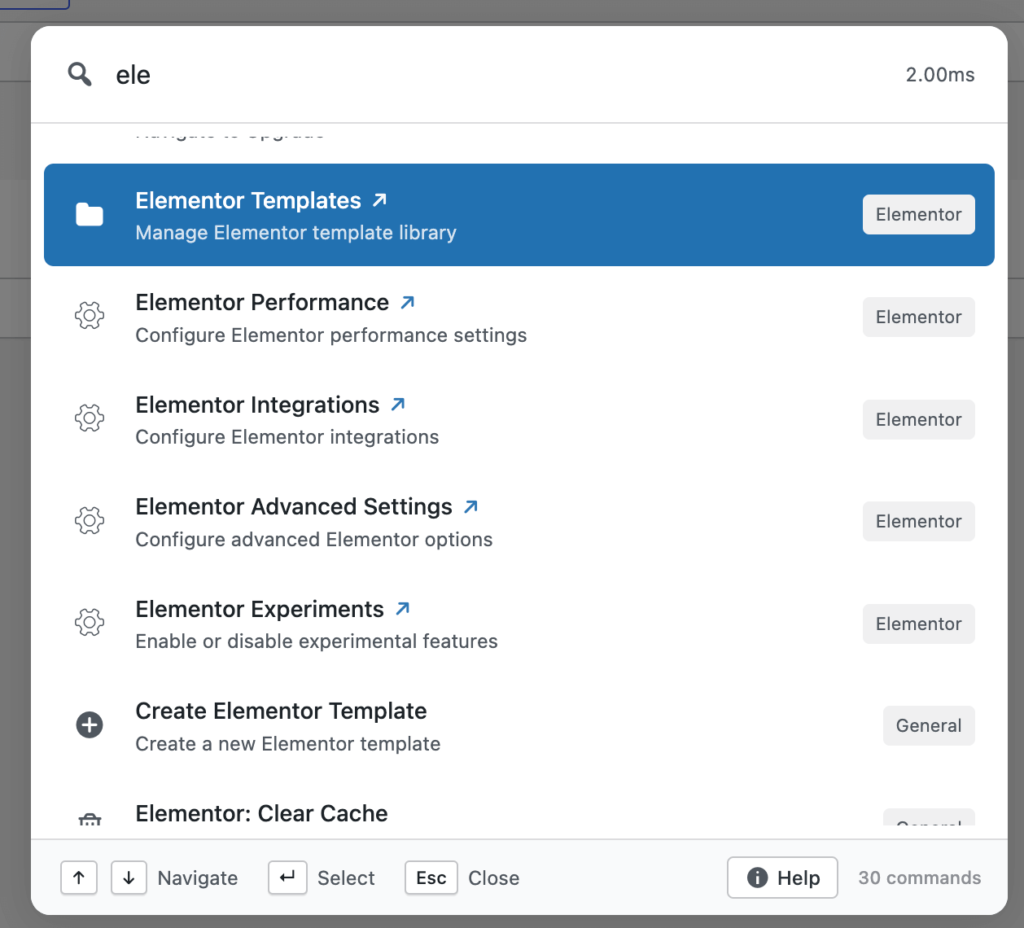
This alone addresses the most common reason people search how to manage Elementor templates faster: they want to reach the right template without admin friction.
Handling Template Actions Without Loading Elementor
Most Elementor template actions are administrative, not creative.
Renaming a template, duplicating it, exporting it for reuse, or creating a new template type does not require the visual builder. Yet default Elementor workflows still force you into the editor for these tasks.
This creates unnecessary delays and discourages proper template management, especially on large sites.
Commandify separates template actions from template design. You can handle management tasks quickly and only open Elementor when you actually need to design or edit layouts.
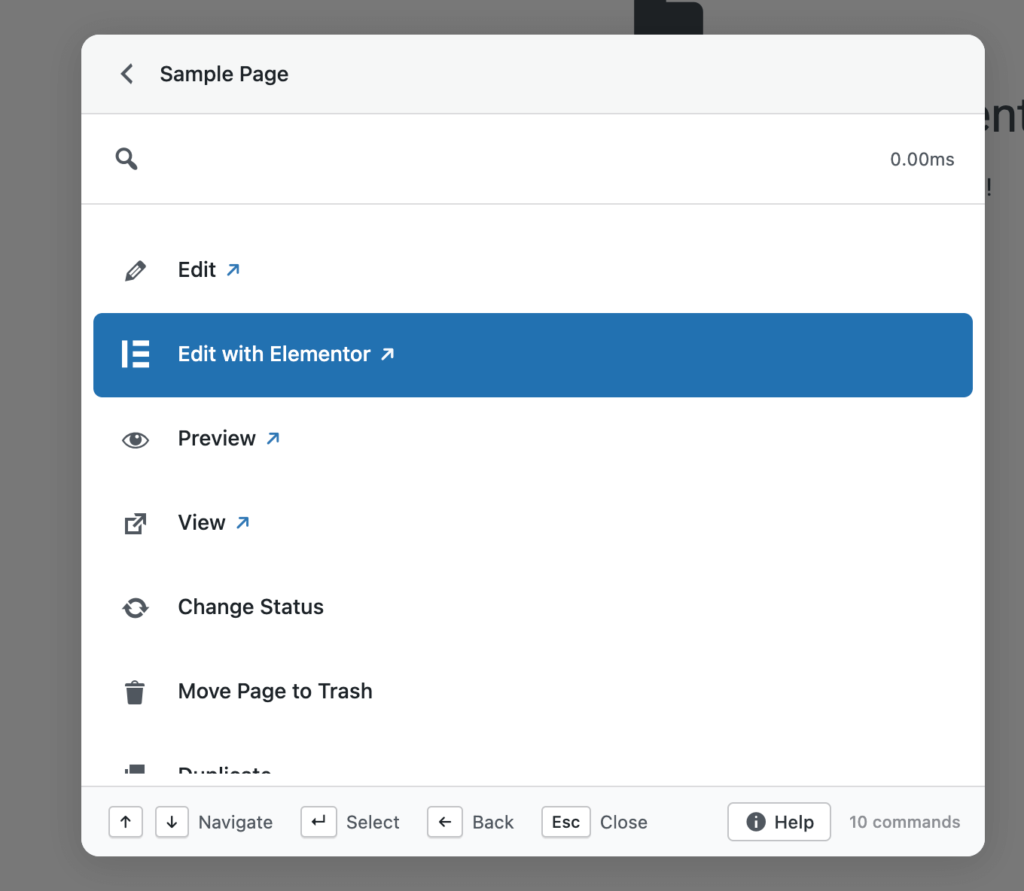
For teams and agencies, this distinction is critical. It keeps designers focused on design work and allows editors or project managers to manage templates without interfering with the creative process.
Keeping Elementor Workflows Fast on Large and Growing Sites
Elementor template management problems scale with site complexity.
On small sites, delays are tolerable. On large sites with many templates, they become a daily frustration. Agencies feel this most because template sprawl is unavoidable across multiple client projects.
When teams ask how to manage Elementor templates faster, they are usually dealing with:
- Dozens of reusable templates
- Multiple contributors
- Frequent updates and revisions
- QA cycles that require quick access
Commandify helps in these environments by reducing the cost of every interaction. Fewer clicks. Fewer screen loads. Less context switching. Over time, this makes Elementor feel faster even though the builder itself hasn’t changed.
Why This Improves Elementor Productivity, Not Just Speed
Speed alone isn’t the real benefit. Consistency is.
When template management becomes easier:
- Teams rename and organize templates properly
- Duplicate templates are handled cleanly
- Reusable components stay manageable
- Updates happen faster and with fewer mistakes
This leads to better long-term maintainability. Elementor productivity improves because teams are no longer avoiding admin tasks due to friction.
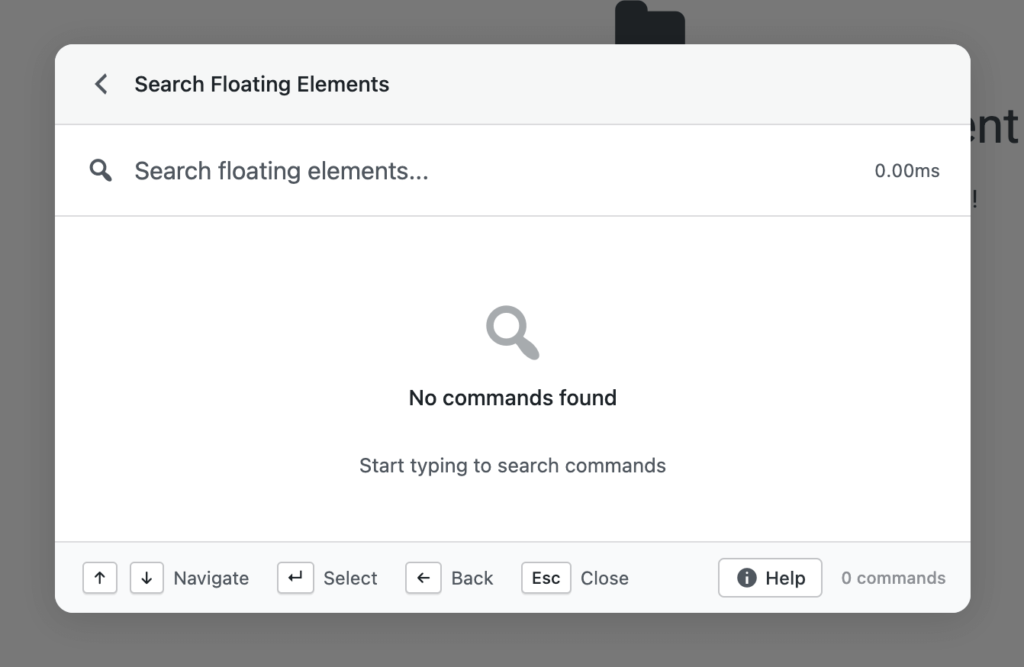
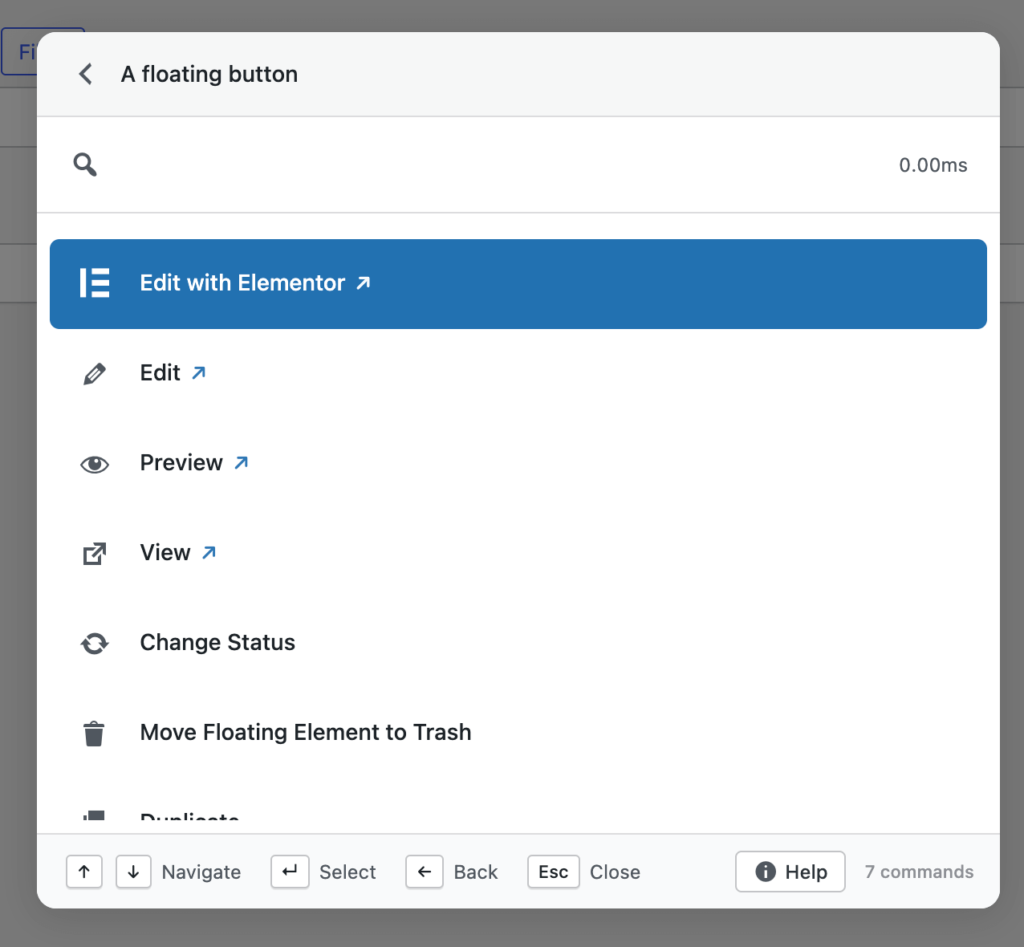
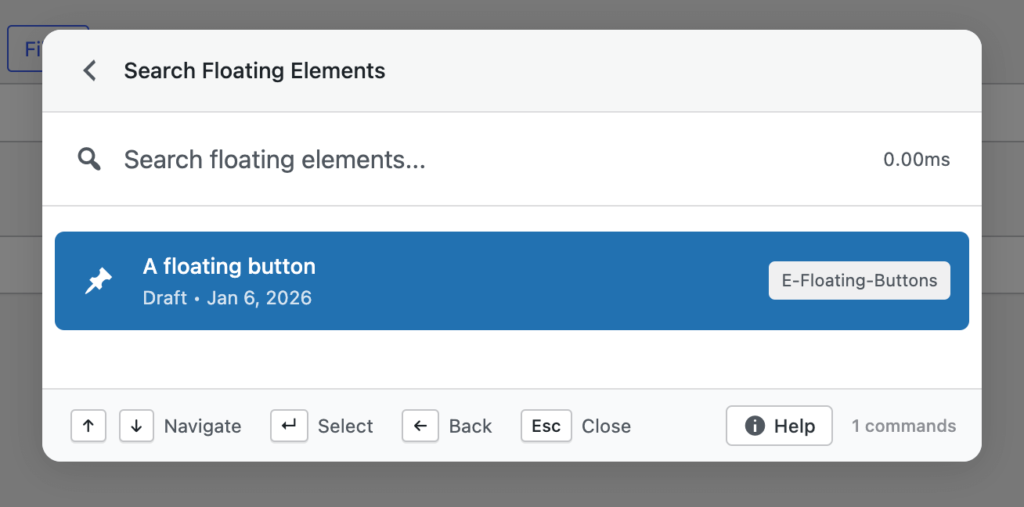
That’s why Commandify fits naturally into Elementor workflows rather than feeling like an extra tool layered on top.
When Commandify Makes the Biggest Difference for Elementor Users
Commandify provides the most value for Elementor users when:
- Sites rely heavily on templates rather than one-off pages
- Multiple people manage or edit templates
- Changes happen frequently after launch
- Agencies handle multiple Elementor sites
- Admin-side work takes more time than actual design
If you’ve ever felt that Elementor is fast to design with but slow to manage, this is the exact gap Commandify is designed to close.
Managing Elementor Templates Faster Starts With How You Find Them
The first real bottleneck in Elementor template management is not editing— it’s finding the right template at the right moment. On growing sites, templates are spread across different types: headers, footers, single templates, archive layouts, popups, and saved sections. Even when naming is done carefully, locating the correct template still requires navigating through admin screens and scanning long lists.
This is why many Elementor users end up searching how to manage Elementor templates faster. The delay doesn’t come from design work. It comes from template discovery. Every extra click adds friction, especially when the task itself takes only a few seconds once you’re inside the right template.
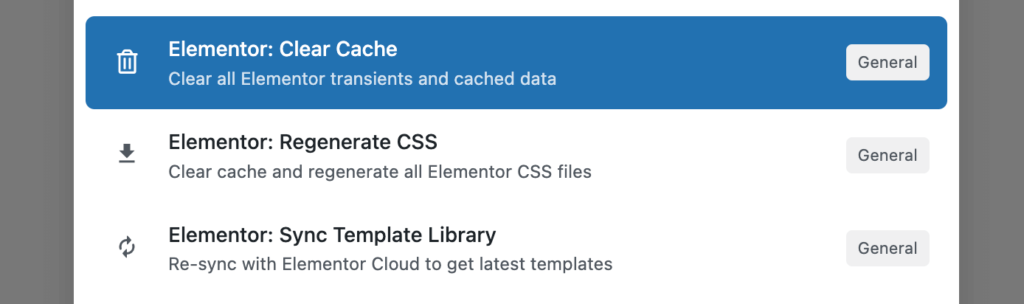
Commandify addresses this by making Elementor templates searchable from a single place. Instead of navigating to the templates screen first, you can search templates directly and jump into the exact one you need. This removes several steps from the workflow and keeps your focus intact.
Reducing Context Switching Between Pages and Templates
Context switching is one of the most underestimated productivity killers in Elementor workflows. A typical scenario looks simple: you’re editing a page, notice a header issue, and realize the change belongs to a template. But the moment you leave the page editor, navigate to templates, and load the builder again, your mental flow is broken.
Over the course of a day, this back-and-forth becomes exhausting. Designers and editors spend more time moving between screens than actually fixing issues. This is why “speed up Elementor workflow” is such a common query — users aren’t struggling with Elementor’s features, they’re struggling with the cost of switching context repeatedly.
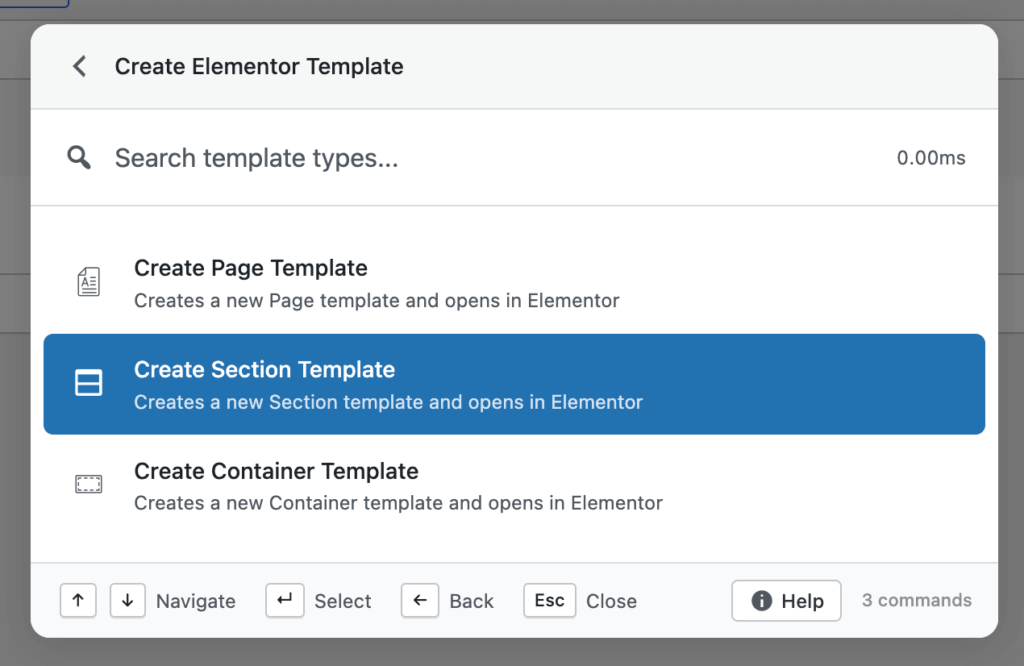
By giving you direct access to Elementor templates without manual navigation, Commandify reduces unnecessary context switches. You move straight from intent to action, which is the core reason Elementor workflows start to feel faster once the admin friction is removed.
Why Simple Template Actions Should Not Require the Builder
Not every template-related task is a design task. Yet Elementor often treats them as if they are.
Renaming a template, duplicating it, exporting it, or creating a new template type does not require loading the visual builder. However, default Elementor workflows still push users into the editor for these actions. This creates unnecessary delays and discourages teams from maintaining clean, organized template libraries.
When people search how to manage Elementor templates faster, they’re often reacting to this exact frustration. They want quick, administrative control over templates — not a full design session for every small task.
Commandify separates template management actions from template design work. This distinction matters because it lets you handle maintenance tasks quickly, without waiting for the builder to load or distracting yourself with design elements you don’t need to touch.
Managing Elementor Templates at Scale (Agency Reality)
Template management challenges increase dramatically at scale. Agencies rarely deal with one or two templates. They manage dozens or hundreds across multiple client sites. Each site has its own structure, naming conventions, and reusable components.
In these environments, Elementor template management stops being a creative problem and becomes an operational one. Teams need fast access, quick actions, and predictable workflows. That’s why agencies actively look for Elementor template management best practices that go beyond design tutorials.
Commandify fits naturally into agency workflows by reducing the time spent on admin navigation. When templates are accessible and manageable from a single interface, teams spend less time searching and more time delivering results. Over weeks and months, this difference compounds into real productivity gains.
Why “Better Naming” Alone Doesn’t Solve Elementor Admin Slowness
Template naming and organization are important, but they don’t eliminate admin friction on their own. Even with perfect naming, you still need to navigate through WordPress admin screens, wait for lists to load, and open the builder for non-design tasks.
This is why many Elementor productivity tips fall short in real-world use. They focus on organization, not workflow efficiency. The problem isn’t that users can’t find templates — it’s that finding them still takes too many steps.
If you’re serious about learning how to manage Elementor templates faster, the solution must reduce interaction cost, not just improve structure. Commandify does exactly that by minimizing the number of actions required to reach and manage templates.
How Faster Template Management Improves Team Collaboration
Template speed isn’t just about individual productivity. It affects how teams collaborate.
When templates are easy to access and manage, designers respond faster to feedback, editors make updates confidently, and QA teams verify changes without delays. When template management is slow, small changes get postponed, and communication breaks down.
By simplifying Elementor admin workflows, Commandify removes friction points that slow down collaboration. Teams stay aligned because tasks move faster, and fewer handoffs are required to complete simple changes.
This is one of the reasons agencies that focus on efficiency prioritize tools that help manage Elementor templates faster rather than adding more design features.
Where Elementor Workflow Improvements Become Most Noticeable
The benefits of faster Elementor template management become most obvious when:
- A site has many reusable templates
- Multiple people work on the same site
- Changes happen frequently
- QA and revisions are part of the workflow
In these cases, even small delays add up quickly. Removing those delays has a direct impact on delivery speed and overall workflow satisfaction.
FAQs on Elementor and Commandify
Does Commandify replace Elementor?
No. Elementor remains your page builder. Commandify only improves how you access and manage Elementor templates and actions from the WordPress admin.
Can Commandify really help manage Elementor templates faster?
Yes. Commandify reduces the steps required to find, duplicate, rename, export, and create Elementor templates, which is why it directly helps users who want to manage Elementor templates faster.
Do I still need to open Elementor for design changes?
Yes. Any visual design work still happens inside Elementor. Commandify focuses on admin-side actions and access, not design replacement.
Is Commandify useful for solo Elementor users?
It can be, but the biggest gains appear on larger sites or teams. Solo users managing many templates still benefit from faster access and fewer admin interruptions.
Is this workflow safe for client sites?
Yes. Commandify does not modify Elementor data structures. It simply provides faster access to existing actions and templates.
Final Thoughts on How to Manage Elementor Templates Faster with Commandify
Elementor is excellent at what it’s built for: visual design. What slows users down is everything around that design process.
As sites grow, template management becomes an operational task rather than a creative one. At that point, workflow efficiency matters more than new design features.
If your goal is to manage Elementor templates faster, reduce admin friction, and keep teams productive as projects scale, improving how you work with Elementor is the most effective place to start.
Commandify doesn’t change Elementor. It changes how fast you can work with it.