


How to Manage Fluent Forms Entries and Transactions Faster Without Jumping Between Dashboards

Fluent Forms is chosen because it’s fast, flexible, and powerful. Creating forms is smooth. Adding conditional logic is easy. Payment integrations work reliably. Everything feels well thought out at the form-building level.
The problem starts later.
Once forms go live and submissions start coming in every day, managing those entries becomes a different kind of task. Support messages arrive through forms. Leads come in with partial details. Payments are attached to submissions. Someone on your team asks to check a specific entry using only an email address or an entry ID.
At this point, Fluent Forms stops feeling lightweight. Not because it’s poorly built, but because handling entries and transactions inside WordPress admin requires too much navigation.
This is why users actively search things like how to manage Fluent Forms entries, Fluent Forms entry management, and manage Fluent Forms transactions.
The issue isn’t form creation. It’s what happens after forms start doing real work.
This article focuses on that gap and how Commandify removes unnecessary admin friction without changing how Fluent Forms works.
What is Fluent Forms?
Fluent Forms is a feature-rich WordPress form builder used for contact forms, lead generation, surveys, and payment forms. It supports complex workflows, integrations, and transactions without feeling heavy during setup.
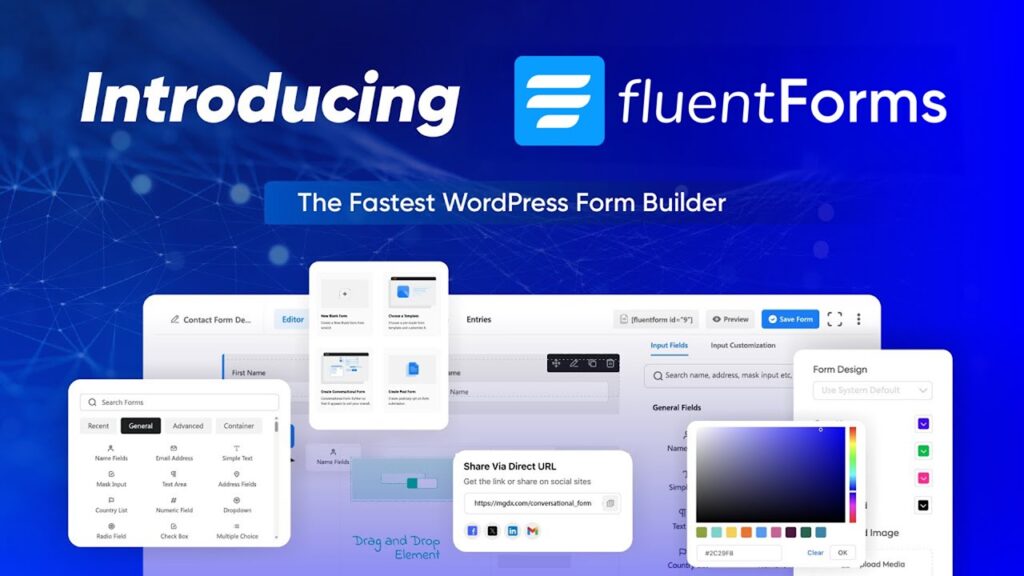
Fluent Forms performs well when building forms. Where friction appears is admin-side entry and transaction management, especially on sites handling regular submissions or payments.
Why Managing Fluent Forms Entries Feels Slower Over Time
At low volume, Fluent Forms entry management feels manageable. You open the entries screen, select a form, and review submissions.
As volume increases, the workflow breaks down.
Entries accumulate across multiple forms. Support and sales requests mix together. Searching for a specific submission requires remembering which form it came from. Even small tasks like checking a message by email take longer than expected.
This is the moment users start asking how to manage Fluent Forms entries more efficiently. The pain isn’t missing data — it’s slow access to existing data.
Each lookup involves:
- Navigating to Fluent Forms
- Selecting the correct form
- Opening the entries list
- Searching manually
- Opening entries one by one
Repeated dozens of times a day, this becomes a serious productivity drain.
The Entry Lookup Problem: Email and ID-Based Searches
Real support and sales workflows rarely begin with form names.
They begin with:
- An email address
- An entry ID
- A payment reference
- A follow-up message
Default Fluent Forms workflows assume you’ll browse entries visually. That assumption doesn’t hold up when teams are responding to tickets, emails, or live chat messages.
This is why Fluent Forms entry management becomes frustrating as sites grow. Searching by email or entry ID should be instant, but instead it requires navigating through multiple screens and filters.
The more support-driven the site becomes, the more painful this workflow feels.
Managing Multiple Forms Makes Entry Handling Worse
Most real-world sites don’t rely on a single form.
They run:
- Contact forms
- Support forms
- Quote or booking forms
- Payment or checkout forms
- Internal forms for operations
Each form has its own entries. Fluent Forms organizes them correctly, but switching between forms slows teams down. Admins often forget which form a submission came from, forcing them to repeat searches across multiple entry lists.
This is why users search how to manage Fluent Forms entries rather than “how to create forms.” The problem is not form logic. It’s navigating through form-based silos to find one submission.
Fluent Forms Transactions Add Another Layer of Friction
When payments enter the picture, complexity increases.
Fluent Forms handles transactions reliably, but managing them alongside entries introduces more navigation. Teams need to:
- Verify payments
- Match transactions to entries
- Confirm details during support conversations

Default workflows require jumping between entry views and transaction screens. This breaks focus and slows response time, especially for finance or operations teams.
That’s why manage Fluent Forms transactions is a common query. The data exists. The challenge is reaching it quickly when needed.
Why Common Fluent Forms “Tips” Don’t Fix the Real Issue
Most Fluent Forms advice focuses on:
- Form optimization
- Conditional logic
- Integrations
- Spam prevention
These are useful, but they don’t address the core admin problem: handling entries and transactions efficiently after they arrive.
Even with perfect forms, teams still lose time navigating admin screens. This is why workflow-level improvements matter more than configuration tweaks once forms become part of daily operations.
Where Fluent Forms Management Hurts Agencies and Teams Most
Agencies and teams feel this pain more sharply than solo site owners.
They manage:
- Multiple client sites
- Multiple forms per site
- Ongoing support and sales inquiries
- Payment-related questions
Small inefficiencies multiply across clients. Over time, entry management becomes a hidden cost.
This is why agencies actively look for better Fluent Forms entry management workflows instead of switching form plugins. They don’t want to replace Fluent Forms. They want to work with it faster.
How Commandify Fixes Fluent Forms Entry and Transaction Management
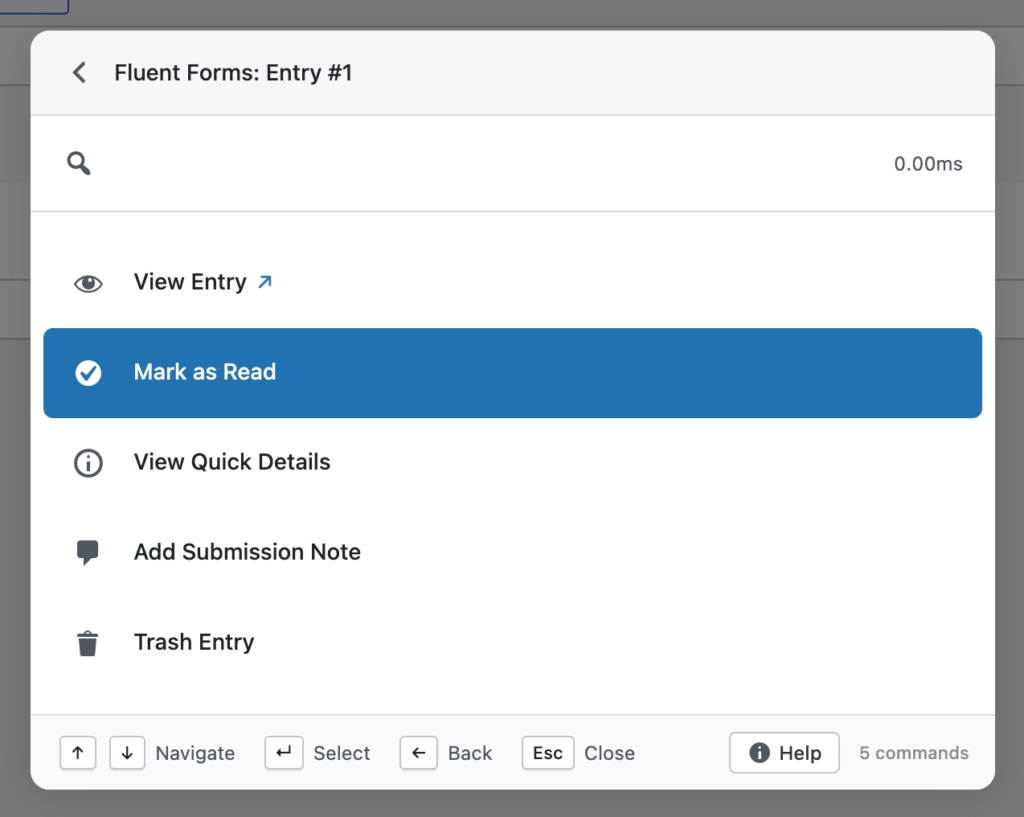
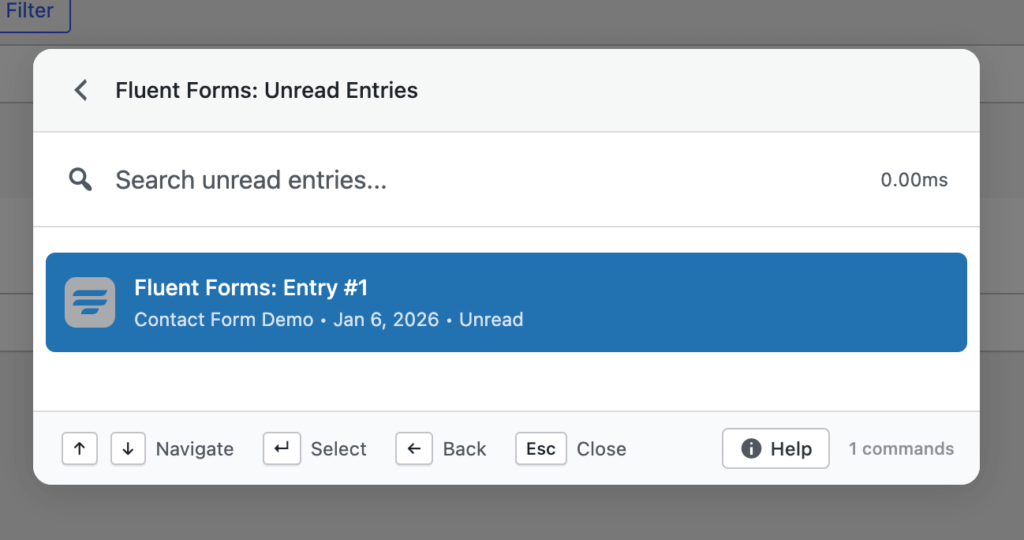
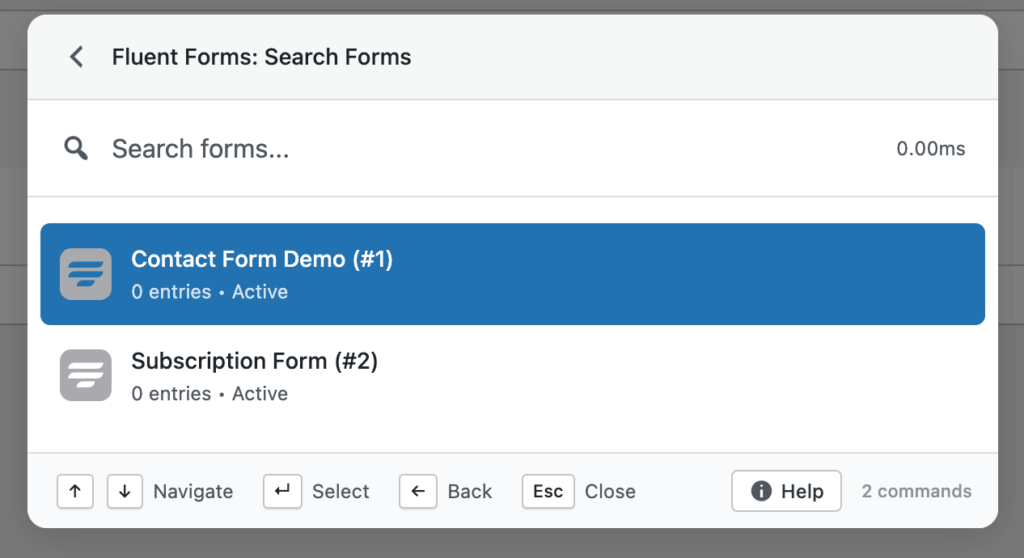
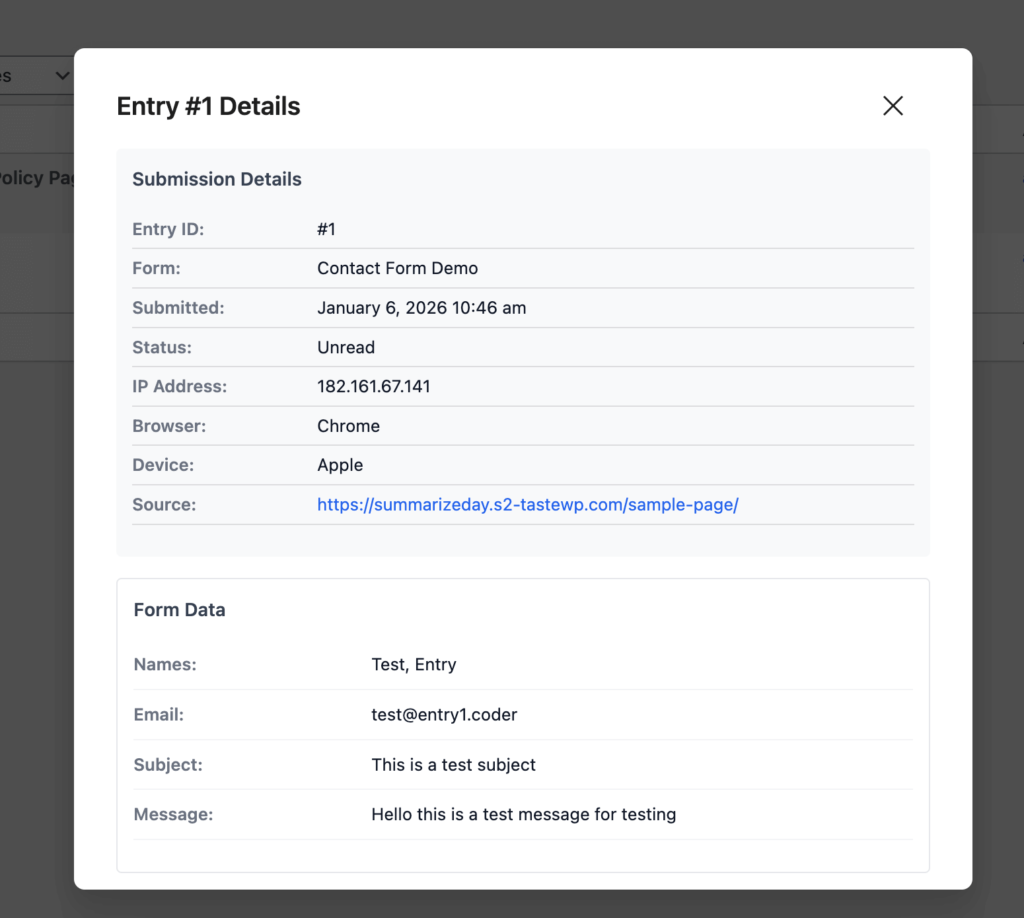
At this point, the underlying issue with Fluent Forms workflows should be clear.
Fluent Forms does an excellent job at building forms, handling logic, and processing submissions. Entries and transactions are stored reliably, and the plugin scales well from a technical standpoint.
What slows teams down is how much effort it takes to reach and act on that data inside the WordPress admin.
This is where Commandify fits naturally into Fluent Forms workflows.
Commandify does not replace Fluent Forms. It does not interfere with how forms, entries, or transactions are stored. Instead, it removes the admin friction that appears once Fluent Forms becomes part of daily operations.
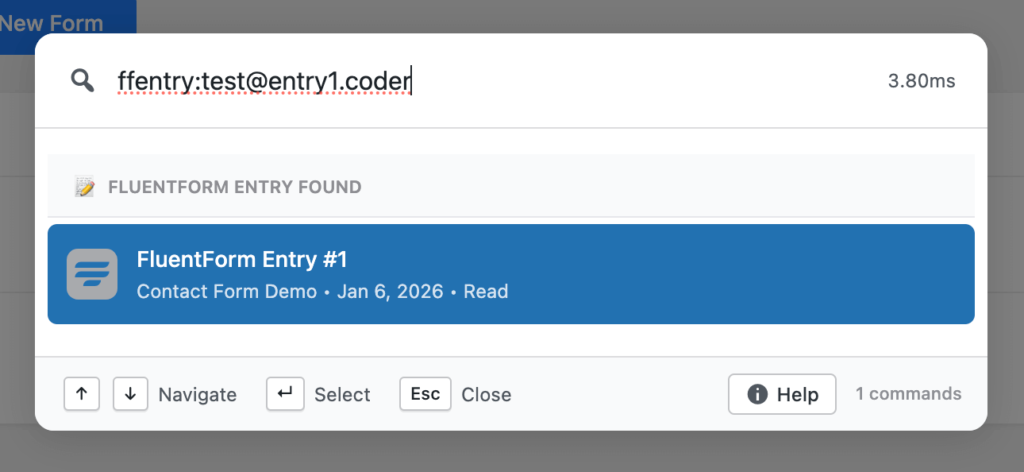
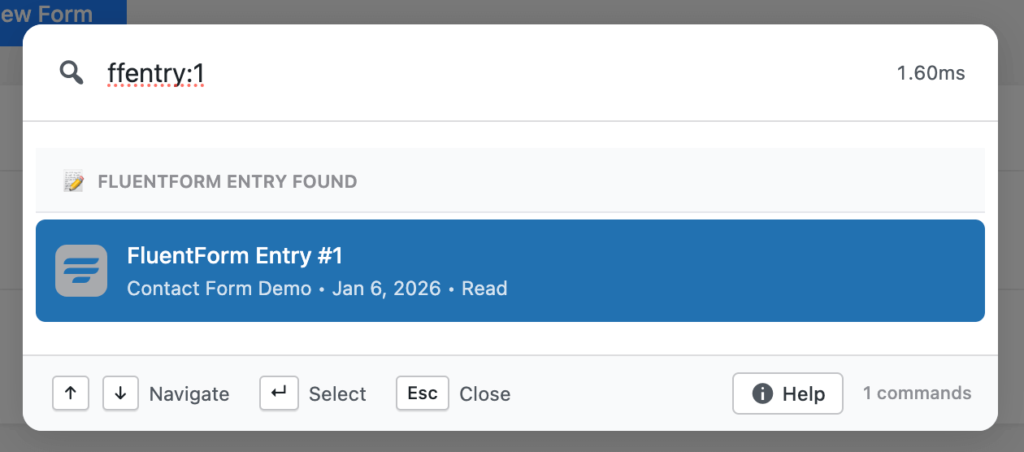
Managing Fluent Forms Entries Faster Through Direct Search
The most common Fluent Forms task is also the slowest: finding a specific entry.
Support teams look up submissions by email. Sales teams search for leads by name. Admins reference entry IDs from tickets or messages. Default workflows force users to navigate through form lists and entry tables before they can even begin searching.
Commandify changes this completely.
Instead of navigating into Fluent Forms first, you start with the intent. You search for the entry directly and reach it immediately.
This removes several admin steps and significantly improves Fluent Forms entry management, especially on sites handling regular submissions.
For anyone asking how to manage Fluent Forms entries, this shift from navigation-driven to search-driven workflows is the biggest time saver.
Working With Fluent Forms Transactions Without Context Switching
Transactions introduce another layer of complexity to form management. Payments are often tied to submissions, but reviewing both requires moving between different screens. This breaks focus and slows down finance, operations, and support teams.
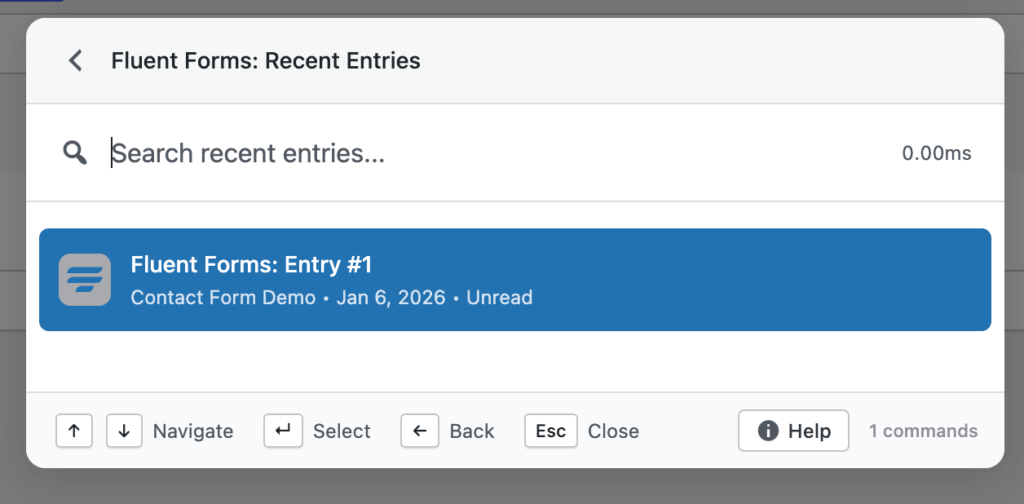
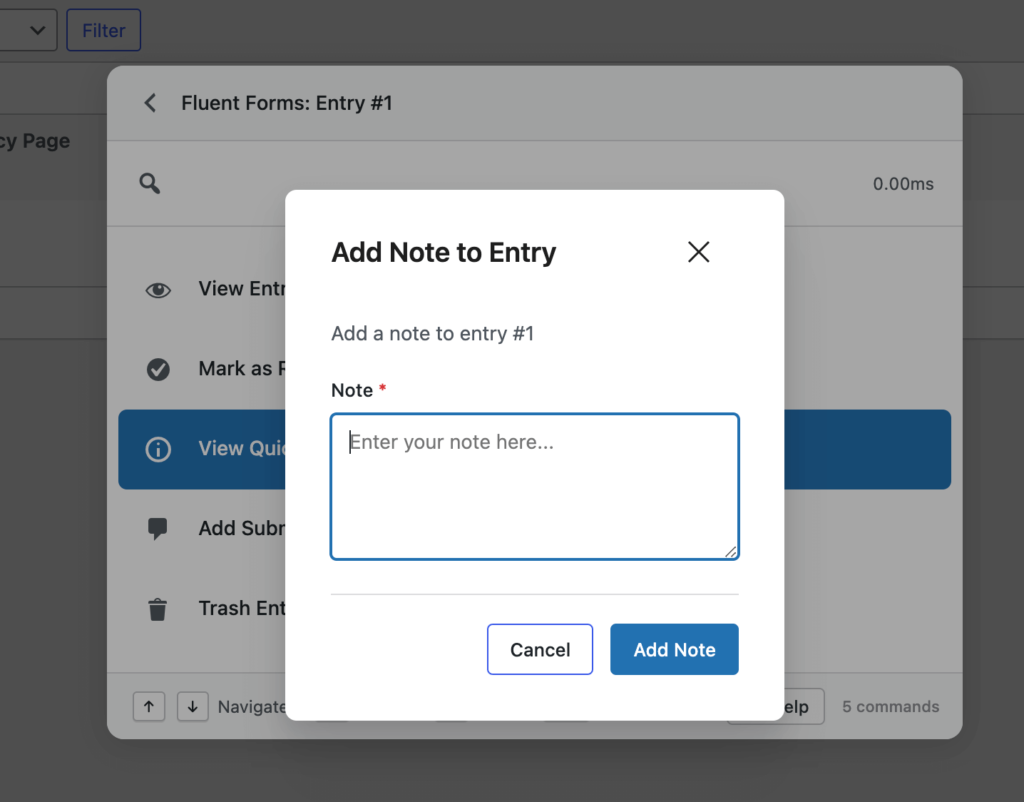
Commandify keeps transaction access close to entry access. Instead of jumping between dashboards, you move directly to the transaction or submission you need. This reduces context switching and helps teams verify payments, confirm details, and respond to inquiries faster.
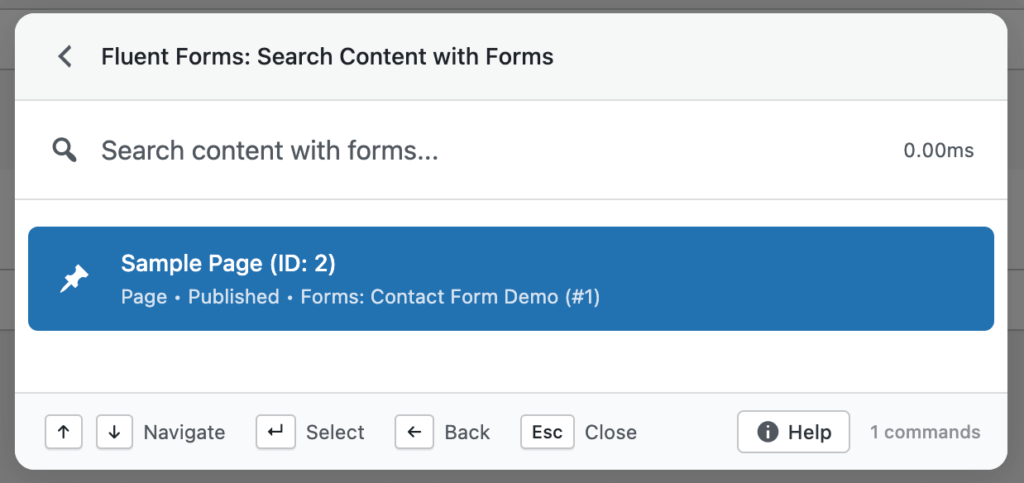
For sites processing payments through forms, this is one of the most effective ways to manage Fluent Forms transactions without adding new tools or workflows.
Handling High-Volume Fluent Forms Workflows With Less Friction
As submission volume increases, small inefficiencies multiply quickly.
Teams that handle dozens or hundreds of entries per week don’t struggle because Fluent Forms lacks features. They struggle because admin navigation doesn’t scale well with volume.
Commandify improves Fluent Forms workflows by reducing the cost of each interaction:
- Fewer clicks
- Fewer screen loads
- Faster access to entries and transactions
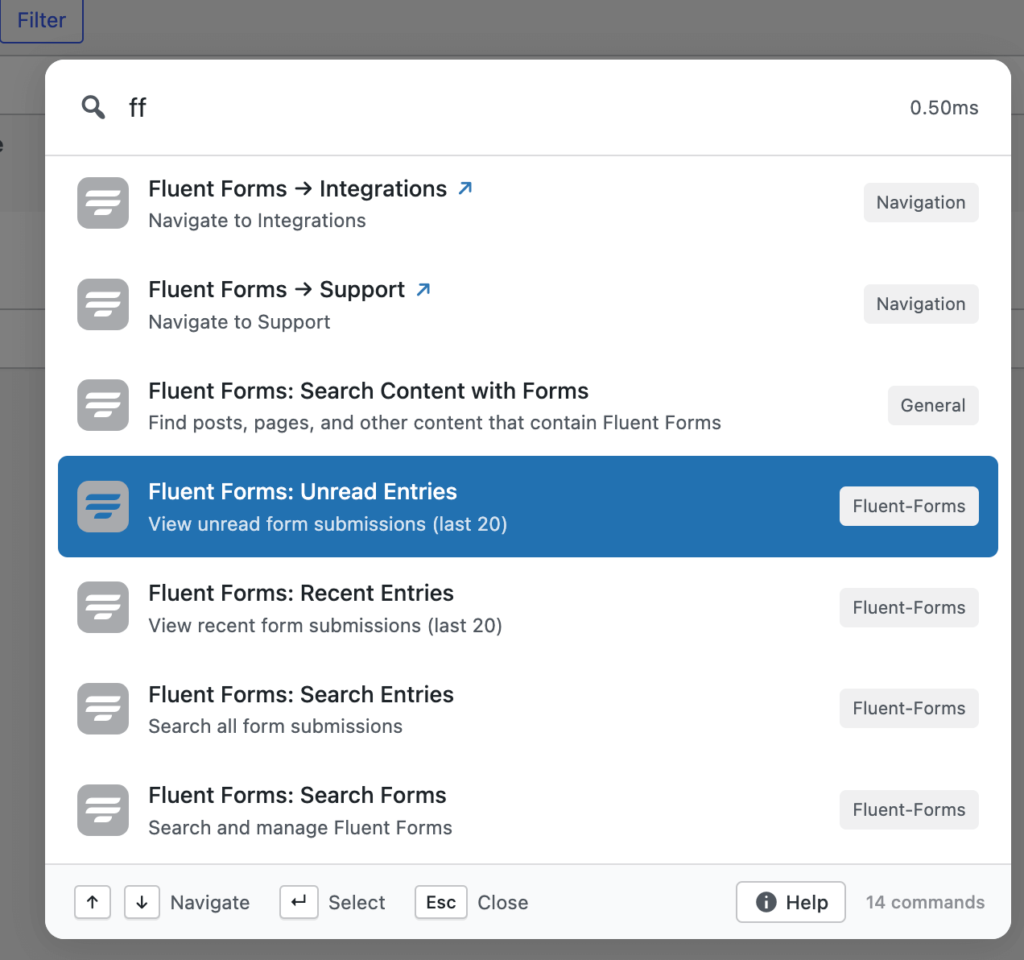
Over time, this changes how Fluent Forms feels to use. It becomes easier to manage at scale, rather than more frustrating as usage grows.
Why This Approach Works Better Than Traditional Fluent Forms Optimizations
Most Fluent Forms optimization advice focuses on form setup:
- Better conditional logic
- Smarter field validation
- Improved spam protection
These are important, but they don’t address the biggest admin pain: handling entries and transactions efficiently after they arrive.
Commandify works because it targets the workflow layer, not the form layer. It improves how you interact with Fluent Forms data without changing how that data is created or stored. This makes it a sustainable improvement rather than another configuration tweak.
Finding Fluent Forms Entries Faster with Commandify When You Only Have an Email or Entry ID
One of the most common breakdowns in Fluent Forms workflows happens at the exact moment speed matters most. A customer replies to an email. A lead follows up on a form submission. A support ticket references an entry ID. In all of these cases, the team handling the request rarely starts with the form name. They start with an email address or an ID.
Default Fluent Forms workflows don’t align well with this reality. To find a single submission, admins still need to navigate into Fluent Forms, select the correct form, open the entries list, and then search manually. This process works, but it’s slow when repeated frequently.
That’s why users keep searching how to manage Fluent Forms entries more efficiently. The pain comes from lookup speed, not from missing features.
Using Commandify, entry lookup becomes intent-driven instead of navigation-driven. You search by email or entry ID directly and reach the submission without stepping through multiple admin screens.
This immediately improves Fluent Forms entry management for support, sales, and operations teams.
Managing Fluent Forms Entries Across Multiple Forms
Most production sites don’t rely on a single form. They run multiple forms for different purposes, often created over time by different people. Contact forms, lead forms, booking forms, internal request forms, and payment forms all live side by side.
Fluent Forms organizes entries by form, which makes sense structurally. But in real workflows, this structure becomes a slowdown. When a team member doesn’t know which form a submission came from, they end up opening multiple entry lists and repeating the same search process.
This is where Fluent Forms entry management starts to feel fragmented. Time is lost not because data is missing, but because it’s siloed by form context. Commandify reduces this friction by letting you search entries without thinking about form structure first. You focus on the submission you need, not on where it lives.
Handling Fluent Forms Transactions with Commandify Without Breaking Focus
Once payments are involved, entry management becomes more complex. Fluent Forms supports transactions reliably, but managing them alongside entries introduces extra navigation. Teams often need to confirm whether a payment was completed, match it to a submission, or verify details during a support conversation.
In default workflows, this means jumping between entries and transaction screens. Each jump interrupts focus and slows response time. This is why manage Fluent Forms transactions is a recurring search query- the data exists, but accessing it quickly is difficult.
Commandify shortens this workflow by keeping transactions accessible through the same search-driven interface as entries. Instead of navigating through multiple dashboards, teams move directly to the transaction or submission they need. This keeps workflows tight and reduces mental overhead, especially for finance and operations teams.
Reducing Time Spent Switching Between Entries and Payments with Commandify
A common frustration with form-based payment workflows is context loss. You start by reviewing an entry, then switch to a transaction to confirm payment, then return to the entry to respond or take action. Each switch increases the chance of missing details or losing focus.
By improving how quickly entries and transactions are accessed, Commandify reduces unnecessary back-and-forth. You spend less time navigating and more time resolving the task at hand. Over time, this has a noticeable impact on productivity, especially on sites where form payments are part of daily operations.
This is one of the most practical ways to manage Fluent Forms transactions without introducing new tools or changing existing payment setups.
Supporting Sales and Support Teams With Faster Entry Access
Fluent Forms is often the backbone of sales and support workflows. Leads arrive through forms. Support requests come in through forms. Internal teams rely on form data to respond quickly and accurately.
When accessing entries is slow, response time suffers. Leads cool down. Support issues take longer to resolve. This is why improving how to manage Fluent Forms entries has a direct impact on business outcomes, not just admin convenience.
Commandify helps teams respond faster by removing admin friction. Instead of spending time locating submissions, teams can focus on responding, following up, and resolving issues. This is where workflow improvements translate into real operational benefits.
Why Faster Fluent Forms Entry Management Matters as Volume Grows
At low submission volume, Fluent Forms’ default admin experience feels acceptable. As volume increases, the same workflows start to feel restrictive. What once took seconds begins to take minutes, repeated many times throughout the day.
This is the tipping point where teams actively look for better Fluent Forms entry management solutions. They don’t want to replace Fluent Forms. They want to work with it more efficiently as it becomes a critical part of daily operations.
Commandify addresses this growth stage directly. It improves access speed without changing how forms are built or how data is stored, making Fluent Forms easier to manage at scale.
When Commandify Makes the Biggest Difference for Fluent Forms Users
Commandify provides the most value when:
- Forms receive submissions daily
- Entries are referenced by email or ID
- Transactions need quick verification
- Support or sales teams rely on form data
- Agencies manage Fluent Forms across client sites
If Fluent Forms has moved from an occasional tool to a daily operational system, improving entry and transaction access becomes essential.
FAQs on Fluent Forms and Commandify Command Palette
Does Commandify replace Fluent Forms?
No. Fluent Forms continues to handle form creation, submissions, and transactions. Commandify only improves how you access and manage that data in the WordPress admin.
Can Commandify help manage Fluent Forms entries faster?
Yes. Commandify reduces admin navigation and allows direct search-based access to entries, which significantly improves Fluent Forms entry management.
Does this change how Fluent Forms stores data?
No. Entries and transactions remain stored exactly as Fluent Forms manages them. Commandify does not duplicate or modify data.
Is this useful for non-payment forms?
Yes. Even on non-payment sites, faster entry lookup and reduced admin friction improve support and sales workflows.
Is this safe for client and production sites?
Yes. Commandify respects WordPress permissions and does not alter Fluent Forms’ internal logic or storage.
Final Takeaway on How to Manage Fluent Forms Entries
Fluent Forms excels at building and processing forms.
What slows teams down is managing entries and transactions once those forms are in active use.
If your goal is to manage Fluent Forms entries more efficiently, manage Fluent Forms transactions without jumping between dashboards, and reduce admin friction as volume grows, improving your workflow is the most effective step you can take.
Commandify doesn’t add complexity to Fluent Forms.
It removes the friction that appears when forms become part of real work.