


Why The WordPress Built-In Command Palette Isn’t Enough (And What to Do About It)

WordPress 6.9 shipped with a command palette that works across the entire wp-admin. Press Cmd/Ctrl + K from any screen and you get a search interface to navigate your dashboard, open posts and templates, toggle editor settings, and run basic site actions.
For a lot of casual WordPress users, this is genuinely useful. It’s a clean feature, it works well for what it does, and it signals where the platform is heading.
But here’s the uncomfortable reality for anyone who uses WordPress professionally: the built-in command palette doesn’t touch the tools that define most real WordPress workflows.
No WooCommerce. No Elementor. No Bricks. No contact forms. No plugin management from the palette. No action commands, only navigation. No customisation without writing code. No frontend access.
These aren’t edge cases. For store managers, agency developers, freelancers handling client sites, and any serious WordPress professional, these are the tools they use every single day.
This article breaks down exactly what the core palette does, where it stops, why those limits exist, and what a complete command palette solution actually looks like for professional use.
What the WordPress Core Command Palette Actually Does Well
Credit where it’s due. The WordPress 6.9 palette is a meaningful improvement over what shipped in 6.3.
The original 6.3 release limited the command palette to the Site Editor and the Post/Page editor within block themes. Classic themes didn’t get it at all. Most of the admin was untouched. That was a significant constraint for everyday use.
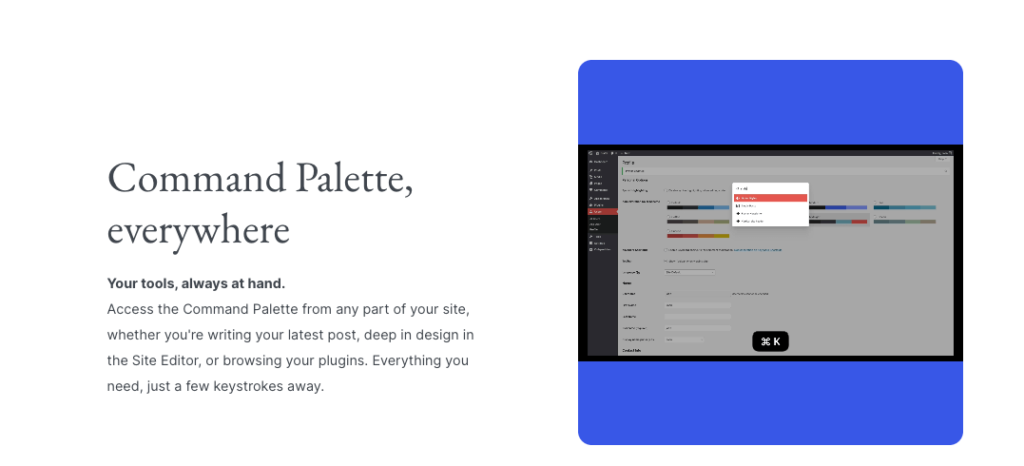
WordPress 6.9 changed this. The palette now works across the entire wp-admin. You can press Cmd/Ctrl + K from the dashboard, the settings pages, the users screen, anywhere in the admin and the palette opens.
The 6.9 palette handles these tasks well:
- Navigating between admin screens by name
- Searching for posts and pages and jumping to them
- Browsing templates, template parts, and patterns in the Site Editor
- Adding blocks while in the post editor (via the slash command)
- Toggling editor modes like List View and Code Editor
- Adding custom CSS through the Styles interface
- Resetting customised templates to their defaults
- Undoing and redoing changes in the editor
For a content editor working primarily within WordPress’s native block environment, this is a solid baseline. The palette removes real friction from common editorial tasks.
The problem starts when you look at how most professional WordPress users actually spend their day.
The Specific 8 WordPress Core Command Palette Limitations You Should Know

Limitation 1: Zero WooCommerce Integration
WooCommerce powers roughly 28% of all online stores. For store managers, it’s where the majority of their working hours go.
The WordPress core command palette cannot access WooCommerce data at all. You cannot search for an order by number or customer email. You cannot look up a product by SKU. You cannot find a customer by name. You cannot change an order status, add a note, check inventory levels, or perform any WooCommerce action from the palette.
What the palette can do is navigate you to the WooCommerce Orders screen. That’s it. Everything you actually do once you’re there requires the traditional click-heavy WooCommerce interface.
For a store manager handling 20 to 50 orders a day, this means the core command palette is essentially decorative. The bottleneck isn’t navigating to the Orders screen. The bottleneck is the 6 to 8 action workflow for every individual order lookup and update.
Limitation 2: No Plugin Management Actions
You can type “Plugins” and the palette will take you to the Plugins admin screen. That’s the full extent of plugin-related capability.
You cannot activate a plugin from the palette. You cannot deactivate one. You cannot install a plugin by searching the WordPress.org repository. You cannot update a specific plugin or check which plugins have updates available.
Developers troubleshoot issues by activating and deactivating plugins constantly. Agencies test client sites before deployments by toggling specific plugins. Support professionals check plugin conflicts by disabling suspected plugins one at a time. All of this still requires a full Plugins screen visit, a page load, finding the right plugin in the list, and clicking.
This is a significant gap for anyone who works with plugins regularly, which is most professional WordPress users.
Limitation 3: No Page Builder Integration
Elementor has over 5 million active installs. Bricks Builder has grown rapidly to become one of the most popular choices among agency developers. Between them, they power a significant percentage of professionally built WordPress sites.
Neither is accessible through the WordPress core command palette in any meaningful way. You can navigate to the Templates screen. But you cannot search for a specific Elementor template by name, open it directly, duplicate it, or manage it from the palette. Same for Bricks. Same for any other page builder.
For agencies and developers whose daily work is primarily building and editing templates across multiple client sites, the core palette doesn’t reach the part of WordPress they use most.
Limitation 4: No Contact Form Management
Contact Form 7 has over 5 million active installs. WPForms, Gravity Forms, and Fluent Forms each have millions more. Contact forms are a standard part of nearly every professional WordPress site.
The core command palette cannot search for forms, open them for editing, view submissions, access Flamingo entries, copy shortcodes, or interact with contact form data in any way. You need to navigate to the respective plugin’s admin section for every form-related task.
For agencies who manage contact forms and form submissions for clients, this is a daily friction point the core palette doesn’t address.
Limitation 5: Navigation Only, No Action Depth
This is the most fundamental limitation and it’s worth being precise about what it means.
A navigation palette gets you to screens. An action palette lets you do things from the palette without visiting those screens. These are genuinely different tools.
The WordPress core palette is predominantly a navigation tool. It takes you to places. When you arrive, you still use the normal interface to perform actions.
A true action palette like Commandify Pro doesn’t just navigate to the WooCommerce order. It lets you change the order status, add a note, and apply a coupon from within the palette itself. It doesn’t just navigate to the Plugins screen. It activates or deactivates the plugin directly. It doesn’t navigate to the user’s profile. It surfaces the profile with available actions and lets you act immediately.
The difference in daily time saved between a navigation palette and an action palette is enormous for professionals who perform the same workflows dozens of times a day.
Limitation 6: No Fuzzy Search or Pattern Recognition
The WordPress core palette requires reasonably accurate input to return useful results. It handles partial words to a degree but doesn’t have robust typo tolerance or the kind of fuzzy matching that makes search feel effortless.
More significantly, it doesn’t recognise input patterns. If you paste an order number like #4152 into the core palette, it returns navigation results containing “4152” if any exist. It doesn’t recognise the format as a WooCommerce order ID and suggest the relevant action. If you paste a customer email, it searches for content matching that string. It doesn’t recognise an email address as a customer identifier and surface the customer lookup workflow.
Pattern recognition is what separates a smart productivity tool from a search box. The core palette is a search box.
Limitation 7: No Frontend Access
The WordPress 6.9 command palette is an admin-only tool. When the WordPress core team expanded it to the full admin, they explicitly decided not to bring it to the frontend of sites.
For developers reviewing the public-facing site, for content editors spotting issues while previewing live pages, and for site managers who browse their own sites, there’s no way to trigger a palette action without switching to a separate admin tab.
This is a deliberate scope decision, not an oversight. But it leaves a gap for the significant portion of professional users who would find frontend admin access genuinely useful.
Limitation 8: Not Customisable Without Code
The only way to extend or customise the WordPress core command palette is through code. Specifically, via the @wordpress/commands package for static commands or the useCommand React hook for dynamic ones.
There is no interface for non-developers to add favourite commands, create custom workflows, build role-specific command sets, or personalise the palette in any way. A store manager, content professional, or agency account manager cannot adjust what appears in their palette without developer intervention.
For teams with diverse roles and different workflow needs, this limits the palette’s practical usefulness to whatever the development team chooses to build into it.
Why These Limits Exist (And Why That’s Actually Fine)
Understanding why the core palette has these limitations matters because it shapes the right way to think about filling the gaps.
WordPress core follows a philosophy of shipping features that work safely across every WordPress install in the world. Deep WooCommerce integration in core would create compatibility risks for the majority of WordPress sites that don’t run WooCommerce.
Page builder integrations would create maintenance dependencies on third-party products with their own release cycles. Action commands that modify database records introduce user error risks at scale.
These are reasonable product decisions for a core platform serving hundreds of millions of sites.
Riad Benguella, the WordPress core contributor who built the original command palette, made clear when it launched that the expectation was always for third-party plugins to extend the palette for professional use cases. The core API allows any plugin to register commands. The architecture is deliberately extensible.
What this means practically is that the core palette is the foundation. Professional-grade command palette capability requires a purpose-built plugin that uses that foundation and extends it into real workflows.
What a Professional Command Palette Actually Looks Like
The gap between the core palette and what professional WordPress users actually need is precisely the space Commandify was designed for.
Commandify installs as a standard plugin and immediately extends the Cmd/Ctrl + K shortcut with a complete professional command set. It doesn’t replace the core palette. It builds on it and expands it into the workflows the core version was never designed to reach.
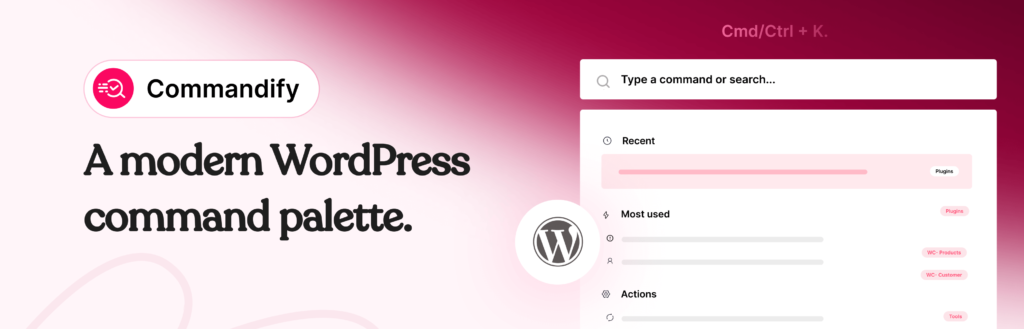
Here’s the same list of limitations addressed directly:
WooCommerce: Full Action Suite, Not Just Navigation
Commandify Pro includes the WooCommerce command suite. Search orders by number, customer email, or status. Change order status, add notes, apply coupons, recalculate totals. Every product and variation appears as its own searchable entry with tools to edit pricing, update stock, and manage SKUs. Customer lookup by name or email with direct profile access and recent order history.
This is full action depth, not navigation. The order is changed from the palette. The note is added from the palette. No screen visits required.
Plugin Management: Full Control from the Palette
Commandify free includes full plugin management from the palette. Activate, deactivate, install from WordPress.org, search installed plugins. This is available without upgrading to Pro and without visiting the Plugins screen.
Page Builders: Elementor and Bricks Template Management
Commandify Pro provides full template management for both Elementor and Bricks Builder. Search templates by name, open them directly, duplicate, rename, manage. No navigation to the templates screen required. Direct builder access from the palette with intelligent post type detection for Bricks.
Contact Forms: CF7, Flamingo, and Fluent Forms
Contact Form 7 forms are searchable and manageable from the palette. Edit forms, copy shortcodes, view Flamingo submissions, search pages containing specific form shortcodes. Fluent Forms integration covers form management, entries, and transactions. All without navigating to the respective plugin sections.
Pattern Recognition: Paste and Go
Type #4152 and Commandify jumps to WooCommerce order 4152. Paste a customer email and it surfaces the customer lookup. Type @sarah and it opens Sarah’s user profile. Type a product SKU and it finds the product. These patterns are recognised automatically. No search finessing required.
Frontend Access
Commandify works on the frontend for logged-in administrators. Press Cmd/Ctrl + K while browsing any page of your site and the full palette opens with theme-independent styling. Admin actions available from the public side of the site without switching tabs.
Per-User Customisation, No Code Required
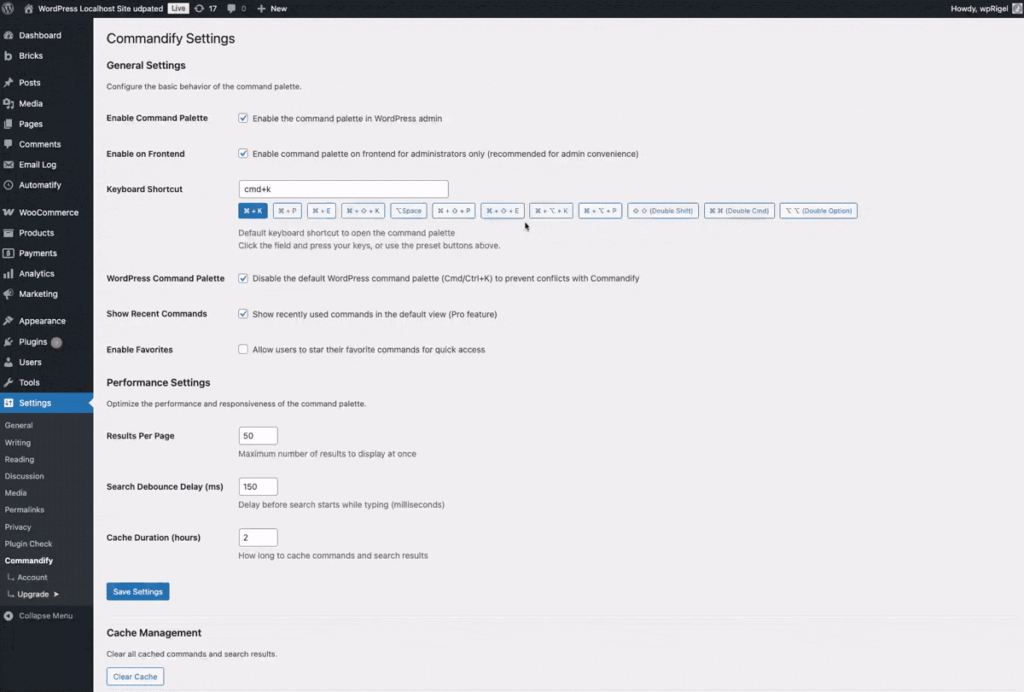
Every user can configure their shortcut key, search results size, debounce timing, and command visibility from a settings interface. No code required. The store manager, the content editor, and the developer each get a palette that fits their role and their workflow.
Side-by-Side: WordPress Core Palette vs Commandify Free and Pro
| Capability | WordPress Core Palette (6.9) | Commandify Free | Commandify Pro |
|---|---|---|---|
| Full wp-admin navigation | Yes | Yes | Yes |
| Post and page search | Yes | Yes + quick actions | Yes + quick actions |
| Template and template parts | Yes (Site Editor) | Yes | Yes |
| Block editor actions | Yes | Yes | Yes |
| Plugin activate / deactivate | No | Yes | Yes |
| Install plugins from WordPress.org | No | Yes | Yes |
| WooCommerce orders (search and actions) | No | No | Yes |
| WooCommerce products and variations | No | No | Yes |
| WooCommerce customer management | No | No | Yes |
| Elementor template management | No | No | Yes |
| Bricks Builder template management | No | No | Yes |
| Contact Form 7 and Flamingo | No | No | Yes |
| Fluent Forms integration | No | No | Yes |
| Fuzzy, typo-tolerant search | Basic | Yes | Yes |
| Pattern recognition (#ID, @user, email, SKU) | No | No | Yes |
| Contextual commands (screen-aware) | Partial | No | Yes |
| Frontend palette for logged-in admins | No | Yes | Yes |
| Per-user customisation (no code) | No | Yes | Yes |
| Maintenance commands (cache, transients, trash) | No | Yes | Yes |
Who Experiences Which Limitations
The gaps in the core palette hit different user types with different intensity. Understanding who feels which limitations most acutely helps clarify whether the core palette is enough for your specific situation.
WooCommerce Store Managers
This group hits the hardest wall. The entire daily workflow of a store manager revolves around WooCommerce data that the core palette cannot touch. Orders, products, customers, inventory. The core palette is essentially not useful for the bulk of their work. A dedicated plugin like Commandify Pro is genuinely necessary for keyboard-first WooCommerce management.
Agency Developers and Freelancers
The missing plugin management actions are the most painful limitation here. Agencies and freelancers activate and deactivate plugins as a standard troubleshooting routine. The template management gaps for Elementor and Bricks also affect this group heavily. The core palette navigates you to the right sections but doesn’t reduce the click-count of the workflows that happen repeatedly every day.
Content Editors and Bloggers
This group is the best fit for the core palette as-is. Navigation between screens, post and page search, editor actions within the block environment. If your work is primarily content creation within WordPress’s native tools, the 6.9 palette handles the majority of your use case. The remaining friction is real but not severe.
Site Administrators Managing Multiple Users or Roles
The lack of pattern recognition is most felt here. Admins handling user support, client access management, and role-based workflows deal with a constant flow of user lookups. The core palette can navigate to the Users screen. It cannot turn a pasted email address into an immediate profile lookup with actions. That gap is the difference between a useful tool and a transformative one for this group.
How to Get a Full-Featured Command Palette for WordPress
If you’re on WordPress 6.3 or later, you already have the core palette. Press Cmd/Ctrl + K anywhere in your admin and start exploring what it can do. For content-focused workflows, it may cover what you need.
For professional use cases, the path forward is installing Commandify. The free version is available on WordPress.org and adds full plugin management, maintenance commands, universal content search with quick actions, frontend palette access, and robust fuzzy search. This alone addresses several of the core palette’s significant limitations at no cost.
When you’re ready for WooCommerce integration, page builder template management, pattern recognition, and action-depth commands, Commandify Pro starts at $47/year with a 14-day money-back guarantee.
You can also read the full breakdown of the best WordPress command palette plugins for a broader comparison of all the options currently available.
FAQs on WordPress Core Command Palette Limitations
Does WordPress 6.9 finally fix the command palette limitations?
WordPress 6.9 made a significant improvement by expanding the palette to the full wp-admin rather than limiting it to the Site Editor. This addressed one of the biggest usability complaints about the earlier versions. But the core architectural limitations remain.
No WooCommerce integration, no plugin management actions, no page builder support, no frontend access, no customisation without code. You can read more about the 6.9 release and its command palette changes in the WordPress 6.9 overview on this blog.
Can I extend the WordPress core command palette myself?
Yes, if you’re a developer. WordPress exposes a commands API via the @wordpress/commands package. Static commands can be registered using wp.data.dispatch(wp.commands.store).registerCommand().
Dynamic commands that change based on editor state use the useCommand React hook. From WordPress 6.9, plugin developers can also register commands that appear across the full admin, not just the block editors.
For non-developers, there is no interface-based way to extend or customise the core palette without code.
Does installing Commandify break or conflict with the WordPress core command palette?
No. Commandify uses the same Cmd/Ctrl + K shortcut and extends the same WordPress commands infrastructure. It adds to the command set rather than replacing the core palette. All core palette functionality is retained after Commandify is installed.
The shortcut triggers the expanded palette which includes both the original core commands and all of Commandify’s additions.
Will the WordPress core palette eventually match what Commandify offers?
It’s possible but not likely in the near term. WordPress core follows a careful release philosophy that prioritises backward compatibility and universal stability. Deep WooCommerce integration, page builder support, and action-depth commands are the territory of the plugin ecosystem, not core.
The WordPress 7.0 roadmap (scheduled for mid-2026) shows continued command palette improvements, but the focus appears to be on refining the existing command set rather than expanding into third-party plugin territory.
Third-party plugins will continue to be the right place for professional command palette workflows.
Does the WordPress core palette work on classic themes?
With WordPress 6.9, the command palette is available across the full wp-admin regardless of theme type. The earlier limitation to block themes and the Site Editor has been removed.
Basic navigation and content search commands work on any theme. Some template-related commands still require a block theme since templates are a block theme concept, but core admin navigation and general commands work universally from 6.9 onwards.
What is the most important thing the WordPress core palette is missing?
For most professional users, the answer is action depth. The core palette navigates you to screens. It doesn’t perform actions on data within the palette itself.
The ability to change a WooCommerce order status, activate a plugin, manage a template, or add a user note without leaving the palette and visiting a separate screen is the capability that separates a productivity tool from a navigation aid. That gap is where Commandify Pro operates.