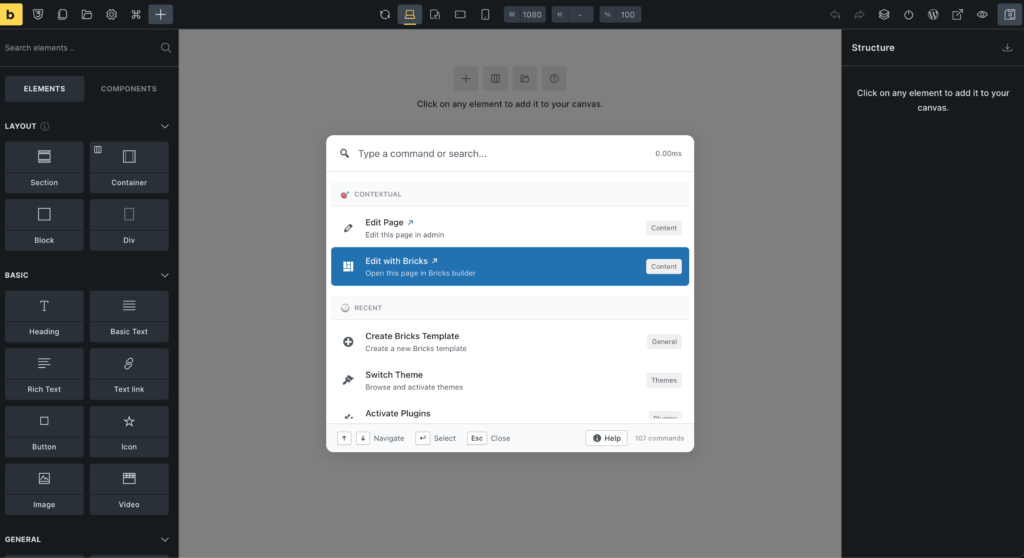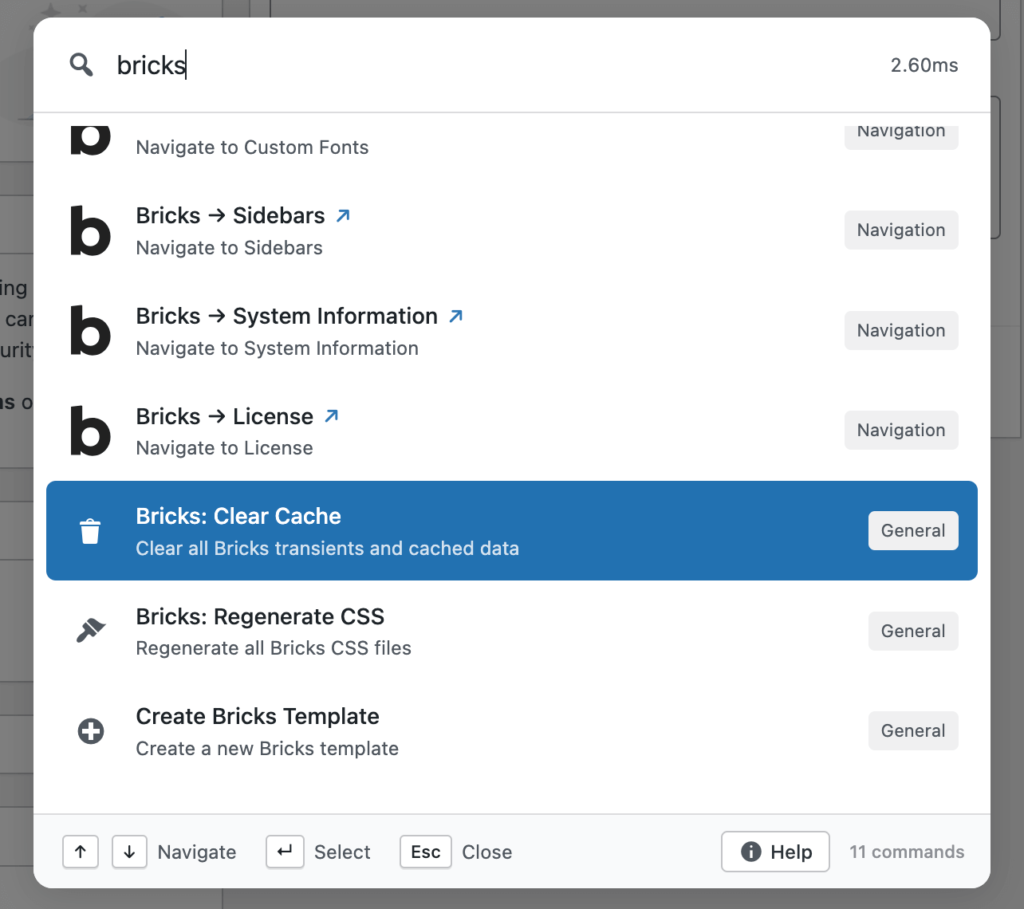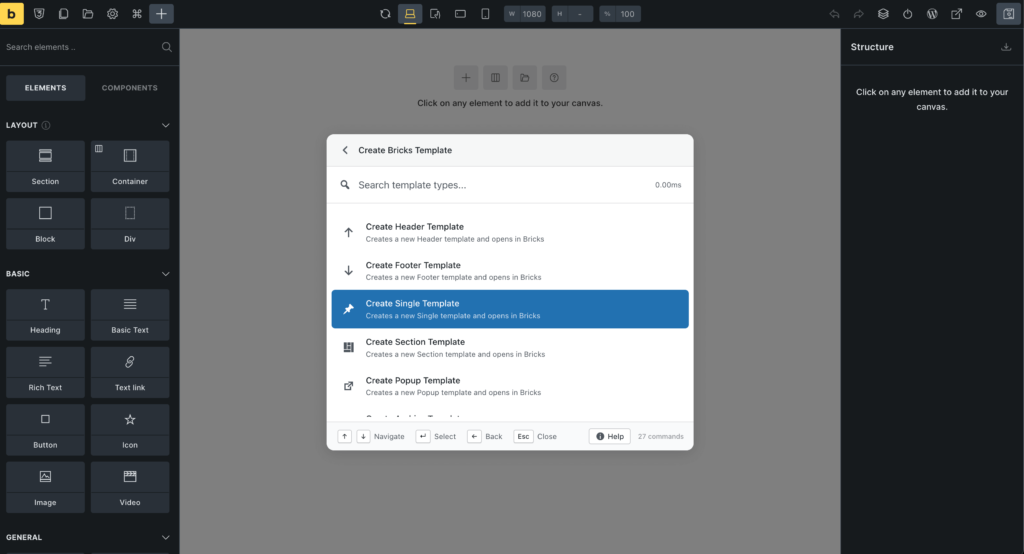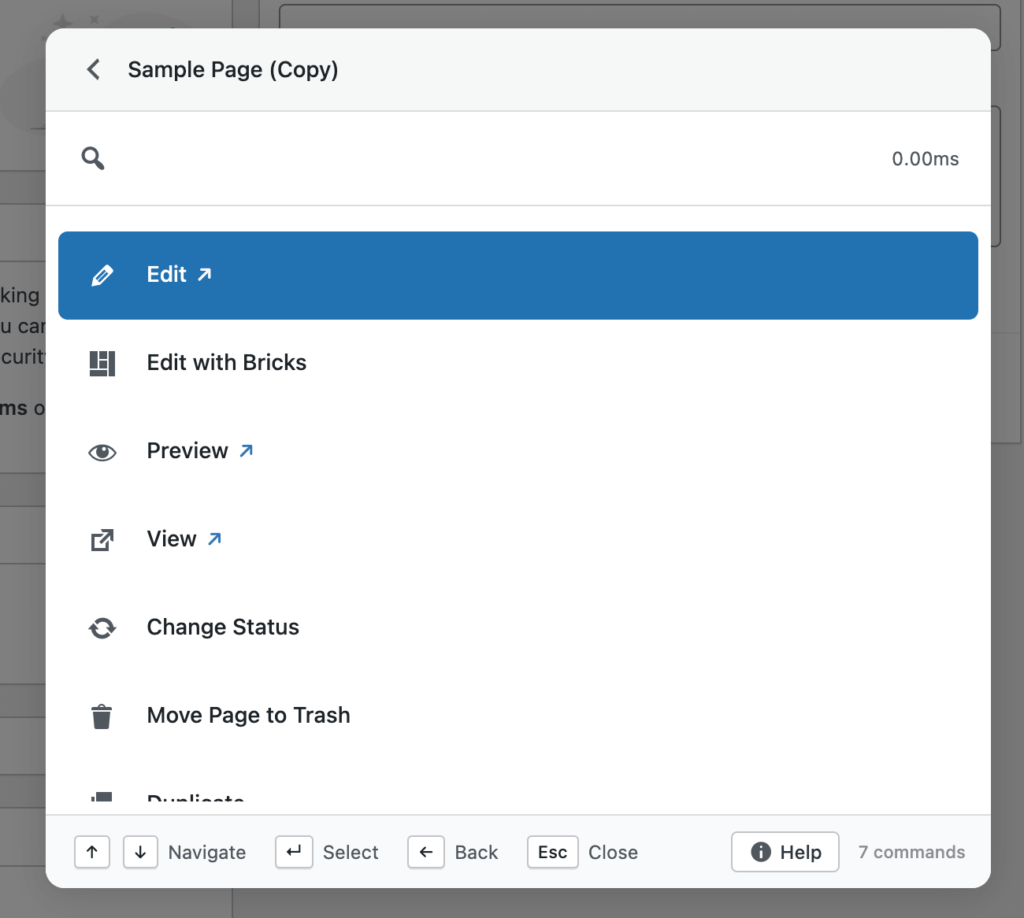
We’re back with another weekly update and this one brings some of the most requested improvements to Commandify just before the holiday season.
Over the past week, the team focused on making Commandify more flexible, more future-proof, and more powerful for real-world workflows, especially for WooCommerce stores, page builder users, and keyboard-first WordPress professionals.
With Commandify v1.0.4, we focused on:
Making Commandify usable beyond wp-admin with frontend support
This release is less about adding surface-level features and more about strengthening Commandify as a reliable, long-term productivity layer for WordPress professionals.
Let’s walk through what’s new.
Frontend Command Palette (Opt-In)
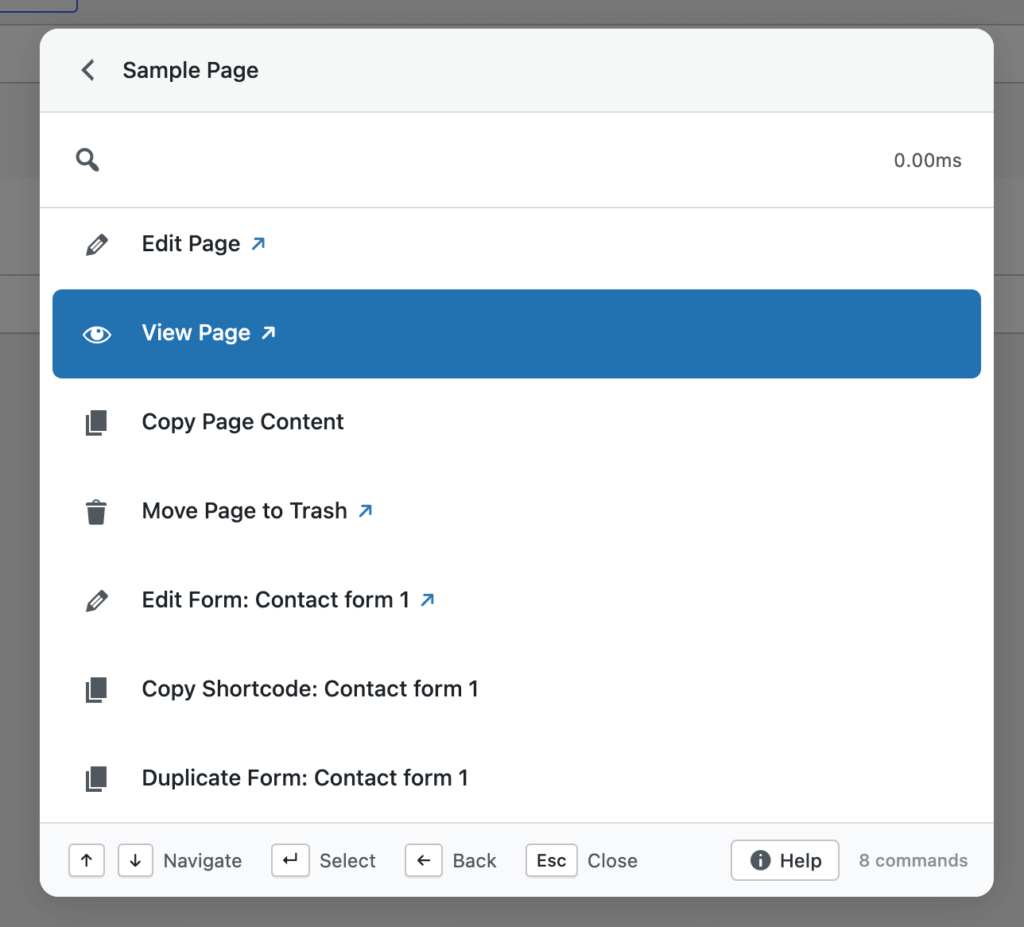
Commandify can now be used on the frontend of your site when you are logged in as an administrator or editor.
Once enabled from the settings page, the command palette becomes available while viewing posts, pages, and custom post types on the frontend. This allows you to:
Open content directly in the editor
Trigger contextual actions without switching to wp-admin
Move between editing and reviewing content without breaking flow
The frontend palette uses theme-independent styling, ensuring a consistent look and behavior regardless of the active theme. This avoids layout conflicts and keeps the palette readable across different designs.
Frontend support is intentionally opt-in, giving site owners full control. This ensures security-sensitive environments can decide when and where frontend commands should be available.
WordPress 6.9 Compatibility (No Shortcut Conflicts)
WordPress 6.9 introduces its own native command palette, which also uses Cmd/Ctrl+K.
In v1.0.4, Commandify adds a dedicated setting that allows you to disable the default WordPress command palette when needed. This prevents shortcut conflicts and ensures a predictable experience.
This update was important for two reasons:
It avoids overlapping keyboard shortcuts
It ensures Commandify remains stable across future WordPress releases
Rather than competing with core features, Commandify integrates cleanly into the evolving WordPress ecosystem.
WooCommerce: Customer Actions Get Smarter
This release significantly improves WooCommerce customer workflows, especially for store owners and support teams.
You can now:
View customer billing and shipping addresses in a clean, read-only modal
Update billing or shipping addresses directly from the command palette
Use searchable country and state dropdowns that follow WooCommerce’s field order
These actions are designed for accuracy and speed. Instead of opening customer profiles, scrolling through tabs, and saving forms manually, everything happens inside a focused modal.
Dynamic country and state selection ensures fewer errors when updating addresses, which is especially helpful for stores handling international customers.
Under the hood, customer actions are now generated using a centralized action system, making them consistent across different contexts.
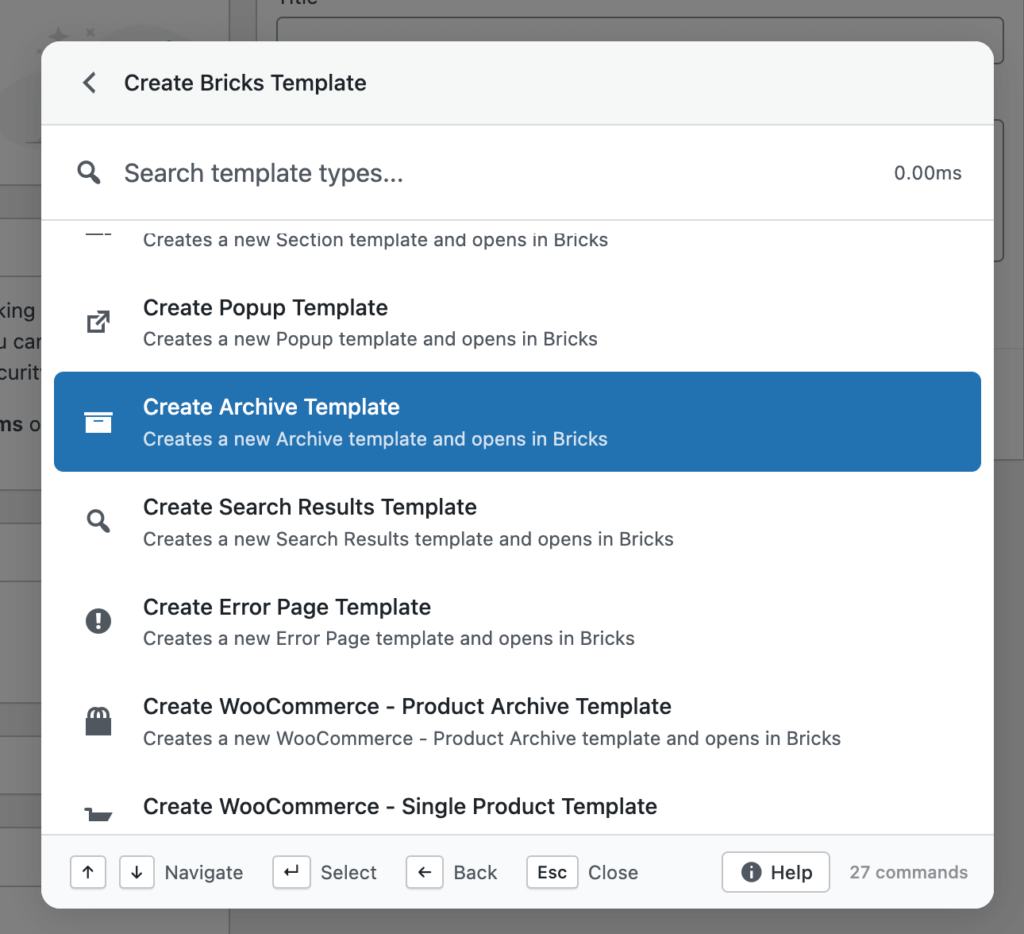
Page Builder Improvements (Elementor & Bricks)
Commandify v1.0.4 improves how page builder actions behave across both backend and frontend contexts.
Elementor Enhancements
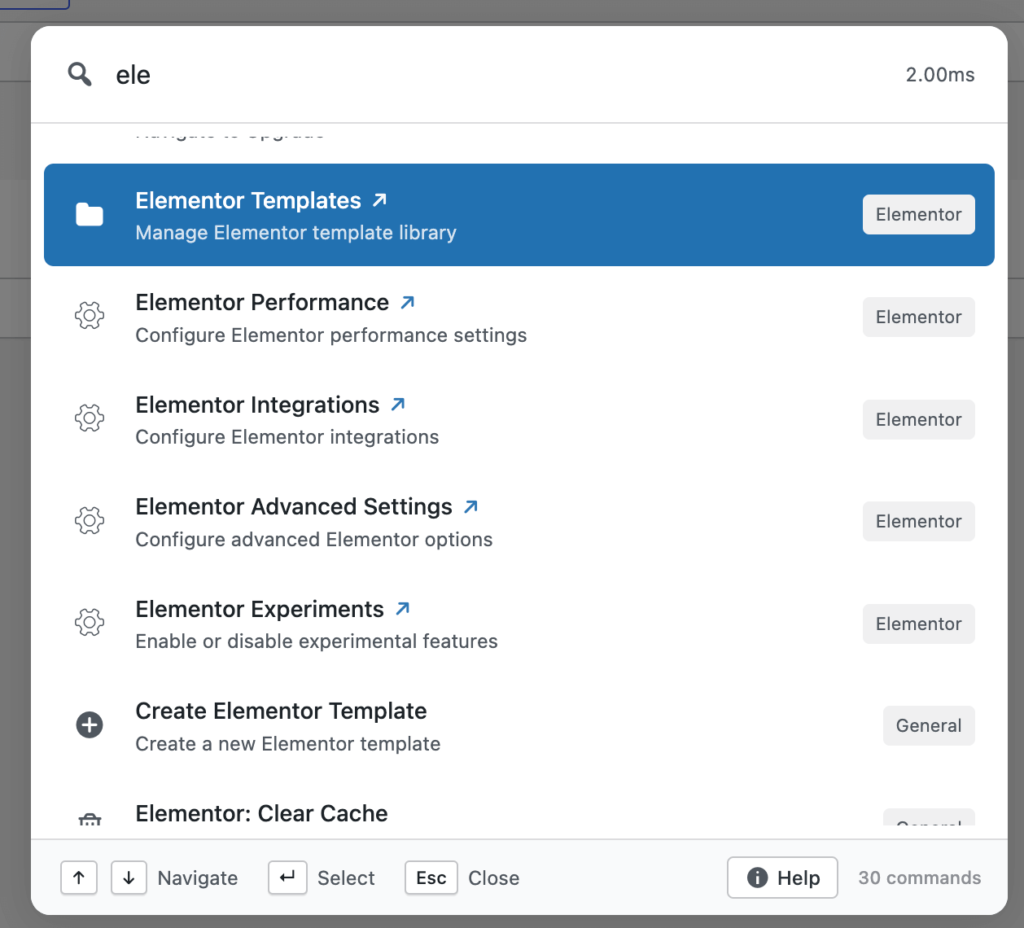
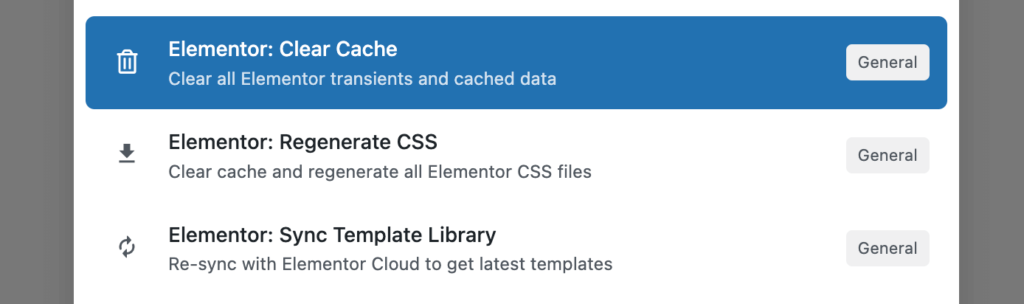
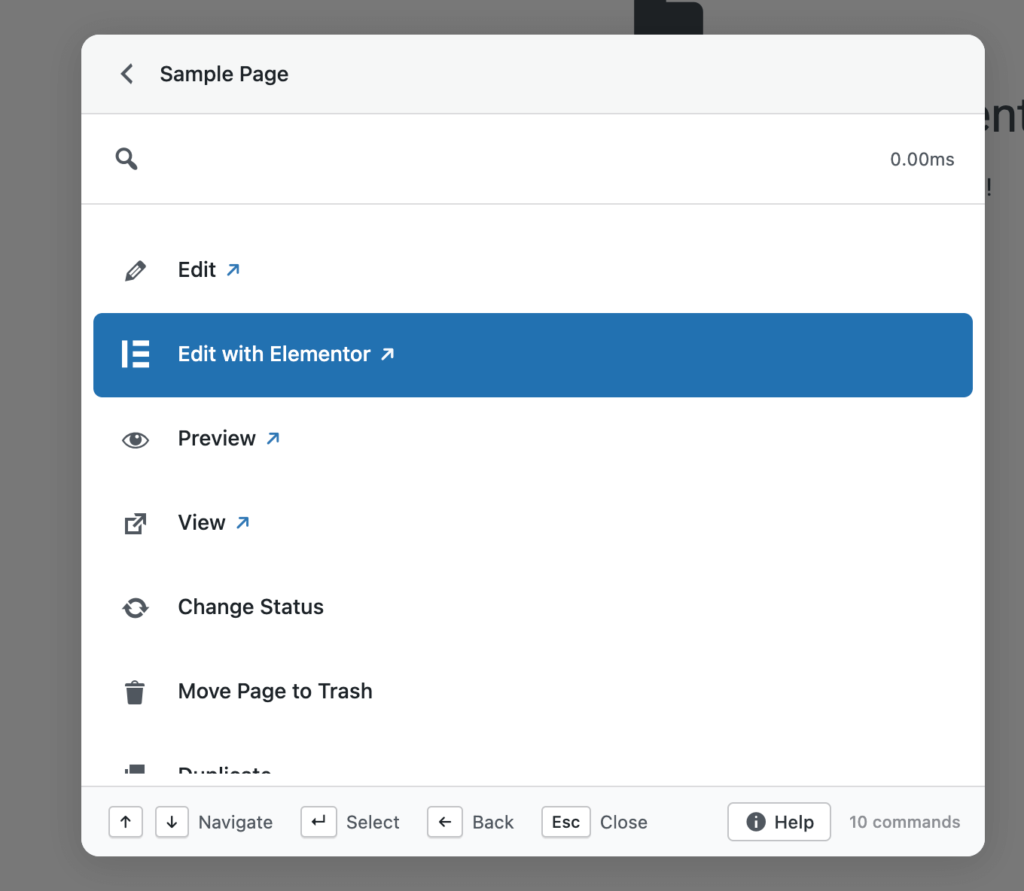
“Edit with Elementor” now appears consistently on the frontend for all Elementor-supported post types
Keyboard shortcuts work reliably inside Elementor’s iframe
Contextual commands behave the same whether you’re editing or viewing content
This makes it easier to move between reviewing a page and jumping straight into visual editing.
Bricks Improvements
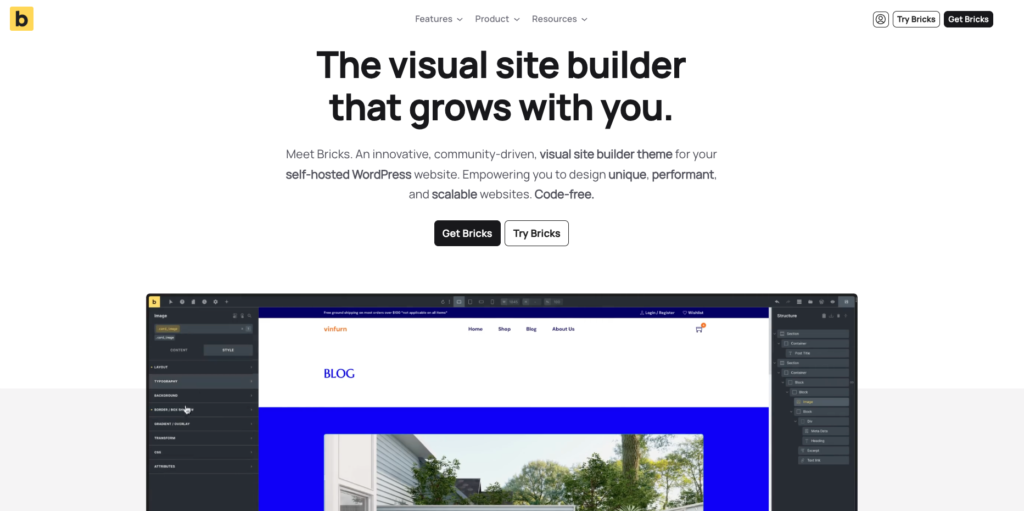
Bricks actions now use the same centralized post action system as other integrations
Commands respect Bricks’ post type settings automatically
Behavior is consistent across list views, editors, and frontend pages
These changes reduce edge cases and make builder actions feel predictable and integrated, rather than bolted on.
Contact Form 7 & Flamingo Fixes
This release also includes several important fixes for Contact Form 7 and Flamingo users.
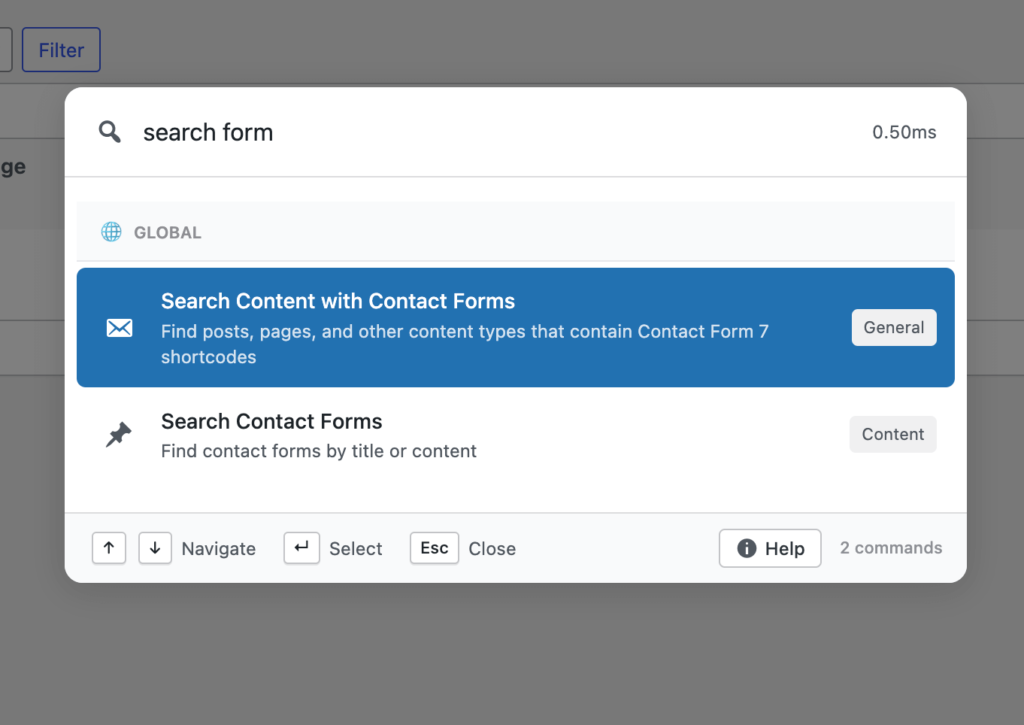
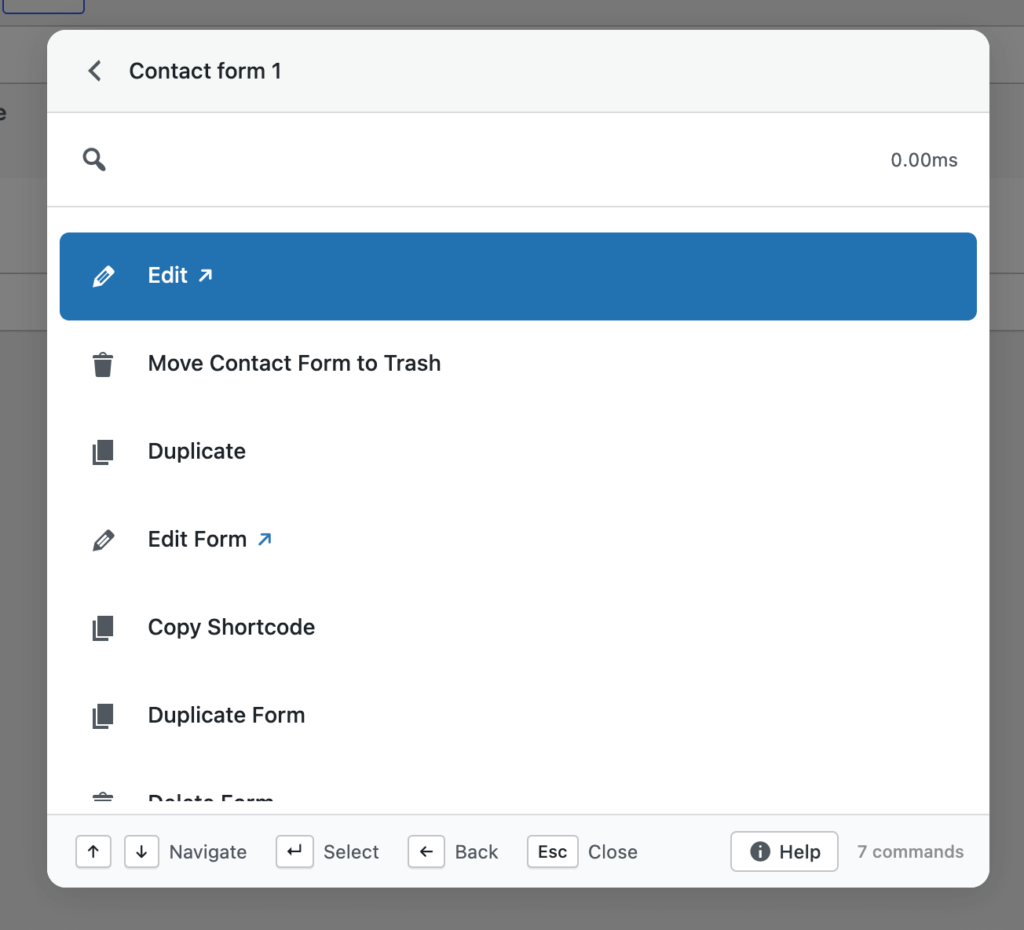
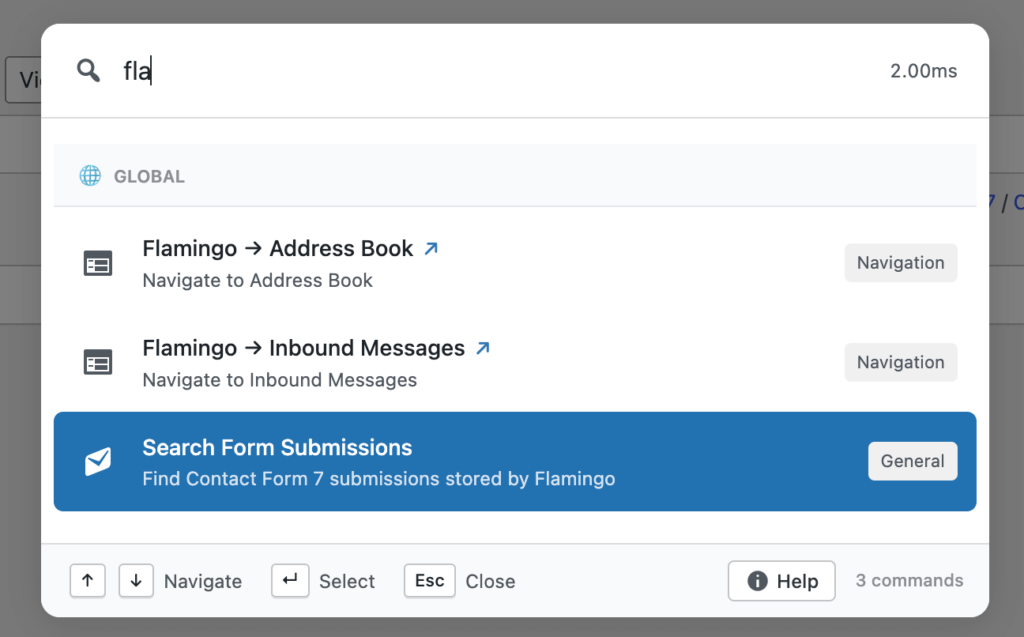
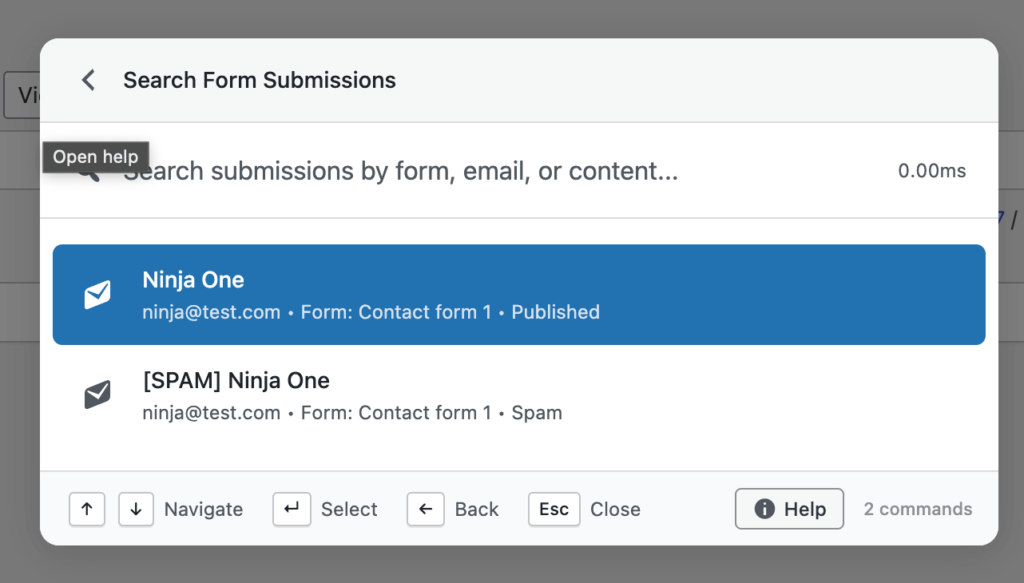
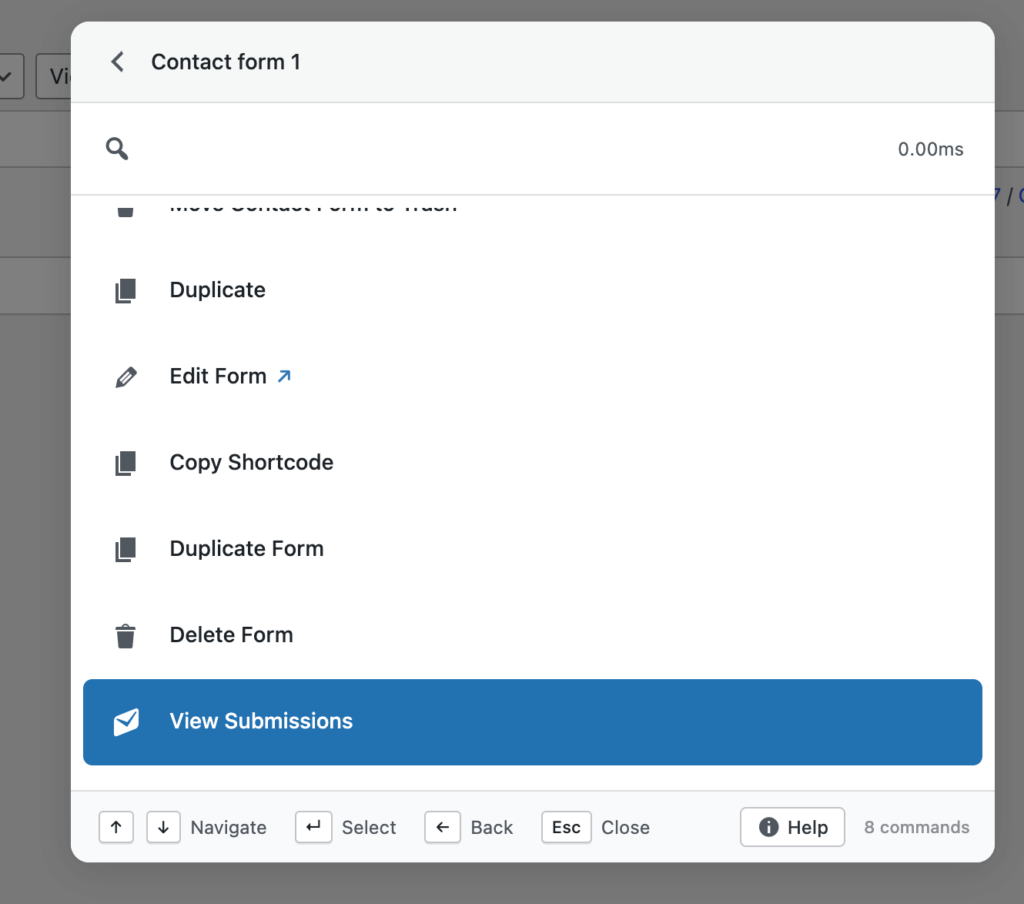
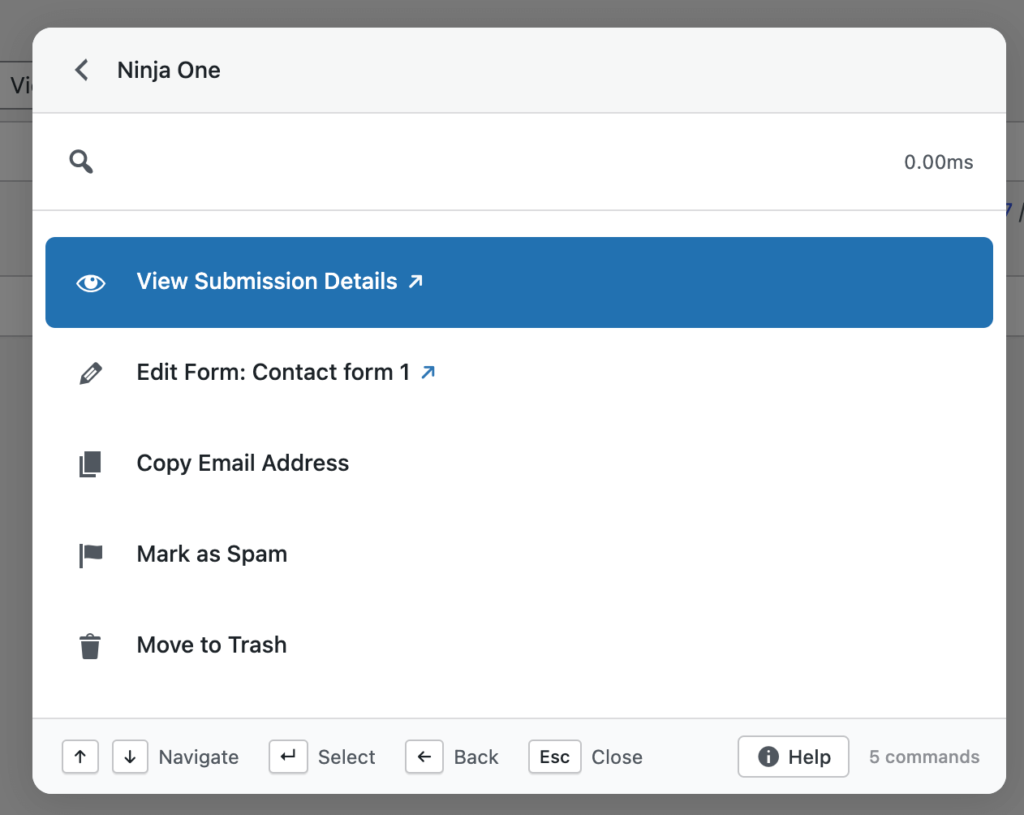
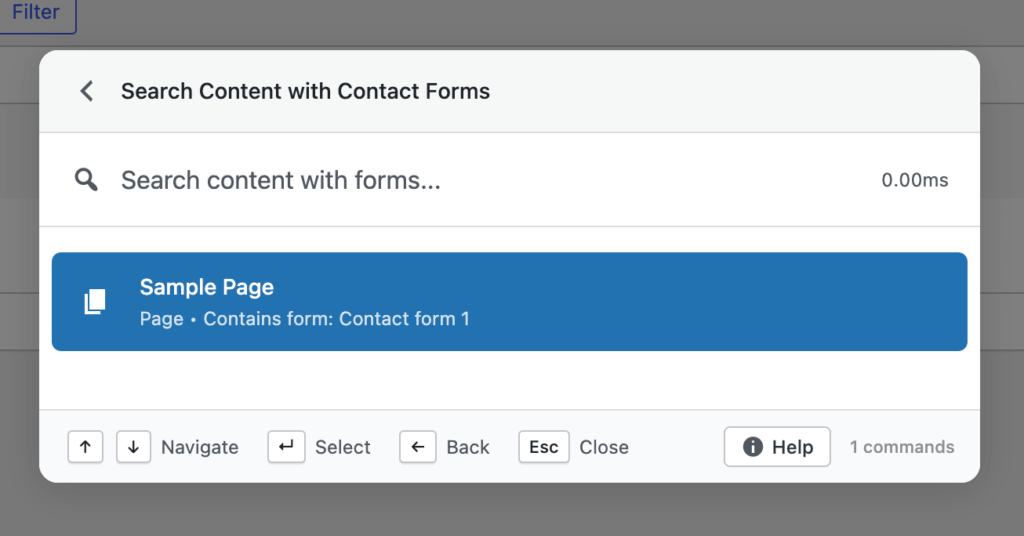
Issues around deleting forms, copying shortcodes, and incomplete search results have been resolved. All form searches now include all post statuses, and copied shortcodes no longer include escaped characters.
These fixes improve reliability for teams that manage large numbers of forms and submissions.
UX, Stability & Performance Improvements
Alongside new features, v1.0.4 includes multiple refinements that improve daily usability:
Better icon alignment inside the palette
Improved modal sizing for complex forms
Keyboard scrolling support inside scrollable modals
More consistent post actions across search and dynamic lookups
Several edge-case bugs were also fixed, including duplicate post creation and undefined variable errors in frontend commands.
These changes don’t add new buttons — but they make existing workflows smoother and more trustworthy.
Why This Release Matters
Commandify is increasingly used as a primary interface, not a secondary shortcut tool.
With frontend support, WordPress 6.9 compatibility, deeper WooCommerce actions, and consistent page builder behavior, v1.0.4 reinforces a clear direction: Commandify is built for doing work, not just navigating menus.
Many command palettes focus on search and redirection. Commandify continues to focus on actions, context, and workflows — especially where WordPress becomes complex.
Why Commandify Is Now the Most Powerful WordPress Command Tool
At this point, Commandify goes far beyond what traditional command palettes offer.
Unlike search-only tools, Commandify is built around actions and workflows, including:
Context-aware commands that change based on where you’re working
Deep WooCommerce control (orders, products, customers)
These are capabilities that simply don’t exist together in other command palette tools — especially not with this level of depth.
wpRigel: Building Focused Tools, Not Feature Noise
At wpRigel, every release follows a simple principle: improve real workflows before adding new surface features.
Commandify v1.0.4 reflects that mindset. Instead of chasing shortcuts or UI trends, this release strengthens areas that users rely on daily — editing, reviewing, managing customers, and maintaining sites.
Alongside Commandify, wpRigel continues to develop Pollify, a fully Gutenberg-native polling and engagement plugin designed for modern WordPress sites. Pollify follows the same philosophy: native tools, clean UX, and no unnecessary abstractions.
wpRigel is a small team, but highly focused. Each update is shaped by real usage, user feedback, and long-term maintainability. Rather than shipping everything at once, features are released once they’re stable, secure, and consistent.
This approach allows wpRigel products to scale with users — from individual site owners to agencies managing dozens of WordPress installs.
What’s Coming Next on Commandify
Work is already underway on:
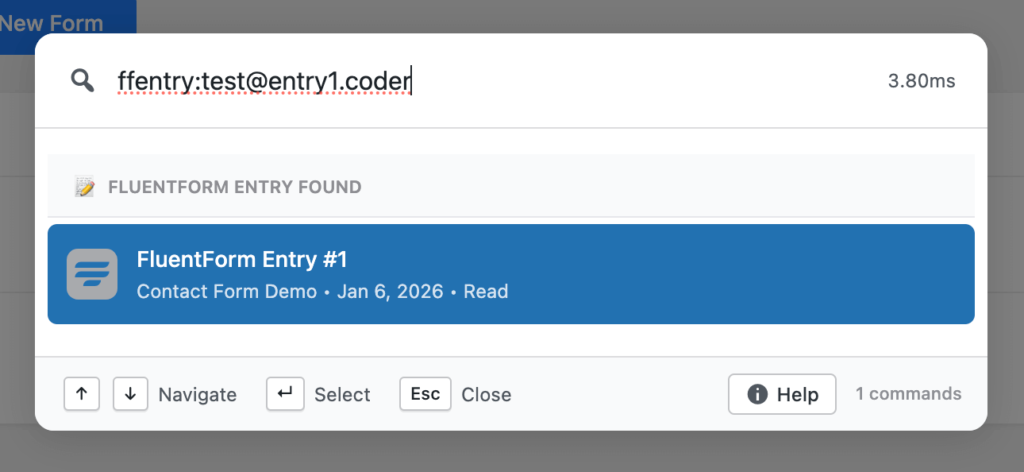
More form integrations (Fluent Forms, Gravity Forms, WPForms)
This week’s rollout is one of our heaviest yet. Both versions of Commandify received significant new capabilities, and Pollify shipped important privacy and accessibility updates.
If you work on WordPress sites daily, these changes should give you more control and shave minutes off repetitive tasks.
Commandify Pro and Free: A Closer Look at What Shipped
We pushed two releases for Commandify back-to-back v1.0.1 (Dec 1) and v1.0.2 (Dec 2). Together they introduce long-awaited integrations, faster search, and a more consistent command experience across the dashboard.
Elementor integration arrives
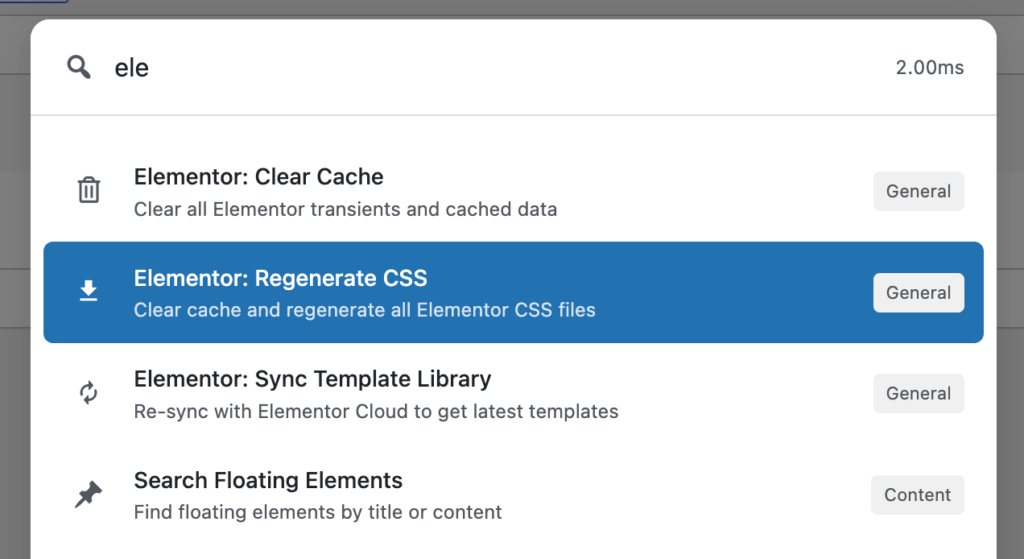
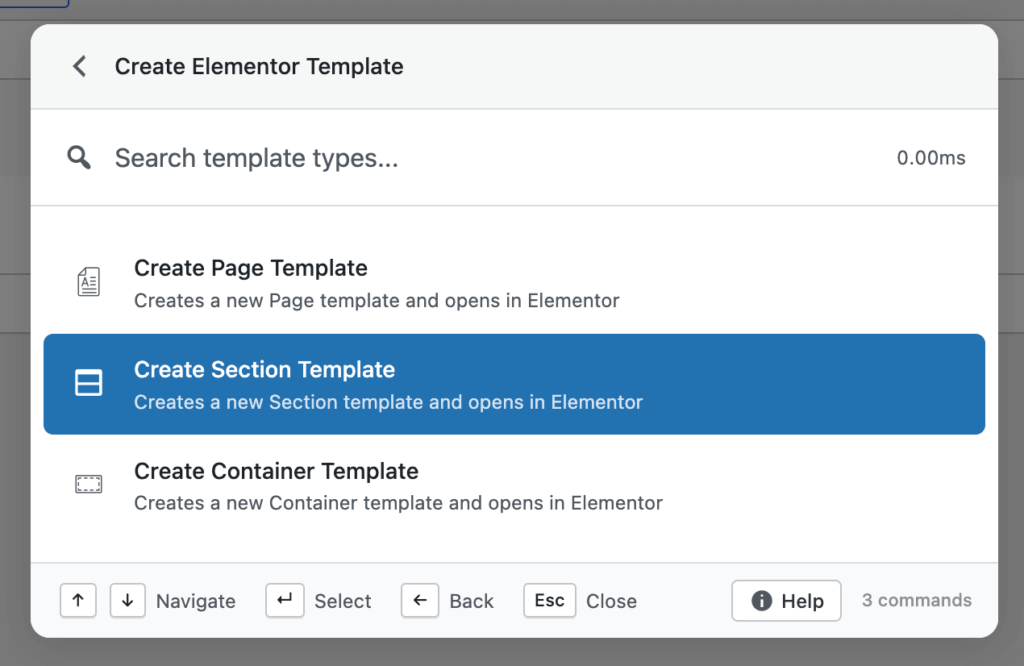
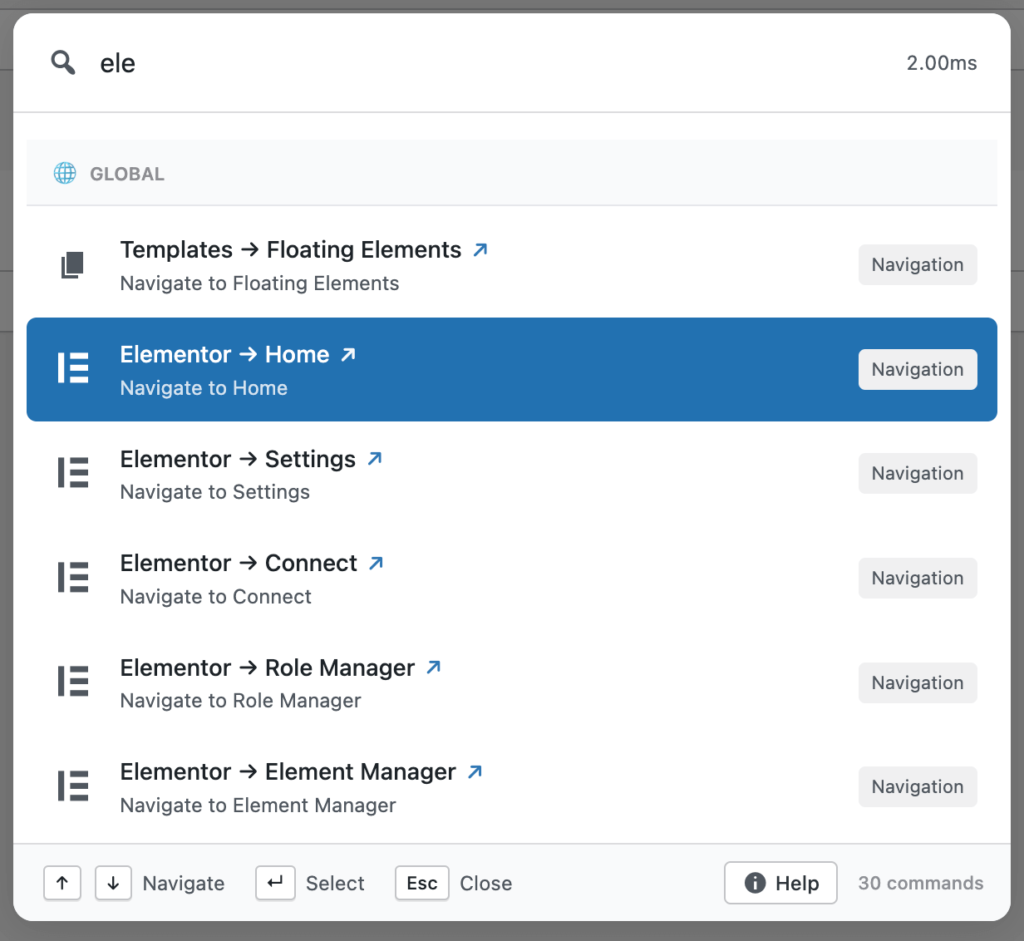
Elementor has always been one of the top feature requests from our users. This release introduces a complete first version of that integration. It gives you template search, template actions (export, duplicate, copy, rename), “Edit with Elementor” for posts and pages, and quick access to actions like regenerate CSS, sync library, and clear cache.
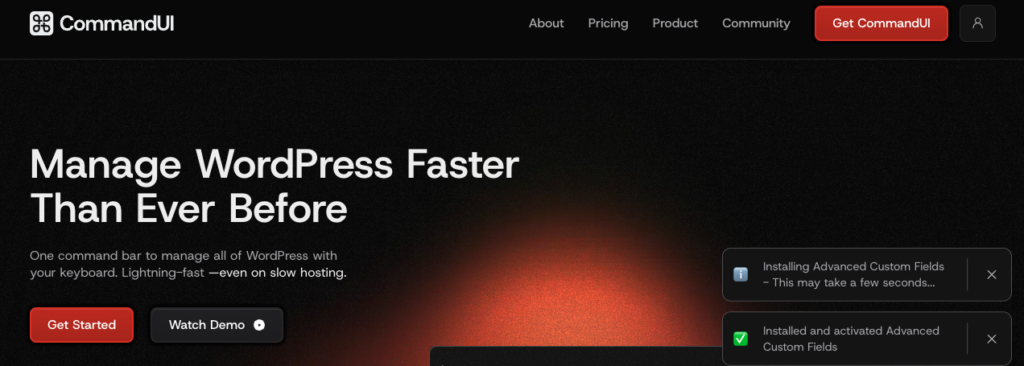
We built this with the goal of making it more usable and flexible than similar command palettes offered by competitors such as CommandUI. It’s available in both Free and Pro, with deeper template actions unlocked for Pro users.
User switching added to Pro
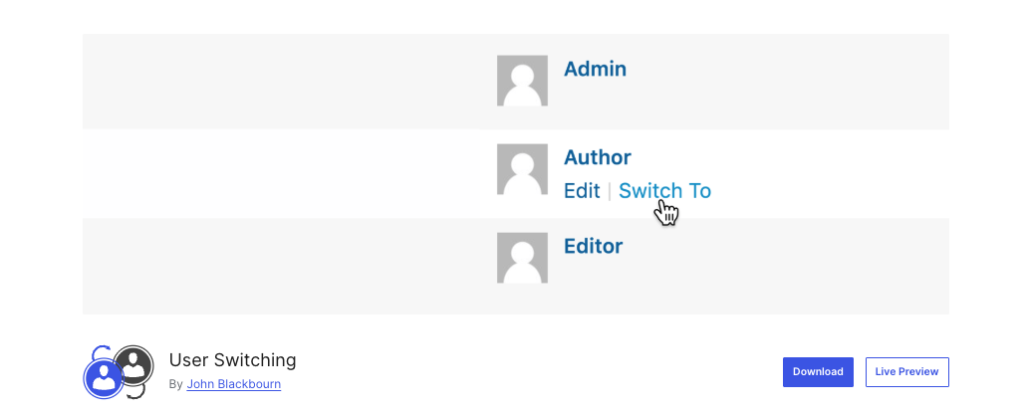
User Switching is now built directly into Commandify Pro.
You can switch to any user, browse the last 20 accounts you interacted with, and switch back when you’re done. The palette shows your active switch session in “User Switch Status,” and all URLs work cleanly across multisite setups.
This is one of the most useful additions for support teams, agencies, and developers replicating user-level issues.
Speed improvements across search
We introduced instant static results for common search queries, static result preloading, and a new dynamic action handler that makes command execution more predictable. Redirect URLs now decode HTML entities properly, improving REST-driven actions.
Commandify also now includes multiple new filters for developer customization including:
commandify_search_user_actions
commandify_search_{post_type}_actions
commandify_search_post_type_args
A new COMMANDIFY_DEV_MODE constant gives local developers a cleaner way to test Pro features.
WooCommerce refinements
Search results are more consistent and now surface recent orders and customers instantly. The internal structure for WooCommerce, Elementor, and User Switching integrations was reorganized for better long-term maintenance.
Fixes and architecture improvements
The release also includes adjustments like:
Fixing ampersand URL issues
Removing duplicate Elementor commands
Correcting “Switch Back” logic
Using proper WordPress capabilities for User Switching
Improved dynamic form evaluation
Updated testing documentation and implementation notes
These updates reflect everything listed in the v1.0.2 changelog and align with the architectural direction documented in our internal references.
Commandify Free: Quality-of-life Additions
Version 1.0.1 of Commandify Free introduced several new commands and a cleaner UI.
New commands
Visit Site: open the frontend instantly from the palette
Instant Log Out: sign out without navigating to the profile page
Post Status Control: change post status directly from command options
UI and behavior improvements
User search now shows proper user icons
Media search displays thumbnails
Default results always show the latest 10 items across posts, users, and media
The palette stays open after maintenance actions like cache clearing or rewrite flush
Debounced API requests help search feel smoother while typing
These updates make the free version more capable for everyday site management.
Pollify Update: Privacy and Accessibility Improvements
Pollify’s latest update introduces anonymous voting, a key request from users who handle GDPR-sensitive projects. You can now offer polls without linking responses to trackable identifiers.
We also added the option to send a poll block to Trash right from the editor. Accessibility labels were refined, and an undefined get_result warning was resolved.
This aligns with our long-term Pollify roadmap described in the knowledge base.
Integrations for Gravity Forms, Fluent Forms, and WPForms
A Bricks Builder integration with navigation and builder-level actions
These are already in testing and scheduled for rollout within the next few days.
BFCM Offer 2025 Still Available
Our Black Friday/Cyber Monday offer is still live.
Commandify Pro starts at $39/year and Pollify Pro starts at $31/year, with both yearly and lifetime plans included in the discount.
If you’re exploring our tools for the first time or planning to upgrade, this is the best time to lock in pricing before the next set of integrations ships.
Stay Connected with wpRigel and The Products We Build
wpRigel started with a simple goal: build lightweight, focused tools that remove friction for creators, marketers, developers, and agencies working inside WordPress every day.
We don’t chase bloated feature lists or heavy interfaces. Instead, we ship products that solve specific problems with clean UX and reliable performance.
Pollify was our first step toward that mission- a block-native poll creator built for the modern Gutenberg editor. No shortcodes, no external dashboards, just a straightforward way to gather feedback and run voting experiences on WordPress sites. Today, Pollify Pro extends that idea with engagement blocks, like/dislike voting, NPS polls, and exportable reports.
Commandify grew from watching users jump across menus to complete basic tasks. Our goal with Commandify is to give WordPress a command palette that feels fast, predictable, and helpful for both beginners and power users. The new integrations reinforce that direction: an interface where everything you need is a few keystrokes away.
We are still a small team, but product quality is our priority. The roadmap for both plugins comes directly from user conversations, agency workflows we observe, and our own experience building WordPress sites for years.
Each release (whether it’s a quality-of-life improvement or a major integration) is meant to reduce the mental overhead of managing multiple plugins, settings, and screens.
As we continue expanding wpRigel’s product lineup, our focus remains the same: build tools that feel natural inside WordPress and give users more control without adding complexity.
If you’ve worked on WordPress long enough, whether as a developer, store owner, agency, or content manager, you’ve probably felt it. That slow, creeping drag inside wp-admin.
The kind where a “simple update” somehow turns into ten tab switches, five page loads, two wrong clicks, and eventually a mental note to “clean up the admin later” that you never follow through on.
That’s the reality for most WordPress sites today.
More plugins = more menus. More menus = more complexity. More complexity = more time lost.
And this isn’t about user error. It has grown into an ecosystem where:
WooCommerce stores run 30–50 plugins by default
LMS platforms add dozens of content types
Membership sites layer access rules across multiple add-ons
Agencies juggle 50–200 client installs
Developers switch between editors, templates, forms, SEO panels, cache tools
Publishers handle hundreds (sometimes thousands) of content pieces
The problem is simple: WordPress never evolved a true productivity layer.
Yes, wp-admin works. Yes, it’s familiar. But it was never optimized for speed, deep workflows, or modern UX.
Productivity Needs Across Roles, Teams & Complex Websites
By now, it’s clear that WordPress isn’t just a blogging platform anymore. It powers schools, eCommerce stores, learning systems, newsrooms, membership communities, SaaS dashboards, and everything in between. Each of these environments has unique demands, but they share one theme:
The admin experience slows down before the business does.
Let’s look at more site types and roles that feel this pain daily — and how command-palette tools transform their workflow.
School & University Websites: Too Many Pages, Too Many Hands
Institutional websites (schools, colleges, universities) tend to grow fast and stay messy. These sites often include:
Department pages
Course catalogs
Faculty directories
Event calendars
Admissions pages
Campus news
Media galleries
PDF document libraries
Student portals
Program-specific micro-sites
They’re often managed by:
IT team
Marketing team
Department staff
Student workers
Interns
Professors who “just need to update one thing”
Pain Points For Educational Institutions
1. A lot of hands in the admin Training every new staff member on the admin layout takes time. People forget where settings live. Menus get cluttered as departments add plugins.
2. Too many page types It’s common to see:
“Department”—a CPT
“Courses”—another CPT
“Programs”—another CPT
“Events”—one more CPT
“Faculty”—another CPT
The left menu becomes a wall of labels.
3. Non-technical users get lost easily Many educators or staff members only log in occasionally. A complex admin makes them feel anxious or overwhelmed.
Use Cases Where A Productivity Tool Helps
Quickly opening the correct department page
Jumping to faculty profiles without navigating CPT menus
Finding event listings without digging for “that Events plugin”
Opening forms (WS Form / Gravity Forms) in seconds
Switching to page templates used by Divi, Elementor, Bricks
Reducing training time for new staff or student workers
When a staff member can simply type:
“Professor James”
“Course: Marketing 101”
“Event: Spring Orientation”
“Faculty Directory Settings”
…it lowers friction dramatically.
Schools don’t need complexity. They need a smoother path to the content that matters most.
Developers & Site Builders: The Biggest Productivity Gap
WordPress developers spend more time navigating wp-admin than almost anyone. They jump between:
Templates
Posts
Builder screens
CPT archives
Form editors
Cache tools
SEO panels
Database-driven features
Settings from half a dozen plugins
And if you’re using builders like Bricks, Elementor, Beaver Builder, the navigation becomes even deeper.
Developer Pain Points
1. Template-Hopping Takes Forever
For example, in Bricks:
Find template
Check conditions
Edit
Return to frontend
Open global settings
Jump to another template
A single task can require 5–7 admin loads.
2. Multiple Editors Make It Worse
You might:
Open a page in Gutenberg
Realize it’s an Elementor page
Then jump to a Bricks template
Then find a form in WS Form
Then fix a Yoast breadcrumb setting
That’s four different “zones” inside WordPress.
3. Debugging Requires Fast Switching
When diagnosing an issue, devs need to:
Switch between user accounts
Jump between cache settings
Open logs
Trace plugin settings
Switch between environments
Navigation slows down the technical work, not the coding itself.
4. Agencies Multiply All These Pain Points
If you’re a developer managing client sites:
Every site has a different plugin stack
Menus differ
Settings live in different places
Builders vary
Admin themes can add layers of menus
These differences drain mental energy.
Use Cases Where Productivity Tools Shine
Quickly jumping between templates
Finding any setting without guessing which plugin owns it
Switching between users for debugging
Jumping from frontend → builder → template instantly
Opening cache tools without menu hunting
Installing or activating plugins via the palette
Reducing the number of admin loads per hour
This is why developers often become the biggest fans of command-palette plugins- they feel the performance gap the most.
One client has Woo + Bricks. Another has Elementor + Tutor LMS. Another uses Beaver + custom post types. Another uses a page builder from 2015 that no one remembers.
Agencies must rediscover each site’s layout every time.
2. Plugin Settings Are Buried
Want to find where LS Cache stores Redis settings? Or where Yoast hides sitemap controls? Or where the form plugin stores confirmation messages?
You dig through menus every time.
3. Support Tickets Require Fast Movement
When troubleshooting:
You can’t afford slow navigation
You jump between users, orders, logs, pages
You switch context constantly
You need answers quickly
A productivity tool becomes a support speed multiplier.
4. Junior Staff Need Training
Command palettes help new hires find things faster without memorizing WordPress’s maze of menus.
Use Cases For Agencies
Jump across client installs faster
Install/activate plugins directly from a command bar
Open any WooCommerce user or order instantly
Access advanced plugin settings via search
Reduce time spent navigating complex admin areas
Train team members more easily
Make support workflow smoother
For agencies, productivity tools aren’t just “nice additions.” They are force multipliers for the whole team.
Content Teams, Editors & Writers: Staying In Flow
This group may not write code, but they live inside WordPress daily, sometimes multiple hours a day.
Pain Points For Editorial Teams
Opening Drafts Takes Too Long
When managing dozens or hundreds of posts, navigating to the correct draft becomes a task in itself.
Switching Between Posts Breaks Momentum
Editors often jump between:
A draft
A category
Author profile
Related posts
SEO settings
Menu items
Tags
Media library
Each switch is another page load.
Editorial Work Is Time-Sensitive
During news cycles or product launches, speed matters more than anything.
Multi-Editor Teams Need Predictability
When everyone understands a simple “command palette opens everything,” productivity goes up.
Use Cases For Content Teams
Search and open drafts by title instantly
Jump between related content pieces
Switch to the author page in seconds
Access SEO settings without menu detours
Move between Gutenberg/editor/builder instantly
Find categories, tags, and archives without scrolling
The result is fewer interrupted writing sessions, faster publishing cycles, and smoother editorial collaboration.
Core Productivity Benefits All WordPress Users Gain
Regardless of site type or role, productivity tools deliver a few universal advantages.
Fewer Page Loads = Direct Time Savings
Every removed page load is saved time. This alone compounds into hours per month on big sites.
Lower Cognitive Load
No one has to memorize where things live anymore. You simply type what you need.
Faster Onboarding for Staff & Clients
New team members learn WordPress faster when navigation is universal.
Consistent Workflows Across All Sites
Even if every site uses different plugins or builders, your workflow stays the same.
Better Focus & Fewer Interruptions
Switching between content, users, and settings takes seconds, not minutes.
Stronger Accessibility & Keyboard-Only Navigation
Modern command palettes work the same way for everyone, including users relying on assistive tech.
Why WordPress Productivity Tools Will Soon Become Standard
WordPress is evolving quickly:
The Site Editor is becoming central
Full-site editing pushes more templates and screens into the workflow
Plugin stacks keep growing
WooCommerce is scaling into enterprise territory
More teams collaborate inside wp-admin
Accessibility requirements are rising
Agencies handle more sites than ever
Command palettes are becoming standard in modern software (Figma, Notion, Linear, VS Code, Raycast)
WordPress will eventually need its own native productivity layer. Until then, users rely on third-party tools to fill the gap.
The Case for A Command Palette in Every WordPress Workflow
Parts 1 and 2 focused on pain points across different site types and roles. Now, this final section brings everything together and shows why a command-palette-style productivity tool has moved from “nice-to-have” to “necessary” for modern WordPress work.
It’s not about hype. It’s about the reality: WordPress sites have become complex, plugin-heavy, and multi-role environments. Teams want the CMS to feel faster, more intuitive, and less mentally draining.
Let’s bring all the insights home.
The Universal Pain Pattern Across WordPress
Every category of WordPress site (WooCommerce, LMS, membership, newsrooms, universities) experiences a version of the same bottleneck:
Too many menus
Every plugin adds more items. Every builder adds more layers. Admin menus become skyscrapers.
Too many page loads
A simple change takes multiple steps and transitions. Slow hosting makes this much worse.
Too many moving parts
As soon as you add caching, SEO, CRM, forms, sales tools, analytics… Navigation becomes a maze.
Too many roles sharing admin access
Writers, editors, developers, shop managers, support teams — all need different things, fast.
Too much context switching
You might jump between an LMS quiz, a Woo product, an SEO panel, a cache tool, and a form builder — in one session.
Modern WordPress didn’t simplify; it expanded. And wp-admin was never designed for this scale.
Someone who uses WordPress once a week can operate it like a pro. Someone who uses it every day can work twice as fast.
It surfaces deep plugin settings without hunting for them.
Caching, SEO, LMS settings, Woo logs, membership rules — all become easy to reach.
It works the same way across all sites.
Even if:
One site uses Bricks
Another uses Elementor
Another uses TutorLMS + Woo
Another is a news portal
Another is a school directory
Your workflow stays consistent.
It cuts down support and debugging time.
Searching users, switching roles, opening logs, or finding settings becomes a 2–3 second task.
It fits modern software habits.
Most digital tools use command palettes now:
VS Code
Linear
Raycast
Figma
Notion
Slack (global search + actions)
WordPress workers already expect this experience. They just never had it natively.
It reduces the mental fatigue of WordPress work.
Instead of moving through menus, you stay focused. Your flow isn’t broken every time you need to switch screens.
Introducing Commandify: The Best Action-Driven Command Palette for WordPress
If you’ve ever wanted a command palette in WordPress that feels fast, predictable, and actually helpful for daily work, Commandify is built exactly for that. It combines a clean Spotlight-style search bar with deeper, action-driven shortcuts that let you jump, search, create, and manage anything inside wp-admin instantly.
No clutter, no friction- just a reliable workflow layer that works across all WordPress setups, including WooCommerce, LMS, membership, and builder-heavy sites.
Commandify Command Palette Features: Free vs Pro
Feature
Free Version
Pro Version
Global command palette
Yes
(faster + extended)
Search posts, pages, CPTs
Yes
deep actions
Quick “open editor” actions
Yes but basic
full contextual actions
Plugin search & navigation
Yes
install/activate/deactivate
User search
Yes
Yes and role tools, switch (if User Switching installed)
This BFCM, pricing starts at $39/year. Get up to 40% off on all yearly and lifetime plans. It’s the best time to onboard Commandify into your workflow stack.
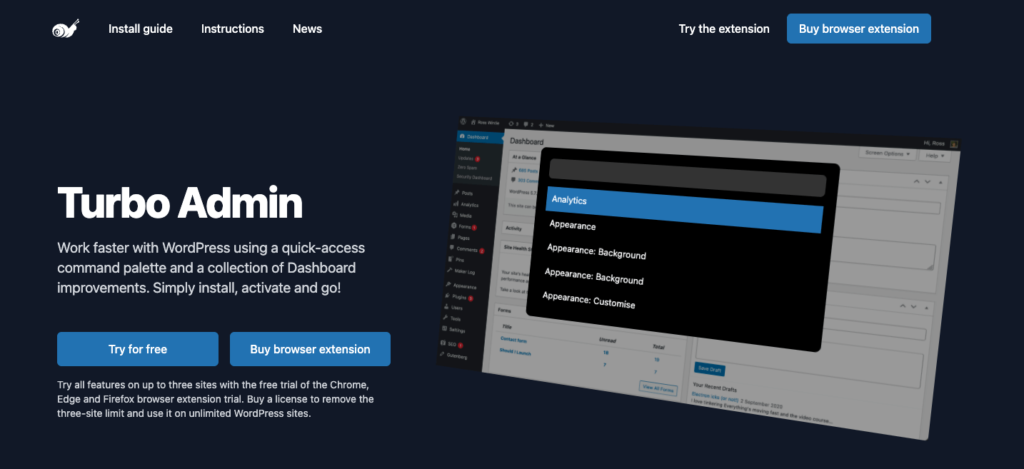
Commandify is much Better Alternative to CommandUI, WP Spotlight, or Turbo Admin
Commandify is built to be action-first, not just search-first. Compared to CommandUI, it’s simpler, faster, and easier for teams to adopt. It’s far deeper than WP Spotlight’s basic admin search, and unlike Turbo Admin, it works across modern builders, WooCommerce components, and advanced plugin settings.
In short, it gives you the speed of a command palette with the power of real admin control.
Final Thoughts on WordPress Productivity Tool- Productivity Isn’t Optional Anymore
WordPress is powerful, flexible, and endlessly customizable. But it’s also overloaded, messy, and often slow to navigate.
You feel it more as your site grows or your team expands.
This is why productivity tools (especially command palettes like Commandify) have become essential.
They unify navigation. They speed up repetitive work. They reduce mental load. They keep you in flow. They turn wp-admin from a maze into a workspace.
If you:
Manage an online store
Run a membership or LMS
Publish content
Build sites
Maintain client installs
Work in WordPress all day
…a command-palette productivity layer will change the way you work.
It won’t just save you clicks. It saves you time, energy, and frustration- every single day.
Use Pollify Poll Creator if you want to easily collect user feedback and make your WordPress journey even successful.
WordPress gives you power, but the admin slows you down
Ask anyone who works in WordPress daily (developers, WooCommerce store owners, agencies, content teams) and you’ll hear the same thing:
The admin is powerful, but it’s not fast.
You click through endless menus. You open new tabs to reach settings buried under layers. You repeat the same navigation patterns dozens of times a day. And when you add plugins, it becomes even noisier- each one adds its own area, its own screens, its own workflow.
The result: you spend more time navigating WordPress than actually doing work inside it.
For big sites, busy stores, or agency-managed installations, this isn’t just friction. It’s real time lost every single day.
And it’s a problem WordPress has never truly solved.
We built Commandify to address the issue in a smart way. Let’s talk about it in detail but first let’s make a point clear-
Why WordPress Finally Needs a Command Palette Tool
Modern tools like macOS Spotlight or VS Code solved navigation years ago. One shortcut — search → command → done. No wandering around.
WordPress didn’t have anything like that.
Even when the platform introduced its own command palette API in WP 6.3, it only scratched the surface.
It didn’t reach plugin settings. It didn’t touch WooCommerce. It didn’t trigger admin actions. It didn’t reduce the real-world workload of creators, developers, agencies, or store owners.
For a command palette to actually matter inside WordPress, it needs to:
Reach the entire admin
Understand context
Handle actions, not just search
Work with plugins
Support WooCommerce
Cut navigation from minutes to seconds
Stay keyboard-first
That’s the gap where a true WordPress command palette plugin could completely transform daily workflows.
The story behind Commandify and why it almost launched first
When wpRigel was just an idea, Commandify was the first product we wanted to build.
We had been in the WordPress ecosystem for years- building products, scaling plugins at companies like weDevs and Brainstorm Force, and watching how site owners struggled with tools that created more complexity instead of solving it.
During our early brainstorming sessions, the idea that kept surfacing was simple: “Why doesn’t WordPress have a real Spotlight-style command center?”
We started building exactly that.
A keyboard-first productivity engine for WordPress.
A tool that gives you full access to your site with Cmd/Ctrl + K.
Commandify was halfway built and then something interesting happened.
Several tools popped up around the same time.
CommandUI arrived. Another one started gaining traction.
People started experimenting with search-based shortcuts.
But to us, something still felt missing.
Most tools focused on quick search, simple actions, and UI tricks… but not deep admin control. Nobody touched WooCommerce. Nobody solved plugin settings. Nobody created contextual workflows. Nobody embraced WordPress as a full platform that deserved better productivity tools.
We realized something important:
Commandify wasn’t just a “search bar.” It was supposed to be a complete workflow layer.
And building that kind of tool takes more time.
So we paused Commandify. Not because we gave up but because we didn’t want to repeat what already existed. We wanted to build the version that lived up to our original vision.
During that pause, we shipped Pollify, our Gutenberg-native polling plugin. It took off quickly, validated our approach to clean UX, and reminded us why WordPress plugins should stay native instead of relying on SaaS.
And we kept refining Commandify in the background- reshaping it into something more powerful than our first blueprint.
Now, Commandify returns with everything we originally planned… and a lot more.
Commandify today isn’t a shortcut tool.
It’s not just a search box.
It’s not a CommandUI clone.
It’s a full WordPress productivity plugin designed to speed up the entire admin experience for creators, developers, agencies, and especially WooCommerce store owners.
So What Exactly is Commandify?
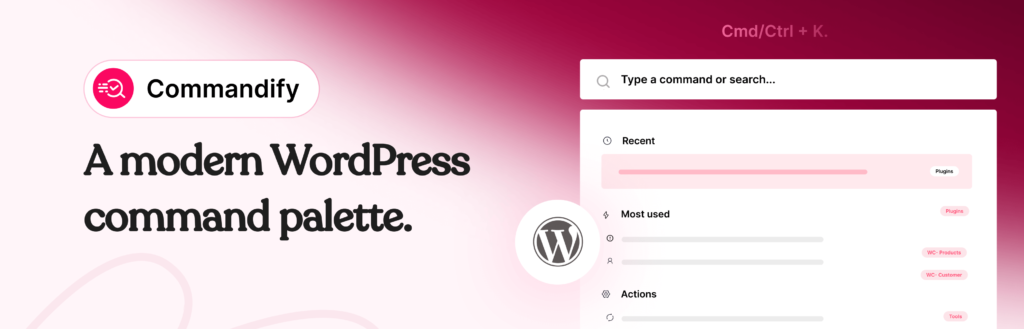
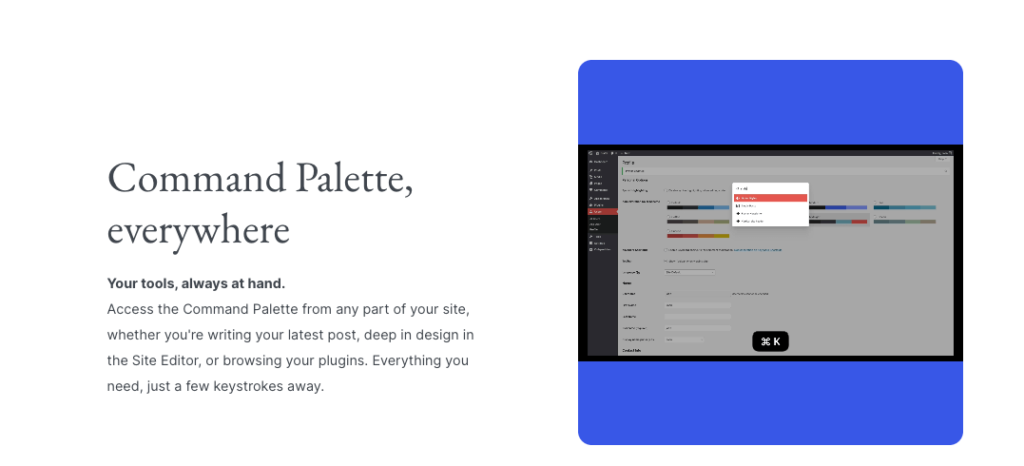
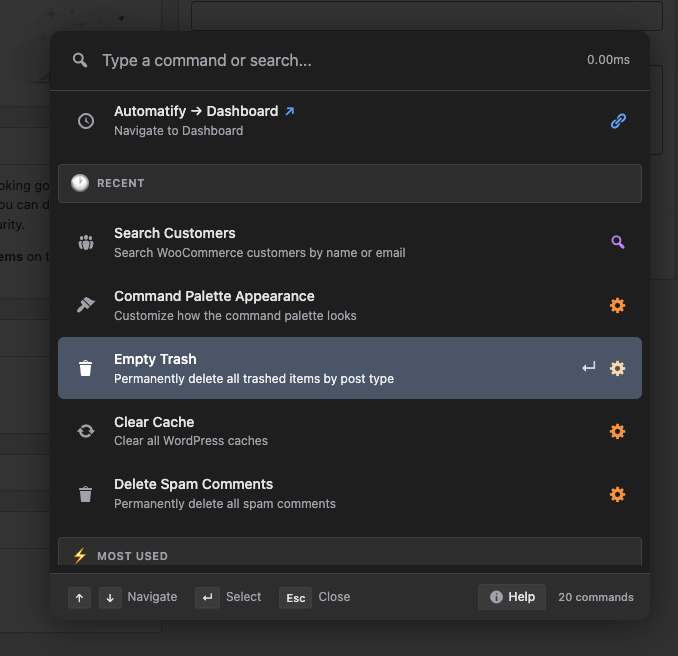
Commandify is a global command palette for WordPress (inspired by Spotlight feature on Macbook by Apple) that lets you control your site using one shortcut: Cmd/Ctrl + K.
It’s a fast, universal command center built for:
WooCommerce stores
Agencies managing many sites
Developers working with CPTs, templates, and integrations
Content creators navigating posts and pages
Support teams handling user management and site tasks
Where other tools focus on search, Commandify focuses on actions– navigating, managing, editing, performing tasks, triggering workflows, opening settings, and handling real admin operations.
What Commandify Free Version already Offers
The free version alone turns WordPress into a far more responsive workspace:
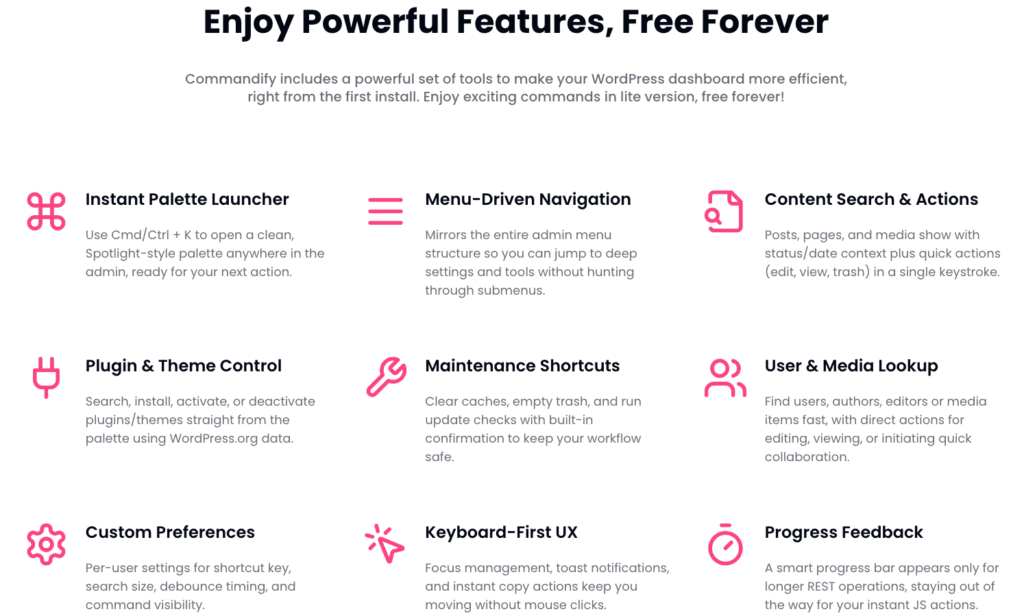
A global palette on every screen: Press Cmd/Ctrl + K anywhere (dashboard, posts, plugins, WooCommerce) and run commands instantly.
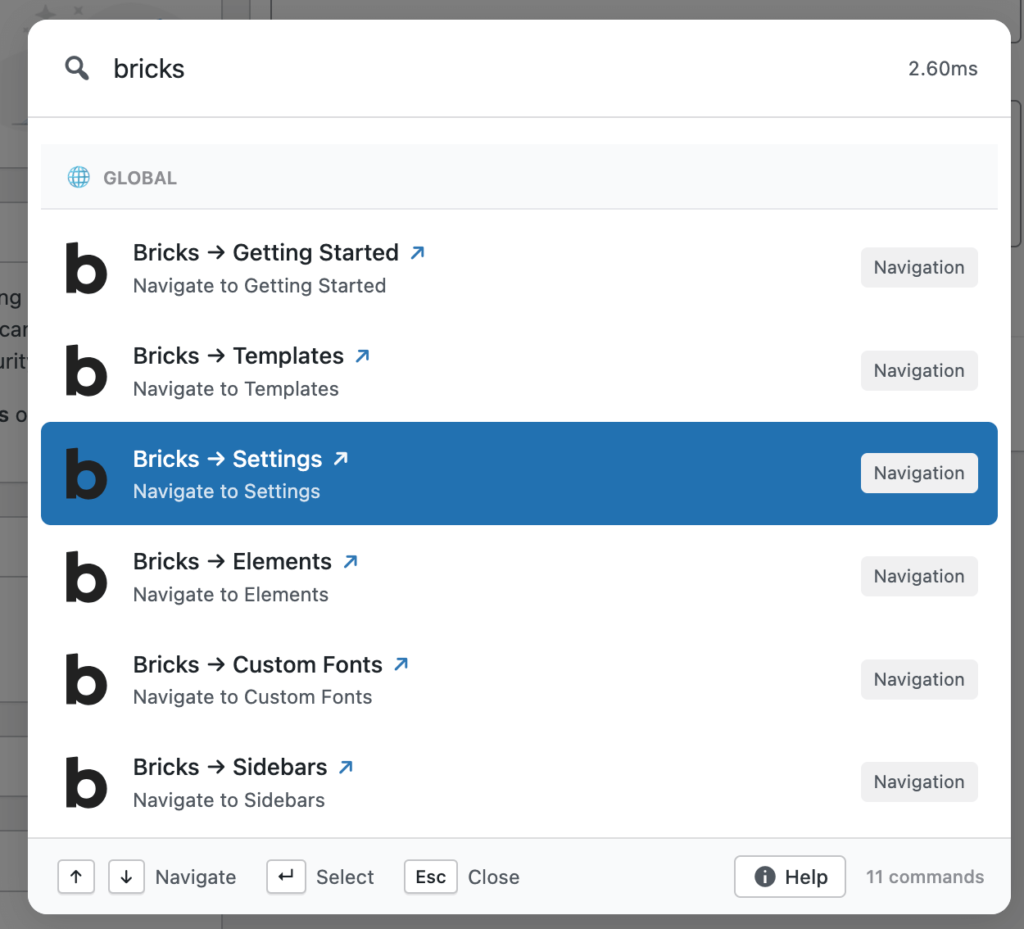
Fast admin navigation: Jump to Settings, Plugins, WooCommerce, Users, or any screen without clicking through menus.
Search posts, pages, and content with quick actions: Open, edit, or preview content directly.
Install or activate plugins and themes: Type the name, hit Enter, you’re done.
Run maintenance tasks without hunting them down: Open Tools, Updates, and other screens instantly.
User search: Find users by name, email, or role.
This already outperforms search-only plugins like WP Spotlight or Jetpack Search, because Commandify isn’t just looking up content- it’s executing commands.
How Commandify fits into real workflows
For developers
Jump between post types, templates, settings, and theme parts within seconds. No more dashboard wandering.
For content teams
Open posts fast, switch between pages, access SEO settings, update existing content without losing focus.
For agencies
Manage client sites consistently, no matter how many plugins they use or how chaotic their UI is. Every workflow becomes smoother because Commandify removes the friction WordPress has accumulated over 20 years of growth.
Commandify Pro: where WordPress Finally Feels Fast and Fully Connected
The free version of Commandify already cuts a huge amount of friction from the WordPress admin. But the Pro version is where the plugin becomes a true WordPress command palette engine, going far beyond search and quick navigation.
Every Pro feature exists for one reason- to make the admin smarter. Not busier. Not more complicated. Just faster, more intuitive, and more connected to the tasks you care about.
Below are the Pro features of Commandify. But instead of listing them, we’ll walk through how each one actually fits into real workflows.
Smart Default View: Your Personal Command Homepage
Most command palettes treat every session as a blank slate. Commandify Pro treats every session as your workspace.
With Smart Default View, the palette automatically surfaces:
Your recent commands
Your most-used workflows
Your pinned favorites
Contextually relevant tasks depending on the screen you’re on
If you often open WooCommerce orders, install plugins for clients, or edit specific page templates, those actions appear right at the top.
It feels like the system pays attention to how you work, instead of making you repeat the same routine every time.
For agencies or busy store owners, this alone eliminates dozens of clicks daily.
Context-aware Command Packs: Commands Appear when You Need Them
Commandify Pro doesn’t show you everything all the time. It shows the right things at the right moment.
When you’re:
Inside the editor → content actions show up
Viewing a product → WooCommerce product tools appear
Managing orders → order actions surface
Editing a user → user-related commands activate
Handling plugins → plugin or update commands activate
This feature makes the palette feel alive, almost like a second brain for the admin.
Instead of hunting for options, they appear automatically based on where you are inside WordPress.
This type of contextual behavior doesn’t exist in CommandUI, WP Spotlight, or Jetpack Search. They either search or shortcut — but they don’t adapt to your workflow.
Advanced Toggle and Settings Commands
Plugins scatter their settings everywhere.
WooCommerce adds dozens of options. Themes introduce new panels. Page builders, forms, LMS plugins add lots on functions SEO plugins add their own layers of UX.
Commandify Pro cleans all of this up.
You can run actions like:
Enable/disable comments
Toggle maintenance mode
Clear transients
Open ACF field groups
Switch store settings
Enable debugging tools
Change site options
Open system tools
Manage plugin states
And you do it without remembering where everything lives.
For developers and site managers, it’s the difference between wasting time navigating menus and simply typing what you want.
Dynamic Pattern Recognition: The Productivity Hack nobody else Built
This is one of the most advanced parts of Commandify Pro:
Commandify recognizes:
#postID
@user
Emails
Product IDs
Order IDs
Imagine typing:
#127 → opens post with ID 127 @jason → finds the user Jason 4152 → jumps to WooCommerce order 4152 SKU-879 → finds a product variation instantly
This feature unlocks deep admin shortcuts that simply do not exist in any other WordPress command palette plugin. Not CommandUI, not WP Spotlight, not Jetpack Search, and not even the official WordPress command palette.
Dynamic recognition makes Commandify feel like a professional-grade admin tool- something closer to a developer console mixed with a productivity engine.
The WooCommerce Command Suite: Commandify’s Strongest Advantage
WooCommerce users deserve their own section because this is where Commandify becomes an absolute standout in the market.
CommandUI → No WooCommerce support WP Spotlight → Search only Jetpack Search → Search only
Commandify Pro includes:
Order lookup
Customer lookup
Product search
Product variation management
Direct product actions
Quick navigation to analytics, coupons, settings, reports
Upcoming roadmap features like bulk stock/price editing
This transforms WooCommerce into a command-driven workflow.
Imagine running a store and being able to type:
“orders today”
“refund order 3981”
“edit product red-medium”
“low stock products”
“customers john”
No menus. No digging. No waiting for slow screens.
For busy store owners, this can save hours every week.
For agencies managing eCommerce sites, it eliminates one of the worst admin bottlenecks.
And for support teams, it means faster response times without navigating multiple WooCommerce screens.
Usage Analytics & Persistent Palette State
Commandify Pro doesn’t just speed up your workflow- it observes it.
Usage analytics help you see:
Which commands you use most
Which workflows matter most to your team
Where your time is going inside WordPress
And persistent palette state remembers your filters, recent actions, and patterns.
This is not just a command tool. This is the foundation of a full WordPress productivity suite — something no other command palette plugin even attempts.
Why Commandify Stands above CommandUI, WP Spotlight, and Jetpack Search
Now let’s address this clearly and honestly, because comparisons matter.
Commandify vs CommandUI
Feature
Commandify
CommandUI
Command engine
Yes
Yes
WooCommerce support
Full
❌ None
Context-aware commands
Yes
Partial
Pattern recognition
Yes
❌ No
Admin actions
Full
Limited
Extendability
Yes
Yes
CommandUI is polished. But it focuses mainly on UI shortcuts and regular navigation. Commandify is built for depth, especially in WooCommerce and admin operations.
We believe Commandify is a better alternative to CommandUI.
Jetpack Search is excellent for user-facing search. It does nothing for admin productivity.
Commandify vs the WordPress core command palette
The official palette is a great concept, but extremely limited:
No admin control
No WooCommerce
No plugin tasks
No context-awareness
No custom workflow logic
Commandify builds on the vision but solves the real problems professionals face.
Developer & technical insights (for people who want to go deeper)
Commandify wasn’t designed as just another plugin. It’s built like a productivity layer that sits on top of WordPress.
Here’s what developers will appreciate:
Built on native WordPress architecture
It uses core APIs, follows capability checks, respects roles, and avoids unnecessary load.
Custom command loaders
Commands load fast because they’re grouped, optimized, and cached safely.
Compatibility with caching and slow hosts
Commandify was benchmarked on shared hosting to ensure the palette stays fast.
Role-based visibility
Admins see everything, editors see editor tools, store managers see store tools.
This matters for agencies and teams who need clean role separation.
Custom command creation guidance
You can extend Commandify to trigger your own workflows, perfect for client work.
Security-first approach
No unsafe execution, no direct database injections, no elevated privileges. Everything respects WordPress capability rules.
Pricing made simple and fair
One of the biggest reasons we built Commandify the way we did is because WordPress users shouldn’t need to subscribe to yet another expensive SaaS workflow tool.
WordPress is already powerful- the right plugin should simply unlock that power. Commandify’s pricing reflects that philosophy clearly.
From the Commandify master knowledgebase:
Yearly licenses: $69 / $119 / $229 (Now you can get started only at $39 this Black Friday Cyber Monday week)
Lifetime licenses: $199 / $299 / $549 (Now you can get started only at $119 this Black Friday Cyber Monday week)
There are no forced monthly subscriptions, no credits, no usage caps, no external accounts. You pay once per year or get a lifetime plan, and Commandify stays yours, with all future updates included in that license.
This structure matters especially if you manage multiple WordPress sites, store operations, or client work. Predictable pricing means predictable workflows. And when your command palette becomes essential to your day-to-day work, you shouldn’t have to negotiate SaaS-style billing each month.
The Roadmap: Where Commandify Goes Next
A big reason we intentionally paused the first iteration of Commandify was timing. The fundamentals were good, but the ecosystem wasn’t ready yet. The vision deserved more depth than quick shortcuts and simple UI tricks.
Now we’re finally catching up to the version we originally imagined, not as a shortcut plugin, but as a full WordPress productivity suite.
Here’s what’s coming next, based fully on the roadmap in the knowledgebase:
Form builder integrations
Fluent Forms
Gravity Forms
WPForms
These aren’t minor add-ons. They’re deep connections aimed at letting you open entries, create forms, navigate form settings, and manage submissions directly from your command palette.
Page builder support
Elementor
Bricks Builder
Imagine typing “edit header” or “open product template” and being taken straight into the builder. That’s where we’re heading.
LMS automation
LearnDash
Tutor LMS
Course creators will finally get quick access to course management, lessons, quizzes, and student data from a single shortcut.
Membership & community plugins
MemberPress
Paid Memberships Pro
Restrict Content Pro
These tools power thousands of subscription sites. Commandify will make handling membership tasks faster and less scattered.
WooCommerce enhancements
More product actions
Direct inventory tools
Advanced order filters
Bulk stock & price editing
This is the area we’re most excited about because most WooCommerce admin tasks are painfully slow. Commandify will bring those into a single fast workflow.
Custom fields
ACF
Meta Box
JetEngine
Developers rely heavily on field groups and custom post structures. Soon they’ll be one quick command away.
SEO plugins
Yoast
Rank Math
AIOSEO
Search tools, SEO analysis, focus keywords, and settings will become instantly accessible.
The roadmap is long because the vision is big. Commandify isn’t stopping at shortcuts- it’s becoming the central control layer for the modern WordPress admin.
Installation & getting started in minutes
One of our biggest goals with Commandify was to make the onboarding frictionless. Whether you’re a WooCommerce store owner or a developer juggling client projects, you shouldn’t have to spend time configuring a tool that’s supposed to save you time.
No setup wizard, no heavy onboarding. The palette works immediately.
Try a few simple commands
Users usually start with:
add page
edit homepage
open WooCommerce orders
users
plugins
The speed difference is noticeable instantly, especially on sites with a lot of admin screens.
Explore preferences
You can fine-tune:
keyboard behavior
palette animations
recent commands
favorite actions
visibility settings
Customize the palette until it feels like second nature.
Unlock Pro commands
If you’re running WooCommerce, managing sites for clients, or working in WordPress every day, Pro becomes a game-changer.
Order commands
Product commands
Variation controls
Pattern recognition
Context-aware workflows
Smart Default View
These turn Commandify from a shortcut tool into a full productivity layer for your site.
Why wpRigel is The Right Team behind Commandify
Since this is the first full article on wpRigel.com, it’s the right moment to share why this brand exists and why Commandify genuinely reflects our philosophy.
wpRigel wasn’t created as a hobby or a temporary experiment. It was founded by people who have lived inside the WordPress ecosystem for years. People who’ve built tools, scaled products, worked with major brands, and seen firsthand how users are constantly squeezed between two options:
Overpriced SaaS platforms
Underpowered WordPress plugins
We knew WordPress deserved better.
Our philosophy is simple:
No external accounts
No recurring SaaS traps
No clutter
No half-baked features
Everything Gutenberg-native
Everything built for performance and clarity
We’re building a suite of plugins that make WordPress feel modern again, without forcing users into external dashboards or paid cloud systems.
Commandify is not just another plugin release for us. It’s the return of the original wpRigel idea, only stronger, deeper, and sharper.
And it’s only the beginning.
A Final Perspective: WordPress Feels Different when The Admin Gets out of Your Way
If you’ve spent years clicking around the dashboard, Commandify will feel strange at first- in a good way.
Actions that took 15–20 seconds now take two. Workflows you avoided become manageable. And navigating your site starts to feel as quick as thinking.
The best part?
You don’t have to change how you work. WordPress stays WordPress, Commandify just removes the friction.
Whether you’re building stores, running blogs, managing clients, or maintaining dozens of sites, the command palette becomes a natural extension of your brain.
And once you experience that speed, going back to the old way feels impossible.
You can try it right now and feel the difference for yourself. Press Cmd+ K or Ctrl+K, run your first command, and see how fast WordPress can actually be.
If you’re ready to work smarter- not harder; Commandify is built for you!