



Commandify vs Turbo Admin: Which WordPress Command Palette Is Right for You?

Both Commandify and Turbo Admin exist to solve the same basic problem: WordPress admin navigation is menu-driven, mouse-heavy, and slow for anyone who lives inside their site every day.
Both reach for the same solution: a command palette triggered by a keyboard shortcut that lets you type what you need instead of clicking through menus to find it. Both are genuinely good at what they do, and both have real users who swear by them.
But they make fundamentally different architectural decisions, serve different primary users, and diverge dramatically the moment you need to do anything beyond admin navigation.
This comparison lays all of that out clearly so you can pick the right one for your situation rather than guessing.
If you want to understand what a command palette plugin does before diving into the comparison, the guide on what a command palette is and why WordPress users need one is a useful starting point.
If you want to understand why the WordPress built-in palette is not a complete solution, the WordPress command palette limitations guide covers exactly that.
Commandify vs Turbo Admin: The Core Architectural Difference
This is the most important thing to understand before comparing any specific features.
Turbo Admin is a browser extension first. Its primary product is a Chrome, Firefox, and Edge extension that you install in your browser once. After that, it detects any WordPress site you log into and activates automatically. No plugin install required on each site.
Your settings and preferences travel with you across every site because they live in your browser, not on any individual WordPress installation.
Commandify is a WordPress plugin first. You install it on a WordPress site and it becomes part of that site’s environment.
Its features are deeply integrated with WordPress itself: it reads the actual admin menu structure, accesses the database directly for search results, runs maintenance tasks with real WordPress functions, and in Pro integrates natively with WooCommerce, Elementor, Bricks Builder, and CF7 at the application level.
Neither approach is objectively better. They reflect entirely different priorities and produce different strengths and limitations. That distinction drives nearly every difference in the feature comparison that follows.
Commandify vs Turbo Admin Side-by-Side Feature Comparison
| Feature | Commandify Free | Commandify Pro | Turbo Admin (Extension) |
|---|---|---|---|
| Trigger shortcut | Cmd/Ctrl + K | Configurable | Configurable (not Cmd+K by default) |
| Admin navigation | Yes — full menu mirror | Yes — full menu mirror | Yes — scraped from menu |
| Content search (posts, pages, media) | Yes | Yes | Yes |
| Fuzzy search | Yes | Yes | Yes |
| User lookup | Yes | Yes | Limited |
| Plugin/theme management | Yes | Yes | Partial (browse only) |
| Maintenance commands (cache clear, etc.) | Yes | Yes | No |
| WooCommerce orders/products/customers | No | Yes — full suite | Limited order/customer search |
| WooCommerce context-aware actions | No | Yes | No |
| Elementor integration | No | Yes | No |
| Bricks Builder integration | No | Yes | No |
| CF7 + Flamingo integration | No | Yes | No |
| Fluent Forms integration | No | Yes | No |
| Dark mode | No | Yes | No (extension has separate UI tweaks) |
| Frontend palette access | Yes (admins only) | Yes (admins only) | No |
| Per-user preferences | Yes | Yes — extended | Yes — stored in browser |
| Admin bar cleanup (Barkeeper) | No | No | Yes |
| Notice management panel | No | No | Yes (experimental) |
| Works without plugin install | No | No | Yes (extension version) |
| Works on Safari | Yes | Yes | No |
| Works on client/shared sites | Requires plugin install | Requires plugin install | Yes if you can log in |
| Multisite support | Yes (each subsite counts toward license) | Yes (each subsite counts toward license) | Yes (unlimited sites) |
| Pricing model | Free forever | Annual or lifetime | One-time fee |
| License scope | Unlimited | 5 / 30 / 100 sites | Unlimited sites, 6 browsers |
Where Commandify Wins
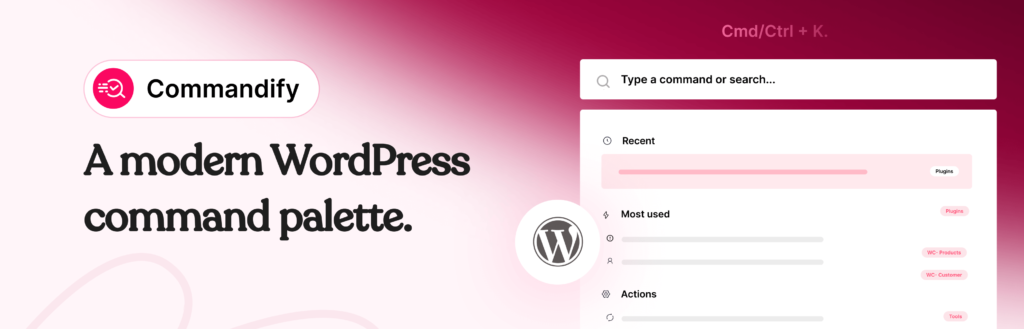
WooCommerce Integration Is Not a Comparison, It’s a Category
Turbo Admin has some WooCommerce order and customer search capability. It can find an order if you type the order number and open the customer profile. That is useful.
Commandify Pro’s WooCommerce suite is a different magnitude entirely. It does not just find records — it understands context. Type #4521 and it recognises the hash as an order ID pattern and jumps directly to that order. Paste customer@email.com and it detects an email address and opens the customer record. Type a product SKU and it opens that specific product variation.
Beyond lookup, Commandify Pro lets you take actions from within the palette itself. Change an order status. Add an order note. Recalculate an order total. Apply a coupon to an existing order. Edit a product’s stock, price, or status without visiting the product screen.
These are not navigation shortcuts. They are actual workflow replacements. The full WooCommerce command suite is documented in detail in the guide on managing WooCommerce orders, products and customers faster with Commandify.
For any store that processes orders daily, this difference is felt immediately and constantly.
Page Builder and Form Plugin Integration
Commandify Pro integrates directly with Elementor, Bricks Builder, Contact Form 7 with Flamingo, and Fluent Forms. From the palette, you can jump to a specific Elementor template, open a Bricks component, find a form submission by email, or locate a Fluent Forms entry by field data.
Turbo Admin does not have integrations at this level. It navigates to admin pages. It does not understand the data structures of third-party plugins at the application level.
For agency developers who manage client sites built on these tools, Commandify’s integration depth means you can retrieve a specific form submission or template component in seconds rather than drilling through nested admin menus.
Maintenance Commands Built In
Commandify Free includes maintenance commands accessible directly from the palette: clear cache, flush rewrite rules, regenerate thumbnails, run database optimizations, manage transients, and more. These are functional commands that execute WordPress operations, not just navigation shortcuts to settings pages.
Turbo Admin does not offer maintenance commands. It is a navigation and search tool, not an action executor. If you manage WordPress sites regularly, the difference between being able to clear cache from the palette versus navigating to your caching plugin’s settings page is a small but constant workflow improvement every single day.
Frontend Command Palette Access
Commandify gives admin users access to the command palette from the frontend of the site, not just from within wp-admin. If you are reviewing how a page looks on the frontend and need to quickly edit it, find a related post, or trigger a maintenance action, you can do it without navigating back to the dashboard. Turbo Admin’s palette is wp-admin only.
Where Turbo Admin Wins
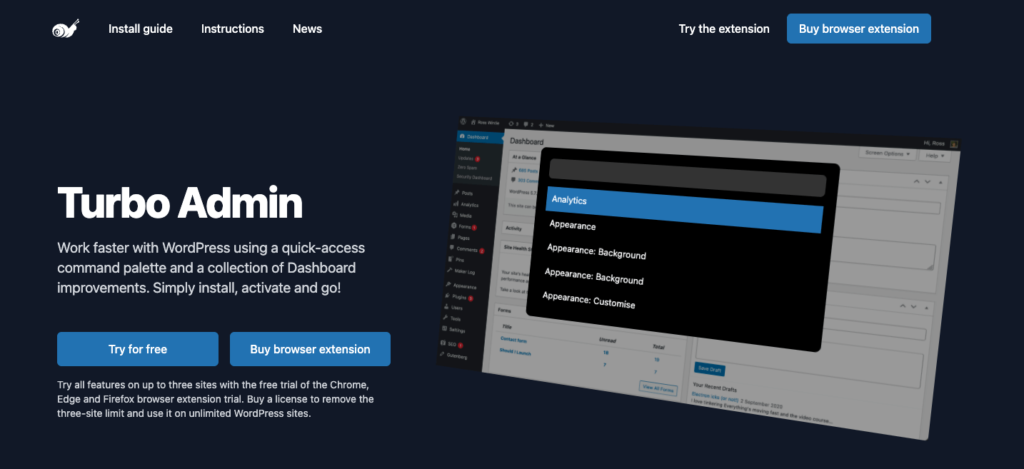
No Plugin Install Required
This is Turbo Admin’s defining advantage. Install the browser extension once and it activates on every WordPress site you log into. For a freelancer or agency developer managing fifteen client sites, this means you get the command palette everywhere without touching the plugin manager on a single client installation.
From a client relationship standpoint, this also means you are not adding a plugin to a client site they did not ask for. Your productivity tooling stays in your browser. The client’s plugin count and site footprint are unaffected.
Commandify requires a plugin install on every site where you want to use it. For a developer managing a large portfolio of client sites, that installation overhead is real, even if it is small per site.
Admin Bar and Notice Management
Turbo Admin includes features specifically for improving the visual experience of wp-admin that Commandify does not attempt. The Barkeeper feature hides non-critical admin bar items into a slide-out panel, keeping the admin bar clean. The notice management panel (experimental at time of writing) moves admin notices into a dedicated panel so they do not clutter your screen during normal work.
Commandify focuses entirely on the command palette interaction model and does not offer admin bar or notice management. If you find wp-admin visually cluttered and want a tool that addresses that alongside the command palette, Turbo Admin offers more in this specific area.
Unlimited Sites at a One-Time Price
Turbo Admin’s browser extension is a one-time purchase that covers unlimited WordPress sites and six browser installs. For a developer managing a large and growing portfolio where the site count changes regularly, this pricing model is simpler and scales with zero additional cost.
Commandify Pro is priced per site tier, similar to most WordPress plugins. The Professional plan at $79/year covers 30 sites, which is sufficient for most agencies. But for very large portfolios or freelancers who manage many small client sites, the unlimited model of Turbo Admin’s extension has a clear pricing advantage.
Safari Is Not Supported
This deserves its own mention because it is a meaningful limitation for Mac-based developers. Turbo Admin’s browser extension works on Chrome, Firefox, Edge, and Chromium-based browsers. It does not work on Safari. If your primary browser is Safari, Turbo Admin’s extension is simply not an option for you. Commandify as a WordPress plugin works in every browser since it runs server-side.
Commandify vs Turbo Admin: Real-World Decision Scenarios
Scenario 1: WooCommerce Store Manager
You handle 30 to 100 orders daily. You field customer emails, process refunds, check order status, update product stock, and look up customer order history throughout the day. You work exclusively on this one store.
Choose Commandify Pro. The WooCommerce command suite turns your daily lookups from five-step navigation sequences into two-keystroke actions. Turbo Admin’s WooCommerce capabilities are not in the same category for this use case. The Pro Basic plan at $47/year covers five sites and pays for itself within days of daily use.
Scenario 2: Agency Developer Managing 20+ Client Sites
You log into different client sites daily. Sites are on different hosts. Clients use a variety of themes and plugins. Your workflow is navigation, content checks, plugin updates, and occasional maintenance. WooCommerce is a factor on some sites but not your primary daily task. You work in Chrome or Firefox.
Turbo Admin’s extension is the right starting point. One install, every site, no overhead on client installations. You might also install Commandify on the specific WooCommerce client sites where you need the deeper order management capabilities, treating them as complementary tools rather than alternatives.
Scenario 3: Solo Site Owner or Content Creator
You manage one or two sites. You publish content regularly. You use Elementor or Bricks Builder. No WooCommerce. Your main friction is navigating to settings, finding old posts, and running occasional maintenance tasks.
Start with Commandify Free. The free version on WordPress.org handles all of this and requires no payment. If you later find you want the page builder integration or dark mode, upgrading to Pro is an incremental decision. Turbo Admin is also a reasonable choice for the navigation use case, particularly if you manage multiple sites.
Scenario 4: Mac User on Safari
Simple answer: Commandify. Turbo Admin’s extension does not run on Safari. If that is your primary browser and you manage your sites from it, the choice is made for you.
Scenario 5: Developer Who Manages Elementor and Bricks Sites
You build and maintain sites for clients using Elementor and Bricks Builder. Your daily tasks involve jumping between templates, checking form submissions in CF7/Flamingo or Fluent Forms, and managing page builder components across multiple sites.
Commandify Pro. The page builder and form plugin integrations mean you can access specific templates, submissions, and entries from the palette without navigating through the Elementor or Bricks admin interfaces. Turbo Admin cannot do this.
You can read more about the Elementor template management workflow and the Bricks Builder template management guide to see this in practice.
Can You Use Both?
Yes, and this is actually a sensible approach for some agency developers. Turbo Admin extension gives you the no-install benefit across all client sites for general navigation.
Commandify Pro gets installed on the specific sites where you need WooCommerce management depth, page builder integration, or maintenance commands. They do not conflict.
The cost math works out reasonably. Turbo Admin’s extension is a one-time purchase. Commandify Pro’s per-site licensing can be applied selectively to the sites that need it. You are not paying for Commandify Pro on every site in your portfolio if only a subset of those sites need the deeper functionality.
Turbo Admin vs Commandify Pricing Summary
| Product | Free Tier | Paid Tier | Pricing Model | Site Limit |
|---|---|---|---|---|
| Commandify Free | Yes, full free version on WordPress.org | N/A | Free forever | Unlimited |
| Commandify Pro Basic | Free version included | $47/yr or $135 lifetime | Annual or lifetime | 5 sites |
| Commandify Pro Professional | Free version included | $79/yr or $215 lifetime | Annual or lifetime | 30 sites |
| Commandify Pro Enterprise | Free version included | $159/yr or $399 lifetime | Annual or lifetime | 100 sites |
| Turbo Admin (plugin) | Yes, basic free plugin | N/A (extension required for premium features) | Free plugin | Unlimited |
| Turbo Admin (extension) | 3-site trial | $35 one-time | One-time payment | Unlimited, 6 browsers |
The Bottom Line
Turbo Admin is a well-built tool that earns its reputation, especially for developers who need a no-install solution that travels with them across a large portfolio of client sites. Its admin bar and notice management features go beyond what Commandify offers on the visual side of the admin experience. And its unlimited site pricing is genuinely advantageous for high-volume agency work.
Commandify’s edge is depth. It is not just a navigation tool, it is an action-execution environment. The WooCommerce command suite, page builder integrations, form plugin access, maintenance commands, and frontend palette availability make it more useful for users who want to actually do things from the palette rather than just find where to go.
For anyone running WooCommerce seriously, there is no meaningful comparison: Commandify Pro is the choice.
Start with Commandify Free from WordPress.org. It costs nothing and shows you immediately what the command palette model feels like in daily use. Upgrade to Commandify Pro when you want WooCommerce management, page builder integration, and the full action suite.
Add Turbo Admin’s extension if you want seamless cross-site navigation without plugin installs on client sites. The two tools serve different enough use cases that owning both is a reasonable choice for serious WordPress professionals.
Frequently Asked Questions
Does Commandify conflict with Turbo Admin if both are active?
No known conflicts exist between Commandify and Turbo Admin’s browser extension, as they operate in different contexts: Commandify runs server-side as a WordPress plugin, while Turbo Admin’s extension runs in the browser layer. Some users run both without issue.
The main practical consideration is that both try to use Cmd/Ctrl + K as a default trigger, so you would want to configure one of them to use a different shortcut if running both simultaneously.
Does Turbo Admin work on WordPress Multisite?
Yes. Turbo Admin’s browser extension works on any WordPress installation you are logged into, including multisite network sites. It has no site count limit. Commandify also works on multisite, but each subsite counts toward your license limit, so a 10-subsite network uses 10 license slots on a Commandify Pro plan.
Which is better for a solo blogger with one WordPress site?
Commandify Free is the most straightforward answer: free, no browser extension required, full admin navigation and content search from install. If you are on Safari, Commandify is also the only option since Turbo Admin’s extension does not support Safari.
If you are on Chrome or Firefox, Turbo Admin’s free plugin is also a reasonable choice for basic navigation use.
Is Turbo Admin’s plugin the same as its browser extension?
No. The free plugin provides basic command palette functionality but does not include the premium features exclusive to the browser extension: notice management, certain admin UI improvements, and the ability to carry settings across all sites.
The extension is Turbo Admin’s full-featured product. The plugin is a free entry point, but the developer is clear that the extension is the recommended experience.
How does Commandify Pro’s WooCommerce search work exactly?
Commandify Pro uses pattern recognition to identify what you have typed. A hash followed by numbers (like #4521) is interpreted as an order ID. An email address format is interpreted as a customer lookup. A string matching known product SKU patterns opens the corresponding product.
These patterns work without you selecting a search mode or specifying what type of record you are looking for.
You type what you know and the palette figures out what you mean. See the WooCommerce commands documentation for the full pattern reference.