wprigel logo
  • Home
  • Products
    • commandify-logo-pink

      Commandify- Best Command Palette Plugin for WordPress

      Navigate, search, and manage everything on your site with a simple keyboard-first workflow.
    • pollify plugin logo

      Pollify- Ultimate Poll Creator Plugin for WordPress

      Build interactive polls, surveys & voting experiences in WordPress with the best Gutenberg-native poll plugin.
  • Docs
  • Blog
  • Contact Us
Pricing
  • How to Manage WooCommerce Orders, Products, and Customers Faster Using Commandify Plugin

    How to Manage WooCommerce Orders, Products, and Customers Faster Using Commandify Plugin

    If you run a WooCommerce store long enough, this feeling becomes unavoidable.

    Orders keep coming in. Support tickets start stacking up. Products need updates. Customers email with order numbers you don’t recognize immediately. Your day slowly turns into a cycle of opening admin pages, waiting for screens to load, searching again, and repeating the same steps over and over.

    For agencies, this problem multiplies. One moment you’re checking an order issue on a client store. The next moment you’re updating product details on another. Each task is small on its own, but the constant context switching drains time and focus.

    Most store owners don’t struggle because WooCommerce is difficult to use. They struggle because WooCommerce admin workflows weren’t designed for speed once a store grows.

    Before we go further, let’s quickly align on what WooCommerce is and why this problem exists.

    What is WooCommerce?

    WooCommerce is the most widely used eCommerce plugin for WordPress. It gives you complete control over products, orders, customers, payments, and store settings.

    It’s extremely flexible and powerful. But that flexibility comes with a tradeoff.

    As soon as your store moves beyond a small catalog or a few weekly orders, managing WooCommerce from the WordPress admin becomes slower and more click-heavy than it should be.

    In this article, we’ll focus on the practical side of running a WooCommerce store and show how Commandify helps store owners and agencies deal with these daily admin challenges faster and with less friction.

    Why Managing WooCommerce Orders Feels Slow in Real Life

    Orders are where WooCommerce admin friction becomes obvious first.

    how to manage woocommerce orders products and customers faster with commandify

    On the surface, order management seems simple. You open the orders screen, find the order, and take action. But when you’re doing this dozens of times a day, the inefficiencies start to hurt.

    Each order interaction usually involves:

    • Loading the orders list
    • Searching or filtering
    • Opening an order
    • Going back to the list
    • Repeating the same steps again

    For busy stores, this process adds up quickly. That’s why store owners often search for things like how to manage WooCommerce orders efficiently or WooCommerce order management tips. They’re not looking for new features- they’re trying to reduce wasted time.

    The problem isn’t that WooCommerce lacks order tools.
    It’s that every action requires a full screen change, even when the task itself is small.

    Why Order IDs Slow Down Support Workflows

    In real support conversations, customers rarely describe their order in detail. They reference numbers.

    A typical message looks like this:

    “Order #4921 hasn’t shipped yet.”

    From a support perspective, this is clear. From a WooCommerce admin perspective, it still means multiple steps.

    You have to:

    • Copy the order ID
    • Open the orders screen
    • Paste the ID into the search
    • Wait for results
    • Open the order
    • Go back again

    When this happens occasionally, it’s fine. When it happens all day, it becomes exhausting. This is especially painful for agencies and stores with dedicated support teams, where order IDs are constantly passed through emails, chats, or ticket systems.

    WooCommerce doesn’t treat ID-based workflows as a first-class experience, even though that’s how real teams work.

    Commandify – Command Palette, Content Search, Themes Control, Product Edits, Context Actions, Dynamic content, Page builders navigation and actions

    Product Management Becomes Frustrating as the Catalog Grows

    Product management is the next major slowdown point.

    As long as you have a small catalog, WooCommerce product screens feel manageable. But once products grow into the hundreds — with variations, pricing updates, stock changes, and marketing tweaks — the admin experience starts to feel heavy.

    Common frustrations include:

    • Searching for the right product repeatedly
    • Opening products just to change one small value
    • Managing variations buried inside product edit screens

    This is why store owners ask how to manage WooCommerce products faster or is there a quicker way to update WooCommerce products.

    The core issue is not missing features.
    It’s that even simple product actions require full editor screens, which slows down everyday operations.

    Why Managing WooCommerce Customers Breaks Focus

    Customer management is often overlooked, but it quietly consumes a lot of time.

    In WooCommerce, customers and orders are closely related, but the admin interface separates them across different screens. This makes sense structurally, but it creates friction during real support or operations work.

    Typical scenarios include:

    • Checking a customer’s order history
    • Verifying billing or shipping details
    • Confirming who placed a specific order

    Each of these actions involves switching screens, scrolling, and navigating back and forth. For support teams, this constant movement interrupts focus and slows down response time.

    That’s why queries like manage WooCommerce customers easily keep appearing. Store owners aren’t asking for new customer features — they want faster access to existing information.

    Commandify – Command Palette, Content Search, Themes Control, Product Edits, Context Actions, Dynamic content, Page builders navigation and actions

    How Commandify Solves Real WooCommerce Admin Challenges
    introducing commandify- the best command palette tool for wordpress

    Most WooCommerce admin pain doesn’t come from missing features. It comes from how long it takes to reach the feature you already need.

    WooCommerce gives you everything required to run a store, but it expects you to navigate through multiple screens, lists, and editors for even the smallest task. That approach works for occasional updates, but it breaks down when WooCommerce becomes part of daily operations.

    This is where Commandify fits naturally into WooCommerce workflows.

    Commandify doesn’t replace WooCommerce. It doesn’t change how orders, products, or customers work. Instead, it adds a faster interaction layer on top of WooCommerce so you can search less, click less, and act faster.

    Managing WooCommerce Orders Directly From One Command

    Order management is the first place most users notice the difference.

    With Commandify, orders are no longer something you have to navigate to. They become something you can access directly.

    Instead of opening the WooCommerce orders screen every time, you can:

    • Search orders instantly
    • Open orders using order IDs
    • Jump into order actions without browsing long lists
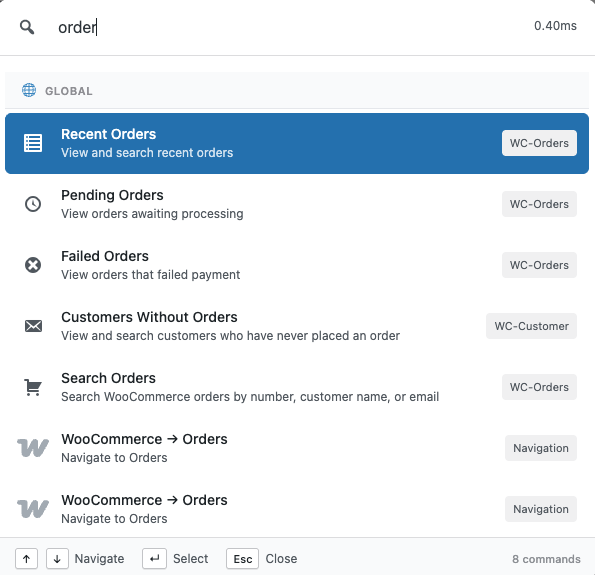
    manage woocommerce orders with commandify pro

    This is especially useful for support teams and store owners handling live issues. When someone sends you an order number, you don’t need to mentally switch into “admin navigation mode.” You simply act on the order.

    For anyone trying to manage WooCommerce orders efficiently, this removes the biggest source of admin friction: unnecessary page loads.

    Faster WooCommerce Product and Variation Management

    Product management becomes repetitive very quickly on active stores.

    Price changes, stock updates, variation fixes, and quick edits all require opening product editors in default WooCommerce workflows. While that’s fine occasionally, it slows things down when these tasks happen every day.

    Commandify improves WooCommerce product management by:

    • Making products searchable from one place
    • Letting you jump straight into relevant product actions
    • Reducing the need to load full product editors for small updates
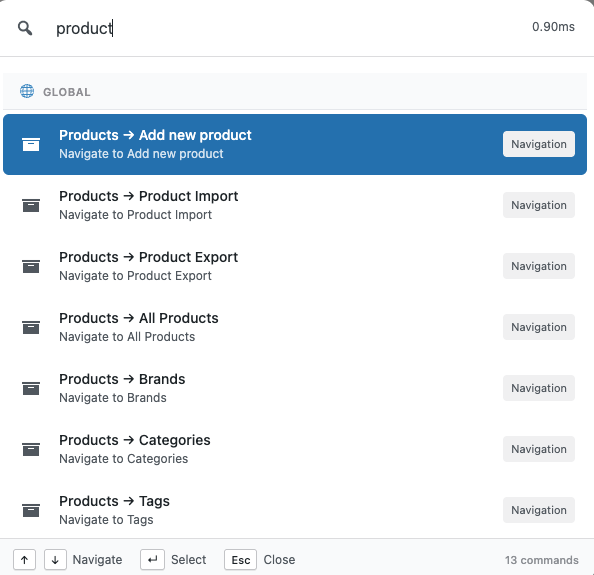
    Search product command in commandify
    Search product command
    List and search of all product in commandify
    List and search product
    Product actions all commands
    Each product action command
    woocommerce product variation etc management with commandify

    For stores with large catalogs or frequent product changes, this directly helps manage WooCommerce products faster without introducing risky bulk operations or complex automation.

    Variations benefit even more from this approach. Instead of scrolling through long variation panels, you spend more time acting and less time searching.

    Managing WooCommerce Customers Without Jumping Between Screens

    Customer-related tasks often interrupt support workflows.

    You might start with an order, then need to:

    • Check customer details
    • Review past orders
    • Confirm billing or shipping information
    Search customer command in commandify
    Search customer
    Search and list customer command in commandify
    Search and list customer
    Customer action commands in commandify
    Customer action command

    Default WooCommerce admin flows separate these steps across multiple screens, which breaks focus and slows down responses.

    Commandify makes customer access more direct by allowing you to:

    • Search customers quickly
    • Move between customer and order context without manual navigation
    • Spend less time clicking and more time resolving issues

    This is particularly valuable for stores offering live support or agencies handling WooCommerce support for multiple clients. It’s a practical improvement for anyone trying to manage WooCommerce customers easily without adding more tools.

    Why This Approach Works Better Than Traditional WooCommerce “Optimizations”

    Many WooCommerce productivity tips focus on surface-level improvements:

    • Better filters
    • Saved views
    • Browser bookmarks
    • Extra admin plugins

    While these help slightly, they don’t change the underlying workflow. You still have to navigate to the same screens and wait for the same pages to load.

    Commandify works differently.

    Instead of optimizing individual screens, it reduces how often you need to open those screens at all. That’s why it feels faster even though WooCommerce itself hasn’t changed.

    This is also why Commandify works well for:

    • Growing stores
    • High-order-volume sites
    • Agencies managing multiple WooCommerce installs

    It improves speed without increasing complexity.

    When Commandify Makes the Biggest Difference for WooCommerce

    Commandify is useful on any WooCommerce site, but its impact is strongest when:

    • Orders are handled daily, not weekly
    • Support tickets reference order IDs frequently
    • Products require frequent updates
    • Multiple people work inside the WooCommerce admin
    • Agencies manage WooCommerce for clients

    If you’ve ever felt that WooCommerce admin slows you down more as your store grows, this is exactly the scenario Commandify is designed for.

    Why Small Admin Tweaks Don’t Fix the Real Problem

    Many store owners try to work around these issues by using filters, browser bookmarks, or opening multiple tabs. While these tricks help slightly, they don’t address the real bottleneck.

    The real slowdown comes from how you access and act on WooCommerce data, not from missing features or poor organization.

    What’s needed isn’t another dashboard or settings screen.
    It’s a faster way to interact with WooCommerce itself.

    This is where Commandify changes the experience- not by replacing WooCommerce, but by giving you a smarter, faster layer on top of it.

    Commandify – Command Palette, Content Search, Themes Control, Product Edits, Context Actions, Dynamic content, Page builders navigation and actions

    Faster WooCommerce Order Management Without Constant Screen Switching

    Once a store reaches a certain volume, the biggest time drain is no longer order fulfillment itself. It’s finding and opening orders repeatedly.

    Most WooCommerce store owners and support teams don’t process orders in batches. They react to issues as they come in. A delayed shipment. A missing address. A refund request. Each request usually references an order number, not a product name or customer name.

    This is why people search for how to manage WooCommerce orders efficiently rather than “how to create orders.” Creation isn’t the problem. Access speed is.

    With default WooCommerce admin workflows, every order-related task forces you through the same steps:

    • Load the orders table
    • Search or filter
    • Open the order
    • Navigate back again

    That repetition becomes a bottleneck when you’re handling support, logistics, or agency work.

    Using Commandify, order management becomes more direct. Instead of navigating to the orders screen first, you can search and open orders immediately, using natural input or order IDs. This approach removes several unnecessary page loads and lets you focus on resolving the issue instead of navigating the admin.

    For busy stores, this alone significantly improves WooCommerce order management efficiency.

    Working With Order IDs the Way Support Teams Actually Do

    Order IDs are how real teams communicate.

    Support agents paste order numbers into chat tools. Agencies receive order references via tickets. Store owners scan order IDs from emails or invoices. But WooCommerce treats order IDs as a secondary lookup method rather than a primary workflow.

    That mismatch creates friction.

    Commandify closes this gap by letting you work ID-first, which is how support teams naturally operate. When you paste or type an order ID, the system understands your intent and surfaces the relevant order actions instantly.

    This matters because:

    • You don’t need to remember where the order lives
    • You don’t need to load the full orders list
    • You don’t lose focus switching screens

    For anyone looking to manage WooCommerce orders efficiently, this change alone saves a noticeable amount of time every day.

    Managing WooCommerce Products Faster Without Opening the Editor Repeatedly

    Products are the second major source of admin slowdown.

    As your catalog grows, product management shifts from occasional updates to frequent, small changes. Adjusting prices. Updating stock. Checking variations. Responding to marketing or support requests.

    Store owners often search how to manage WooCommerce products faster because the default workflow is heavy for these quick tasks.

    Each product update usually requires:

    • Opening the products list
    • Searching by name
    • Loading the product editor
    • Waiting for variations to load
    • Making one small change
    • Updating and closing

    This workflow isn’t inefficient because WooCommerce lacks features.
    It’s inefficient because every small task requires a full editor load.

    Commandify improves this by making products searchable and actionable without forcing you through the entire product editor every time. You can locate products instantly, jump to relevant actions, and handle repetitive product tasks with fewer interruptions.

    For stores with frequent price or stock changes, this dramatically speeds up WooCommerce product management.

    Commandify – Command Palette, Content Search, Themes Control, Product Edits, Context Actions, Dynamic content, Page builders navigation and actions

    Handling Variations Without Losing Time and Context

    Product variations are where WooCommerce admin friction becomes even more obvious.

    Managing variations often means:

    • Scrolling through long product pages
    • Waiting for variation panels to expand
    • Searching manually for the correct option

    This process is slow, especially when you’re making quick fixes rather than bulk updates.

    Commandify reduces this friction by keeping variation-related actions closer to search and context. Instead of digging through nested panels, you can move directly to what you need, making variation management faster and less mentally taxing.

    This approach is particularly valuable for:

    • Apparel stores
    • Subscription products
    • Stores with complex option sets

    It’s a practical improvement for anyone trying to speed up WooCommerce admin workflows.

    Managing WooCommerce Customers Without Breaking Focus

    Customer-related tasks are often scattered across different parts of the WooCommerce admin.

    In real workflows, you might need to:

    • Check a customer’s past orders
    • Verify billing or shipping details
    • Confirm account information during support calls

    Default WooCommerce workflows require you to jump between order screens and customer profiles repeatedly. This constant switching slows down response time and increases the chance of mistakes.

    That’s why queries like manage WooCommerce customers easily are common.

    Search customer command in commandify
    Search customer

    Commandify makes customer lookups more direct. Instead of navigating through multiple admin pages, you can search customers quickly and move between related data without losing context. This is especially useful for support teams who need fast answers rather than deep reports.

    The result is smoother customer handling and faster issue resolution.

    Daily WooCommerce Tasks That Become Noticeably Faster

    When you step back, the real benefit of better WooCommerce admin workflows isn’t one single feature. It’s the cumulative time saved across dozens of small tasks.

    With a faster workflow, tasks like these take less effort:

    • Checking order status during support conversations
    • Opening orders by ID from tickets or emails
    • Locating products to make quick updates
    • Reviewing customer details without navigating away
    • Switching between multiple WooCommerce stores (for agencies)

    These improvements don’t change how WooCommerce works. They change how quickly you can work with it.

    For anyone searching for WooCommerce admin workflow optimization, this is the level where productivity gains become real and measurable.

    Commandify – Command Palette, Content Search, Themes Control, Product Edits, Context Actions, Dynamic content, Page builders navigation and actions

    Why This Matters More for Agencies and Growing Stores

    Small stores can tolerate slower admin workflows. Growing stores can’t.

    As soon as you introduce:

    • Dedicated support roles
    • Multiple admins
    • Agency-managed stores
    • High order volume

    Admin speed becomes part of your operational cost.

    Agencies, in particular, benefit from workflows that reduce friction. When you manage several WooCommerce sites, even small inefficiencies multiply quickly.

    That’s why tools that help speed up WooCommerce admin without changing store logic are especially valuable at scale.

    FAQs on WooCommerce and Commandify

    Is Commandify a replacement for WooCommerce?

    No. WooCommerce remains your eCommerce engine. Commandify simply gives you a faster way to interact with WooCommerce data and actions from the WordPress admin.

    Can Commandify help manage WooCommerce orders faster?

    Yes. Commandify allows faster access to orders, including opening orders directly by ID and reducing the need to browse order lists repeatedly.

    Does Commandify change how WooCommerce data is stored?

    No. All orders, products, and customers remain managed by WooCommerce exactly as before. Commandify only improves access and workflow.

    Is Commandify useful for small WooCommerce stores?

    It can be, but the biggest gains appear as stores grow. If you handle orders and products occasionally, the difference is smaller. If WooCommerce is part of daily operations, the improvement is noticeable.

    Can agencies use Commandify across multiple WooCommerce sites?

    Yes. Agencies benefit significantly because small time savings multiply across client sites, especially when handling support or product updates.

    Does using Commandify slow down WooCommerce admin?

    No. Commandify is designed to be lightweight and focuses on reducing admin interactions rather than adding heavy dashboards.

    Final Takeaway on How to Manage WooCommerce Orders Easily with Commandify

    WooCommerce isn’t slow because it’s poorly built. It’s slow because it was designed for capability first, not speed at scale.

    As your store grows, managing orders, products, and customers becomes an operational task, not an occasional admin chore. That’s when workflow efficiency starts to matter more than new features.

    Commandify doesn’t add complexity to WooCommerce. It removes friction from how you work with it.

    If your goal is to manage WooCommerce orders efficiently, manage WooCommerce products faster, and handle customers without constant screen switching, improving your workflow is the most effective place to start.
    The wpRigel Team

    January 17, 2026
    user guides, Commandify
  • How to Manage Fluent Forms Entries and Transactions Faster Without Jumping Between Dashboards

    How to Manage Fluent Forms Entries and Transactions Faster Without Jumping Between Dashboards

    Fluent Forms is chosen because it’s fast, flexible, and powerful. Creating forms is smooth. Adding conditional logic is easy. Payment integrations work reliably. Everything feels well thought out at the form-building level.

    The problem starts later.

    Once forms go live and submissions start coming in every day, managing those entries becomes a different kind of task. Support messages arrive through forms. Leads come in with partial details. Payments are attached to submissions. Someone on your team asks to check a specific entry using only an email address or an entry ID.

    At this point, Fluent Forms stops feeling lightweight. Not because it’s poorly built, but because handling entries and transactions inside WordPress admin requires too much navigation.
    This is why users actively search things like how to manage Fluent Forms entries, Fluent Forms entry management, and manage Fluent Forms transactions.

    The issue isn’t form creation. It’s what happens after forms start doing real work.

    This article focuses on that gap and how Commandify removes unnecessary admin friction without changing how Fluent Forms works.

    What is Fluent Forms?

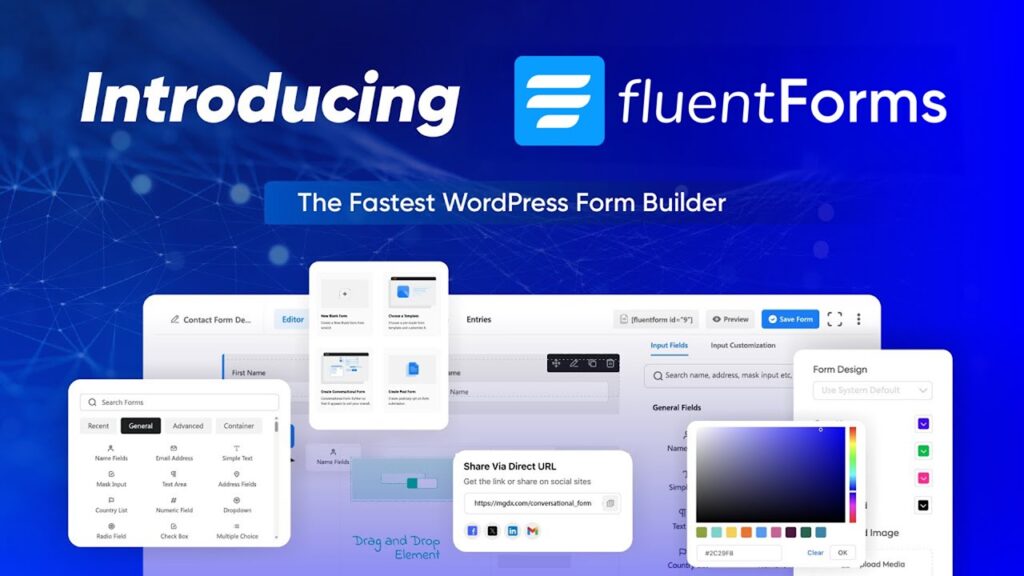
    Fluent Forms is a feature-rich WordPress form builder used for contact forms, lead generation, surveys, and payment forms. It supports complex workflows, integrations, and transactions without feeling heavy during setup.

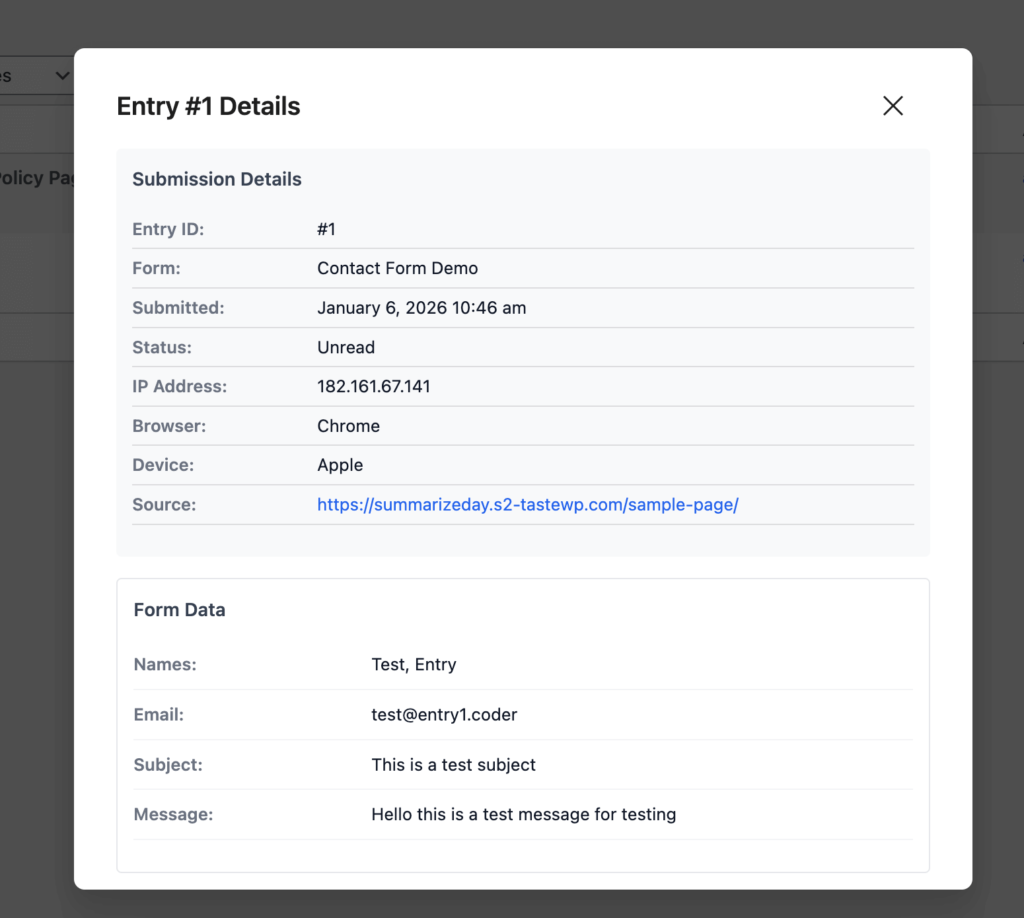
    fluent forms integration in commandify

    Fluent Forms performs well when building forms. Where friction appears is admin-side entry and transaction management, especially on sites handling regular submissions or payments.

    Why Managing Fluent Forms Entries Feels Slower Over Time

    At low volume, Fluent Forms entry management feels manageable. You open the entries screen, select a form, and review submissions.

    As volume increases, the workflow breaks down.

    Entries accumulate across multiple forms. Support and sales requests mix together. Searching for a specific submission requires remembering which form it came from. Even small tasks like checking a message by email take longer than expected.

    This is the moment users start asking how to manage Fluent Forms entries more efficiently. The pain isn’t missing data — it’s slow access to existing data.

    Each lookup involves:

    • Navigating to Fluent Forms
    • Selecting the correct form
    • Opening the entries list
    • Searching manually
    • Opening entries one by one

    Repeated dozens of times a day, this becomes a serious productivity drain.

    Commandify – Command Palette, Content Search, Themes Control, Product Edits, Context Actions, Dynamic content, Page builders navigation and actions

    The Entry Lookup Problem: Email and ID-Based Searches

    Real support and sales workflows rarely begin with form names.

    They begin with:

    • An email address
    • An entry ID
    • A payment reference
    • A follow-up message

    Default Fluent Forms workflows assume you’ll browse entries visually. That assumption doesn’t hold up when teams are responding to tickets, emails, or live chat messages.

    This is why Fluent Forms entry management becomes frustrating as sites grow. Searching by email or entry ID should be instant, but instead it requires navigating through multiple screens and filters.

    The more support-driven the site becomes, the more painful this workflow feels.

    Managing Multiple Forms Makes Entry Handling Worse

    Most real-world sites don’t rely on a single form.

    They run:

    • Contact forms
    • Support forms
    • Quote or booking forms
    • Payment or checkout forms
    • Internal forms for operations

    Each form has its own entries. Fluent Forms organizes them correctly, but switching between forms slows teams down. Admins often forget which form a submission came from, forcing them to repeat searches across multiple entry lists.

    This is why users search how to manage Fluent Forms entries rather than “how to create forms.” The problem is not form logic. It’s navigating through form-based silos to find one submission.

    Fluent Forms Transactions Add Another Layer of Friction

    When payments enter the picture, complexity increases.

    Fluent Forms handles transactions reliably, but managing them alongside entries introduces more navigation. Teams need to:

    • Verify payments
    • Match transactions to entries
    • Confirm details during support conversations
    Fluent Forms Transactions Add Another Layer of Friction

    Default workflows require jumping between entry views and transaction screens. This breaks focus and slows response time, especially for finance or operations teams.

    That’s why manage Fluent Forms transactions is a common query. The data exists. The challenge is reaching it quickly when needed.

    Why Common Fluent Forms “Tips” Don’t Fix the Real Issue

    Most Fluent Forms advice focuses on:

    • Form optimization
    • Conditional logic
    • Integrations
    • Spam prevention

    These are useful, but they don’t address the core admin problem: handling entries and transactions efficiently after they arrive.

    Even with perfect forms, teams still lose time navigating admin screens. This is why workflow-level improvements matter more than configuration tweaks once forms become part of daily operations.

    Where Fluent Forms Management Hurts Agencies and Teams Most

    Agencies and teams feel this pain more sharply than solo site owners.

    They manage:

    • Multiple client sites
    • Multiple forms per site
    • Ongoing support and sales inquiries
    • Payment-related questions

    Small inefficiencies multiply across clients. Over time, entry management becomes a hidden cost.

    This is why agencies actively look for better Fluent Forms entry management workflows instead of switching form plugins. They don’t want to replace Fluent Forms. They want to work with it faster.

    How Commandify Fixes Fluent Forms Entry and Transaction Management

    At this point, the underlying issue with Fluent Forms workflows should be clear.

    Fluent Forms does an excellent job at building forms, handling logic, and processing submissions. Entries and transactions are stored reliably, and the plugin scales well from a technical standpoint.

    What slows teams down is how much effort it takes to reach and act on that data inside the WordPress admin.

    This is where Commandify fits naturally into Fluent Forms workflows.

    Commandify does not replace Fluent Forms. It does not interfere with how forms, entries, or transactions are stored. Instead, it removes the admin friction that appears once Fluent Forms becomes part of daily operations.

    Managing Fluent Forms Entries Faster Through Direct Search

    The most common Fluent Forms task is also the slowest: finding a specific entry.

    Support teams look up submissions by email. Sales teams search for leads by name. Admins reference entry IDs from tickets or messages. Default workflows force users to navigate through form lists and entry tables before they can even begin searching.

    Commandify changes this completely.

    Instead of navigating into Fluent Forms first, you start with the intent. You search for the entry directly and reach it immediately.

    This removes several admin steps and significantly improves Fluent Forms entry management, especially on sites handling regular submissions.

    For anyone asking how to manage Fluent Forms entries, this shift from navigation-driven to search-driven workflows is the biggest time saver.

    Working With Fluent Forms Transactions Without Context Switching

    Transactions introduce another layer of complexity to form management. Payments are often tied to submissions, but reviewing both requires moving between different screens. This breaks focus and slows down finance, operations, and support teams.

    Commandify keeps transaction access close to entry access. Instead of jumping between dashboards, you move directly to the transaction or submission you need. This reduces context switching and helps teams verify payments, confirm details, and respond to inquiries faster.

    For sites processing payments through forms, this is one of the most effective ways to manage Fluent Forms transactions without adding new tools or workflows.

    Handling High-Volume Fluent Forms Workflows With Less Friction

    As submission volume increases, small inefficiencies multiply quickly.

    Teams that handle dozens or hundreds of entries per week don’t struggle because Fluent Forms lacks features. They struggle because admin navigation doesn’t scale well with volume.

    Commandify improves Fluent Forms workflows by reducing the cost of each interaction:

    • Fewer clicks
    • Fewer screen loads
    • Faster access to entries and transactions

    Over time, this changes how Fluent Forms feels to use. It becomes easier to manage at scale, rather than more frustrating as usage grows.

    Why This Approach Works Better Than Traditional Fluent Forms Optimizations

    Most Fluent Forms optimization advice focuses on form setup:

    • Better conditional logic
    • Smarter field validation
    • Improved spam protection

    These are important, but they don’t address the biggest admin pain: handling entries and transactions efficiently after they arrive.

    Commandify works because it targets the workflow layer, not the form layer. It improves how you interact with Fluent Forms data without changing how that data is created or stored. This makes it a sustainable improvement rather than another configuration tweak.

    Commandify – Command Palette, Content Search, Themes Control, Product Edits, Context Actions, Dynamic content, Page builders navigation and actions

    Finding Fluent Forms Entries Faster with Commandify When You Only Have an Email or Entry ID

    One of the most common breakdowns in Fluent Forms workflows happens at the exact moment speed matters most. A customer replies to an email. A lead follows up on a form submission. A support ticket references an entry ID. In all of these cases, the team handling the request rarely starts with the form name. They start with an email address or an ID.

    Default Fluent Forms workflows don’t align well with this reality. To find a single submission, admins still need to navigate into Fluent Forms, select the correct form, open the entries list, and then search manually. This process works, but it’s slow when repeated frequently.

    That’s why users keep searching how to manage Fluent Forms entries more efficiently. The pain comes from lookup speed, not from missing features.

    Using Commandify, entry lookup becomes intent-driven instead of navigation-driven. You search by email or entry ID directly and reach the submission without stepping through multiple admin screens.

    This immediately improves Fluent Forms entry management for support, sales, and operations teams.

    Managing Fluent Forms Entries Across Multiple Forms

    Most production sites don’t rely on a single form. They run multiple forms for different purposes, often created over time by different people. Contact forms, lead forms, booking forms, internal request forms, and payment forms all live side by side.

    Fluent Forms organizes entries by form, which makes sense structurally. But in real workflows, this structure becomes a slowdown. When a team member doesn’t know which form a submission came from, they end up opening multiple entry lists and repeating the same search process.

    This is where Fluent Forms entry management starts to feel fragmented. Time is lost not because data is missing, but because it’s siloed by form context. Commandify reduces this friction by letting you search entries without thinking about form structure first. You focus on the submission you need, not on where it lives.

    Handling Fluent Forms Transactions with Commandify Without Breaking Focus

    Once payments are involved, entry management becomes more complex. Fluent Forms supports transactions reliably, but managing them alongside entries introduces extra navigation. Teams often need to confirm whether a payment was completed, match it to a submission, or verify details during a support conversation.

    In default workflows, this means jumping between entries and transaction screens. Each jump interrupts focus and slows response time. This is why manage Fluent Forms transactions is a recurring search query- the data exists, but accessing it quickly is difficult.

    Commandify shortens this workflow by keeping transactions accessible through the same search-driven interface as entries. Instead of navigating through multiple dashboards, teams move directly to the transaction or submission they need. This keeps workflows tight and reduces mental overhead, especially for finance and operations teams.

    Reducing Time Spent Switching Between Entries and Payments with Commandify

    A common frustration with form-based payment workflows is context loss. You start by reviewing an entry, then switch to a transaction to confirm payment, then return to the entry to respond or take action. Each switch increases the chance of missing details or losing focus.

    By improving how quickly entries and transactions are accessed, Commandify reduces unnecessary back-and-forth. You spend less time navigating and more time resolving the task at hand. Over time, this has a noticeable impact on productivity, especially on sites where form payments are part of daily operations.

    This is one of the most practical ways to manage Fluent Forms transactions without introducing new tools or changing existing payment setups.

    Supporting Sales and Support Teams With Faster Entry Access

    Fluent Forms is often the backbone of sales and support workflows. Leads arrive through forms. Support requests come in through forms. Internal teams rely on form data to respond quickly and accurately.

    When accessing entries is slow, response time suffers. Leads cool down. Support issues take longer to resolve. This is why improving how to manage Fluent Forms entries has a direct impact on business outcomes, not just admin convenience.

    Commandify helps teams respond faster by removing admin friction. Instead of spending time locating submissions, teams can focus on responding, following up, and resolving issues. This is where workflow improvements translate into real operational benefits.

    Why Faster Fluent Forms Entry Management Matters as Volume Grows

    At low submission volume, Fluent Forms’ default admin experience feels acceptable. As volume increases, the same workflows start to feel restrictive. What once took seconds begins to take minutes, repeated many times throughout the day.

    This is the tipping point where teams actively look for better Fluent Forms entry management solutions. They don’t want to replace Fluent Forms. They want to work with it more efficiently as it becomes a critical part of daily operations.

    Commandify addresses this growth stage directly. It improves access speed without changing how forms are built or how data is stored, making Fluent Forms easier to manage at scale.

    When Commandify Makes the Biggest Difference for Fluent Forms Users

    Commandify provides the most value when:

    • Forms receive submissions daily
    • Entries are referenced by email or ID
    • Transactions need quick verification
    • Support or sales teams rely on form data
    • Agencies manage Fluent Forms across client sites

    If Fluent Forms has moved from an occasional tool to a daily operational system, improving entry and transaction access becomes essential.

    FAQs on Fluent Forms and Commandify Command Palette

    Does Commandify replace Fluent Forms?

    No. Fluent Forms continues to handle form creation, submissions, and transactions. Commandify only improves how you access and manage that data in the WordPress admin.

    Can Commandify help manage Fluent Forms entries faster?

    Yes. Commandify reduces admin navigation and allows direct search-based access to entries, which significantly improves Fluent Forms entry management.

    Does this change how Fluent Forms stores data?

    No. Entries and transactions remain stored exactly as Fluent Forms manages them. Commandify does not duplicate or modify data.

    Is this useful for non-payment forms?

    Yes. Even on non-payment sites, faster entry lookup and reduced admin friction improve support and sales workflows.

    Is this safe for client and production sites?

    Yes. Commandify respects WordPress permissions and does not alter Fluent Forms’ internal logic or storage.

    Final Takeaway on How to Manage Fluent Forms Entries

    Fluent Forms excels at building and processing forms.

    What slows teams down is managing entries and transactions once those forms are in active use.

    If your goal is to manage Fluent Forms entries more efficiently, manage Fluent Forms transactions without jumping between dashboards, and reduce admin friction as volume grows, improving your workflow is the most effective step you can take.

    Commandify doesn’t add complexity to Fluent Forms.

    It removes the friction that appears when forms become part of real work.

    Commandify – Command Palette, Content Search, Themes Control, Product Edits, Context Actions, Dynamic content, Page builders navigation and actions

    The wpRigel Team

    January 16, 2026
    Commandify, user guides
  • CommandUI vs Commandify: Get A More Powerful Alternative to CommandUI to Make Your WordPress Life Easier

    CommandUI vs Commandify: Get A More Powerful Alternative to CommandUI to Make Your WordPress Life Easier

    If you spend a serious part of your day inside the WordPress admin, you already know the problem.

    Too many menus.
    Too many screens.
    Too many clicks just to get one thing done.

    The more plugins you install, the worse it gets.

    Developers jump between custom post types, templates, and settings. Agencies switch between multiple client sites all day. WooCommerce store owners dig through orders, products, customers, and reports. Content teams bounce between drafts, pages, media, and plugins.

    WordPress is powerful, but it’s not built for speed.

    That’s exactly why command palette tools have become one of the most important productivity upgrades for modern WordPress users.

    Inspired by macOS Spotlight and VS Code, these tools let you press Cmd/Ctrl + K, type what you want, and jump straight to it. No scrolling. No hunting through menus. No context switching.

    This is the space where CommandUI established itself early. And it’s also where Commandify, a newer plugin by wpRigel, is quickly redefining what a command palette can actually do.

    This article walks you through a clear, practical comparison:

    • Where CommandUI excels
    • Where Commandify goes much deeper
    • How their philosophies differ
    • And why Commandify has become a more powerful alternative, not just a replacement

    The goal isn’t to crown a winner.
    It’s to help you choose the tool that genuinely fits how you work inside WordPress.

    Why WordPress Command Palette Tools Matter Today

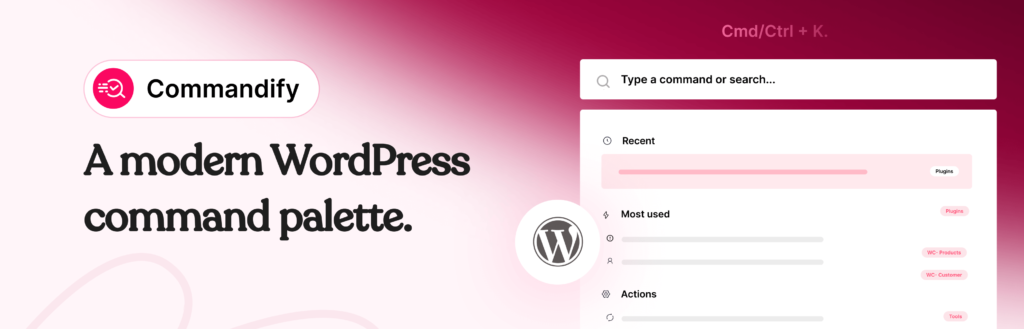
    Commandify-wordpress.org-banner

    WordPress wasn’t designed with large-scale workflows in mind.

    As soon as you move beyond a simple blog, the admin becomes menu-heavy and slow:

    • WooCommerce adds layers of order and product screens
    • Page builders introduce separate template systems
    • Form plugins hide entries behind nested dashboards
    • Maintenance tasks live in scattered tools and settings

    Even experienced users lose time just getting to the right place.

    Command palette tools solve this by acting as a single entry point to the entire admin.

    Instead of remembering where something lives, you just type what you’re looking for.
    Instead of clicking through five screens, you jump directly to the task.

    Once you use a good command palette for a few days, going back to menu navigation feels outdated.

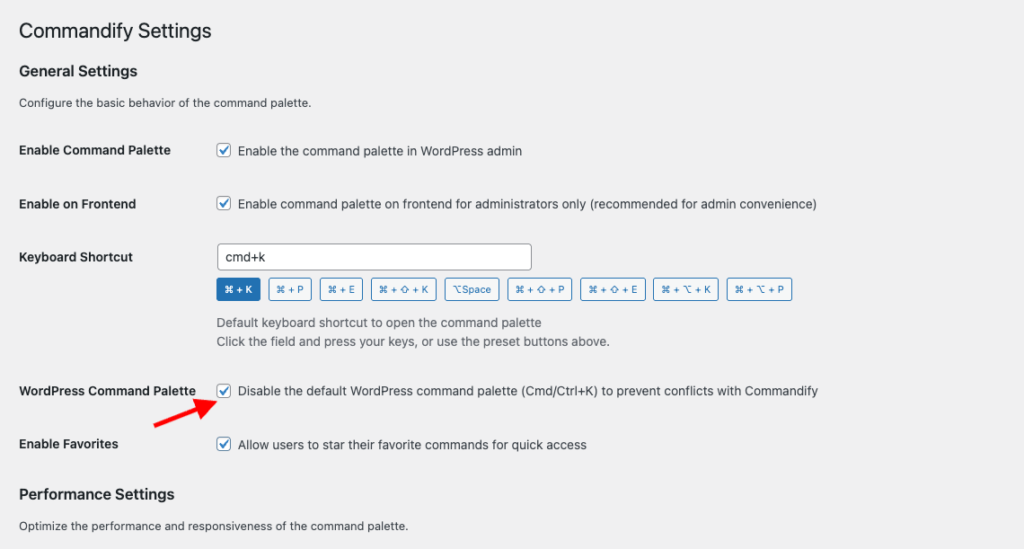
    Editor’s note: WordPress itself now includes a built-in command palette, which shows how essential keyboard-first workflows have become. However, the native palette is intentionally basic, limited to simple navigation and a few editor actions. This is where Commandify steps in. You can disable the default WordPress command palette and replace it with Commandify to unlock action-driven commands, context-aware workflows, and deep integrations that go far beyond what core WordPress is designed to handle today.

    disable default wordpress command palette with commandify

    CommandUI: What It Brings to the Table

    CommandUI entered the WordPress ecosystem at the right time.

    It delivered something WordPress users didn’t really have before: a fast, polished, keyboard-first command palette that made admin navigation feel modern.

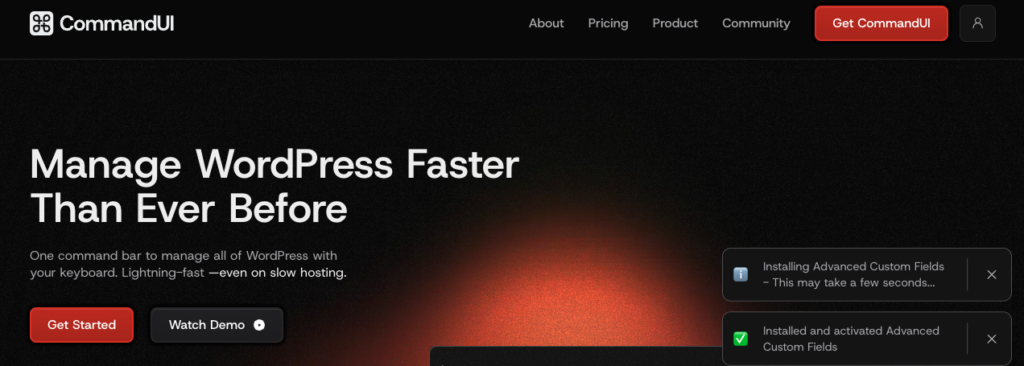
    commandui home page with top features

    What CommandUI does well:

    • Quick global search across posts, pages, plugins, media, and settings
    • Fast, predictable navigation
    • Ability to open, edit, preview, or manage content directly
    • Clean, well-designed command palette UI
    • Builder-focused workflows (notably Beaver Builder)
    • Helpful shortcuts for everyday admin tasks

    For many users, CommandUI is the first plugin that makes WordPress feel fast again.

    If your primary need is:

    • jumping between content,
    • opening admin screens quickly,
    • and reducing menu usage,

    CommandUI handles that very well.

    But as WordPress sites grow (especially with WooCommerce, forms, builders, and client work) navigation alone often isn’t enough.

    That’s where Commandify enters the picture.

    Commandify: A Newer Alternative Built to Go Much Deeper

    introducing commandify- the best command palette tool for wordpress

    Commandify is a WordPress command palette plugin developed by wpRigel, the same team behind Pollify.

    What’s interesting is that Commandify wasn’t rushed to market.

    It was actually the first plugin wpRigel planned to build, long before Pollify. But once early command palette tools like CommandUI appeared, the team paused and rethought the approach.

    Instead of competing on UI polish or basic navigation, they rebuilt Commandify around a bigger idea:

    A command palette should not just help you go places. It should help you do real work.

    That philosophy shapes everything in Commandify.

    Rather than stopping at search and navigation, Commandify was designed as a full WordPress productivity engine, with a strong focus on:

    • WooCommerce operations
    • Context-aware workflows
    • Dynamic pattern recognition (IDs, users, emails)
    • Action-driven commands
    • Deep plugin integrations

    Based on the current product architecture, Commandify includes:

    • Global command palette (backend + frontend)
    • Deep WooCommerce commands (orders, customers, products, variations)
    • Context-aware command packs that adapt to your screen
    • Dynamic pattern recognition (#postID, @user, order IDs, emails)
    • Smart Default View (favorites, recent, most-used actions)
    • Admin actions and toggle commands
    • Plugin and theme installation and management
    • Maintenance tools (cache, transients, spam, thumbnails)
    • Built-in help system and keyboard guidance
    • Performance-optimized command loading

    In short:

    • CommandUI focuses on fast search and navigation
    • Commandify focuses on actions, workflows, and admin control

    That difference becomes more obvious the more complex your site is.

    Explore Commandify Pricing

    What Both Tools Do Well (The Shared Baseline)

    Before diving deeper, it’s important to be fair.

    Both CommandUI and Commandify already cover the essentials that make command palettes valuable in the first place:

    • Global command palette (Cmd/Ctrl + K)
    • Keyboard-first workflow
    • Fast admin navigation
    • Clean, distraction-free UI
    • Search across posts, pages, media, plugins, and users
    • Quick content actions (edit, view, preview, delete)
    • Huge time savings for power users

    If your only requirement is faster navigation, either tool will feel like a major upgrade over default WordPress.

    The real difference shows up once you go beyond the basics.

    That’s where the comparison becomes less about features and more about philosophy.

    Commandify – Command Palette, Content Search, Themes Control, Product Edits, Context Actions, Dynamic content, Page builders navigation and actions

    CommandUI vs Commandify: A High-Level Comparison with Quick Overview

    This high-level snapshot sets the stage for the deeper breakdown coming later. Check the Commandify vs CommandUI quick comparison table first-

    Feature / CapabilityCommandUICommandify
    Free version available❌ Paid only✅ Core features included
    Global command palette (Cmd/Ctrl + K)✅✅
    Fast admin navigation✅✅
    Clean, modern UI✅✅
    Frontend command palette✅✅ Context-aware
    WooCommerce integration❌✅ Orders, products, customers
    Form integrations❌✅ CF7, Flamingo, Fluent Forms
    Page builder template management⚠️ Basic edit access✅ Full lifecycle control
    Action-driven commands❌✅ Core architecture
    Context-aware commands❌✅ Screen-aware
    Dynamic pattern recognition❌✅ #ID, @user, emails
    Smart Default View (favorites, recent)❌✅
    Maintenance tools❌✅ Built-in
    Pricing flexibilityLimited✅ Lower + lifetime option

    Key takeaway:

    • CommandUI focuses on search and navigation.
    • Commandify adds actions, workflows, and deep integrations on top of that foundation.

    This doesn’t mean CommandUI is “bad” or outdated. It simply highlights a shift:

    If your workflow involves WooCommerce, form management, admin operations, or client-heavy work, Commandify is solving a broader problem.

    Navigation & Content Access: Similar Speed, Different Intelligence

    Both tools solve the same core problem first: getting around WordPress faster.

    CommandUI does this extremely well. You open the palette, type a page name, plugin, or setting, and jump there instantly. The experience is consistent, predictable, and fast.

    Commandify offers the same speed, but additionally adds context awareness.

    That means the commands you see are influenced by where you are:

    • In the post editor, content-related actions surface first
    • On product screens, WooCommerce commands become prominent
    • In list tables, bulk or contextual actions appear automatically

    Instead of showing the same list everywhere, Commandify adapts to your workflow in real time.

    Verdict:

    • CommandUI: reliable, static navigation
    • Commandify: navigation plus contextual intelligence that scales with complexity

    WooCommerce Integration: The Biggest Dividing Line

    This is where the comparison becomes very clear.

    CommandUI does not include WooCommerce-specific workflows.
    You can navigate to WooCommerce screens, but that’s where it stops.

    Commandify, on the other hand, is built with WooCommerce as a first-class use case.

    From the command palette, you can:

    • Search orders and open them instantly
    • View orders directly using an order ID (#order_id)
    • Manage order status, notes, and related actions
    • Search products and variations
    • Edit stock, price, SKU, duplicate products
    • Search customers and view order history
    • Manage customer addresses
    woocommerce product variation etc management with commandify
    contro woocommerce orders with commandify pro

    For store owners, this removes multiple layers of admin navigation.

    For agencies, it cuts response time on support tickets dramatically.

    Verdict:

    • CommandUI: No WooCommerce support
    • Commandify: full WooCommerce admin control

    If your site doesn’t use WooCommerce, this may not matter.
    If it does, the difference is night and day.

    Action Engine Depth: Search vs Action-Driven Workflows

    Both plugins can search content.
    Only one is built around executing actions.

    CommandUI focuses on:

    • Opening pages
    • Editing content
    • Navigating to admin screens

    Commandify goes further by treating actions as first-class commands.

    quick action with commandify

    From the palette, you can:

    • Toggle WordPress settings
    • Install or activate plugins and themes
    • Run maintenance tasks
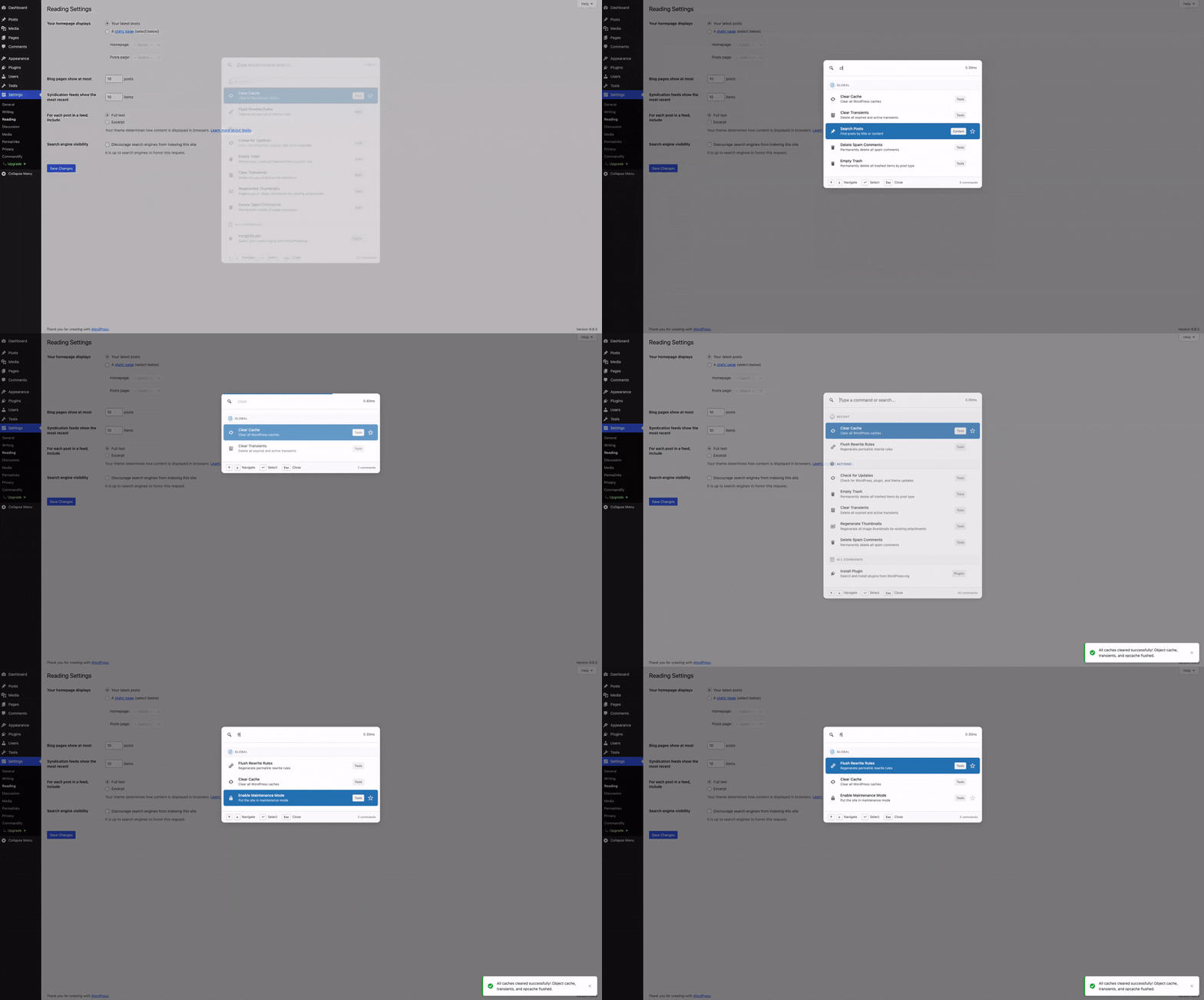
    • Manage cache, transients, spam, and rewrites
    • Execute admin operations without opening full screens

    This turns the command palette into a control panel, not just a shortcut menu.

    Verdict:

    • CommandUI: search-first palette
    • Commandify: action-first productivity system

    Dynamic Pattern Recognition: Small Feature, Huge Time Saver

    This is a feature CommandUI doesn’t currently offer.

    Commandify supports dynamic pattern recognition, meaning it understands structured input like:

    • #postID to open posts directly
    • @username to jump to user profiles
    • Order IDs to open WooCommerce orders
    • Email addresses to locate customers or form entries

    On busy sites, IDs are everywhere — support tickets, Slack messages, internal docs.

    Instead of searching manually, you paste the reference and act immediately.

    This is especially valuable for:

    • Agencies
    • Support teams
    • Developers
    • Store managers

    Verdict:

    • CommandUI: natural-language search
    • Commandify: ID-based, technical, and power-user workflows

    Form & Submission Management: Beyond Navigation

    CommandUI does not offer form-level integrations.

    Commandify includes deep form workflows, including:

    • Contact Form 7 integration
    • Flamingo submission management
    • Fluent Forms support (forms, entries, transactions)
    • Pattern-based entry lookup using IDs or emails

    This means you can search forms, inspect submissions, manage spam, and jump to related content — all from the palette.

    For form-heavy sites, this removes an entire layer of admin UI.

    Verdict:

    • CommandUI: no form workflows
    • Commandify: full form and submission control
    Commandify – Command Palette, Content Search, Themes Control, Product Edits, Context Actions, Dynamic content, Page builders navigation and actions

    Builder & Template Management: Where Commandify Pulls Ahead

    CommandUI has early builder support, focused mainly on navigation and edit access.

    Commandify expands this significantly:

    • Elementor template search and management
    • Export, duplicate, rename, and create templates
    • Regenerate CSS and clear builder cache
    • Full Bricks Builder template workflows

    Instead of just opening a template, Commandify lets you manage the entire template lifecycle from one shortcut.

    Verdict:

    • CommandUI: builder access
    • Commandify: builder control

    Maintenance & Admin Utilities

    This is an area where CommandUI intentionally stays minimal.

    Commandify includes a growing set of maintenance tools, such as:

    • User switching
    • Clearing transients
    • Flushing rewrite rules
    • Regenerating thumbnails
    • Deleting spam comments

    For agencies and developers, these tasks come up constantly — and removing menu navigation saves real time.

    Verdict:

    • CommandUI: minimal admin utilities
    • Commandify: practical admin toolkit

    Performance & Stability: Different Optimizations, Same Speed

    Both plugins are fast.

    CommandUI feels extremely lightweight and responsive, especially on simpler sites.

    Commandify does more, but is designed to stay performant through:

    • Command grouping
    • Intelligent loading
    • Context checks
    • Caching and readiness logic
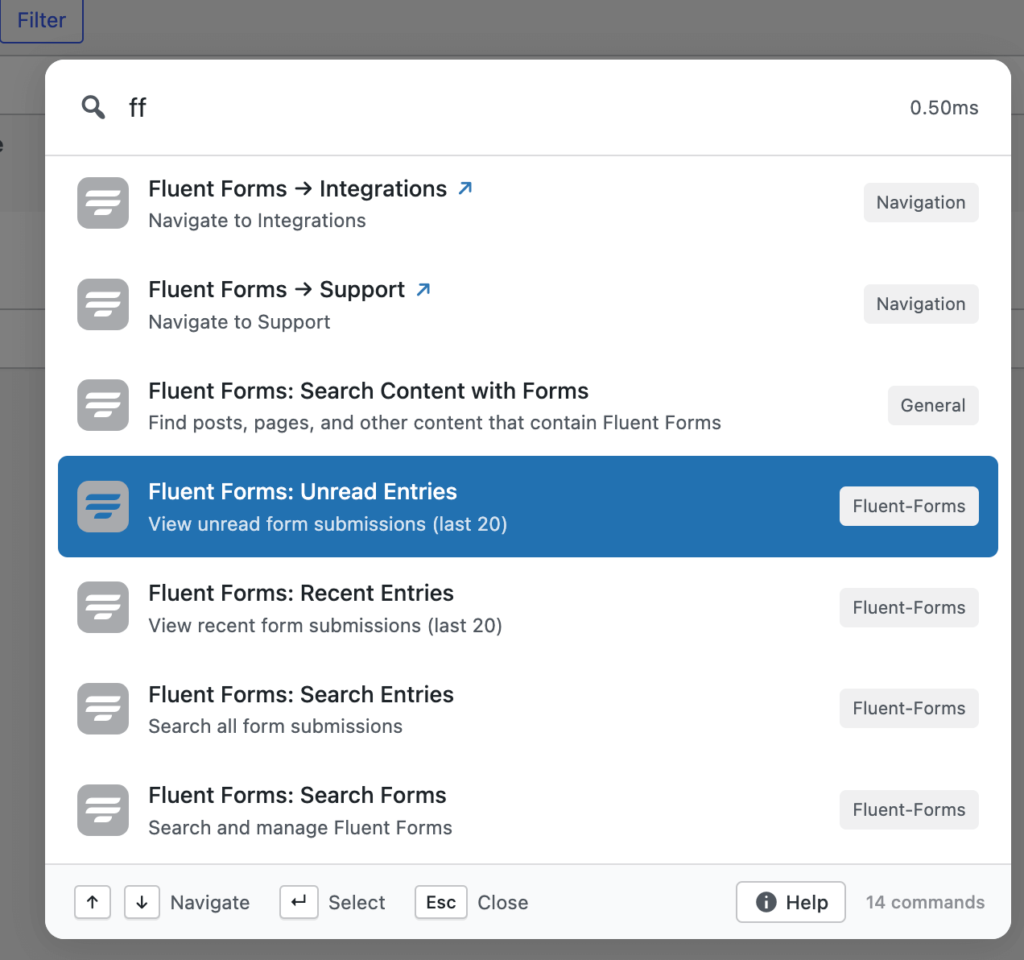
    fuzzy search in commandify

    In real use, performance is not a deciding factor- both deliver a smooth experience.

    Verdict:
    Tie. Commandify maintains speed even with deeper workflows enabled.

    Integration Scope & Ecosystem Direction

    CommandUI’s focus remains tight: UI polish and navigation refinement.

    Commandify’s roadmap is significantly broader, covering:

    • Forms (CF7, Fluent Forms, Gravity Forms, WPForms)
    • Builders (Elementor, Bricks, Beaver Builder)
    • WooCommerce expansion
    • LMS platforms
    • Membership plugins
    • Custom fields (ACF, Meta Box, JetEngine)
    • SEO tools

    This matters for users who want one tool that grows with their site instead of stacking multiple plugins.

    Verdict:

    • CommandUI = focused scope
    • Commandify = expanding productivity ecosystem

    How to Decide Between CommandUI and Commandify

    commandui vs commandify

    The simplest way to choose is to look at what slows you down most inside WordPress.

    Choose CommandUI If:

    • You mainly want faster navigation
    • Your workflow is content-focused (posts, pages, settings)
    • You don’t rely heavily on WooCommerce
    • You prefer a minimal, polished UI with fewer moving parts
    • You want a tool that feels familiar and predictable

    If most of your time is spent jumping between screens and editing content, CommandUI does its job well. It’s clean, stable, and efficient for navigation-heavy work.

    Choose Commandify If:

    • You run a WooCommerce store or manage stores for clients
    • You want to perform real admin actions from the keyboard
    • Your workflow includes orders, products, users, forms, or maintenance
    • You rely on IDs, emails, or direct references in daily work
    • You want commands that adapt based on context
    • You manage multiple sites or complex setups
    • You want a tool that keeps expanding, not one that stays narrow

    Commandify is not just about getting around WordPress faster.
    It’s about reducing entire workflows to a few keystrokes.

    If WordPress is more than a blog for you, that difference matters.

    How Easy Is It to Switch From CommandUI to Commandify?

    Switching doesn’t require a migration or setup process.

    These plugins don’t lock you in.

    You can:

    • Install Commandify
    • Use it alongside CommandUI for a few days
    • See which one your muscle memory naturally reaches for

    Because both use Cmd/Ctrl + K, the palette that returns better results quickly becomes the one you rely on.

    Commandify’s Smart Default View (favorites, recent, most-used commands) also means it adapts to how you work, not the other way around.

    For most users:

    • CommandUI feels familiar immediately
    • Commandify feels more powerful after a few days of real use

    The Roadmap: Why Commandify Keeps Getting Stronger

    One of the biggest reasons users move to Commandify is not just what it does today — but where it’s clearly heading.

    According to the product roadmap, Commandify is actively expanding across major WordPress ecosystems:

    Forms

    • Contact Forms 7 and Flamingo (already available)
    • Fluent Forms (already available)
    • Gravity Forms
    • WPForms

    Page Builders

    • Elementor (deep template management, already available)
    • Bricks Builder (Deep integration, already available)
    • Beaver Builder

    LMS Platforms

    • LearnDash
    • Tutor LMS
    • LifterLMS

    Membership Plugins

    • Paid Memberships Pro
    • Restrict Content Pro
    • Wishlist Member

    Developer Tools

    • Advanced Custom Fields
    • Meta Box
    • JetEngine

    SEO Plugins

    • Rank Math
    • Yoast
    • AIOSEO

    The pattern here is consistent.

    Commandify doesn’t add integrations just to tick boxes.
    Each one follows the same action-first design:

    • searchable
    • actionable
    • context-aware

    This makes Commandify feel less like a plugin and more like a productivity layer that grows with WordPress itself.

    Pricing & Long-Term Value

    Pricing is often the deciding factor, especially for agencies.

    CommandUI uses a premium-only model. It’s fair for what it offers, but fixed.

    Commandify takes a different approach:

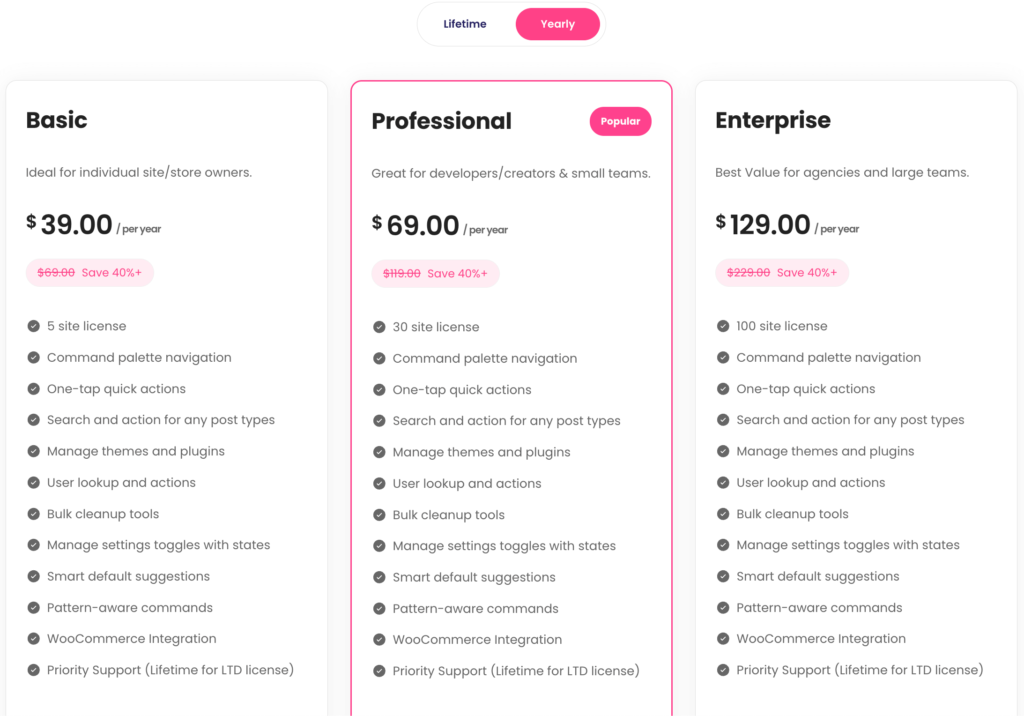
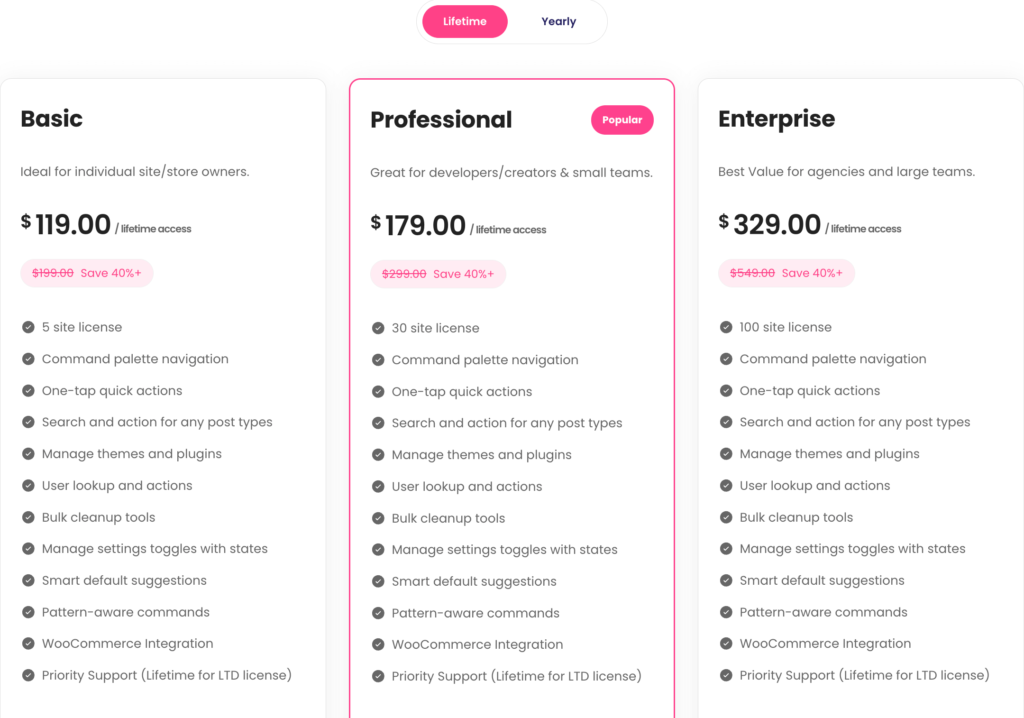
    • Free version available with core functionality
    • Affordable yearly plans
    • Lifetime licenses for long-term users and agencies

    Check Commandify Yearly Pricing

    commanify yearly pricing plan

    Check Commandify Lifetime Pricing

    commanify lifetime pricing plan

    For anyone managing multiple sites, lifetime access alone can justify the switch. You’re effectively locking in future integrations and workflows without recurring costs.

    That flexibility is rare in productivity tools and it matters as your stack grows.

    Why Commandify Is Different and More Powerful Than Other Command Palette Tools

    Commandify-wordpress.org-banner

    Most WordPress command palette tools are built around a simple idea: help users search faster and navigate menus quicker.

    That’s useful. But it’s also where most of them stop.

    Commandify is built on a different foundation. Instead of treating the command palette as a search box, Commandify treats it as a control layer for WordPress.

    The difference is subtle at first, but dramatic in daily use.

    Action-First, Not Search-First

    With traditional command palettes (including CommandUI), the flow usually looks like this:

    1. Open palette
    2. Search for something
    3. Navigate to a screen
    4. Do the actual work there

    Commandify shortens that loop.

    In many cases, the flow becomes:

    1. Open palette
    2. Type intent or reference
    3. Complete the action instantly

    This is possible because Commandify is designed around action-driven commands, not just navigation shortcuts.

    Commandify – Command Palette, Content Search, Themes Control, Product Edits, Context Actions, Dynamic content, Page builders navigation and actions

    The 7 Action-Driven Command Types That Power Commandify

    Commandify supports multiple command types that work together as real workflows.
    These aren’t surface-level shortcuts — they are how the plugin is architected.

    1. Navigation Commands

    The foundation.
    Quickly jump to dashboards, settings pages, tools, or custom admin screens.

    This is where Commandify overlaps with other tools — and then builds far beyond.

    2. Search Commands

    Search across posts, pages, custom post types, users, media, products, forms, entries, and templates from one place.

    But unlike search-only palettes, search results in Commandify are actionable, not just links.

    3. Action Commands

    This is the core difference.

    Instead of opening a screen, Commandify lets you do the work directly, such as:

    • Change post status
    • Edit or duplicate content
    • Manage WooCommerce orders
    • Perform product actions
    • Handle form submissions

    Actions are first-class citizens, not secondary options.

    4. Sub-Action (Nested) Commands

    Many WordPress tasks involve follow-up steps.

    Commandify supports nested actions like:

    • Emptying trash
    • Managing templates
    • Executing secondary admin tasks
    • Running maintenance operations

    You don’t leave the palette to finish a workflow.

    5. Dynamic Pattern Recognition Commands

    This is where Commandify really shines for power users.

    It understands structured input like:

    • #postID
    • @username
    • Order IDs
    • Email addresses
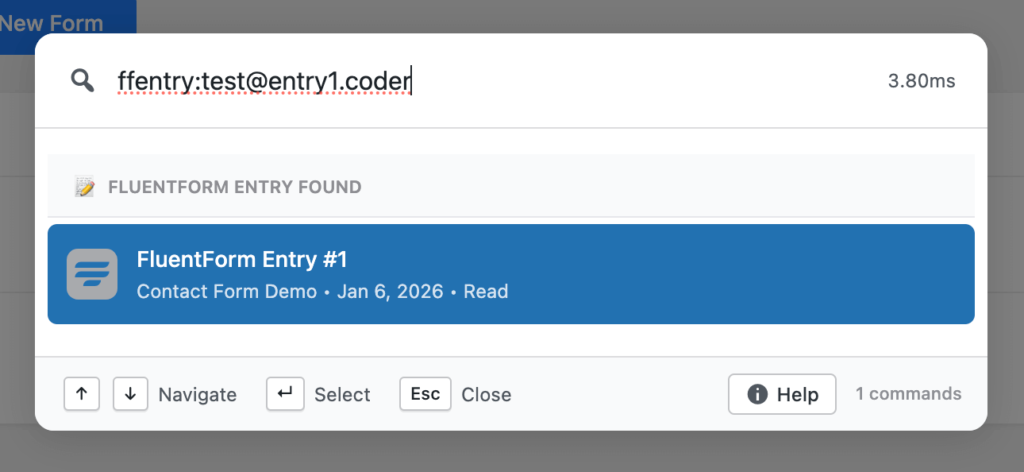
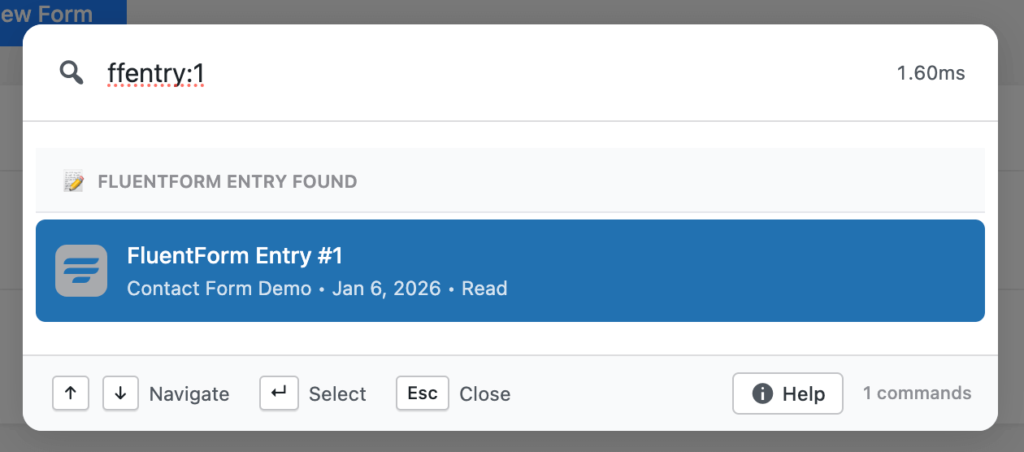
    • ffentry:ID for Fluent Forms entries

    Paste a reference, and Commandify immediately surfaces the right actions, not just search results.

    This is invaluable for agencies, support teams, and store owners dealing with IDs all day.

    6. Toggle Commands

    Some tasks aren’t about opening or editing — they’re about switching states.

    Commandify supports toggle-style commands for things like:

    • Maintenance mode
    • Settings states
    • Feature enable/disable flows

    All with immediate feedback.

    7. Context-Aware Commands

    The same shortcut behaves differently depending on where you are.

    • In the editor → content actions
    • On WooCommerce screens → order and product workflows
    • In list tables → bulk or contextual operations
    • On the frontend → editing and admin shortcuts

    Commands adapt to context automatically, reducing noise and friction.

    Deep Integrations That Go Beyond Search

    Another key difference: Commandify’s integrations are action-based, not search-only.

    Most command palettes integrate by linking you to another plugin’s screen.
    Commandify integrates by bringing that plugin’s workflows into the palette.

    Examples of Action-Based Integrations

    • WooCommerce
      Manage orders, products, variations, customers, addresses, and IDs directly.
    • Forms (CF7, Flamingo, Fluent Forms)
      Search forms, inspect entries, manage submissions, handle spam, and jump to related content.
    • Page Builders (Elementor, Bricks)
      Full template lifecycle management: create, duplicate, rename, export, regenerate CSS, clear cache.
    • User Switching & Maintenance Tools
      Switch users, clear transients, regenerate thumbnails, delete spam, flush rewrites.
    • Upcoming Ecosystems
      LMS, membership plugins, custom fields, and SEO tools — all planned with the same action-first model.

    This is why Commandify doesn’t replace one plugin. It replaces dozens of small admin interactions with one shortcut.

    Why This Makes Commandify Ideal for Advanced WordPress Workflows

    This architecture makes Commandify especially effective for:

    • Agencies managing multiple client sites
    • WooCommerce store owners handling orders and customers daily
    • Support teams working with IDs, emails, and form submissions
    • Developers and power users who prefer keyboard-first control

    Commandify isn’t just faster navigation.
    It’s operational leverage inside WordPress.

    Commandify – Command Palette, Content Search, Themes Control, Product Edits, Context Actions, Dynamic content, Page builders navigation and actions

    Quick FAQs: Commandify vs CommandUI

    Is Commandify just another command palette plugin?

    No. While it includes fast navigation and search, Commandify is built around action-driven workflows, contextual commands, and deep integrations that go far beyond navigation.

    Can I use Commandify if I don’t run WooCommerce?

    Yes. WooCommerce is a major strength, but Commandify is equally useful for content management, builders, forms, maintenance, and admin workflows.

    Does Commandify replace CommandUI completely?

    Not necessarily. CommandUI is excellent for clean, search-first navigation. Commandify is better suited for users who want to execute actions, manage data, and reduce admin workflows.

    Is Commandify suitable for agencies and teams?

    Yes. Features like pattern recognition, contextual commands, user switching, and maintenance tools are specifically valuable for agency and support workflows.

    Does using all these features slow WordPress down?

    No. Commandify is designed with optimized loading, caching, and readiness checks so performance remains stable even with complex integrations.

    CommandUI vs Commandify: Detailed Comparison with Full Breakdown

    Now explore the detailed head to head comparison on CommandUi vs Commandify. Find out a more powerful alternative to CommandUI with lower price.

    General & Navigation

    FeatureCommandUICommandify FreeCommandify Pro
    Free versionNoYesYes
    Global command paletteYesYesYes
    Custom keyboard shortcutsYesYesYes
    Admin menu navigationYesYesYes
    Search posts & pagesYesYesYes
    Custom post type supportYesYes (auto-detected)Yes
    Search media libraryYesYesYes
    Search usersYes (limited actions)YesYes
    Edit / view / preview contentYesYesYes
    Trash / delete contentYesYesYes
    Toast notifications & loading stateYesYesYes

    Action System & Productivity

    FeatureCommandUICommandify FreeCommandify Pro
    Action-driven command architectureNoNoYes
    Smart Default View (favorites, recent)NoNoYes
    Context-aware commandsLimitedNoYes
    Dynamic pattern recognitionNoNoYes
    Toggle commands (maintenance mode, etc.)NoNoYes
    Advanced admin operationsNoNoYes

    Plugin & Theme Management

    FeatureCommandUICommandify FreeCommandify Pro
    Search WordPress.org pluginsLimitedYesYes
    Install pluginsLimitedYesYes
    Search & install themesLimitedYesYes
    Switch themesYesYesYes

    WooCommerce Integration

    FeatureCommandUICommandify FreeCommandify Pro
    Search ordersNoNoYes
    Instant order view by IDNoNoYes
    Order actions (status, notes, manage)NoNoYes
    Search products & variationsNoNoYes
    Product actions (stock, price, duplicate)NoNoYes
    Search customersLimitedNoYes
    Customer order historyNoNoYes
    Customer address managementNoNoYes

    Page Builder Integrations

    Elementor

    FeatureCommandUICommandify Pro
    Search templatesYesYes
    Edit templatesYesYes
    Export templatesNoYes
    Duplicate templatesNoYes
    Rename templatesNoYes
    Create templates (all types)NoYes
    Regenerate CSSNoYes
    Clear Elementor cacheNoYes

    Bricks Builder

    FeatureCommandUICommandify Pro
    Search templatesYesYes
    Edit with BricksYesYes
    Respect Bricks post type rulesUnknownYes
    Export templatesNoYes
    Duplicate / rename templatesNoYes
    Create templatesNoYes
    Regenerate CSS & cacheNoYes
    Commandify – Command Palette, Content Search, Themes Control, Product Edits, Context Actions, Dynamic content, Page builders navigation and actions

    Forms & Submissions

    FeatureCommandUICommandify Pro
    Contact Form 7 integrationNoYes
    Search CF7 formsNoYes
    Detect CF7 shortcodesNoYes
    Flamingo submission searchNoYes
    Manage submissions (spam / trash)NoYes
    Fluent Forms integrationNoYes
    Search forms, entries, transactionsNoYes
    Pattern-based entry lookupNoYes

    Maintenance & Utilities

    FeatureCommandUICommandify Pro
    User switching integrationNoYes
    Clear transientsNoYes
    Flush rewrite rulesNoYes
    Regenerate thumbnailsNoYes
    Delete spam commentsNoYes

    UX & Compatibility

    FeatureCommandUICommandify
    Frontend command paletteYesYes (context-aware)
    RTL supportNoYes
    WordPress 6.9 compatibilityNoYes

    Pricing & Licensing

    FeatureCommandUICommandify
    Free versionNoYes
    Yearly pricingHigherLower
    Lifetime licenseNoYes
    Agency-friendly valueModerateHigh

    Final Thoughts on CommandUI vs Commandify: Which One Actually Makes WordPress Easier?

    CommandUI deserves credit. It helped bring keyboard-driven navigation to WordPress and set expectations for what a modern admin experience can feel like.

    For many users, it’s still a solid choice.

    But Commandify enters the space with a broader vision.

    It doesn’t just help you navigate WordPress. It helps you run WordPress.

    More actions.
    More integrations.
    More control.
    More room to grow.

    If you want a clean, fast navigation palette, CommandUI works.

    If you want a more powerful alternative that turns WordPress into a command-driven workspace (especially for WooCommerce, agencies, and advanced sites) Commandify is the stronger long-term fit.

    Both tools improve WordPress. Only one is built to scale with everything WordPress is becoming.

    Get Commandify Now!

    The wpRigel Team

    January 9, 2026
    Commandify
  • Commandify v1.0.5 Is Here: Fluent Forms Integration, Faster Search with Fuzzy Logic, Smoother Workflows

    Commandify v1.0.5 Is Here: Fluent Forms Integration, Faster Search with Fuzzy Logic, Smoother Workflows

    As WordPress sites grow, admin workflows tend to break down first. Forms live in one place. Entries in another. Transactions somewhere else.

    Searching works, but acting still takes too many clicks and too much context switching.

    With Commandify v1.0.5, the focus is simple: do more directly from the command palette, without jumping between admin screens.

    This release brings deeper form workflows, a major search upgrade, and a set of performance and UX improvements that make Commandify feel faster and more dependable in daily use.

    Let’s walk through what’s new.

    Fluent Forms Integration (Pro)

    fluent forms integration in commandify

    Form-heavy sites are where WordPress admin friction shows up the most. Commandify v1.0.5 takes a big step toward fixing that.

    You can now manage Fluent Forms directly from the command palette, without opening Fluent Forms admin pages or switching tabs.

    So, what exactly Fluent Forms is?

    Fluent Forms is a fast, user-friendly, drag-and-drop WordPress plugin to create any type of forms like contact, payment, quiz, survey) without coding. It offers all necessary features you need in a WordPress form plugin and all required integrations.

    Already has over 600k users worldwide!

    With this integration, you can:

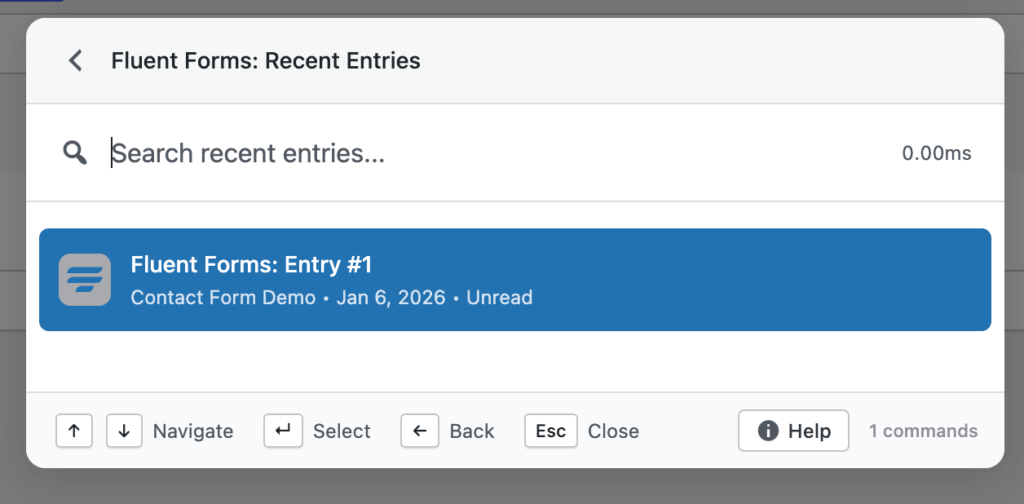
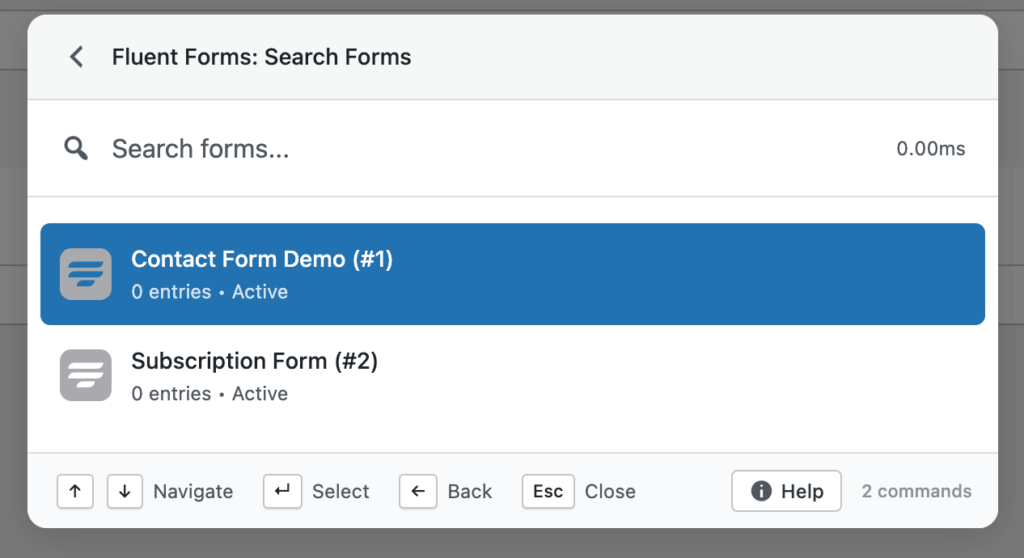
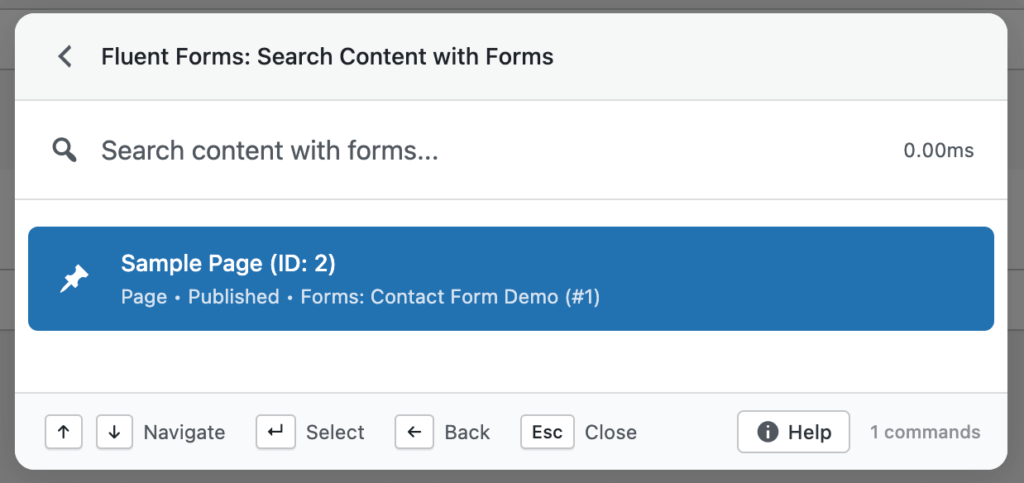
    • Search Fluent Forms, form entries, and transactions
    • Find posts and pages that contain Fluent Forms shortcodes
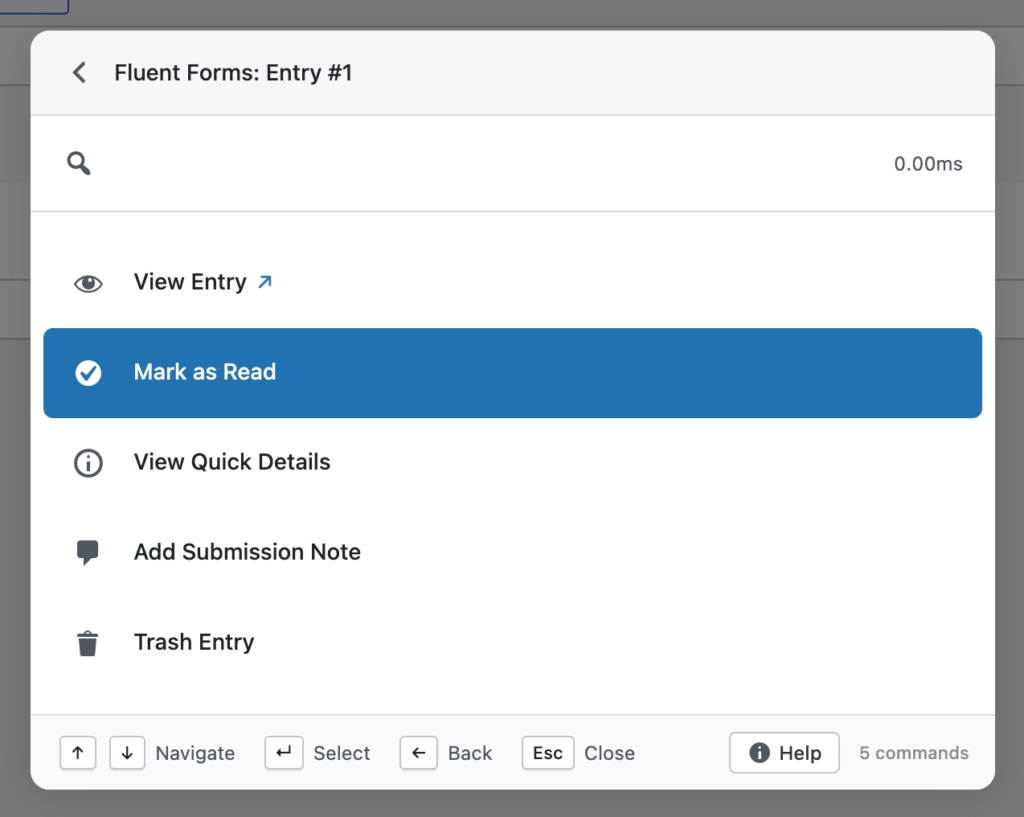
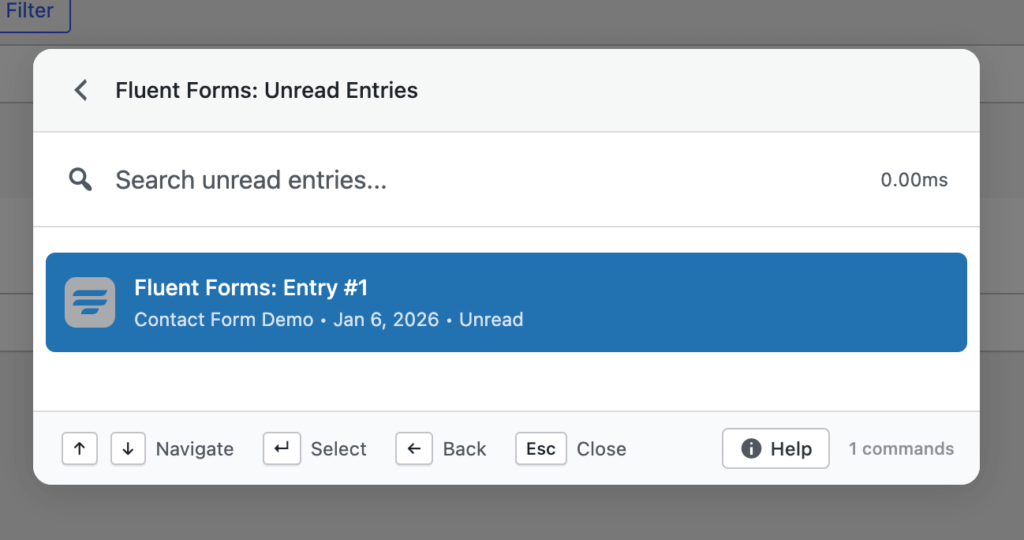
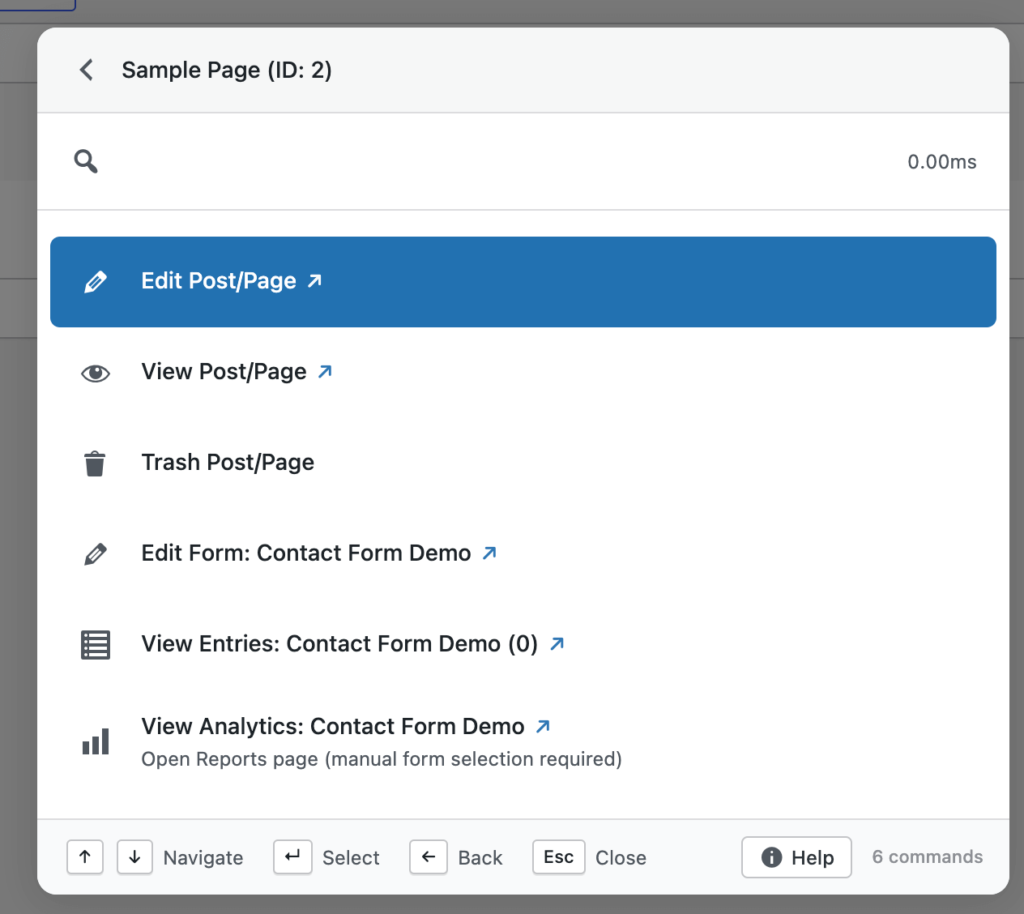
    • Use smart patterns like ffentry:ID or an email address to jump straight to an entry
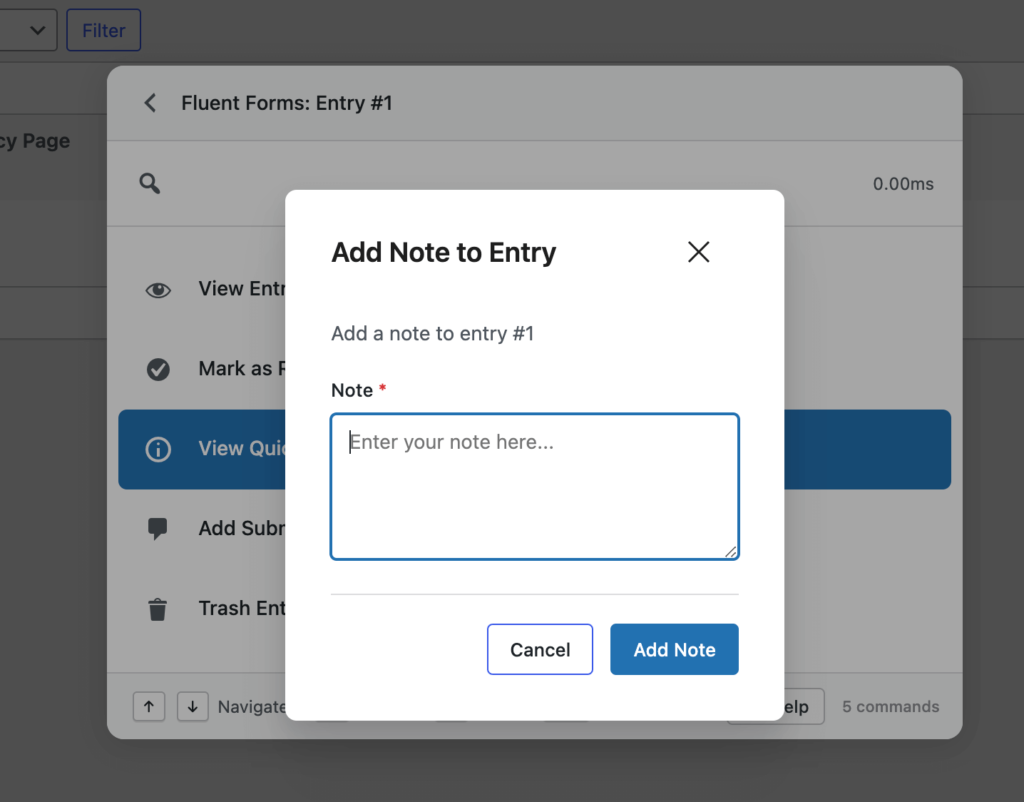
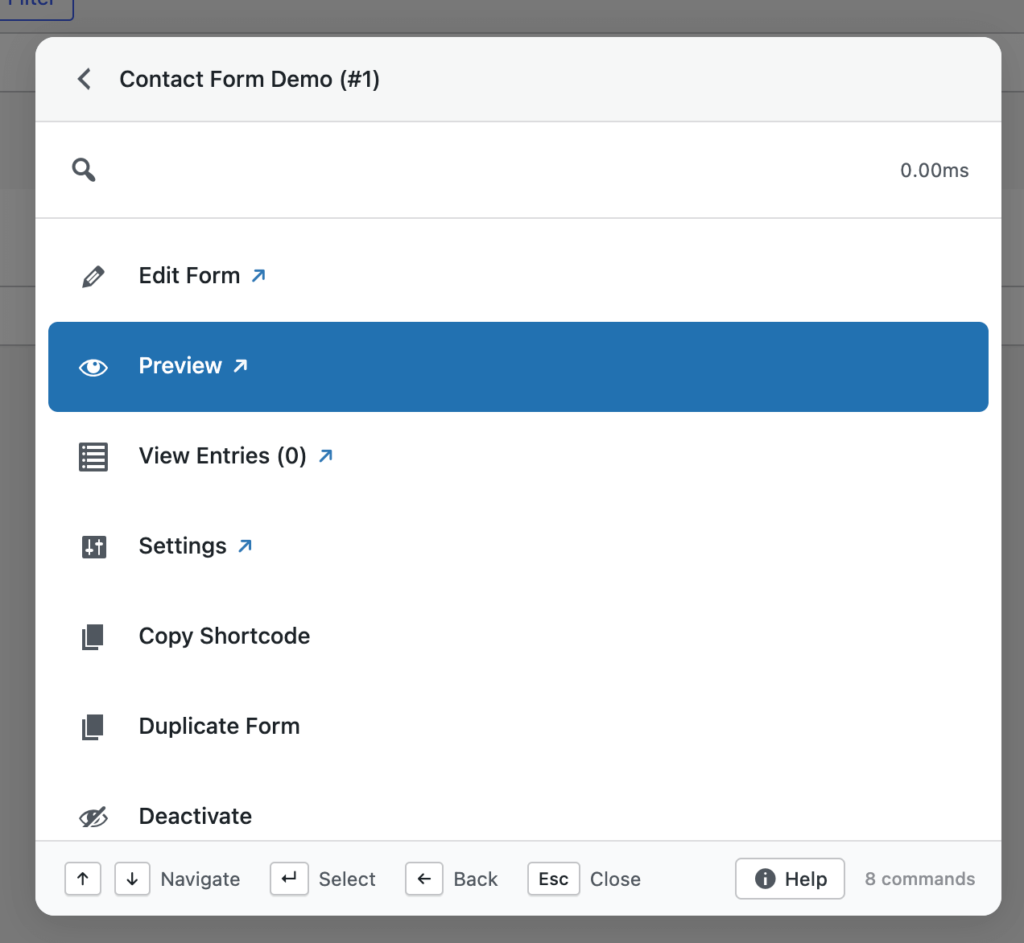
    • Perform full actions on forms, entries, and transactions from anywhere

    For agencies, support teams, and sites handling large volumes of form data, this turns Commandify into a practical control layer instead of just a navigation tool.

    Check all action commands on Fluent Forms with screenshots.

    Smarter Fuzzy Search (Major Upgrade)

    Search has always been central to Commandify, but v1.0.5 significantly upgrades how results are matched and ranked.

    fuzzy search in commandify

    The new fuzzy search engine introduces:

    • Context-aware scoring
    • Synonym matching
    • More intelligent result ranking
    • Faster responses across large and complex sites

    This means you don’t need to remember exact titles, IDs, or command names.
    Commandify now prioritizes what you’re likely trying to do, not just what you typed.

    In practice, search feels more forgiving, more accurate, and more consistent as sites scale.

    Check all action commands and functionality on Fuzzy Search.

    Built-In Help Panel

    As Commandify grows more powerful, discoverability matters.

    v1.0.5 introduces a built-in help panel, accessible directly from the command palette footer.

    It includes:

    • Keyboard shortcut references
    • Command usage guides
    • Feature documentation

    The goal is simple: help should be available inside the workflow, not hidden behind docs pages or external links.

    Keyboard & Navigation Enhancements

    Several small changes in this release add up to a more natural keyboard-first experience.

    • New tab navigation indicator
      When Cmd (Mac) or Ctrl (Windows) is pressed, a visual ↗ indicator shows that a command will open in a new tab.
    • Double-Shift shortcut
      You can now open the command palette by pressing Shift twice, useful when Cmd/Ctrl conflicts with other tools.

    These changes add flexibility without forcing users into a single workflow style.

    Performance, Stability, and UI Improvements

    v1.0.5 also includes a long list of under-the-hood improvements that directly affect daily use.

    Highlights include:

    • Skeleton loading state to prevent “No commands found” flashes on refresh
    • Faster command loading through smarter caching and readiness checks
    • Improved error handling to avoid crashes on network issues
    • Cleaner CSS architecture for better theme compatibility
    • Polished modal spacing, select fields, and command selection states

    Several fixes also address favorites loading, smart default view behavior, and contextual commands on post list screens.

    The result is a command palette that feels steadier, quicker, and more predictable under real workloads.

    What’s Coming Next

    This release is part of a broader push to expand Commandify’s action coverage across WordPress.

    Actively in progress:

    • More form integrations, including Gravity Forms and WPForms
    • LMS support such as LearnDash and Tutor LMS
    • Membership plugins like MemberPress and Paid Memberships Pro
    • Even deeper, more granular action workflows across WordPress and WooCommerce

    Each new integration follows the same principle: searchable, actionable, and context-aware from the command palette.

    Why Commandify Is Different From Other Command Palette Tools

    commandify plugin- commandify v1.0.5

    Most WordPress command palette plugins focus on one thing: search and navigation.

    They help you jump to a page, open a setting, or locate content.
    After that, you’re back to clicking through admin screens, modals, and tabs.

    Commandify takes a different approach.

    It is built around actions, not destinations.

    Instead of asking where you want to go, Commandify is designed around what you want to do– instantly, from anywhere, using a single shortcut.

    That difference shows up clearly in how integrations work and how commands are structured.

    7 Action-Driven Command Types in Commandify that No Other Tools Offer

    Commandify supports multiple command types that work together as real workflows, not shortcuts.

    1. Navigation Commands

    Jump directly to dashboards, tools, settings pages, or custom admin screens.

    2. Search Commands

    Search across posts, pages, users, media, products, forms, entries, and more — from one interface.

    3. Action Commands

    Perform real tasks directly, such as:

    • Publishing or trashing content
    • Updating WooCommerce orders
    • Editing items without opening full editors

    4. Sub-Action Commands

    Trigger nested actions like:

    • Emptying trash
    • Managing templates
    • Executing secondary workflows without extra clicks

    5. Dynamic Pattern Commands

    Paste structured input like:

    • #postID
    • @username
    • ffentry:ID
    • Email addresses
    • Order numbers

    Commandify recognizes the pattern and surfaces relevant actions instantly.

    6. Toggle Commands

    Enable or disable states such as maintenance mode or plugin settings with immediate feedback.

    7. Context-Aware Commands

    Available actions adapt based on where you are:

    • Editor
    • Post list table
    • Frontend view
    • WooCommerce screens
    • Page builders

    The same shortcut behaves differently because the context changes.

    Why This Makes Commandify Ideal For

    This action-first model is especially effective for:

    • Agencies managing multiple WordPress sites
    • WooCommerce store owners handling daily operations
    • Support teams working with form entries and user data
    • Developers and power users who prefer keyboard-driven workflows

    Commandify reduces context switching, shortens task chains, and replaces repetitive admin navigation with direct execution.

    It’s not just faster navigation.

    It’s a command-driven productivity layer for WordPress.

    Integrations by Commandify Command Palette (Commandify v1.0.5)

    Before looking at how Commandify works, it helps to understand how much of WordPress it already controls.

    Commandify includes deep, action-driven integrations with:

    WordPress Core

    • Posts, pages, custom post types
    • Users and roles
    • Media library
    • Admin tools and settings

    WooCommerce

    • Orders and order statuses
    • Products and variations
    • Customers and addresses
    • Coupons and transactional workflows

    Page Builders (Elementor and Bricks Builder)

    • Elementor: template search, edit, duplicate, export, cache actions, frontend editing
    • Bricks Builder: template management, edit with Bricks, CSS regeneration, cache handling

    Forms & Submissions (Contact Forms 7 with Flamingo and Fluent Forms)

    • Fluent Forms: forms, entries, transactions, pattern-based entry lookup
    • Contact Form 7: form search, shortcode detection, form actions
    • Flamingo: submission search, spam handling, restore, delete

    Utilities (User Switching)

    • User Switching: secure role switching for testing and support workflows

    These integrations are not read-only.
    They are designed so commands return actions, not just links.

    The Action-First Architecture of Commandify Command Plugin

    commandify banner with free and pro features listed on it- commandify changelog

    This is where Commandify separates itself from typical command palette tools.

    Most palettes stop at:

    • “Open this page”
    • “Go to that screen”

    Commandify treats actions as first-class features.

    You don’t just find things.
    You act on them immediately, without loading full admin pages or breaking focus.

    Frequently Asked Questions on Commandify v1.0.5

    Is Commandify just a search tool?

    No. Search is only one part of Commandify. The core focus is on performing real actions directly from the command palette, not just navigating to pages.

    Does Commandify work with large or complex sites?

    Yes. Features like advanced fuzzy search, dynamic pattern recognition, and optimized command loading are designed specifically for large sites with lots of content and data.

    Which features require Commandify Pro?

    Pro unlocks advanced integrations such as Fluent Forms, WooCommerce workflows, contextual command packs, and deeper action handling. Core navigation and search are available in the free version.

    Can Commandify replace multiple admin plugins?

    In many cases, yes. By centralizing actions, search, and workflows into one interface, Commandify reduces the need for separate navigation, utility, and productivity plugins.

    Does Commandify slow down WordPress admin?

    No. Commandify v1.0.5 includes performance optimizations like smarter caching, readiness checks, and improved error handling to keep the command palette fast and stable.

    The wpRigel Team

    January 8, 2026
    Product Updates, Commandify
  • Commandify v1.0.4 Now live! Frontend Commands, WordPress 6.9 Compatibility & Deeper WooCommerce Control

    Commandify v1.0.4 Now live! Frontend Commands, WordPress 6.9 Compatibility & Deeper WooCommerce Control

    We’re back with another weekly update and this one brings some of the most requested improvements to Commandify just before the holiday season.

    Over the past week, the team focused on making Commandify more flexible, more future-proof, and more powerful for real-world workflows, especially for WooCommerce stores, page builder users, and keyboard-first WordPress professionals.

    With Commandify v1.0.4, we focused on:

    • Making Commandify usable beyond wp-admin with frontend support
    • Ensuring full compatibility with WordPress 6.9
    • Expanding WooCommerce, Elementor and Bricks Builder workflows with deeper, safer actions

    This release is less about adding surface-level features and more about strengthening Commandify as a reliable, long-term productivity layer for WordPress professionals.

    Let’s walk through what’s new.

    Frontend Command Palette (Opt-In)

    Commandify can now be used on the frontend of your site when you are logged in as an administrator or editor.

    enable-commandify-support-on-frontend

    Once enabled from the settings page, the command palette becomes available while viewing posts, pages, and custom post types on the frontend. This allows you to:

    • Open content directly in the editor
    • Trigger contextual actions without switching to wp-admin
    • Move between editing and reviewing content without breaking flow

    The frontend palette uses theme-independent styling, ensuring a consistent look and behavior regardless of the active theme. This avoids layout conflicts and keeps the palette readable across different designs.

    Frontend support is intentionally opt-in, giving site owners full control. This ensures security-sensitive environments can decide when and where frontend commands should be available.

    Download Commandify for Free.

    WordPress 6.9 Compatibility (No Shortcut Conflicts)

    WordPress 6.9 introduces its own native command palette, which also uses Cmd/Ctrl+K.

    In v1.0.4, Commandify adds a dedicated setting that allows you to disable the default WordPress command palette when needed. This prevents shortcut conflicts and ensures a predictable experience.

    This update was important for two reasons:

    • It avoids overlapping keyboard shortcuts
    • It ensures Commandify remains stable across future WordPress releases
    wordpress 6.9 overview

    Rather than competing with core features, Commandify integrates cleanly into the evolving WordPress ecosystem.

    WooCommerce: Customer Actions Get Smarter

    This release significantly improves WooCommerce customer workflows, especially for store owners and support teams.

    You can now:

    • View customer billing and shipping addresses in a clean, read-only modal
    • Update billing or shipping addresses directly from the command palette
    • Use searchable country and state dropdowns that follow WooCommerce’s field order

    These actions are designed for accuracy and speed. Instead of opening customer profiles, scrolling through tabs, and saving forms manually, everything happens inside a focused modal.

    Dynamic country and state selection ensures fewer errors when updating addresses, which is especially helpful for stores handling international customers.

    Under the hood, customer actions are now generated using a centralized action system, making them consistent across different contexts.

    Page Builder Improvements (Elementor & Bricks)

    commandify integration with elementor
    bricks builder integration with commandify pro- bricks builder home page

    Commandify v1.0.4 improves how page builder actions behave across both backend and frontend contexts.

    Elementor Enhancements

    • “Edit with Elementor” now appears consistently on the frontend for all Elementor-supported post types
    • Keyboard shortcuts work reliably inside Elementor’s iframe
    • Contextual commands behave the same whether you’re editing or viewing content

    This makes it easier to move between reviewing a page and jumping straight into visual editing.

    Bricks Improvements

    • Bricks actions now use the same centralized post action system as other integrations
    • Commands respect Bricks’ post type settings automatically
    • Behavior is consistent across list views, editors, and frontend pages

    These changes reduce edge cases and make builder actions feel predictable and integrated, rather than bolted on.

    Contact Form 7 & Flamingo Fixes

    commandify integration with contact form 7- contact form 7 home page
    commandify integration with flamingo for contact form 7

    This release also includes several important fixes for Contact Form 7 and Flamingo users.

    Issues around deleting forms, copying shortcodes, and incomplete search results have been resolved. All form searches now include all post statuses, and copied shortcodes no longer include escaped characters.

    These fixes improve reliability for teams that manage large numbers of forms and submissions.

    UX, Stability & Performance Improvements

    Alongside new features, v1.0.4 includes multiple refinements that improve daily usability:

    • Better icon alignment inside the palette
    • Improved modal sizing for complex forms
    • Keyboard scrolling support inside scrollable modals
    • More consistent post actions across search and dynamic lookups

    Several edge-case bugs were also fixed, including duplicate post creation and undefined variable errors in frontend commands.

    These changes don’t add new buttons — but they make existing workflows smoother and more trustworthy.

    Why This Release Matters

    Commandify is increasingly used as a primary interface, not a secondary shortcut tool.

    With frontend support, WordPress 6.9 compatibility, deeper WooCommerce actions, and consistent page builder behavior, v1.0.4 reinforces a clear direction:
    Commandify is built for doing work, not just navigating menus.

    Many command palettes focus on search and redirection. Commandify continues to focus on actions, context, and workflows — especially where WordPress becomes complex.

    Why Commandify Is Now the Most Powerful WordPress Command Tool

    At this point, Commandify goes far beyond what traditional command palettes offer.

    Unlike search-only tools, Commandify is built around actions and workflows, including:

    • Context-aware commands that change based on where you’re working
    • Deep WooCommerce control (orders, products, customers)
    • Form management with Contact Form 7 + Flamingo
    • Page builder template management (Elementor & Bricks)
    • User role switching for testing and support
    • One-click maintenance actions
    • Pattern recognition for IDs, emails, and users

    These are capabilities that simply don’t exist together in other command palette tools — especially not with this level of depth.

    wpRigel: Building Focused Tools, Not Feature Noise

    At wpRigel, every release follows a simple principle: improve real workflows before adding new surface features.

    Commandify v1.0.4 reflects that mindset. Instead of chasing shortcuts or UI trends, this release strengthens areas that users rely on daily — editing, reviewing, managing customers, and maintaining sites.

    Alongside Commandify, wpRigel continues to develop Pollify, a fully Gutenberg-native polling and engagement plugin designed for modern WordPress sites. Pollify follows the same philosophy: native tools, clean UX, and no unnecessary abstractions.

    wpRigel is a small team, but highly focused. Each update is shaped by real usage, user feedback, and long-term maintainability. Rather than shipping everything at once, features are released once they’re stable, secure, and consistent.

    This approach allows wpRigel products to scale with users — from individual site owners to agencies managing dozens of WordPress installs.

    What’s Coming Next on Commandify

    Work is already underway on:

    • More form integrations (Fluent Forms, Gravity Forms, WPForms)
    • LMS integrations (LearnDash, Tutor LMS)
    • Membership tools (MemberPress, Paid Memberships Pro)
    • Expanded frontend workflows and contextual actions

    As always, new features will roll out gradually, with stability and usability as the top priority.

    The wpRigel Team

    December 19, 2025
    Commandify, Product Updates
  • wpRigel Weekly Updates: Major Releases across Commandify and Pollify

    wpRigel Weekly Updates: Major Releases across Commandify and Pollify

    This week’s rollout is one of our heaviest yet. Both versions of Commandify received significant new capabilities, and Pollify shipped important privacy and accessibility updates.

    If you work on WordPress sites daily, these changes should give you more control and shave minutes off repetitive tasks.

    Commandify Pro and Free: A Closer Look at What Shipped

    commandify banner with free and pro features listed on it- commandify changelog

    We pushed two releases for Commandify back-to-back v1.0.1 (Dec 1) and v1.0.2 (Dec 2). Together they introduce long-awaited integrations, faster search, and a more consistent command experience across the dashboard.

    Elementor integration arrives

    Elementor has always been one of the top feature requests from our users. This release introduces a complete first version of that integration. It gives you template search, template actions (export, duplicate, copy, rename), “Edit with Elementor” for posts and pages, and quick access to actions like regenerate CSS, sync library, and clear cache.

    We built this with the goal of making it more usable and flexible than similar command palettes offered by competitors such as CommandUI. It’s available in both Free and Pro, with deeper template actions unlocked for Pro users.

    User switching added to Pro

    User Switching is now built directly into Commandify Pro.

    You can switch to any user, browse the last 20 accounts you interacted with, and switch back when you’re done. The palette shows your active switch session in “User Switch Status,” and all URLs work cleanly across multisite setups.

    This is one of the most useful additions for support teams, agencies, and developers replicating user-level issues.

    Speed improvements across search

    We introduced instant static results for common search queries, static result preloading, and a new dynamic action handler that makes command execution more predictable. Redirect URLs now decode HTML entities properly, improving REST-driven actions.

    Commandify also now includes multiple new filters for developer customization including:

    • commandify_search_user_actions
    • commandify_search_{post_type}_actions
    • commandify_search_post_type_args

    A new COMMANDIFY_DEV_MODE constant gives local developers a cleaner way to test Pro features.

    WooCommerce refinements

    Search results are more consistent and now surface recent orders and customers instantly. The internal structure for WooCommerce, Elementor, and User Switching integrations was reorganized for better long-term maintenance.

    Fixes and architecture improvements

    The release also includes adjustments like:

    • Fixing ampersand URL issues
    • Removing duplicate Elementor commands
    • Correcting “Switch Back” logic
    • Using proper WordPress capabilities for User Switching
    • Improved dynamic form evaluation
    • Updated testing documentation and implementation notes

    These updates reflect everything listed in the v1.0.2 changelog and align with the architectural direction documented in our internal references.

    Commandify Free: Quality-of-life Additions

    Version 1.0.1 of Commandify Free introduced several new commands and a cleaner UI.

    New commands

    • Visit Site: open the frontend instantly from the palette
    • Instant Log Out: sign out without navigating to the profile page
    • Post Status Control: change post status directly from command options

    UI and behavior improvements

    • User search now shows proper user icons
    • Media search displays thumbnails
    • Default results always show the latest 10 items across posts, users, and media
    • The palette stays open after maintenance actions like cache clearing or rewrite flush
    • Debounced API requests help search feel smoother while typing

    These updates make the free version more capable for everyday site management.

    Explore Commandify Changlog!

    Pollify Update: Privacy and Accessibility Improvements

    Pollify’s latest update introduces anonymous voting, a key request from users who handle GDPR-sensitive projects. You can now offer polls without linking responses to trackable identifiers.

    We also added the option to send a poll block to Trash right from the editor. Accessibility labels were refined, and an undefined get_result warning was resolved.

    This aligns with our long-term Pollify roadmap described in the knowledge base.

    Explore Pollify Changlog!

    What we are building next for Commandify

    Our current development sprint includes:

    • Integrations for Gravity Forms, Fluent Forms, and WPForms
    • A Bricks Builder integration with navigation and builder-level actions

    These are already in testing and scheduled for rollout within the next few days.

    BFCM Offer 2025 Still Available

    Our Black Friday/Cyber Monday offer is still live.

    Commandify Pro starts at $39/year and Pollify Pro starts at $31/year, with both yearly and lifetime plans included in the discount.

    wpRigel-BFCM-deals

    If you’re exploring our tools for the first time or planning to upgrade, this is the best time to lock in pricing before the next set of integrations ships.

    Stay Connected with wpRigel and The Products We Build

    wpRigel started with a simple goal: build lightweight, focused tools that remove friction for creators, marketers, developers, and agencies working inside WordPress every day.

    We don’t chase bloated feature lists or heavy interfaces. Instead, we ship products that solve specific problems with clean UX and reliable performance.

    Pollify was our first step toward that mission- a block-native poll creator built for the modern Gutenberg editor. No shortcodes, no external dashboards, just a straightforward way to gather feedback and run voting experiences on WordPress sites. Today, Pollify Pro extends that idea with engagement blocks, like/dislike voting, NPS polls, and exportable reports.

    Commandify grew from watching users jump across menus to complete basic tasks. Our goal with Commandify is to give WordPress a command palette that feels fast, predictable, and helpful for both beginners and power users. The new integrations reinforce that direction: an interface where everything you need is a few keystrokes away.

    We are still a small team, but product quality is our priority. The roadmap for both plugins comes directly from user conversations, agency workflows we observe, and our own experience building WordPress sites for years.

    Each release (whether it’s a quality-of-life improvement or a major integration) is meant to reduce the mental overhead of managing multiple plugins, settings, and screens.

    As we continue expanding wpRigel’s product lineup, our focus remains the same: build tools that feel natural inside WordPress and give users more control without adding complexity.

    The wpRigel Team

    December 3, 2025
    Product Updates, Commandify, Pollify
  • Why You Need a WordPress Productivity Tool in 2025 and Beyond

    Why You Need a WordPress Productivity Tool in 2025 and Beyond

    If you’ve worked on WordPress long enough, whether as a developer, store owner, agency, or content manager, you’ve probably felt it. That slow, creeping drag inside wp-admin.

    The kind where a “simple update” somehow turns into ten tab switches, five page loads, two wrong clicks, and eventually a mental note to “clean up the admin later” that you never follow through on.

    That’s the reality for most WordPress sites today.

    More plugins = more menus.
    More menus = more complexity.
    More complexity = more time lost.

    And this isn’t about user error. It has grown into an ecosystem where:

    • WooCommerce stores run 30–50 plugins by default
    • LMS platforms add dozens of content types
    • Membership sites layer access rules across multiple add-ons
    • Agencies juggle 50–200 client installs
    • Developers switch between editors, templates, forms, SEO panels, cache tools
    • Publishers handle hundreds (sometimes thousands) of content pieces

    The problem is simple: WordPress never evolved a true productivity layer.

    Yes, wp-admin works.
    Yes, it’s familiar.
    But it was never optimized for speed, deep workflows, or modern UX.

    That gap is why productivity tools (especially command palette solutions) have become essential.

    This article breaks down why these tools matter, who benefits the most, and what kinds of WordPress sites feel the pain every day.

    Commandify – Command Palette, Content Search, Themes Control, Product Edits, Context Actions

    The Hidden Cost Of “Click-Heavy” WordPress Workflows

    If you want to understand why WordPress users experience fatigue, don’t look at performance benchmarks. Look at the daily micro-tasks:

    • Where do you click?
    • How many screens do you load?
    • How often do you repeat the same sequence of clicks?

    A typical WordPress workflow has a pattern:

    1. Open admin
    2. Navigate to a menu
    3. Wait for page to load
    4. Click a submenu
    5. Wait again
    6. Click the screen you actually need
    7. Make the change
    8. Navigate somewhere else

    This isn’t an occasional inconvenience. It’s the backbone of daily work on a WordPress site.

    Multiply that friction by:

    • 30 products
    • 10 WooCommerce settings
    • 7 SEO panels
    • 20 pages
    • 50 client sites
    • Or a hundred blog posts

    Suddenly, every small task turns into a time sink.

    Why WordPress Feels Slower as Sites Grow

    why you need a productivity tool for wordpress

    The issue isn’t the CMS. It’s the workflow.

    As plugin ecosystems get bigger, every plugin adds:

    • New menu items
    • New submenus
    • New custom post types
    • New settings panels
    • New screens

    WooCommerce alone introduces:

    • Products
    • Orders
    • Coupons
    • Customers
    • Status
    • Reports
    • Extensions
    • Logs

    LMS plugins add:

    • Courses
    • Lessons
    • Topics
    • Quizzes
    • Assignments
    • Groups

    Membership plugins bring:

    • Rules
    • Access levels
    • Transactions
    • Customer records

    Add a builder, SEO plugin, caching plugin, form plugin and suddenly the left-hand menu becomes a skyscraper.

    This is why WordPress needs productivity tools.

    Not because wp-admin is broken, but because it was never designed for the scale at which modern sites operate.

    Commandify – Command Palette, Content Search, Themes Control, Product Edits, Context Actions

    Why WordPress Productivity Tools/Command Palette Change Everything

    Before talking about use cases, it’s important to define what “productivity tools” mean inside WordPress.

    In this context, we’re talking about tools that:

    • Speed up navigation
    • Reduce page loads
    • Help you jump between tasks
    • Surface hidden settings instantly
    • Pull together content, users, and plugin settings
    • Improve consistency across multiple sites
    • Work keyboard-first for efficiency
    • Bring “Spotlight” or “Raycast-like” workflows to WordPress

    This isn’t about replacing WordPress. It’s about building a fast-access layer on top of wp-admin.

    A productivity tool shouldn’t fight the WordPress way- it should enhance it.

    The Three Biggest Gains:

    Reduced Clicks → Faster Work

    Many tasks drop from 6–8 clicks to 2–3 seconds.

    Reduced Cognitive Load

    Instead of remembering menu paths, you simply type what you need.

    Better Multitasking

    Switching contexts becomes seamless.
    No more “Where did that setting live again?” moments.

    As you’ll see below, this matters even more depending on the type of site you’re running.

    How Different Types Of WordPress Sites Benefit

    Every WordPress site has unique demands. But almost all of them face similar workflow bottlenecks.

    Below are real-world examples showing why productivity tools (especially command-palette style tools) are becoming necessary.

    WooCommerce Stores: Navigating The Chaos

    Running a WooCommerce store is a daily balancing act.
    You’re juggling:

    • Products
    • Variations
    • Orders
    • Inventory
    • Shipping
    • Payments
    • Extensions
    • Coupons
    • Reports
    • Customers
    • Logs
    • Emails
    • Cache layers
    • SEO metadata
    • Discounts and rules
    • Custom product types
    • Marketing tools

    WooCommerce alone makes wp-admin feel heavy. Add:

    • Yoast / RankMath
    • LS Cache
    • WP Mail SMTP
    • Analytics plugins
    • CRM integrations
    • Payment processor plugins
    • Checkout add-ons
    • Inventory tools
    • Page builders

    …and suddenly you’re drowning in admin screens.

    Daily pain points WooCommerce owners face

    • Searching for customer accounts
    • Opening the wrong product variation
    • Finding where shipping settings live
    • Jumping between order → product → coupon → email templates
    • Updating out-of-stock items
    • Adjusting cache settings after updates
    • Switching between editor and builder
    • Viewing the correct product template in Bricks or Elementor
    • Opening Reports or Status Tools quickly

    A productivity tool fixes this by letting you type:

    • “Order 30211”
    • “Shipping zones”
    • “Inventory”
    • “Yoast product schema”
    • “LS Cache object”
    • “Edit product Black T-shirt”

    …and jumping instantly.

    For WooCommerce, these tools aren’t luxuries- they’re survival tools.

    LMS Platforms: Managing Learning Content Without Losing Focus

    Poll Questions For Online Courses & LMS Platforms

    LMS systems like LearnDash, Tutor LMS, LifterLMS, or Sensei create some of the most complex admin structures in WordPress.

    A typical LMS site includes:

    • Courses
    • Lessons
    • Topics
    • Quizzes
    • Questions
    • Assignments
    • Groups
    • Instructors
    • Students
    • Reports
    • Certificates
    • Content access rules

    Every LMS owner knows this pain:

    Common issues

    • Finding the correct lesson buried in a multi-level structure
    • Updating quizzes or assignments across courses
    • Jumping between frontend preview → backend editor → builder template
    • Switching between instructors and students to test workflows
    • Managing large volumes of CPTs
    • Opening reporting screens without clicking through layers

    With a productivity tool, typing:

    • “Lesson: Photography Basics”
    • “Quiz: Module 3”
    • “Student: Maria”
    • “Course settings”

    …beats digging through 30+ menu items every time.

    Membership & Community Sites: User-Centric Admin Pain

    Membership platforms (MemberPress, Restrict Content Pro, WP Fusion, Paid Memberships Pro) introduce high user activity and lots of moving parts.

    These sites often include:

    • Access rules
    • Subscription levels
    • Billing records
    • Login redirects
    • User role rules
    • Automations
    • Groups
    • CRM sync
    • Community spaces

    Real membership-site struggles

    • Finding members quickly
    • Switching between user accounts to test permissions
    • Editing pages behind access rules
    • Opening payment logs for a specific user
    • Finding where a certain rule is applied
    • Moving between CRM integrations and access screens

    Large membership sites become admin mazes.
    A productivity tool cuts through that instantly:

    • “User: John Doe”
    • “Level: Gold Membership”
    • “Access rule: protected pages”
    • “CRM mapping”

    And you’re there.

    News Portals & High-Volume Publishers: Speed Is Everything

    News, online magazines, and high-volume editors deal with:

    • Hundreds of posts
    • Many categories
    • Custom tags
    • Editorial workflows
    • SEO metadata
    • Frequent updates
    • Many authors
    • Fast publishing cycles
    • Revision-heavy editing
    • Tight deadlines

    Administrative pain points include:

    • Opening multiple drafts quickly
    • Switching between author pages
    • Editing metadata from different screens
    • Jumping between menus, categories, tags, and archives
    • Reviewing scheduled content
    • Revising multiple posts in sequence

    When editors spend half their day jumping between screens,
    a command palette becomes a publishing accelerator.

    Typing:

    • “Edit draft: breaking news”
    • “Author: Emily”
    • “SEO: homepage title”
    • “Category: politics”

    …saves enormous time.

    Deadlines get easier.
    Workflows get smoother.
    Writers stay in flow.

    Commandify – Command Palette, Content Search, Themes Control, Product Edits, Context Actions

    Productivity Needs Across Roles, Teams & Complex Websites

    By now, it’s clear that WordPress isn’t just a blogging platform anymore. It powers schools, eCommerce stores, learning systems, newsrooms, membership communities, SaaS dashboards, and everything in between. Each of these environments has unique demands, but they share one theme:

    The admin experience slows down before the business does.

    Let’s look at more site types and roles that feel this pain daily — and how command-palette tools transform their workflow.

    School & University Websites: Too Many Pages, Too Many Hands

    Institutional websites (schools, colleges, universities) tend to grow fast and stay messy. These sites often include:

    • Department pages
    • Course catalogs
    • Faculty directories
    • Event calendars
    • Admissions pages
    • Campus news
    • Media galleries
    • PDF document libraries
    • Student portals
    • Program-specific micro-sites

    They’re often managed by:

    • IT team
    • Marketing team
    • Department staff
    • Student workers
    • Interns
    • Professors who “just need to update one thing”

    Pain Points For Educational Institutions

    1. A lot of hands in the admin
    Training every new staff member on the admin layout takes time.
    People forget where settings live.
    Menus get cluttered as departments add plugins.

    2. Too many page types
    It’s common to see:

    • “Department”—a CPT
    • “Courses”—another CPT
    • “Programs”—another CPT
    • “Events”—one more CPT
    • “Faculty”—another CPT

    The left menu becomes a wall of labels.

    3. Non-technical users get lost easily
    Many educators or staff members only log in occasionally.
    A complex admin makes them feel anxious or overwhelmed.

    Use Cases Where A Productivity Tool Helps

    • Quickly opening the correct department page
    • Jumping to faculty profiles without navigating CPT menus
    • Finding event listings without digging for “that Events plugin”
    • Opening forms (WS Form / Gravity Forms) in seconds
    • Switching to page templates used by Divi, Elementor, Bricks
    • Reducing training time for new staff or student workers

    When a staff member can simply type:

    • “Professor James”
    • “Course: Marketing 101”
    • “Event: Spring Orientation”
    • “Faculty Directory Settings”

    …it lowers friction dramatically.

    Schools don’t need complexity.
    They need a smoother path to the content that matters most.

    Developers & Site Builders: The Biggest Productivity Gap

    WordPress developers spend more time navigating wp-admin than almost anyone.
    They jump between:

    • Templates
    • Posts
    • Builder screens
    • CPT archives
    • Form editors
    • Cache tools
    • SEO panels
    • Database-driven features
    • Settings from half a dozen plugins

    And if you’re using builders like Bricks, Elementor, Beaver Builder, the navigation becomes even deeper.

    Developer Pain Points

    1. Template-Hopping Takes Forever

    For example, in Bricks:

    • Find template
    • Check conditions
    • Edit
    • Return to frontend
    • Open global settings
    • Jump to another template

    A single task can require 5–7 admin loads.

    2. Multiple Editors Make It Worse

    You might:

    • Open a page in Gutenberg
    • Realize it’s an Elementor page
    • Then jump to a Bricks template
    • Then find a form in WS Form
    • Then fix a Yoast breadcrumb setting

    That’s four different “zones” inside WordPress.

    3. Debugging Requires Fast Switching

    When diagnosing an issue, devs need to:

    • Switch between user accounts
    • Jump between cache settings
    • Open logs
    • Trace plugin settings
    • Switch between environments

    Navigation slows down the technical work, not the coding itself.

    4. Agencies Multiply All These Pain Points

    If you’re a developer managing client sites:

    • Every site has a different plugin stack
    • Menus differ
    • Settings live in different places
    • Builders vary
    • Admin themes can add layers of menus

    These differences drain mental energy.

    Use Cases Where Productivity Tools Shine

    • Quickly jumping between templates
    • Finding any setting without guessing which plugin owns it
    • Switching between users for debugging
    • Jumping from frontend → builder → template instantly
    • Opening cache tools without menu hunting
    • Installing or activating plugins via the palette
    • Reducing the number of admin loads per hour

    This is why developers often become the biggest fans of command-palette plugins- they feel the performance gap the most.

    Commandify – Command Palette, Content Search, Themes Control, Product Edits, Context Actions

    WordPress Agencies & Product Businesses: Scaling Workflows Across Dozens of Sites

    Agencies don’t work on one site.
    They work on many — and that multiplies admin friction.

    Typical agency workflow includes:

    • Editing 10–20 sites per day
    • Fixing issues on client installations
    • Updating plugins across environments
    • Navigating wildly different menu structures
    • Managing WooCommerce stores, LMS platforms, membership sites
    • Switching between staging and live versions
    • Resolving support tickets under time pressure

    Everything is high context-switching.

    Agency Pain Points

    1. Every Site Uses A Different Plugin Mix

    One client has Woo + Bricks.
    Another has Elementor + Tutor LMS.
    Another uses Beaver + custom post types.
    Another uses a page builder from 2015 that no one remembers.

    Agencies must rediscover each site’s layout every time.

    2. Plugin Settings Are Buried

    Want to find where LS Cache stores Redis settings?
    Or where Yoast hides sitemap controls?
    Or where the form plugin stores confirmation messages?

    You dig through menus every time.

    3. Support Tickets Require Fast Movement

    When troubleshooting:

    • You can’t afford slow navigation
    • You jump between users, orders, logs, pages
    • You switch context constantly
    • You need answers quickly

    A productivity tool becomes a support speed multiplier.

    4. Junior Staff Need Training

    Command palettes help new hires find things faster without memorizing WordPress’s maze of menus.

    Use Cases For Agencies

    • Jump across client installs faster
    • Install/activate plugins directly from a command bar
    • Open any WooCommerce user or order instantly
    • Access advanced plugin settings via search
    • Reduce time spent navigating complex admin areas
    • Train team members more easily
    • Make support workflow smoother

    For agencies, productivity tools aren’t just “nice additions.”
    They are force multipliers for the whole team.

    Content Teams, Editors & Writers: Staying In Flow

    This group may not write code, but they live inside WordPress daily, sometimes multiple hours a day.

    Pain Points For Editorial Teams

    Opening Drafts Takes Too Long

    When managing dozens or hundreds of posts, navigating to the correct draft becomes a task in itself.

    Switching Between Posts Breaks Momentum

    Editors often jump between:

    • A draft
    • A category
    • Author profile
    • Related posts
    • SEO settings
    • Menu items
    • Tags
    • Media library

    Each switch is another page load.

    Editorial Work Is Time-Sensitive

    During news cycles or product launches, speed matters more than anything.

    Multi-Editor Teams Need Predictability

    When everyone understands a simple “command palette opens everything,” productivity goes up.

    Use Cases For Content Teams

    • Search and open drafts by title instantly
    • Jump between related content pieces
    • Switch to the author page in seconds
    • Access SEO settings without menu detours
    • Move between Gutenberg/editor/builder instantly
    • Find categories, tags, and archives without scrolling

    The result is fewer interrupted writing sessions, faster publishing cycles, and smoother editorial collaboration.

    Core Productivity Benefits All WordPress Users Gain

    Regardless of site type or role, productivity tools deliver a few universal advantages.

    Fewer Page Loads = Direct Time Savings

    Every removed page load is saved time.
    This alone compounds into hours per month on big sites.

    Lower Cognitive Load

    No one has to memorize where things live anymore.
    You simply type what you need.

    Faster Onboarding for Staff & Clients

    New team members learn WordPress faster when navigation is universal.

    Consistent Workflows Across All Sites

    Even if every site uses different plugins or builders, your workflow stays the same.

    Better Focus & Fewer Interruptions

    Switching between content, users, and settings takes seconds, not minutes.

    Stronger Accessibility & Keyboard-Only Navigation

    Modern command palettes work the same way for everyone, including users relying on assistive tech.

    Commandify – Command Palette, Content Search, Themes Control, Product Edits, Context Actions

    Why WordPress Productivity Tools Will Soon Become Standard

    WordPress is evolving quickly:

    • The Site Editor is becoming central
    • Full-site editing pushes more templates and screens into the workflow
    • Plugin stacks keep growing
    • WooCommerce is scaling into enterprise territory
    • More teams collaborate inside wp-admin
    • Accessibility requirements are rising
    • Agencies handle more sites than ever
    • Command palettes are becoming standard in modern software (Figma, Notion, Linear, VS Code, Raycast)

    WordPress will eventually need its own native productivity layer.
    Until then, users rely on third-party tools to fill the gap.

    The Case for A Command Palette in Every WordPress Workflow

    Parts 1 and 2 focused on pain points across different site types and roles. Now, this final section brings everything together and shows why a command-palette-style productivity tool has moved from “nice-to-have” to “necessary” for modern WordPress work.

    It’s not about hype.
    It’s about the reality:
    WordPress sites have become complex, plugin-heavy, and multi-role environments. Teams want the CMS to feel faster, more intuitive, and less mentally draining.

    Let’s bring all the insights home.

    The Universal Pain Pattern Across WordPress

    Every category of WordPress site (WooCommerce, LMS, membership, newsrooms, universities) experiences a version of the same bottleneck:

    Too many menus

    Every plugin adds more items.
    Every builder adds more layers.
    Admin menus become skyscrapers.

    Too many page loads

    A simple change takes multiple steps and transitions.
    Slow hosting makes this much worse.

    Too many moving parts

    As soon as you add caching, SEO, CRM, forms, sales tools, analytics…
    Navigation becomes a maze.

    Too many roles sharing admin access

    Writers, editors, developers, shop managers, support teams — all need different things, fast.

    Too much context switching

    You might jump between an LMS quiz, a Woo product, an SEO panel, a cache tool, and a form builder — in one session.

    Modern WordPress didn’t simplify; it expanded. And wp-admin was never designed for this scale.

    Why A Command Palette Solves So Much at Once

    A command palette works like a fast-access brain for wp-admin. It brings all the pieces together in one clean, universal interface.

    Here’s why that matters.

    It makes navigation instant.

    Instead of hunting inside menus, you simply type:

    • “Orders”
    • “SEO settings”
    • “Edit homepage”
    • “Course: Spanish 101”
    • “Faculty directory”

    … and you’re there.

    This eliminates 30–60% of admin clicks.

    It removes the need to memorize menu paths.

    Someone who uses WordPress once a week can operate it like a pro.
    Someone who uses it every day can work twice as fast.

    It surfaces deep plugin settings without hunting for them.

    Caching, SEO, LMS settings, Woo logs, membership rules — all become easy to reach.

    It works the same way across all sites.

    Even if:

    • One site uses Bricks
    • Another uses Elementor
    • Another uses TutorLMS + Woo
    • Another is a news portal
    • Another is a school directory

    Your workflow stays consistent.

    It cuts down support and debugging time.

    Searching users, switching roles, opening logs, or finding settings becomes a 2–3 second task.

    It fits modern software habits.

    Most digital tools use command palettes now:

    • VS Code
    • Linear
    • Raycast
    • Figma
    • Notion
    • Slack (global search + actions)

    WordPress workers already expect this experience.
    They just never had it natively.

    It reduces the mental fatigue of WordPress work.

    Instead of moving through menus, you stay focused.
    Your flow isn’t broken every time you need to switch screens.

    Introducing Commandify: The Best Action-Driven Command Palette for WordPress

    If you’ve ever wanted a command palette in WordPress that feels fast, predictable, and actually helpful for daily work, Commandify is built exactly for that. It combines a clean Spotlight-style search bar with deeper, action-driven shortcuts that let you jump, search, create, and manage anything inside wp-admin instantly.

    introducing commandify- the best command palette tool for wordpress

    No clutter, no friction- just a reliable workflow layer that works across all WordPress setups, including WooCommerce, LMS, membership, and builder-heavy sites.

    Commandify Command Palette Features: Free vs Pro

    FeatureFree VersionPro Version
    Global command paletteYes(faster + extended)
    Search posts, pages, CPTsYesdeep actions
    Quick “open editor” actionsYes but basicfull contextual actions
    Plugin search & navigationYesinstall/activate/deactivate
    User searchYesYes and role tools, switch (if User Switching installed)
    WooCommerce shortcutsNoadvanced actions
    Custom commandsNocreate your own
    Keyboard shortcut packslimitedfull library
    Priority supportBasic on WordPress repositoryYes
    Commandify free version now live on WordPress repository

    Check Pricing and BFCM Sale

    This BFCM, pricing starts at $39/year. Get up to 40% off on all yearly and lifetime plans. It’s the best time to onboard Commandify into your workflow stack.

    Commandify is much Better Alternative to CommandUI, WP Spotlight, or Turbo Admin

    Commandify is built to be action-first, not just search-first. Compared to CommandUI, it’s simpler, faster, and easier for teams to adopt. It’s far deeper than WP Spotlight’s basic admin search, and unlike Turbo Admin, it works across modern builders, WooCommerce components, and advanced plugin settings.

    In short, it gives you the speed of a command palette with the power of real admin control.

    Final Thoughts on WordPress Productivity Tool- Productivity Isn’t Optional Anymore

    WordPress is powerful, flexible, and endlessly customizable. But it’s also overloaded, messy, and often slow to navigate.

    You feel it more as your site grows or your team expands.

    This is why productivity tools (especially command palettes like Commandify) have become essential.

    They unify navigation.
    They speed up repetitive work.
    They reduce mental load.
    They keep you in flow.
    They turn wp-admin from a maze into a workspace.

    If you:

    • Manage an online store
    • Run a membership or LMS
    • Publish content
    • Build sites
    • Maintain client installs
    • Work in WordPress all day

    …a command-palette productivity layer will change the way you work.

    It won’t just save you clicks. It saves you time, energy, and frustration- every single day.

    Use Pollify Poll Creator if you want to easily collect user feedback and make your WordPress journey even successful.

    The wpRigel Team

    November 26, 2025
    Commandify, User Engagement
  • Introducing Commandify: The Best WordPress Command Palette Tool For Your Workflow

    Introducing Commandify: The Best WordPress Command Palette Tool For Your Workflow

    WordPress gives you power, but the admin slows you down

    Ask anyone who works in WordPress daily (developers, WooCommerce store owners, agencies, content teams) and you’ll hear the same thing:

    The admin is powerful, but it’s not fast.

    You click through endless menus.
    You open new tabs to reach settings buried under layers.
    You repeat the same navigation patterns dozens of times a day.
    And when you add plugins, it becomes even noisier- each one adds its own area, its own screens, its own workflow.

    The result: you spend more time navigating WordPress than actually doing work inside it.

    For big sites, busy stores, or agency-managed installations, this isn’t just friction. It’s real time lost every single day.

    And it’s a problem WordPress has never truly solved.

    We built Commandify to address the issue in a smart way. Let’s talk about it in detail but first let’s make a point clear-

    Why WordPress Finally Needs a Command Palette Tool

    commandify-intercafe overview

    Modern tools like macOS Spotlight or VS Code solved navigation years ago. One shortcut — search → command → done. No wandering around.

    WordPress didn’t have anything like that.

    Even when the platform introduced its own command palette API in WP 6.3, it only scratched the surface.

    It didn’t reach plugin settings. It didn’t touch WooCommerce. It didn’t trigger admin actions. It didn’t reduce the real-world workload of creators, developers, agencies, or store owners.

    For a command palette to actually matter inside WordPress, it needs to:

    • Reach the entire admin
    • Understand context
    • Handle actions, not just search
    • Work with plugins
    • Support WooCommerce
    • Cut navigation from minutes to seconds
    • Stay keyboard-first

    That’s the gap where a true WordPress command palette plugin could completely transform daily workflows.

    The story behind Commandify and why it almost launched first

    introducing commandify- the best command palette tool for wordpress

    When wpRigel was just an idea, Commandify was the first product we wanted to build.

    We had been in the WordPress ecosystem for years- building products, scaling plugins at companies like weDevs and Brainstorm Force, and watching how site owners struggled with tools that created more complexity instead of solving it.

    During our early brainstorming sessions, the idea that kept surfacing was simple: “Why doesn’t WordPress have a real Spotlight-style command center?”

    We started building exactly that.

    • A keyboard-first productivity engine for WordPress.
    • A tool that gives you full access to your site with Cmd/Ctrl + K.

    Commandify was halfway built and then something interesting happened.

    • Several tools popped up around the same time.
    • CommandUI arrived. Another one started gaining traction.

    People started experimenting with search-based shortcuts.

    But to us, something still felt missing.

    Most tools focused on quick search, simple actions, and UI tricks… but not deep admin control. Nobody touched WooCommerce. Nobody solved plugin settings. Nobody created contextual workflows. Nobody embraced WordPress as a full platform that deserved better productivity tools.

    We realized something important:

    Commandify wasn’t just a “search bar.” It was supposed to be a complete workflow layer.

    And building that kind of tool takes more time.

    So we paused Commandify. Not because we gave up but because we didn’t want to repeat what already existed. We wanted to build the version that lived up to our original vision.

    During that pause, we shipped Pollify, our Gutenberg-native polling plugin. It took off quickly, validated our approach to clean UX, and reminded us why WordPress plugins should stay native instead of relying on SaaS.

    And we kept refining Commandify in the background- reshaping it into something more powerful than our first blueprint.

    Now, Commandify returns with everything we originally planned… and a lot more.

    • Commandify today isn’t a shortcut tool.
    • It’s not just a search box.
    • It’s not a CommandUI clone.

    It’s a full WordPress productivity plugin designed to speed up the entire admin experience for creators, developers, agencies, and especially WooCommerce store owners.

    So What Exactly is Commandify?

    Commandify is a global command palette for WordPress (inspired by Spotlight feature on Macbook by Apple) that lets you control your site using one shortcut: Cmd/Ctrl + K.

    It’s a fast, universal command center built for:

    • WooCommerce stores
    • Agencies managing many sites
    • Developers working with CPTs, templates, and integrations
    • Content creators navigating posts and pages
    • Support teams handling user management and site tasks

    Where other tools focus on search, Commandify focuses on actions– navigating, managing, editing, performing tasks, triggering workflows, opening settings, and handling real admin operations.

    What Commandify Free Version already Offers

    The free version alone turns WordPress into a far more responsive workspace:

    Commandify – Command Palette, Content Search, Themes Control, Product Edits, Context Actions

    A global palette on every screen: Press Cmd/Ctrl + K anywhere (dashboard, posts, plugins, WooCommerce) and run commands instantly.

    Fast admin navigation: Jump to Settings, Plugins, WooCommerce, Users, or any screen without clicking through menus.

    Search posts, pages, and content with quick actions: Open, edit, or preview content directly.

    Install or activate plugins and themes: Type the name, hit Enter, you’re done.

    Run maintenance tasks without hunting them down: Open Tools, Updates, and other screens instantly.

    User search: Find users by name, email, or role.

    This already outperforms search-only plugins like WP Spotlight or Jetpack Search, because Commandify isn’t just looking up content- it’s executing commands.

    How Commandify fits into real workflows

    For developers

    Jump between post types, templates, settings, and theme parts within seconds. No more dashboard wandering.

    For content teams

    Open posts fast, switch between pages, access SEO settings, update existing content without losing focus.

    For agencies

    Manage client sites consistently, no matter how many plugins they use or how chaotic their UI is. Every workflow becomes smoother because Commandify removes the friction WordPress has accumulated over 20 years of growth.

    Commandify Pro: where WordPress Finally Feels Fast and Fully Connected

    The free version of Commandify already cuts a huge amount of friction from the WordPress admin. But the Pro version is where the plugin becomes a true WordPress command palette engine, going far beyond search and quick navigation.

    Every Pro feature exists for one reason- to make the admin smarter.
    Not busier.
    Not more complicated.
    Just faster, more intuitive, and more connected to the tasks you care about.

    Below are the Pro features of Commandify. But instead of listing them, we’ll walk through how each one actually fits into real workflows.

    Smart Default View: Your Personal Command Homepage

    Most command palettes treat every session as a blank slate. Commandify Pro treats every session as your workspace.

    With Smart Default View, the palette automatically surfaces:

    • Your recent commands
    • Your most-used workflows
    • Your pinned favorites
    • Contextually relevant tasks depending on the screen you’re on

    If you often open WooCommerce orders, install plugins for clients, or edit specific page templates, those actions appear right at the top.

    It feels like the system pays attention to how you work, instead of making you repeat the same routine every time.

    For agencies or busy store owners, this alone eliminates dozens of clicks daily.

    Context-aware Command Packs: Commands Appear when You Need Them

    Commandify Pro doesn’t show you everything all the time. It shows the right things at the right moment.

    When you’re:

    • Inside the editor → content actions show up
    • Viewing a product → WooCommerce product tools appear
    • Managing orders → order actions surface
    • Editing a user → user-related commands activate
    • Handling plugins → plugin or update commands activate

    This feature makes the palette feel alive, almost like a second brain for the admin.

    Instead of hunting for options, they appear automatically based on where you are inside WordPress.

    This type of contextual behavior doesn’t exist in CommandUI, WP Spotlight, or Jetpack Search. They either search or shortcut — but they don’t adapt to your workflow.

    Advanced Toggle and Settings Commands

    Plugins scatter their settings everywhere.

    WooCommerce adds dozens of options.
    Themes introduce new panels.
    Page builders, forms, LMS plugins add lots on functions
    SEO plugins add their own layers of UX.

    Commandify Pro cleans all of this up.

    You can run actions like:

    • Enable/disable comments
    • Toggle maintenance mode
    • Clear transients
    • Open ACF field groups
    • Switch store settings
    • Enable debugging tools
    • Change site options
    • Open system tools
    • Manage plugin states

    And you do it without remembering where everything lives.

    For developers and site managers, it’s the difference between wasting time navigating menus and simply typing what you want.

    Dynamic Pattern Recognition: The Productivity Hack nobody else Built

    This is one of the most advanced parts of Commandify Pro:

    Commandify recognizes:

    • #postID
    • @user
    • Emails
    • Product IDs
    • Order IDs

    Imagine typing:

    #127 → opens post with ID 127
    @jason → finds the user Jason
    4152 → jumps to WooCommerce order 4152
    SKU-879 → finds a product variation instantly

    This feature unlocks deep admin shortcuts that simply do not exist in any other WordPress command palette plugin. Not CommandUI, not WP Spotlight, not Jetpack Search, and not even the official WordPress command palette.

    Dynamic recognition makes Commandify feel like a professional-grade admin tool- something closer to a developer console mixed with a productivity engine.

    The WooCommerce Command Suite: Commandify’s Strongest Advantage

    WooCommerce users deserve their own section because this is where Commandify becomes an absolute standout in the market.

    CommandUI → No WooCommerce support
    WP Spotlight → Search only
    Jetpack Search → Search only

    Commandify Pro includes:

    • Order lookup
    • Customer lookup
    • Product search
    • Product variation management
    • Direct product actions
    • Quick navigation to analytics, coupons, settings, reports
    • Upcoming roadmap features like bulk stock/price editing

    This transforms WooCommerce into a command-driven workflow.

    Imagine running a store and being able to type:

    • “orders today”
    • “refund order 3981”
    • “edit product red-medium”
    • “low stock products”
    • “customers john”

    No menus.
    No digging.
    No waiting for slow screens.

    For busy store owners, this can save hours every week.

    For agencies managing eCommerce sites, it eliminates one of the worst admin bottlenecks.

    And for support teams, it means faster response times without navigating multiple WooCommerce screens.

    Usage Analytics & Persistent Palette State

    Commandify Pro doesn’t just speed up your workflow- it observes it.

    Usage analytics help you see:

    • Which commands you use most
    • Which workflows matter most to your team
    • Where your time is going inside WordPress

    And persistent palette state remembers your filters, recent actions, and patterns.

    This is not just a command tool.
    This is the foundation of a full WordPress productivity suite — something no other command palette plugin even attempts.

    Why Commandify Stands above CommandUI, WP Spotlight, and Jetpack Search

    Now let’s address this clearly and honestly, because comparisons matter.

    Commandify vs CommandUI

    FeatureCommandifyCommandUI
    Command engineYesYes
    WooCommerce supportFull❌ None
    Context-aware commandsYesPartial
    Pattern recognitionYes❌ No
    Admin actionsFullLimited
    ExtendabilityYesYes

    CommandUI is polished. But it focuses mainly on UI shortcuts and regular navigation. Commandify is built for depth, especially in WooCommerce and admin operations.

    We believe Commandify is a better alternative to CommandUI.

    Commandify vs WP Spotlight

    WP Spotlight = search.
    Commandify = actions + search + workflow tools.

    Commandify vs Jetpack Search

    Jetpack Search is excellent for user-facing search.
    It does nothing for admin productivity.

    Commandify vs the WordPress core command palette

    The official palette is a great concept, but extremely limited:

    • No admin control
    • No WooCommerce
    • No plugin tasks
    • No context-awareness
    • No custom workflow logic

    Commandify builds on the vision but solves the real problems professionals face.

    Developer & technical insights (for people who want to go deeper)

    Commandify wasn’t designed as just another plugin. It’s built like a productivity layer that sits on top of WordPress.

    Here’s what developers will appreciate:

    Built on native WordPress architecture

    It uses core APIs, follows capability checks, respects roles, and avoids unnecessary load.

    Custom command loaders

    Commands load fast because they’re grouped, optimized, and cached safely.

    Compatibility with caching and slow hosts

    Commandify was benchmarked on shared hosting to ensure the palette stays fast.

    Role-based visibility

    Admins see everything, editors see editor tools, store managers see store tools.

    This matters for agencies and teams who need clean role separation.

    Custom command creation guidance

    You can extend Commandify to trigger your own workflows, perfect for client work.

    Security-first approach

    No unsafe execution, no direct database injections, no elevated privileges. Everything respects WordPress capability rules.

    Pricing made simple and fair

    One of the biggest reasons we built Commandify the way we did is because WordPress users shouldn’t need to subscribe to yet another expensive SaaS workflow tool.

    WordPress is already powerful- the right plugin should simply unlock that power. Commandify’s pricing reflects that philosophy clearly.

    From the Commandify master knowledgebase:

    • Yearly licenses: $69 / $119 / $229 (Now you can get started only at $39 this Black Friday Cyber Monday week)
    • Lifetime licenses: $199 / $299 / $549 (Now you can get started only at $119 this Black Friday Cyber Monday week)

    There are no forced monthly subscriptions, no credits, no usage caps, no external accounts. You pay once per year or get a lifetime plan, and Commandify stays yours, with all future updates included in that license.

    commanify yearly pricing plan
    commanify lifetime pricing plan

    This structure matters especially if you manage multiple WordPress sites, store operations, or client work. Predictable pricing means predictable workflows. And when your command palette becomes essential to your day-to-day work, you shouldn’t have to negotiate SaaS-style billing each month.

    The Roadmap: Where Commandify Goes Next

    A big reason we intentionally paused the first iteration of Commandify was timing. The fundamentals were good, but the ecosystem wasn’t ready yet. The vision deserved more depth than quick shortcuts and simple UI tricks.

    Now we’re finally catching up to the version we originally imagined, not as a shortcut plugin, but as a full WordPress productivity suite.

    Here’s what’s coming next, based fully on the roadmap in the knowledgebase:

    Form builder integrations

    • Fluent Forms
    • Gravity Forms
    • WPForms

    These aren’t minor add-ons. They’re deep connections aimed at letting you open entries, create forms, navigate form settings, and manage submissions directly from your command palette.

    Page builder support

    • Elementor
    • Bricks Builder

    Imagine typing “edit header” or “open product template” and being taken straight into the builder. That’s where we’re heading.

    LMS automation

    • LearnDash
    • Tutor LMS

    Course creators will finally get quick access to course management, lessons, quizzes, and student data from a single shortcut.

    Membership & community plugins

    • MemberPress
    • Paid Memberships Pro
    • Restrict Content Pro

    These tools power thousands of subscription sites. Commandify will make handling membership tasks faster and less scattered.

    WooCommerce enhancements

    • More product actions
    • Direct inventory tools
    • Advanced order filters
    • Bulk stock & price editing

    This is the area we’re most excited about because most WooCommerce admin tasks are painfully slow. Commandify will bring those into a single fast workflow.

    Custom fields

    • ACF
    • Meta Box
    • JetEngine

    Developers rely heavily on field groups and custom post structures. Soon they’ll be one quick command away.

    SEO plugins

    • Yoast
    • Rank Math
    • AIOSEO

    Search tools, SEO analysis, focus keywords, and settings will become instantly accessible.

    The roadmap is long because the vision is big. Commandify isn’t stopping at shortcuts- it’s becoming the central control layer for the modern WordPress admin.

    Installation & getting started in minutes

    One of our biggest goals with Commandify was to make the onboarding frictionless. Whether you’re a WooCommerce store owner or a developer juggling client projects, you shouldn’t have to spend time configuring a tool that’s supposed to save you time.

    Here’s the simple flow:

    Install Commandify

    Once the free version appears in the WordPress repository, you can install it directly from your dashboard.

    Commandify – Command Palette, Content Search, Themes Control, Product Edits, Context Actions

    Activate and press Cmd/Ctrl + K

    No setup wizard, no heavy onboarding. The palette works immediately.

    Try a few simple commands

    Users usually start with:

    • add page
    • edit homepage
    • open WooCommerce orders
    • users
    • plugins

    The speed difference is noticeable instantly, especially on sites with a lot of admin screens.

    Explore preferences

    You can fine-tune:

    • keyboard behavior
    • palette animations
    • recent commands
    • favorite actions
    • visibility settings

    Customize the palette until it feels like second nature.

    Unlock Pro commands

    If you’re running WooCommerce, managing sites for clients, or working in WordPress every day, Pro becomes a game-changer.

    • Order commands
    • Product commands
    • Variation controls
    • Pattern recognition
    • Context-aware workflows
    • Smart Default View

    These turn Commandify from a shortcut tool into a full productivity layer for your site.

    Why wpRigel is The Right Team behind Commandify

    Since this is the first full article on wpRigel.com, it’s the right moment to share why this brand exists and why Commandify genuinely reflects our philosophy.

    wpRigel wasn’t created as a hobby or a temporary experiment. It was founded by people who have lived inside the WordPress ecosystem for years. People who’ve built tools, scaled products, worked with major brands, and seen firsthand how users are constantly squeezed between two options:

    • Overpriced SaaS platforms
    • Underpowered WordPress plugins

    We knew WordPress deserved better.

    Our philosophy is simple:

    • No external accounts
    • No recurring SaaS traps
    • No clutter
    • No half-baked features
    • Everything Gutenberg-native
    • Everything built for performance and clarity

    We’re building a suite of plugins that make WordPress feel modern again, without forcing users into external dashboards or paid cloud systems.

    Commandify is not just another plugin release for us. It’s the return of the original wpRigel idea, only stronger, deeper, and sharper.

    And it’s only the beginning.

    A Final Perspective: WordPress Feels Different when The Admin Gets out of Your Way

    If you’ve spent years clicking around the dashboard, Commandify will feel strange at first- in a good way.

    Actions that took 15–20 seconds now take two.
    Workflows you avoided become manageable.
    And navigating your site starts to feel as quick as thinking.

    The best part?

    You don’t have to change how you work. WordPress stays WordPress, Commandify just removes the friction.

    Whether you’re building stores, running blogs, managing clients, or maintaining dozens of sites, the command palette becomes a natural extension of your brain.

    And once you experience that speed, going back to the old way feels impossible.

    Commandify is now live.

    The free version also went live on the WordPress repository.

    Commandify – Command Palette, Content Search, Themes Control, Product Edits, Context Actions

    You can try it right now and feel the difference for yourself. Press Cmd+ K or Ctrl+K, run your first command, and see how fast WordPress can actually be.

    If you’re ready to work smarter- not harder; Commandify is built for you!

    The wpRigel Team

    November 23, 2025
    Commandify
Previous Page
1 2
wprigel logo

wpRigel builds innovative WordPress plugins for developers, marketers and agencies. Be with us, get more users for your business and increase conversion using our powerful tools.

  • x.com icon
  • linkedin icon

Products

  • Pollify
  • Commandify
  • Automatify (coming soon)

Company

  • Affiliate Program
  • About Us
  • Contact Us
  • Privacy Policy
  • Terms and Conditions

Resources

  • Docs & User Guides
  • Blog
  • Support Area
  • Refund policy
  • Pricing for Pollify & Commandify

Comparisons

  • Commandify vs CommandUI
  • Pollify vs CrowdSignal

Changelogs

  • Commandify Changelog
  • Pollify Changelog

wpRigel 2026. All Rights Reserved

  • Terms of use
  • Privacy Policy
  • Cookie Policy