wprigel logo
  • Home
  • Products
    • commandify icon

      Commandify- Best Command Palette Plugin for WordPress

      Navigate, search, and manage everything on your site with a simple keyboard-first workflow.
    • pollify plugin logo

      Pollify- Ultimate Poll Creator Plugin for WordPress

      Build interactive polls, surveys & voting experiences in WordPress with the best Gutenberg-native poll plugin.
  • Docs
  • Blog
  • Contact Us
Pricing
  • Commandify v1.0.5 Is Here: Fluent Forms Integration, Faster Search with Fuzzy Logic, Smoother Workflows

    Commandify v1.0.5 Is Here: Fluent Forms Integration, Faster Search with Fuzzy Logic, Smoother Workflows

    As WordPress sites grow, admin workflows tend to break down first. Forms live in one place. Entries in another. Transactions somewhere else.

    Searching works, but acting still takes too many clicks and too much context switching.

    With Commandify v1.0.5, the focus is simple: do more directly from the command palette, without jumping between admin screens.

    This release brings deeper form workflows, a major search upgrade, and a set of performance and UX improvements that make Commandify feel faster and more dependable in daily use.

    Let’s walk through what’s new.

    Fluent Forms Integration (Pro)
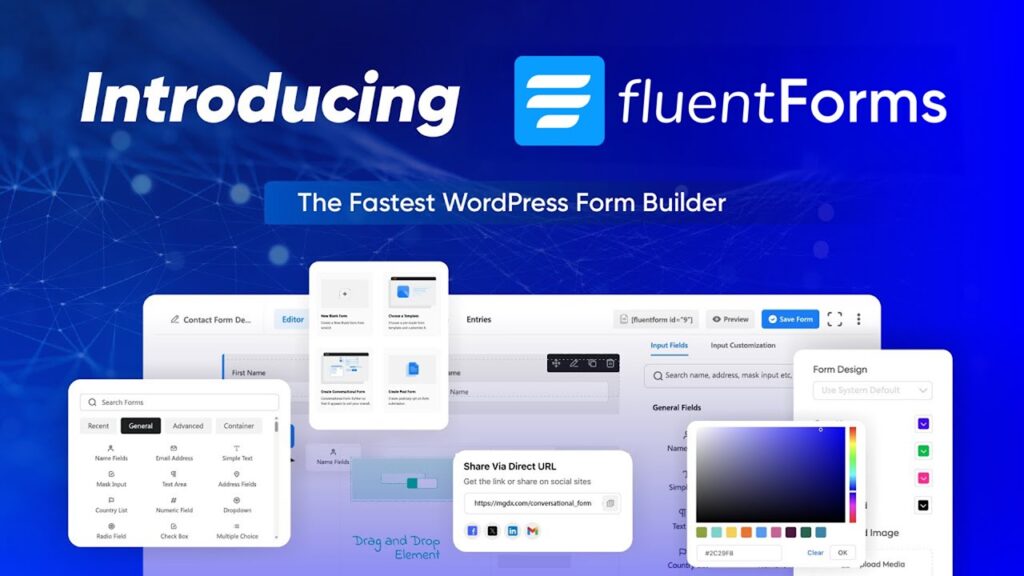
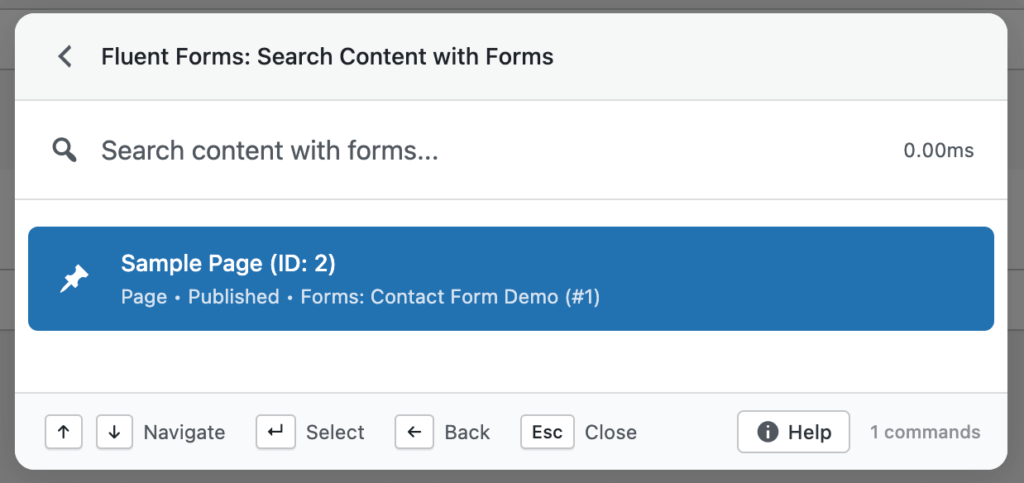
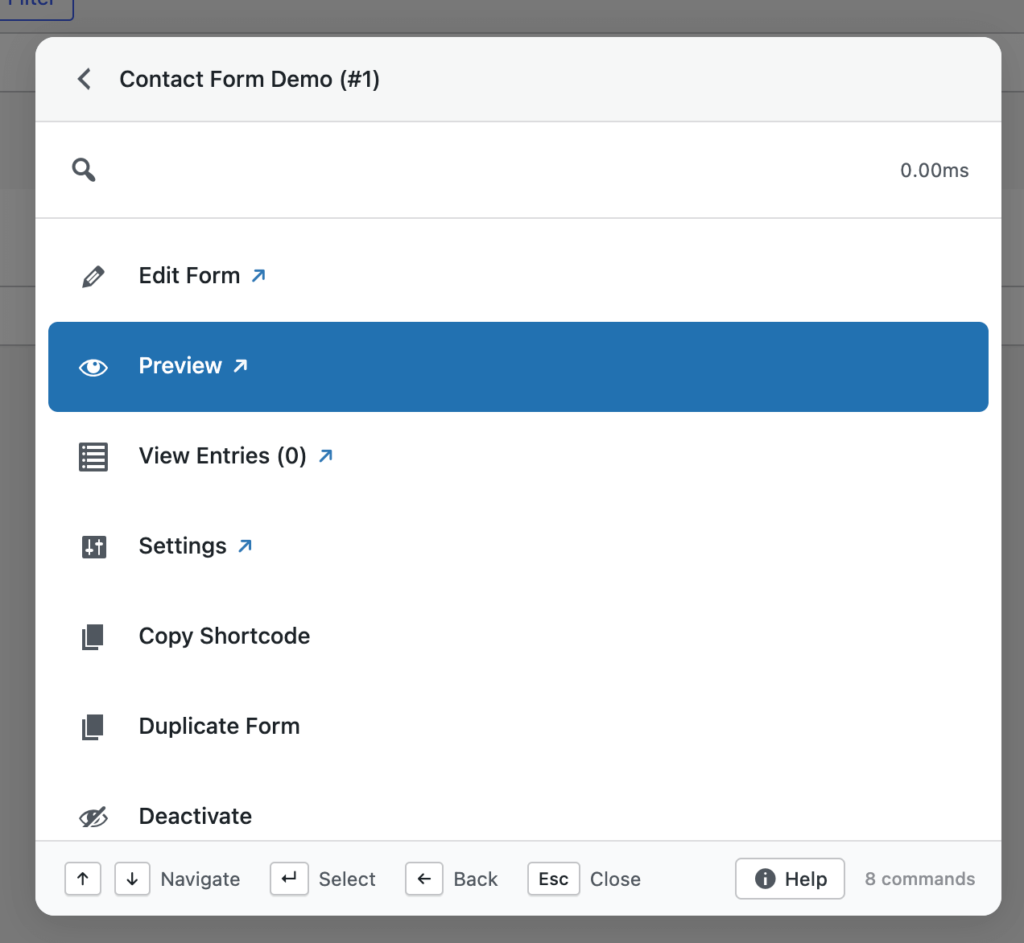
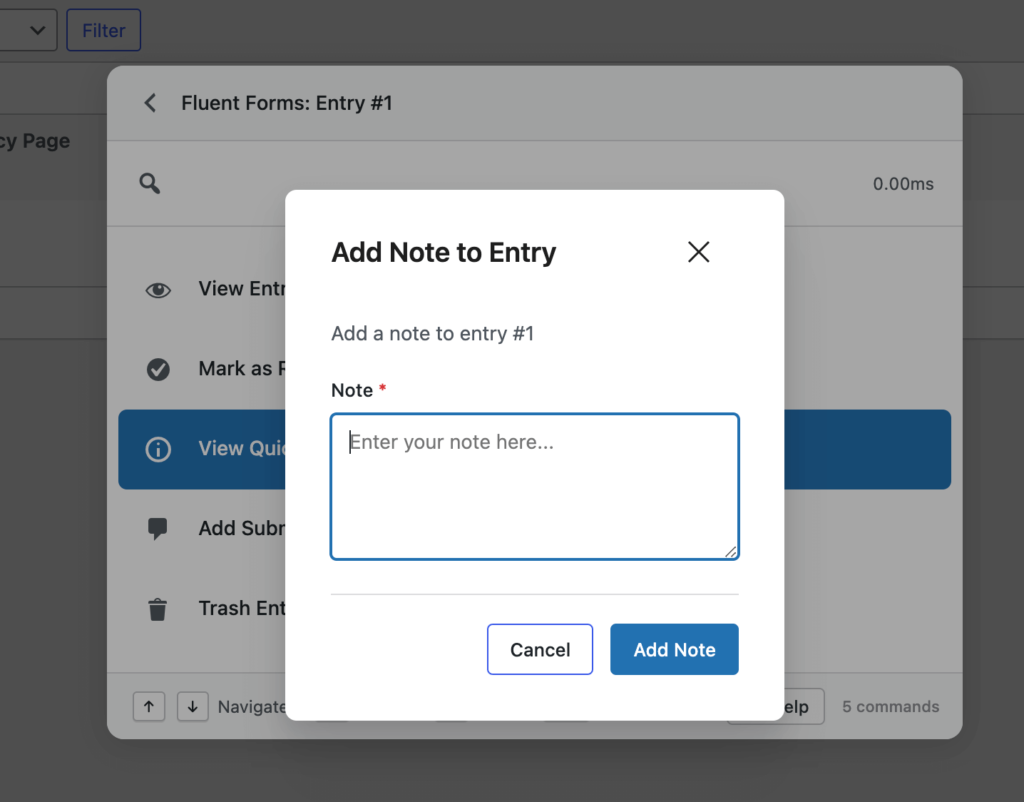
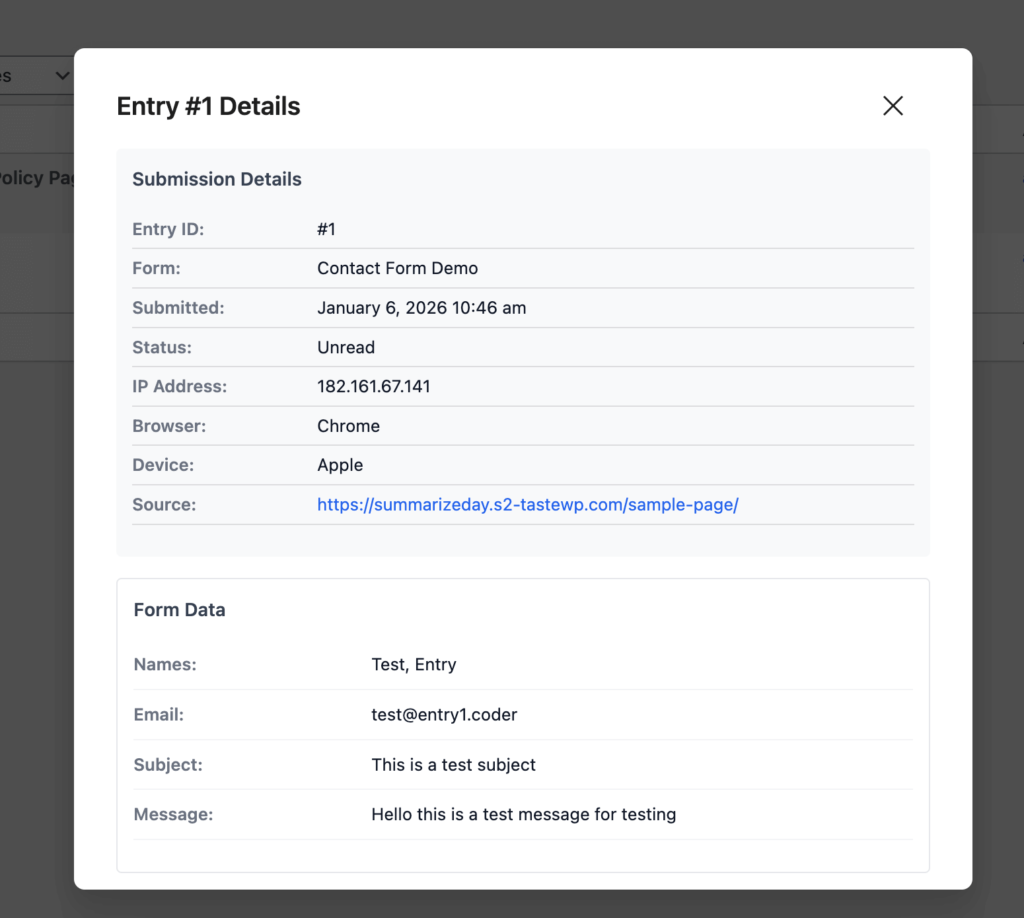
    fluent forms integration in commandify

    Form-heavy sites are where WordPress admin friction shows up the most. Commandify v1.0.5 takes a big step toward fixing that.

    You can now manage Fluent Forms directly from the command palette, without opening Fluent Forms admin pages or switching tabs.

    So, what exactly Fluent Forms is?

    Fluent Forms is a fast, user-friendly, drag-and-drop WordPress plugin to create any type of forms like contact, payment, quiz, survey) without coding. It offers all necessary features you need in a WordPress form plugin and all required integrations.

    Already has over 600k users worldwide!

    With this integration, you can:

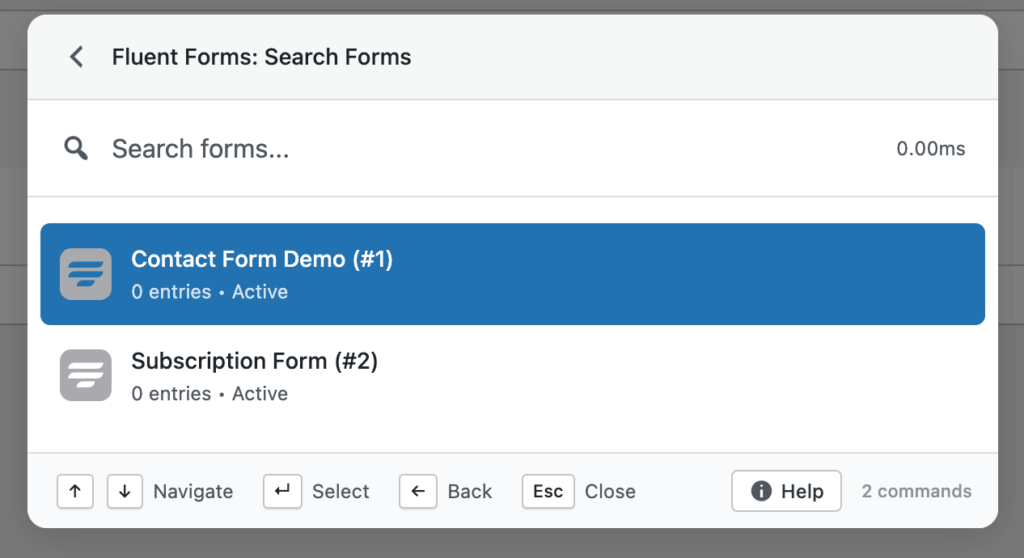
    • Search Fluent Forms, form entries, and transactions
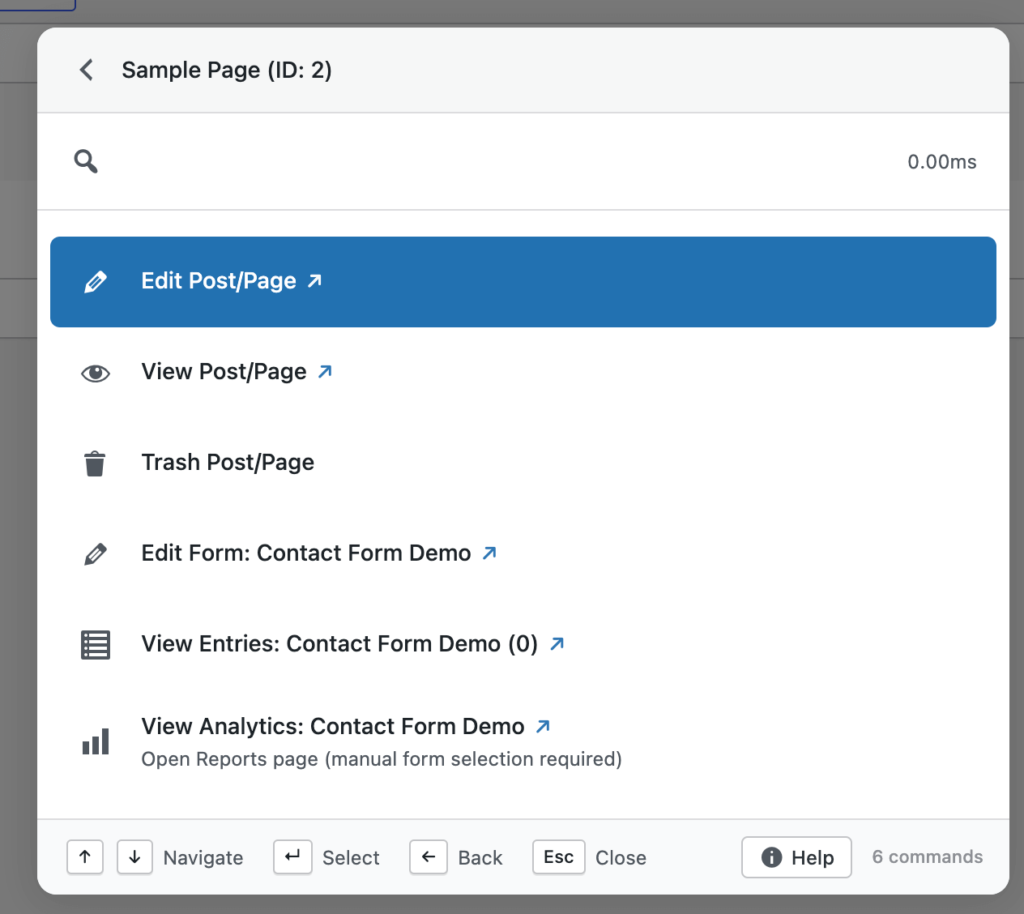
    • Find posts and pages that contain Fluent Forms shortcodes
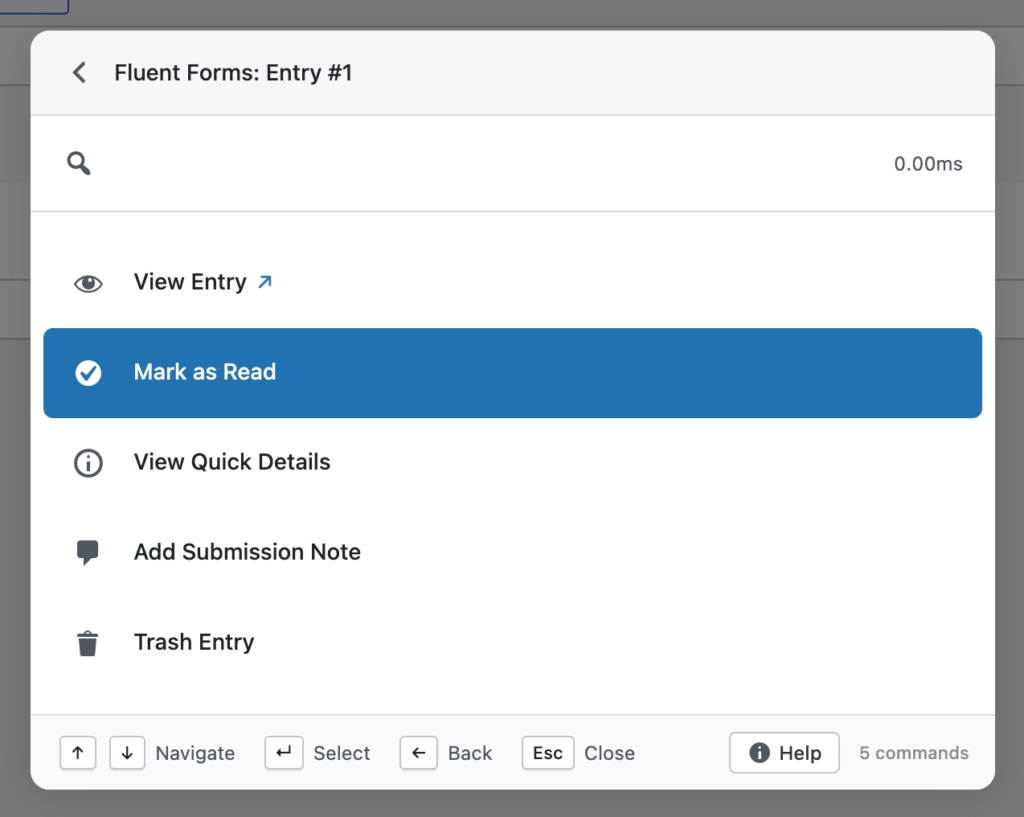
    • Use smart patterns like ffentry:ID or an email address to jump straight to an entry
    • Perform full actions on forms, entries, and transactions from anywhere

    For agencies, support teams, and sites handling large volumes of form data, this turns Commandify into a practical control layer instead of just a navigation tool.
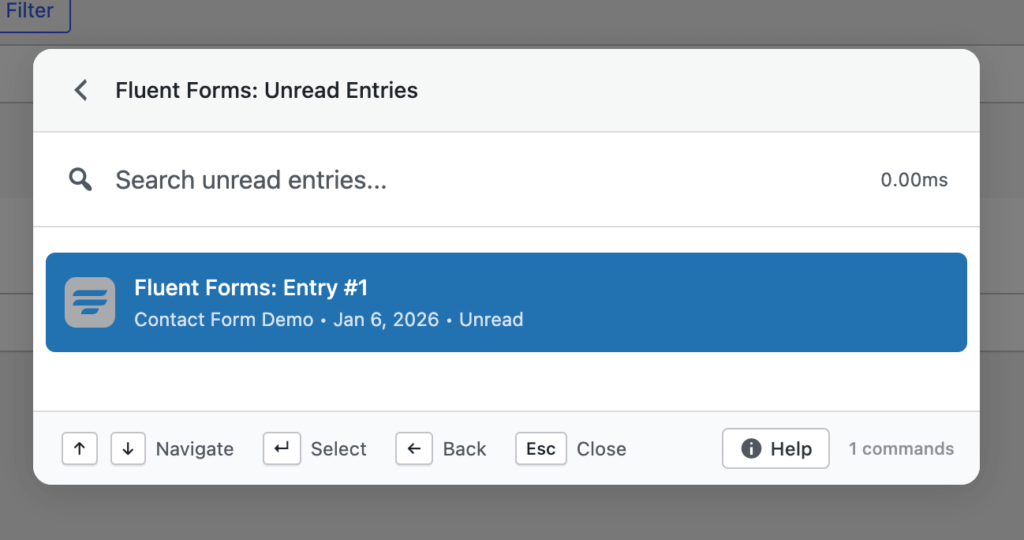
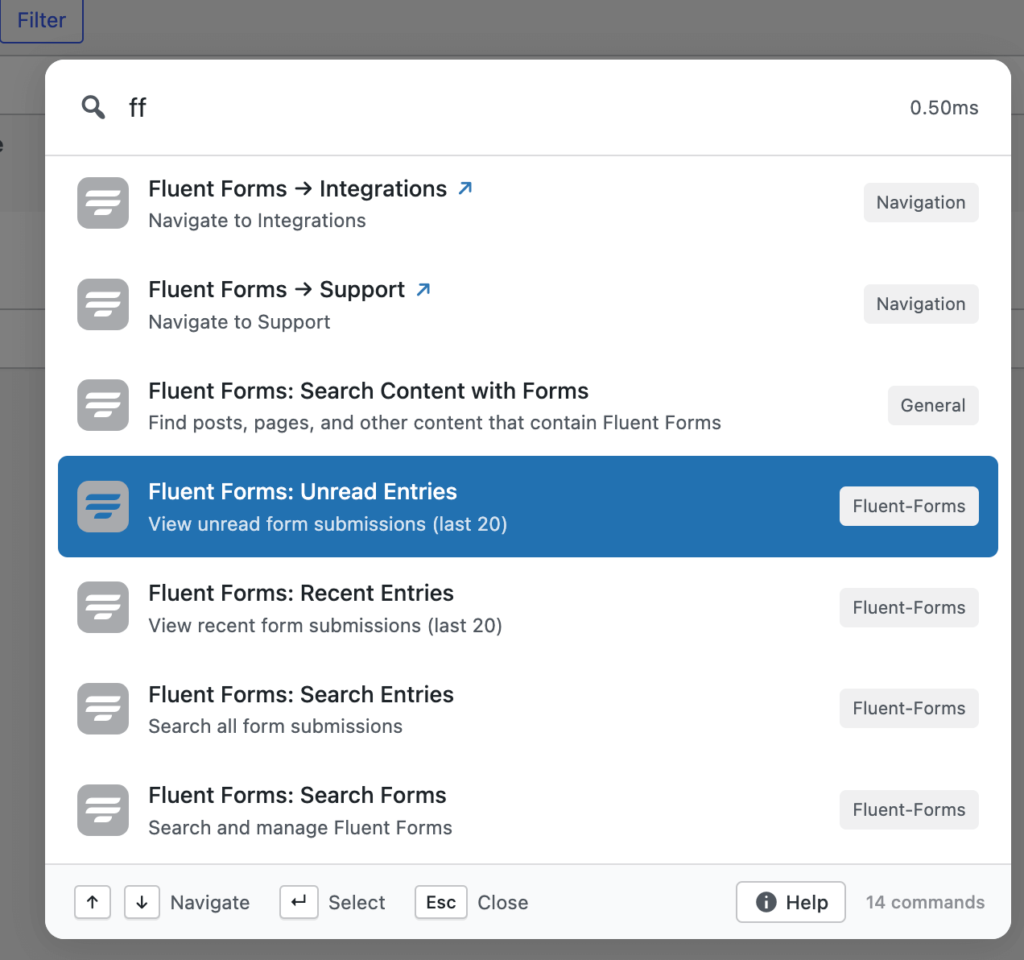
    Check all action commands on Fluent Forms with screenshots.

    Smarter Fuzzy Search (Major Upgrade)

    Search has always been central to Commandify, but v1.0.5 significantly upgrades how results are matched and ranked.

    fuzzy search in commandify

    The new fuzzy search engine introduces:

    • Context-aware scoring
    • Synonym matching
    • More intelligent result ranking
    • Faster responses across large and complex sites

    This means you don’t need to remember exact titles, IDs, or command names.
    Commandify now prioritizes what you’re likely trying to do, not just what you typed.

    In practice, search feels more forgiving, more accurate, and more consistent as sites scale.

    Check all action commands and functionality on Fuzzy Search.

    Built-In Help Panel

    As Commandify grows more powerful, discoverability matters.

    v1.0.5 introduces a built-in help panel, accessible directly from the command palette footer.

    It includes:

    • Keyboard shortcut references
    • Command usage guides
    • Feature documentation

    The goal is simple: help should be available inside the workflow, not hidden behind docs pages or external links.

    Keyboard & Navigation Enhancements

    Several small changes in this release add up to a more natural keyboard-first experience.

    • New tab navigation indicator
      When Cmd (Mac) or Ctrl (Windows) is pressed, a visual ↗ indicator shows that a command will open in a new tab.
    • Double-Shift shortcut
      You can now open the command palette by pressing Shift twice, useful when Cmd/Ctrl conflicts with other tools.

    These changes add flexibility without forcing users into a single workflow style.

    Performance, Stability, and UI Improvements

    v1.0.5 also includes a long list of under-the-hood improvements that directly affect daily use.

    Highlights include:

    • Skeleton loading state to prevent “No commands found” flashes on refresh
    • Faster command loading through smarter caching and readiness checks
    • Improved error handling to avoid crashes on network issues
    • Cleaner CSS architecture for better theme compatibility
    • Polished modal spacing, select fields, and command selection states

    Several fixes also address favorites loading, smart default view behavior, and contextual commands on post list screens.

    The result is a command palette that feels steadier, quicker, and more predictable under real workloads.

    What’s Coming Next

    This release is part of a broader push to expand Commandify’s action coverage across WordPress.

    Actively in progress:

    • More form integrations, including Gravity Forms and WPForms
    • LMS support such as LearnDash and Tutor LMS
    • Membership plugins like MemberPress and Paid Memberships Pro
    • Even deeper, more granular action workflows across WordPress and WooCommerce

    Each new integration follows the same principle: searchable, actionable, and context-aware from the command palette.

    Why Commandify Is Different From Other Command Palette Tools
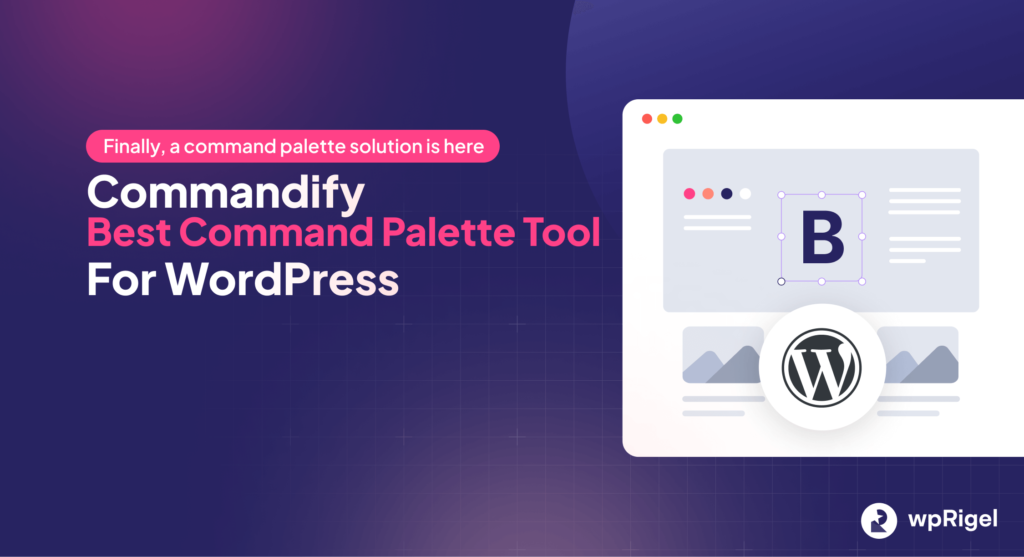
    commandify plugin- commandify v1.0.5

    Most WordPress command palette plugins focus on one thing: search and navigation.

    They help you jump to a page, open a setting, or locate content.
    After that, you’re back to clicking through admin screens, modals, and tabs.

    Commandify takes a different approach.

    It is built around actions, not destinations.

    Instead of asking where you want to go, Commandify is designed around what you want to do– instantly, from anywhere, using a single shortcut.

    That difference shows up clearly in how integrations work and how commands are structured.

    7 Action-Driven Command Types in Commandify that No Other Tools Offer

    Commandify supports multiple command types that work together as real workflows, not shortcuts.

    1. Navigation Commands

    Jump directly to dashboards, tools, settings pages, or custom admin screens.

    2. Search Commands

    Search across posts, pages, users, media, products, forms, entries, and more — from one interface.

    3. Action Commands

    Perform real tasks directly, such as:

    • Publishing or trashing content
    • Updating WooCommerce orders
    • Editing items without opening full editors

    4. Sub-Action Commands

    Trigger nested actions like:

    • Emptying trash
    • Managing templates
    • Executing secondary workflows without extra clicks

    5. Dynamic Pattern Commands

    Paste structured input like:

    • #postID
    • @username
    • ffentry:ID
    • Email addresses
    • Order numbers

    Commandify recognizes the pattern and surfaces relevant actions instantly.

    6. Toggle Commands

    Enable or disable states such as maintenance mode or plugin settings with immediate feedback.

    7. Context-Aware Commands

    Available actions adapt based on where you are:

    • Editor
    • Post list table
    • Frontend view
    • WooCommerce screens
    • Page builders

    The same shortcut behaves differently because the context changes.

    Why This Makes Commandify Ideal For

    This action-first model is especially effective for:

    • Agencies managing multiple WordPress sites
    • WooCommerce store owners handling daily operations
    • Support teams working with form entries and user data
    • Developers and power users who prefer keyboard-driven workflows

    Commandify reduces context switching, shortens task chains, and replaces repetitive admin navigation with direct execution.

    It’s not just faster navigation.

    It’s a command-driven productivity layer for WordPress.

    Integrations by Commandify Command Palette (Commandify v1.0.5)

    Before looking at how Commandify works, it helps to understand how much of WordPress it already controls.

    Commandify includes deep, action-driven integrations with:

    WordPress Core

    • Posts, pages, custom post types
    • Users and roles
    • Media library
    • Admin tools and settings

    WooCommerce

    • Orders and order statuses
    • Products and variations
    • Customers and addresses
    • Coupons and transactional workflows

    Page Builders (Elementor and Bricks Builder)

    • Elementor: template search, edit, duplicate, export, cache actions, frontend editing
    • Bricks Builder: template management, edit with Bricks, CSS regeneration, cache handling

    Forms & Submissions (Contact Forms 7 with Flamingo and Fluent Forms)

    • Fluent Forms: forms, entries, transactions, pattern-based entry lookup
    • Contact Form 7: form search, shortcode detection, form actions
    • Flamingo: submission search, spam handling, restore, delete

    Utilities (User Switching)

    • User Switching: secure role switching for testing and support workflows

    These integrations are not read-only.
    They are designed so commands return actions, not just links.

    The Action-First Architecture of Commandify Command Plugin

    commandify banner with free and pro features listed on it- commandify changelog

    This is where Commandify separates itself from typical command palette tools.

    Most palettes stop at:

    • “Open this page”
    • “Go to that screen”

    Commandify treats actions as first-class features.

    You don’t just find things.
    You act on them immediately, without loading full admin pages or breaking focus.

    Frequently Asked Questions on Commandify v1.0.5

    Is Commandify just a search tool?

    No. Search is only one part of Commandify. The core focus is on performing real actions directly from the command palette, not just navigating to pages.

    Does Commandify work with large or complex sites?

    Yes. Features like advanced fuzzy search, dynamic pattern recognition, and optimized command loading are designed specifically for large sites with lots of content and data.

    Which features require Commandify Pro?

    Pro unlocks advanced integrations such as Fluent Forms, WooCommerce workflows, contextual command packs, and deeper action handling. Core navigation and search are available in the free version.

    Can Commandify replace multiple admin plugins?

    In many cases, yes. By centralizing actions, search, and workflows into one interface, Commandify reduces the need for separate navigation, utility, and productivity plugins.

    Does Commandify slow down WordPress admin?

    No. Commandify v1.0.5 includes performance optimizations like smarter caching, readiness checks, and improved error handling to keep the command palette fast and stable.

    The wpRigel Team

    January 8, 2026
    Product Updates, Commandify
  • Commandify v1.0.4 Now live! Frontend Commands, WordPress 6.9 Compatibility & Deeper WooCommerce Control

    Commandify v1.0.4 Now live! Frontend Commands, WordPress 6.9 Compatibility & Deeper WooCommerce Control

    We’re back with another weekly update and this one brings some of the most requested improvements to Commandify just before the holiday season.

    Over the past week, the team focused on making Commandify more flexible, more future-proof, and more powerful for real-world workflows, especially for WooCommerce stores, page builder users, and keyboard-first WordPress professionals.

    With Commandify v1.0.4, we focused on:

    • Making Commandify usable beyond wp-admin with frontend support
    • Ensuring full compatibility with WordPress 6.9
    • Expanding WooCommerce, Elementor and Bricks Builder workflows with deeper, safer actions

    This release is less about adding surface-level features and more about strengthening Commandify as a reliable, long-term productivity layer for WordPress professionals.

    Let’s walk through what’s new.

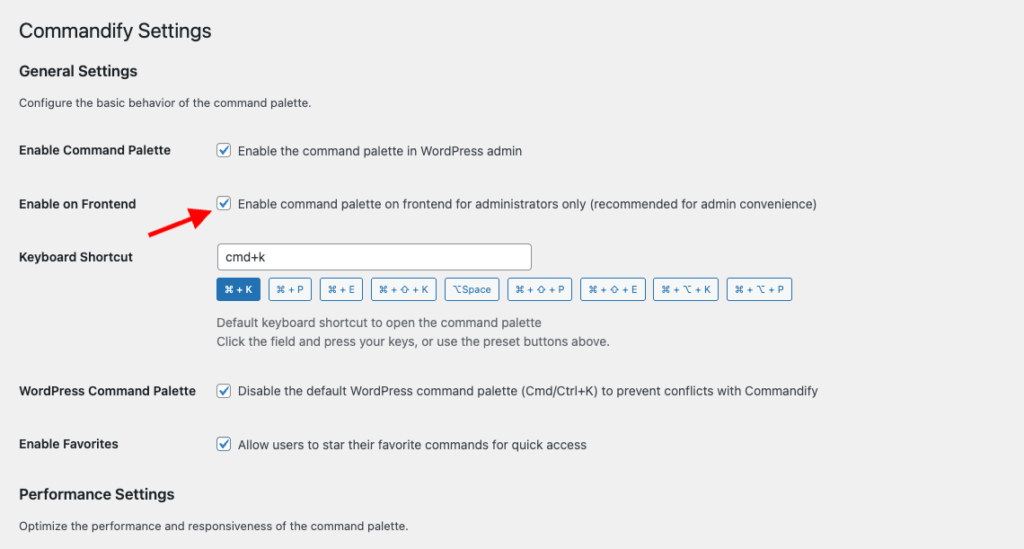
    Frontend Command Palette (Opt-In)

    Commandify can now be used on the frontend of your site when you are logged in as an administrator or editor.

    enable-commandify-support-on-frontend

    Once enabled from the settings page, the command palette becomes available while viewing posts, pages, and custom post types on the frontend. This allows you to:

    • Open content directly in the editor
    • Trigger contextual actions without switching to wp-admin
    • Move between editing and reviewing content without breaking flow

    The frontend palette uses theme-independent styling, ensuring a consistent look and behavior regardless of the active theme. This avoids layout conflicts and keeps the palette readable across different designs.

    Frontend support is intentionally opt-in, giving site owners full control. This ensures security-sensitive environments can decide when and where frontend commands should be available.

    Download Commandify for Free.

    WordPress 6.9 Compatibility (No Shortcut Conflicts)

    WordPress 6.9 introduces its own native command palette, which also uses Cmd/Ctrl+K.

    In v1.0.4, Commandify adds a dedicated setting that allows you to disable the default WordPress command palette when needed. This prevents shortcut conflicts and ensures a predictable experience.

    This update was important for two reasons:

    • It avoids overlapping keyboard shortcuts
    • It ensures Commandify remains stable across future WordPress releases
    wordpress 6.9 overview

    Rather than competing with core features, Commandify integrates cleanly into the evolving WordPress ecosystem.

    WooCommerce: Customer Actions Get Smarter

    This release significantly improves WooCommerce customer workflows, especially for store owners and support teams.

    You can now:

    • View customer billing and shipping addresses in a clean, read-only modal
    • Update billing or shipping addresses directly from the command palette
    • Use searchable country and state dropdowns that follow WooCommerce’s field order

    These actions are designed for accuracy and speed. Instead of opening customer profiles, scrolling through tabs, and saving forms manually, everything happens inside a focused modal.

    Dynamic country and state selection ensures fewer errors when updating addresses, which is especially helpful for stores handling international customers.

    Under the hood, customer actions are now generated using a centralized action system, making them consistent across different contexts.

    Page Builder Improvements (Elementor & Bricks)

    commandify integration with elementor
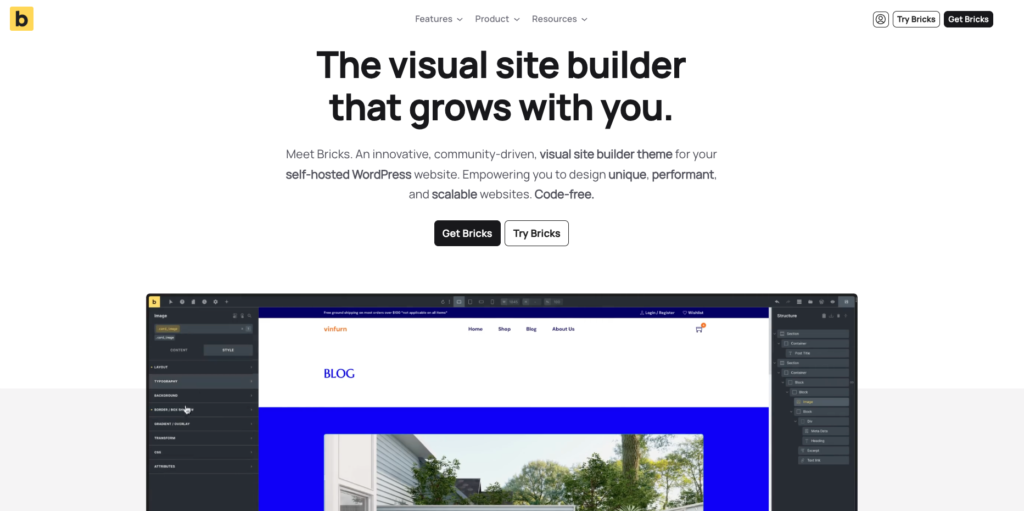
    bricks builder integration with commandify pro- bricks builder home page

    Commandify v1.0.4 improves how page builder actions behave across both backend and frontend contexts.

    Elementor Enhancements

    • “Edit with Elementor” now appears consistently on the frontend for all Elementor-supported post types
    • Keyboard shortcuts work reliably inside Elementor’s iframe
    • Contextual commands behave the same whether you’re editing or viewing content

    This makes it easier to move between reviewing a page and jumping straight into visual editing.

    Bricks Improvements

    • Bricks actions now use the same centralized post action system as other integrations
    • Commands respect Bricks’ post type settings automatically
    • Behavior is consistent across list views, editors, and frontend pages

    These changes reduce edge cases and make builder actions feel predictable and integrated, rather than bolted on.

    Contact Form 7 & Flamingo Fixes

    commandify integration with contact form 7- contact form 7 home page
    commandify integration with flamingo for contact form 7

    This release also includes several important fixes for Contact Form 7 and Flamingo users.

    Issues around deleting forms, copying shortcodes, and incomplete search results have been resolved. All form searches now include all post statuses, and copied shortcodes no longer include escaped characters.

    These fixes improve reliability for teams that manage large numbers of forms and submissions.

    UX, Stability & Performance Improvements

    Alongside new features, v1.0.4 includes multiple refinements that improve daily usability:

    • Better icon alignment inside the palette
    • Improved modal sizing for complex forms
    • Keyboard scrolling support inside scrollable modals
    • More consistent post actions across search and dynamic lookups

    Several edge-case bugs were also fixed, including duplicate post creation and undefined variable errors in frontend commands.

    These changes don’t add new buttons — but they make existing workflows smoother and more trustworthy.

    Why This Release Matters

    Commandify is increasingly used as a primary interface, not a secondary shortcut tool.

    With frontend support, WordPress 6.9 compatibility, deeper WooCommerce actions, and consistent page builder behavior, v1.0.4 reinforces a clear direction:
    Commandify is built for doing work, not just navigating menus.

    Many command palettes focus on search and redirection. Commandify continues to focus on actions, context, and workflows — especially where WordPress becomes complex.

    Why Commandify Is Now the Most Powerful WordPress Command Tool

    At this point, Commandify goes far beyond what traditional command palettes offer.

    Unlike search-only tools, Commandify is built around actions and workflows, including:

    • Context-aware commands that change based on where you’re working
    • Deep WooCommerce control (orders, products, customers)
    • Form management with Contact Form 7 + Flamingo
    • Page builder template management (Elementor & Bricks)
    • User role switching for testing and support
    • One-click maintenance actions
    • Pattern recognition for IDs, emails, and users

    These are capabilities that simply don’t exist together in other command palette tools — especially not with this level of depth.

    wpRigel: Building Focused Tools, Not Feature Noise

    At wpRigel, every release follows a simple principle: improve real workflows before adding new surface features.

    Commandify v1.0.4 reflects that mindset. Instead of chasing shortcuts or UI trends, this release strengthens areas that users rely on daily — editing, reviewing, managing customers, and maintaining sites.

    Alongside Commandify, wpRigel continues to develop Pollify, a fully Gutenberg-native polling and engagement plugin designed for modern WordPress sites. Pollify follows the same philosophy: native tools, clean UX, and no unnecessary abstractions.

    wpRigel is a small team, but highly focused. Each update is shaped by real usage, user feedback, and long-term maintainability. Rather than shipping everything at once, features are released once they’re stable, secure, and consistent.

    This approach allows wpRigel products to scale with users — from individual site owners to agencies managing dozens of WordPress installs.

    What’s Coming Next on Commandify

    Work is already underway on:

    • More form integrations (Fluent Forms, Gravity Forms, WPForms)
    • LMS integrations (LearnDash, Tutor LMS)
    • Membership tools (MemberPress, Paid Memberships Pro)
    • Expanded frontend workflows and contextual actions

    As always, new features will roll out gradually, with stability and usability as the top priority.

    The wpRigel Team

    December 19, 2025
    Commandify, Product Updates
  • wpRigel Weekly Updates: Major Releases across Commandify and Pollify

    wpRigel Weekly Updates: Major Releases across Commandify and Pollify

    This week’s rollout is one of our heaviest yet. Both versions of Commandify received significant new capabilities, and Pollify shipped important privacy and accessibility updates.

    If you work on WordPress sites daily, these changes should give you more control and shave minutes off repetitive tasks.

    Commandify Pro and Free: A Closer Look at What Shipped

    commandify banner with free and pro features listed on it- commandify changelog

    We pushed two releases for Commandify back-to-back v1.0.1 (Dec 1) and v1.0.2 (Dec 2). Together they introduce long-awaited integrations, faster search, and a more consistent command experience across the dashboard.

    Elementor integration arrives

    Elementor has always been one of the top feature requests from our users. This release introduces a complete first version of that integration. It gives you template search, template actions (export, duplicate, copy, rename), “Edit with Elementor” for posts and pages, and quick access to actions like regenerate CSS, sync library, and clear cache.

    We built this with the goal of making it more usable and flexible than similar command palettes offered by competitors such as CommandUI. It’s available in both Free and Pro, with deeper template actions unlocked for Pro users.

    User switching added to Pro

    User Switching is now built directly into Commandify Pro.

    You can switch to any user, browse the last 20 accounts you interacted with, and switch back when you’re done. The palette shows your active switch session in “User Switch Status,” and all URLs work cleanly across multisite setups.

    This is one of the most useful additions for support teams, agencies, and developers replicating user-level issues.

    Speed improvements across search

    We introduced instant static results for common search queries, static result preloading, and a new dynamic action handler that makes command execution more predictable. Redirect URLs now decode HTML entities properly, improving REST-driven actions.

    Commandify also now includes multiple new filters for developer customization including:

    • commandify_search_user_actions
    • commandify_search_{post_type}_actions
    • commandify_search_post_type_args

    A new COMMANDIFY_DEV_MODE constant gives local developers a cleaner way to test Pro features.

    WooCommerce refinements

    Search results are more consistent and now surface recent orders and customers instantly. The internal structure for WooCommerce, Elementor, and User Switching integrations was reorganized for better long-term maintenance.

    Fixes and architecture improvements

    The release also includes adjustments like:

    • Fixing ampersand URL issues
    • Removing duplicate Elementor commands
    • Correcting “Switch Back” logic
    • Using proper WordPress capabilities for User Switching
    • Improved dynamic form evaluation
    • Updated testing documentation and implementation notes

    These updates reflect everything listed in the v1.0.2 changelog and align with the architectural direction documented in our internal references.

    Commandify Free: Quality-of-life Additions

    Version 1.0.1 of Commandify Free introduced several new commands and a cleaner UI.

    New commands

    • Visit Site: open the frontend instantly from the palette
    • Instant Log Out: sign out without navigating to the profile page
    • Post Status Control: change post status directly from command options

    UI and behavior improvements

    • User search now shows proper user icons
    • Media search displays thumbnails
    • Default results always show the latest 10 items across posts, users, and media
    • The palette stays open after maintenance actions like cache clearing or rewrite flush
    • Debounced API requests help search feel smoother while typing

    These updates make the free version more capable for everyday site management.

    Explore Commandify Changlog!

    Pollify Update: Privacy and Accessibility Improvements

    Pollify’s latest update introduces anonymous voting, a key request from users who handle GDPR-sensitive projects. You can now offer polls without linking responses to trackable identifiers.

    We also added the option to send a poll block to Trash right from the editor. Accessibility labels were refined, and an undefined get_result warning was resolved.

    This aligns with our long-term Pollify roadmap described in the knowledge base.

    Explore Pollify Changlog!

    What we are building next for Commandify

    Our current development sprint includes:

    • Integrations for Gravity Forms, Fluent Forms, and WPForms
    • A Bricks Builder integration with navigation and builder-level actions

    These are already in testing and scheduled for rollout within the next few days.

    BFCM Offer 2025 Still Available

    Our Black Friday/Cyber Monday offer is still live.

    Commandify Pro starts at $39/year and Pollify Pro starts at $31/year, with both yearly and lifetime plans included in the discount.

    wpRigel-BFCM-deals

    If you’re exploring our tools for the first time or planning to upgrade, this is the best time to lock in pricing before the next set of integrations ships.

    Stay Connected with wpRigel and The Products We Build

    wpRigel started with a simple goal: build lightweight, focused tools that remove friction for creators, marketers, developers, and agencies working inside WordPress every day.

    We don’t chase bloated feature lists or heavy interfaces. Instead, we ship products that solve specific problems with clean UX and reliable performance.

    Pollify was our first step toward that mission- a block-native poll creator built for the modern Gutenberg editor. No shortcodes, no external dashboards, just a straightforward way to gather feedback and run voting experiences on WordPress sites. Today, Pollify Pro extends that idea with engagement blocks, like/dislike voting, NPS polls, and exportable reports.

    Commandify grew from watching users jump across menus to complete basic tasks. Our goal with Commandify is to give WordPress a command palette that feels fast, predictable, and helpful for both beginners and power users. The new integrations reinforce that direction: an interface where everything you need is a few keystrokes away.

    We are still a small team, but product quality is our priority. The roadmap for both plugins comes directly from user conversations, agency workflows we observe, and our own experience building WordPress sites for years.

    Each release (whether it’s a quality-of-life improvement or a major integration) is meant to reduce the mental overhead of managing multiple plugins, settings, and screens.

    As we continue expanding wpRigel’s product lineup, our focus remains the same: build tools that feel natural inside WordPress and give users more control without adding complexity.

    The wpRigel Team

    December 3, 2025
    Product Updates, Commandify, Pollify
wprigel logo

wpRigel builds innovative WordPress plugins for developers, marketers and agencies. Be with us, get more users for your business and increase conversion using our powerful tools.

  • x.com icon
  • linkedin icon

Products

  • Pollify
  • Commandify
  • Automatify (coming soon)

Company

  • Affiliate Program
  • About Us
  • Contact Us
  • Privacy Policy
  • Terms and Conditions

Resources

  • Docs & Changelog
  • Blog
  • Support Area
  • Refund policy
  • Pricing for Pollify & Commandify

Comparisons

  • Commandify vs CommandUI
  • Pollify vs CrowdSignal

Changelogs

  • Commandify Changelog
  • Pollify Changelog

wpRigel 2026. All Rights Reserved

  • Terms of use
  • Privacy Policy
  • Cookie Policy