



Poll vs Survey vs Quiz: Which Should You Use on WordPress?

Use a poll when you want one quick answer from many people, a survey when you need several answers and the reasons behind them, and a quiz when the visitor should get a personal result back. The difference is how much you ask and what the visitor gets in return.
Picking the wrong format is the most common reason interactive content gets ignored. A ten-question survey in the middle of a blog post rarely gets finished, while a one-click poll in the same spot often does.
Side-by-Side Comparison
| Poll | Survey | Quiz | |
|---|---|---|---|
| Questions | 1 | Several, often 3 to 20 | Several |
| Time to answer | Seconds | A few minutes | A few minutes |
| What the visitor gets | See how others voted | Usually nothing | A personal result or score |
| What you get | A quick read of opinion | Detailed, structured feedback | Engagement, and often leads |
| Best placed | Inside articles, sidebars | Dedicated pages, follow-up emails | Landing pages |
Polls: One Question, Instant Answers
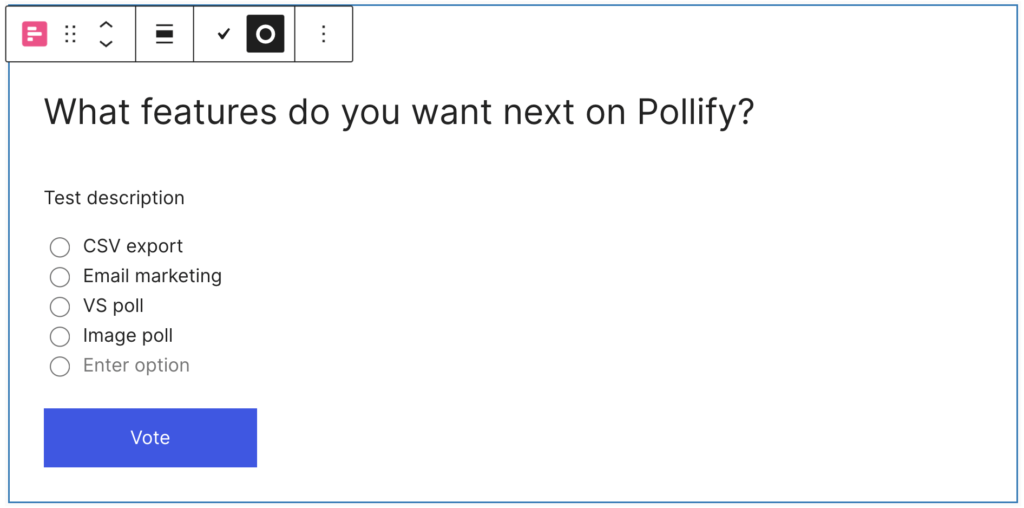
A poll asks a single question with a few answers. It takes one click, and many polls show the results straight away, which is the visitor’s reward for taking part.
Good for: reader opinions, choosing your next topic, product preferences (colours, features), quick community check-ins.
Not good for: understanding why people feel a certain way, or anything that needs more than one question.
Surveys: Depth and Reasons
A survey asks several questions, often mixing multiple choice, rating scales and open text. You learn far more, but every extra question means fewer people finish.
Good for: customer satisfaction, post-purchase or post-course feedback, research before a launch.
Not good for: casual readers in the middle of an article. Ask them one question instead.
A Net Promoter Score survey is a useful middle ground: one 0 to 10 question plus an optional comment. See how to run an NPS survey in WordPress.
Quizzes: A Result in Exchange for Answers
A quiz gives each person an outcome, such as a score, a personality type or a product match. That personal payoff is why people finish them.
Good for: product recommendations, lead generation, testing knowledge on course sites.
Not good for: honest opinion research. People answer to get a result, not to tell you what they think.
Which One Should You Use?
| Your goal | Format |
|---|---|
| Get readers to engage with an article | Poll |
| Decide what to write or build next | Poll |
| Measure customer loyalty | NPS survey |
| Understand why customers leave or stay | Survey |
| Recommend the right product | Quiz |
| Grow an email list | Quiz with an email step |
Placement Matters as Much as Format
- Inside articles: polls. One click fits the reading flow.
- Sidebars and footers: polls that run site-wide. See how to add a poll to your sidebar or footer.
- After a purchase or a course: short surveys or NPS, while the experience is fresh.
- Landing pages: quizzes that end with a recommendation.
Tools for Each Format on WordPress
- Polls: a poll block such as Pollify (free) lets you add polls anywhere the block editor reaches.
- Surveys: a form builder with survey features suits multi-question surveys. For NPS, a dedicated NPS block is quicker.
- Quizzes: use a dedicated quiz plugin, which handles scoring and results pages.
Frequently Asked Questions
Is a poll the same as a one-question survey?
Close, but a poll usually shows results to voters and is meant to be quick and public. A survey question is normally private and part of a longer set.
Can I use more than one format on the same site?
Yes, and most sites should: polls in articles, an NPS survey for customers, and a quiz on a landing page if it suits your product.
Which format gets the most responses?
Polls, because they ask the least. Every extra question you add means some people stop before the end.
Next Steps
If you are not using any interactive content yet, start with one poll in your most-read article. Our poll tutorial takes about five minutes.