



Free WordPress Poll Plugin: What to Look For (and What Pollify Free Includes)

A good free WordPress poll plugin should let you create unlimited polls, show results after voting, stop duplicate votes and close polls on a date, without limits on votes or a required outside account. Pollify Free covers all of that, so here is what you get, what you do not, and how to judge any free poll plugin.
What to Look For in a Free Poll Plugin
- No vote or poll limits. Some free tiers cap responses, so a popular poll stops working.
- No outside account. Hosted poll services keep your data on their servers and need a separate login.
- Works in the block editor. Adding a poll should be as easy as adding an image, without copying shortcodes.
- Duplicate vote protection. Without it, anyone can vote over and over.
- Control over results. You should decide whether voters see results, a message, or nothing.
- An end date. Polls should be able to close on their own.
What You Get in Pollify Free
| Feature | Included |
|---|---|
| Unlimited polls and votes | Yes |
| Single and multiple choice answers | Yes |
| Show results or a thank-you message after voting | Yes |
| Close a poll automatically on a date and time | Yes |
| Choose what shows after closing: results, a message, or nothing | Yes |
| One vote per IP address | Yes |
| Require login, with one vote per user | Yes |
| Anonymous voting (no IP stored) | Yes |
| Colours, spacing, borders and button styling | Yes |
| Dashboard with totals, recent votes and locations | Yes |
| Delete individual votes, or reset a poll | Yes |
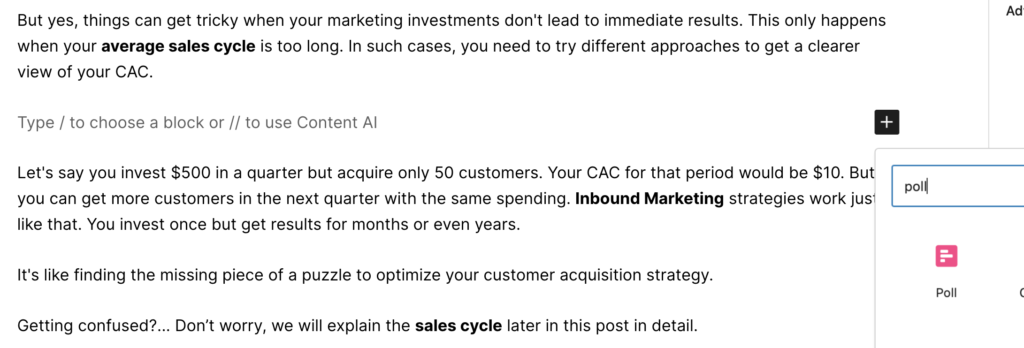
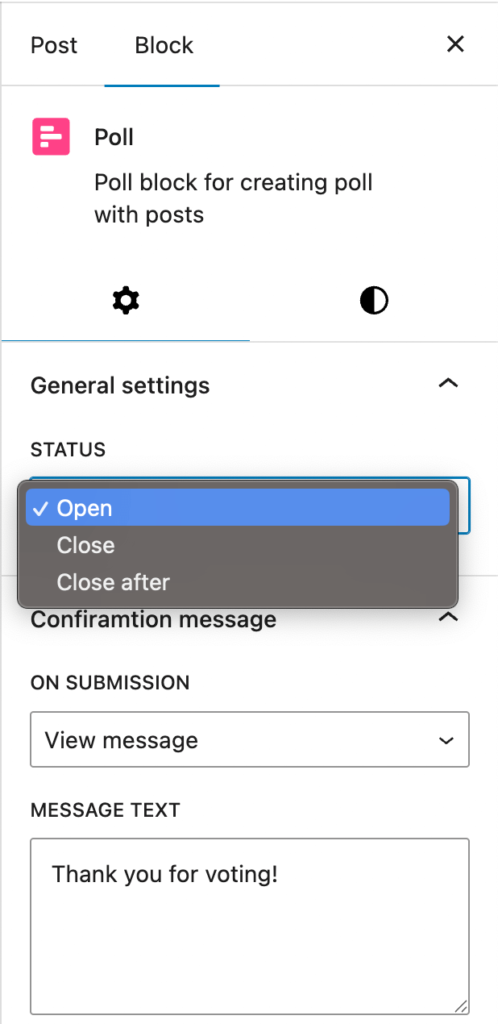
Setting up a poll
Add the Poll block, type your question and answers on the canvas, and use the sidebar for the rest: status and end date, what voters see after voting, and duplicate protection.
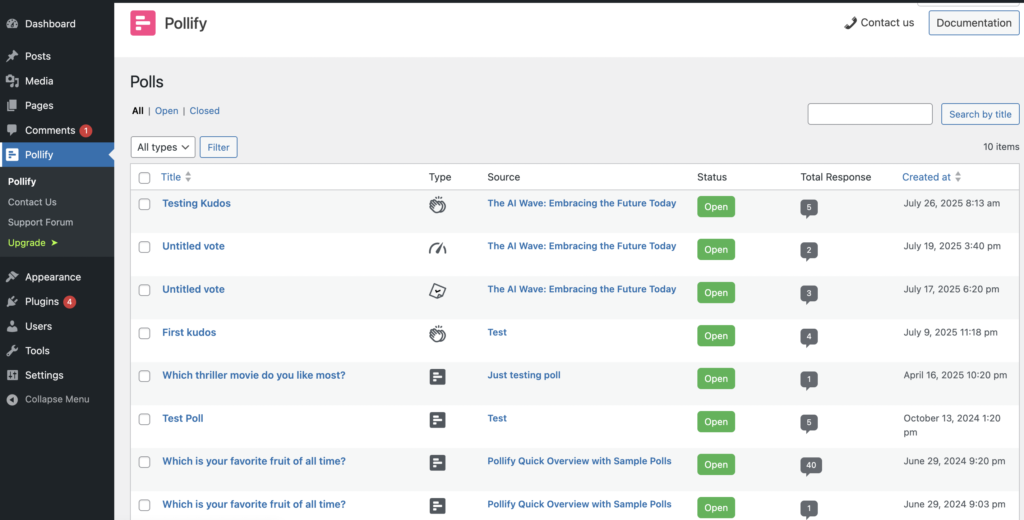
Seeing your results
Every poll appears under Pollify > All Polls with its status and total responses. Open one for vote counts per answer, recent votes, locations and IP details.
What Needs Pollify Pro
Pollify Pro adds different kinds of feedback and data tools:
- NPS surveys (0 to 10 with an optional comment)
- Kudos (applause) and Up/Down voting
- The Engagement block for open-text feedback
- Blocking specific IP addresses
- Export to CSV, Excel, PDF and Word
If you only need standard polls, you can stay on the free version for as long as you like.
How Other Free Options Compare
- Hosted poll services such as Crowdsignal work, but store votes on their servers and need an account. See our Pollify vs Crowdsignal comparison.
- Form builders’ free versions can collect answers, but poll results often need a paid plan. WPForms, for example, includes polls only from its Pro plan. See Pollify vs WPForms polls.
- Other poll plugins vary a lot in limits and editor support. Our roundup of the best WordPress poll plugins compares them.
Frequently Asked Questions
Is Pollify Free really unlimited?
Yes. There is no limit on the number of polls or votes in the free version.
Do I need an account or API key?
No. Install it from WordPress.org, activate it, and add a Poll block. Votes are stored in your own WordPress database.
Can I make polls anonymous on the free version?
Yes. Tick Enable Anonymous Voting in the block’s Response settings. Our anonymous poll guide explains how duplicate votes are still prevented.
Next Steps
Install the plugin, add one poll to a popular post, and set it to show results after voting. Then add duplicate protection and an end date.