



Zapier Pricing 2026: Every Plan, Real Task Costs, and What WordPress Sites Actually Pay

Zapier’s Professional plan starts at $19.99 per month. Most WordPress sites running real automation pay two to five times that within 60 days.
Here is the full breakdown of every plan, how task billing actually works, what trips people up, and whether it is worth it for a WordPress-first business.
Quick answer: Zapier charges per action step, not per workflow. A five-step Zap costs five tasks every time it runs, not one. At 200 WooCommerce orders a month with a four-step order workflow, you burn 800 tasks before any other automation runs. The Professional plan includes 750.
Running a WordPress site?
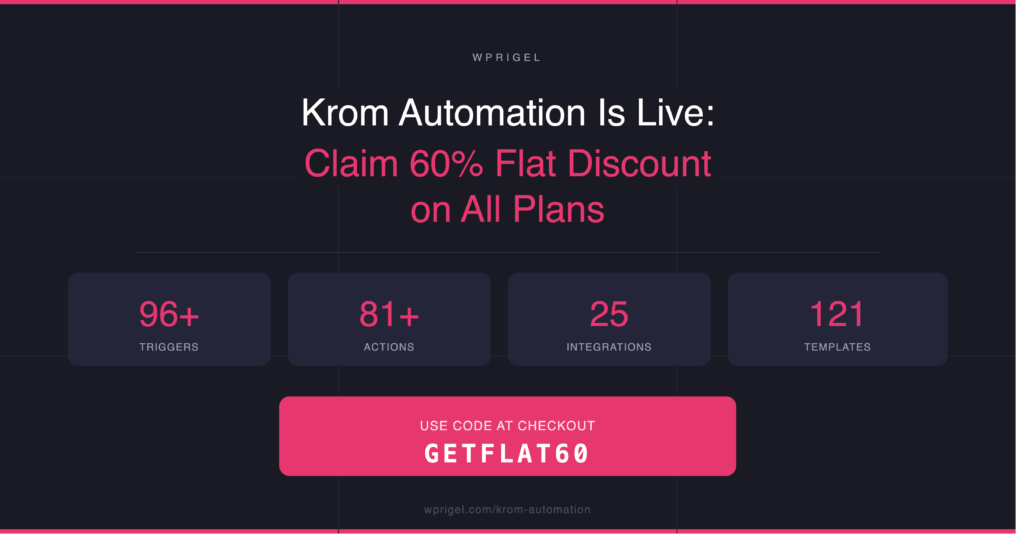
Krom Automation is a visual workflow automation plugin that runs natively inside WordPress. No per-task billing, no external service, no overage surprises. See pricing to 60% off launch week with code GETFLAT60.
Zapier pricing plans in 2026
| Plan | Monthly (annual billing) | Monthly (monthly billing) | Tasks per month |
|---|---|---|---|
| Free | $0 | $0 | 100 |
| Professional | From $19.99 | From $29.99 | 750 to 2M+ |
| Team | From $69.00 | From $103.50 | 2,000+ shared |
| Enterprise | Custom | Custom | Custom |
Two things on that table worth flagging immediately.
The gap between annual and monthly billing is large. The Professional plan at the 2,000-task tier is $33.99 a month billed annually and roughly $50 billed monthly. That is a 47% premium for flexibility.
The entry Professional price you see advertised, $19.99, buys 750 tasks. Most teams discover within two weeks that they bought the wrong tier.
What a task in Zapier actually is
Zapier charges by tasks, not by Zaps.
A Zap is the automation. A task is each individual action step that runs successfully inside it. The trigger that starts a Zap is free. Filters, formatters and path logic steps are free. Every other action step costs one task every time it fires.
This distinction matters once your automations have more than two steps. Almost nothing useful is a two-step Zap.
A Zap that catches a new WooCommerce order, creates a contact in your CRM, adds them to Mailchimp, and posts a Slack alert uses four tasks per run. Not one. Every order consumes four tasks.
At 200 orders a month, that single workflow burns 800 tasks. The Professional plan’s base allowance is 750.
Zapier Pricing: The per-tier breakdown
Free
100 tasks a month. Two-step Zaps only, meaning one trigger and one action. No filters, no conditional logic, no multi-step flows.
Suitable for a single simple relay, like saving Gmail attachments to Google Drive. The moment you need a filter or a second action, you have outgrown it. Most users hit that wall within a week of serious use.
Professional
The plan where Zapier actually becomes useful. Unlocks unlimited multi-step Zaps, filters, paths, webhooks, and all app connectors.
| Tasks per month | Monthly (annual) | Monthly (monthly) |
|---|---|---|
| 750 | $19.99 | $29.99 |
| 2,000 | $33.99 | $49.99 |
| 5,000 | $66.99 | $99.99 |
| 10,000 | $93.99 | $139.99 |
Paths (conditional branching) and Autoreplay (automatic retry on failure) are Professional-only features. For any workflow where reliability matters, these are not optional.
Team
Starts at $69 a month billed annually. Adds shared Zap folders, multiple users with permission controls, and premier support. The task pool is shared across all users on the account.
| Team size | Monthly (annual) | Per person |
|---|---|---|
| 3 people | $69 | $23.00 |
| 5 people | $69 | $13.80 |
| 10 people | $69 | $6.90 |
The Team plan makes financial sense at around four or five active users. Below that, two separate Professional accounts at $19.99 each are cheaper unless you specifically need shared folders and permission controls.
Enterprise
Custom pricing, typically starting above $1,000 a month for most contracts. Adds SSO, audit logs, advanced admin controls, custom data retention, and a dedicated customer success manager.
If you are negotiating Enterprise, bring documented task volume, team size, and competitor quotes. Zapier sales will move on price at annual commitments above $10,000.
How overage billing works on Zapier
When you exceed your monthly task allowance, Zapier keeps running your Zaps if pay-per-task billing is enabled. Overage tasks are billed at 1.25 times your plan’s per-task rate, capped at three times your included volume.
On the Professional 750-task plan, your included per-task rate is roughly $0.027. Each overage task costs about $0.033.
Pay-per-task billing is enabled by default for accounts created after January 2024. If it is disabled, your Zaps pause when you hit the limit until the next billing cycle.
A user on the $19.99 Professional plan who hits overages twice in a busy month can land at $50 to $60 without changing anything about their setup.
The premium app multiplier
This is the hidden cost most people discover after their first bill.
Zapier marks certain apps as premium in its directory. Connecting a premium app to your Zap doubles the task cost for that step. A Zap using two premium apps in sequence consumes four tasks per run instead of two.
Before assuming your task count, check which apps in your stack carry the premium flag. If any do, every run through that Zap costs double what you calculated.
What WordPress sites actually use with Zapier
Most Zapier pricing articles model generic SaaS use cases. Here is what three common WordPress setups actually consume.
WooCommerce store at 200 orders a month
| Workflow | Steps per run | Monthly tasks |
|---|---|---|
| New order to CRM, email and Slack | 3 | 600 |
| Abandoned cart 2-email sequence | 2 | 80 |
| Review request 7 days after delivery | 1 | 200 |
| Payment failure 3-email recovery | 3 | 36 |
| Total | 916 tasks |
916 tasks puts a store with 200 monthly orders over the 750-task Professional plan allowance before adding anything unusual. Real monthly cost at that volume: around $26 to $28 including overages.
Membership site at 50 new sign-ups a month
| Workflow | Steps per run | Monthly tasks |
|---|---|---|
| Sign-up to welcome email, CRM and Slack | 3 | 150 |
| Payment failed 3-email dunning | 3 | 27 |
| Renewal reminder sequence | 2 | 100 |
| Forum post moderation alert | 1 | 150 |
| Total | 427 tasks |
427 tasks stays inside the 750 cap at this volume. Add one more workflow or let the membership grow and you tip over. Real monthly cost: $19.99 until it grows.
Course site at 100 completions a month
| Workflow | Steps per run | Monthly tasks |
|---|---|---|
| Course complete to certificate, CRM and next enrolment | 3 | 300 |
| Lesson reminder emails | 1 | 400 |
| New enrolment to Slack and email | 2 | 200 |
| Total | 900 tasks |
900 tasks means 150 in overage every month on Professional. Real monthly cost: around $24 to $25 including overages.
Zapier Pricing: The three places invoices surprise people
Loops count per iteration
A Zap that processes 50 rows in a loop burns 50 tasks for that step, not one. People audit their Zap count and feel safe. The meter cares about executions, not Zaps.
AI steps share the task pool
Zapier AI steps added in 2026 draw from the same task allowance as regular action steps. Adding an AI summarisation step to a Zap costs one more task per run.
The Free plan is a sandbox
Two-step Zaps with 15-minute polling rule out almost every real workflow. It exists to teach you the editor. Budgeting around it for a real business is the mistake.
How to reduce your Zapier bill
Consolidate Zaps that share triggers
Three Zaps that each respond to a new order and write to different places can often become one multi-path Zap. Fewer runs means fewer tasks.
Place Filter steps early
A Filter at step 2 stops a six-step Zap when conditions are not met. Stopping at step 2 saves four tasks per skipped run.
Audit inactive Zaps monthly
Zapier keeps running Zaps you have forgotten about. A quarterly audit typically finds 20 to 30 percent of plans triggering with no useful output.
Replace Formatter chains with one Code step
Three Formatter steps cost three tasks. The same logic in one Code step costs one task. This requires basic JavaScript or Python but is worth learning for high-volume Zaps.
Batch-trigger where you can
Instead of triggering on every row update, use a scheduled Zap that processes a batch of rows hourly. Same outcome, a fraction of the task count.
Is Zapier worth it in 2026
Yes, in specific situations.
Zapier connects more than 9,000 apps. No other automation platform is close. If your stack includes rare SaaS tools, Zapier almost certainly reaches them. The editor is the most beginner-friendly in the category. For low-volume, high-value automations, per-task pricing is genuinely cheap.
The economics stop working in your favour once you are running serious automation volume. Overage billing is aggressive. There is no reseller pricing for agencies. The task ceiling is a structural limit, not a bug that will be patched.
The tipping point is around $100 to $150 a month. At that spend and still hitting limits, re-running the ROI calculation against alternatives is worth the time.
Automation platform comparison for WordPress 2026
| Platform | Pricing model | Free tier | Mid-tier monthly | Best for |
|---|---|---|---|---|
| Zapier | Per task | 100 tasks | $49 to $99 | Broad app coverage, non-technical users |
| Make | Per operation | 1,000 operations | $9 to $29 | Visual builders, complex logic |
| n8n | Per execution or self-host free | Free self-host | $20 to $50 | Developers, self-hosted infrastructure |
| Krom Automation | Flat annual or lifetime | Free plugin | $10 per month (yearly) | WordPress-native automation |
Krom Automation belongs in a separate category from the others because it is not a SaaS platform at all. It is a WordPress plugin. All automation runs inside your own install. No external account, no task counter, no execution cap.
What this means for WordPress-first sites
Zapier is the right tool when your automations span a wide SaaS stack where WordPress is one small part of a larger operation.
For sites where most events happen inside WordPress, the calculation is different. A WooCommerce order fires inside WordPress. A course completion fires inside WordPress. A membership sign-up fires inside WordPress. Routing those events out to an external service, paying per task to process them, and storing your workflow logic on someone else’s server is solving a WordPress problem with a non-WordPress tool.
Krom Automation handles these natively. The same WooCommerce order triggers a confirmation email, a CRM update and a Slack alert on a drag-and-drop canvas inside your dashboard. 96 plus triggers, 81 plus actions, 25 integrations, 121 ready-made templates. One flat annual price, no task counter.
Three-year cost comparison for the WooCommerce scenario above
| Zapier | Krom Automation | |
|---|---|---|
| Year 1 | $312 | $119 (or $48 with GETFLAT60) |
| Year 2 | $312 | $119 |
| Year 3 | $312 | $119 |
| 3-year total | $936 | $357 |
The free version on WordPress.org includes 16 triggers, 21 actions and WooCommerce support with no task limits. The Pro version adds 25 integrations and 121 templates.
See the full free vs Pro comparison and the integration docs for setup guides covering every supported plugin.
How to choose your plan
Just testing automations? Start on the Free plan. No commitment needed.
Need multi-step Zaps working solo? Professional at the 750-task tier. Upgrade when you consistently hit the limit two months running.
Three or more people sharing workflows? Team plan billed annually. The per-person cost drops sharply after four users.
Need SSO, audit logs or dedicated support? Enterprise. Get two or three competitor quotes before negotiating.
Bill above $100 a month and still constrained? Re-evaluate Make or a self-hosted alternative. The migration cost is one-time. The savings are monthly.
Running automation primarily on a WordPress site? A native WordPress plugin eliminates the per-task model entirely. See how Krom Automation compares.
Frequently asked questions
What counts as a task in Zapier?
A task is counted each time an action step in a Zap runs successfully. The trigger is free. Filters, formatters and path steps are free. Every other action step costs one task per execution. A five-step Zap with one trigger and four actions costs four tasks every time it runs.
What happens when I run out of Zapier tasks?
If pay-per-task billing is enabled, your Zaps keep running and you are charged 1.25 times the per-task rate on your plan for each overage task, capped at three times your included volume. If pay-per-task is disabled, Zaps pause until your next billing cycle.
Is the Zapier Free plan enough for a small business?
Rarely. The 100-task cap and the two-step limit rule out multi-step workflows. It works as a sandbox for testing the editor. Most businesses outgrow it within the first week of serious use.
Can agencies manage multiple clients on one Zapier account?
Technically yes, but there is no native multi-client or reseller structure. All tasks from all clients run against a single pool billed to one account, with no built-in way to attribute or invoice by client. For agencies managing more than a handful of clients this becomes a significant operational problem.
Is there a Zapier alternative with no per-task billing for WordPress?
Yes. Krom Automation is a WordPress plugin that runs automation natively on your own install with a flat annual licence and no execution caps. For WordPress-native events like orders, form submissions, course completions and membership activity, it replaces Zapier entirely without the per-task model.
How does Zapier compare to Make on price?
Make is significantly cheaper at equivalent mid-tier usage. Make’s Core plan starts at $9 a month for 10,000 operations versus Zapier’s $49 a month for 2,000 tasks. The units are not identical, but in practice Make delivers more execution volume per dollar at most usage levels. The trade-off is a steeper learning curve.
Stop paying per task for WordPress automation.
Krom Automation connects any WordPress event to any action on a visual canvas. 96 plus triggers, 25 integrations, 121 ready-made templates. One flat price. Runs on your own server. 60% off launch week with code GETFLAT60. See all plans